All you need to know about Bigin's latest AI agents!

Hello there!
Welcome to the world of Bigin, the CRM built for small businesses and startups.
Here at Bigin, we've always strived to build an app that keeps the requirements and constraints of small businesses in mind. As a small business, we know that you're powered by big dreams but bound by a limited budget and workforce. That's where our AI agents come into play.
When it came to building AI features, we wanted something that would work alongside you quietly and reliably, without adding to your workload, while taking some of the load off your plate. Zia Agents are designed to work in perfect synchrony with your business processes. Our agents will handle the repetitive stuff, provide deep insights into your operations, and empower your teams to do more, without actually doing more.
Here is a look at the first wave of Zia Agents in Bigin.
Reply Assistant: Respond faster, without lifting a finger
Before we get into this one, a quick question: have you heard of Email-In?
If not, here is the short version. Email-In is a direct bridge between your inbox and your CRM. You can create dedicated email IDs for each of your teams, and every email sent to that ID is automatically routed into the right pipeline in Bigin. Sales queries go to sales. Support tickets go to support. Clean and simple.
Now we have taken it further!
The Reply Assistant plugs into your Email-In setup and responds to incoming emails automatically. Sales inquiries, support tickets, product questions, general queries: the agent handles them all.
To get started, you simply upload a knowledge base with your product information, FAQs, troubleshooting guides, and anything else the agent needs to work with.
The moment an email comes in, the agent checks for spam, pulls the right information from your knowledge base, and drafts a response.
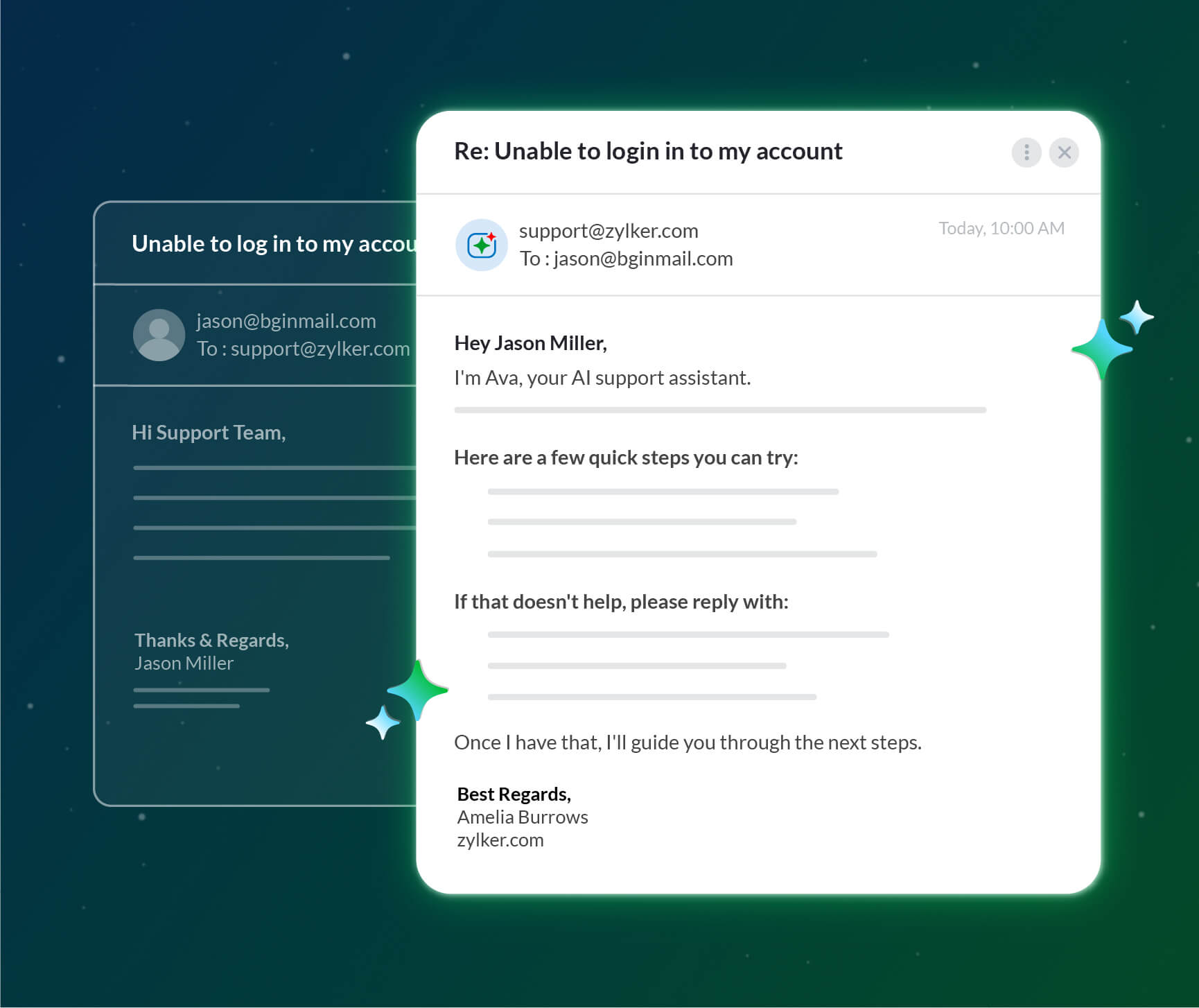
Take Zylker, a SaaS startup that set up support@zylker.com via Email-In and deployed the Reply Assistant. They configured the agent to send replies automatically after a five-minute delay. When a customer writes in at midnight, the agent steps in and sends a response before a single team member logs on the next morning.
Not comfortable with fully automatic replies? You can configure the agent to save every response as a draft, so your team reviews and approves before anything goes out.
CrossSell Genie: Turn every customer into your best upsell opportunity
Here is a neat trick: getting one customer to buy what three customers might have bought. Not magic, just good timing and the right recommendation.
That is what CrossSell Genie does.
The moment your sales team closes a deal, CrossSell Genie quietly gets to work. It studies the customer, their history, and their purchase, then figures out what else from your catalog they would genuinely find useful. From there, it either sends a personalized recommendation email automatically or drops a draft into your salesperson's queue, ready to review and send.
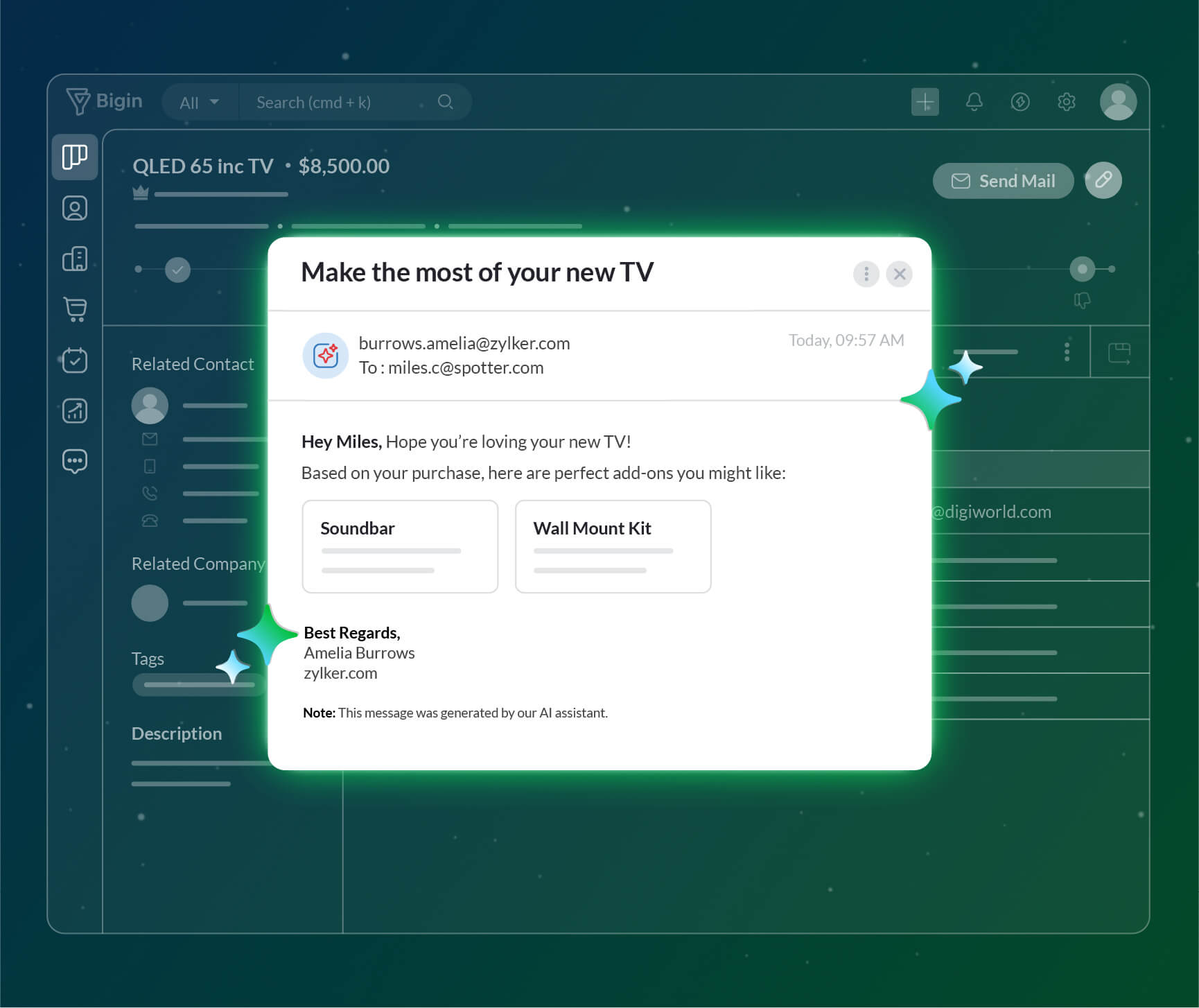
A customer of Zylker Electronics just bought a new TV. CrossSell Genie picked up on that and recommended a soundbar and a wall installation service, both already in Zylker's catalog. Useful, relevant, and well-timed. Difficult to say no to!
Churn Analyzer: Stop guessing why you lost the deal
Every lost deal stings. And most teams do the same thing after: move on and hope it does not happen again.
But hoping is not a strategy.
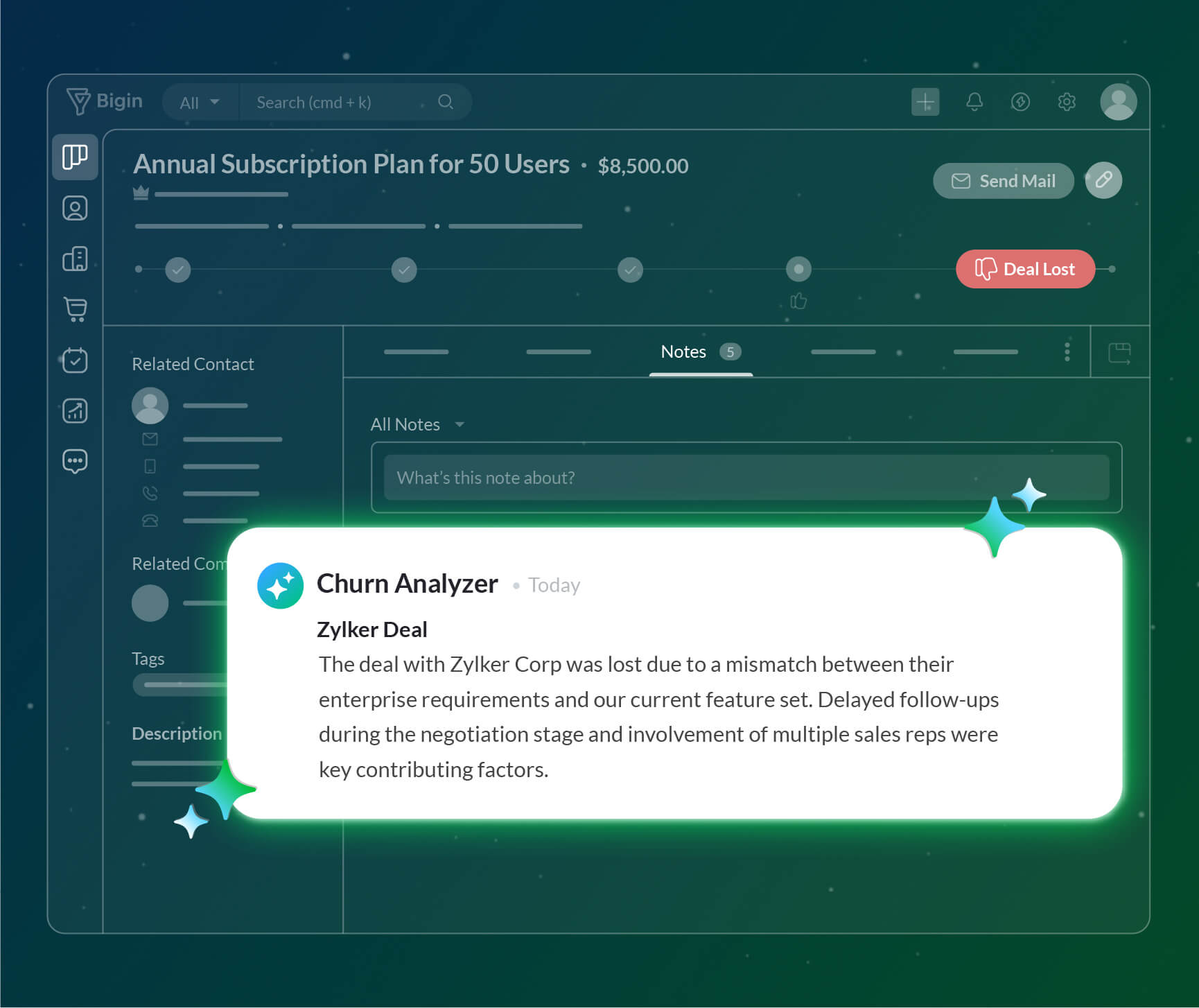
The Churn Analyzer changes that. Instead of leaving you to wonder, it goes back and studies every lost deal closely. Was it slow response times? Negotiations that dragged on too long? A prospect who was never really in the market? The agent figures it out and shares its findings directly with sales reps or their managers.
When you know what went wrong, you can actually fix it.
Want to build your own agents? Head to Zia Agent Studio!
Three native agents are just the beginning. The possibilities of where an AI agent can step into your day-to-day work are genuinely endless, and Zia Agent Studio is where you go to explore them.
It is an agent builder platform that lets you create agents tailored to your workplace, built to automate the tasks that matter the most to you! Once your agent is ready, follow this help document to deploy it in Bigin.
Ready to put our agents to work?
If you're already using Bigin, follow this help document to set up your first agent.
And if you haven't started your Bigin journey yet, sign up here and bring your first agent to life from day one.
Either way, we can't wait to see what you build! So, which agent do you want to welcome into your team first?

Comments