Why work stalls before it begins—and how the Action Panel helps users orient

On most workdays, execution is not the hardest part. The difficulty appears earlier, when people are trying to process what requires their attention first.
Tasks, meetings, approvals, and follow-ups arrive from multiple applications, often asynchronously. By the time a person begins their day, work is already in motion across calendars, inboxes, workflow tools, and approval systems. Before anything can be done, attention is spent reconstructing what needs to happen and in what order.
This reconstruction effort is rarely visible, but it shapes how the day unfolds.
The Action Panel was introduced in Zoho One to reduce this friction by giving work a clearer starting surface.
Why starting work has become harder than doing it
Modern work rarely arrives as a single, linear task. It arrives as a combination of scheduled commitments, incoming requests, pending approvals, and time-bound obligations. These elements are usually distributed across applications that were not designed to coordinate with each other.
A meeting may live in a calendar, a task in a project tool, and an approval in a finance or HR workflow. Each system is functional on its own, but none of them provides a unified view of what requires action now.
As a result, people spend the first part of their day scanning tools, checking notifications, and deciding what deserves attention. The effort involved is not execution—it is prioritisation under fragmented visibility.
A clearer way to begin the day
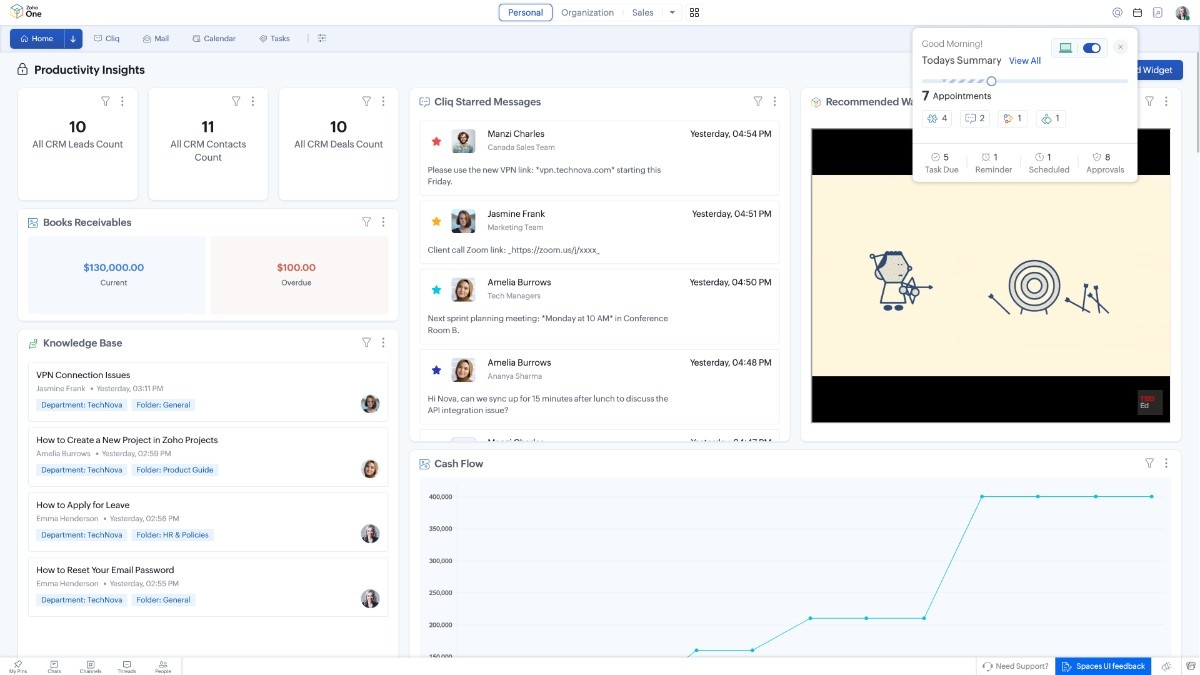
The Action Panel introduces a single surface where time-bound work and pending decisions are brought together intentionally.
Instead of asking users to assemble their day from multiple applications, it presents a consolidated view that reflects how work is actually experienced: as a sequence of activities to attend and decisions to respond to.
This surface is not designed to replace existing tools. It is designed to sit above them, providing orientation before execution begins.
How the Action Panel works in everyday use
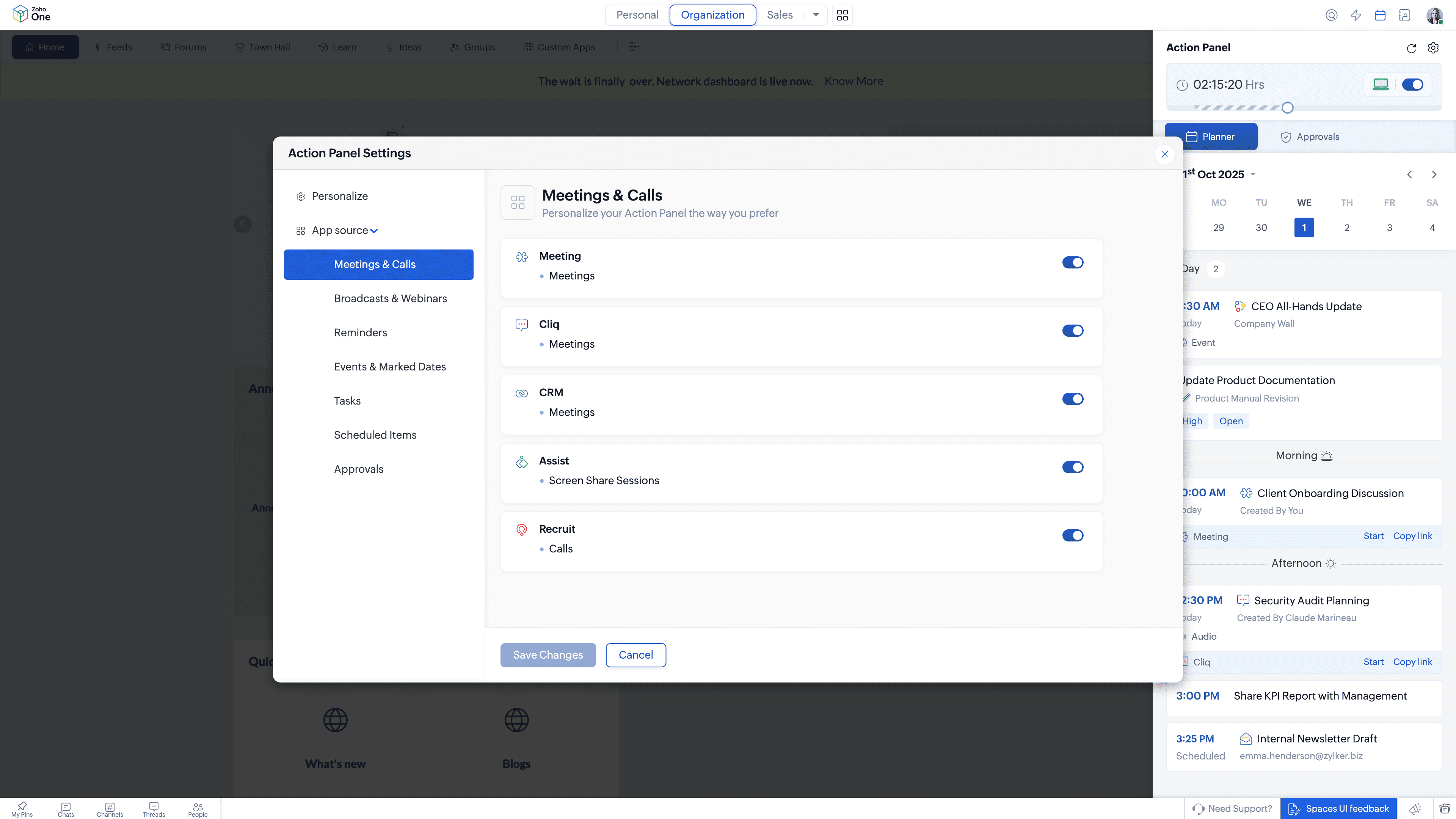
The Action Panel organises work into two primary sections, each aligned with a different kind of attention.
Planner: Organising time-bound activity
The planner section brings together activities scheduled across applications and presents them as a daily or weekly digest. Meetings, calls, and other planned activities appear in one place, allowing users to understand how their time is structured before they begin acting on it.
Users can switch between day and week views depending on how far ahead they need to plan. This makes it easier to balance commitments, spot overload early, and adjust priorities without jumping between calendars or task views.
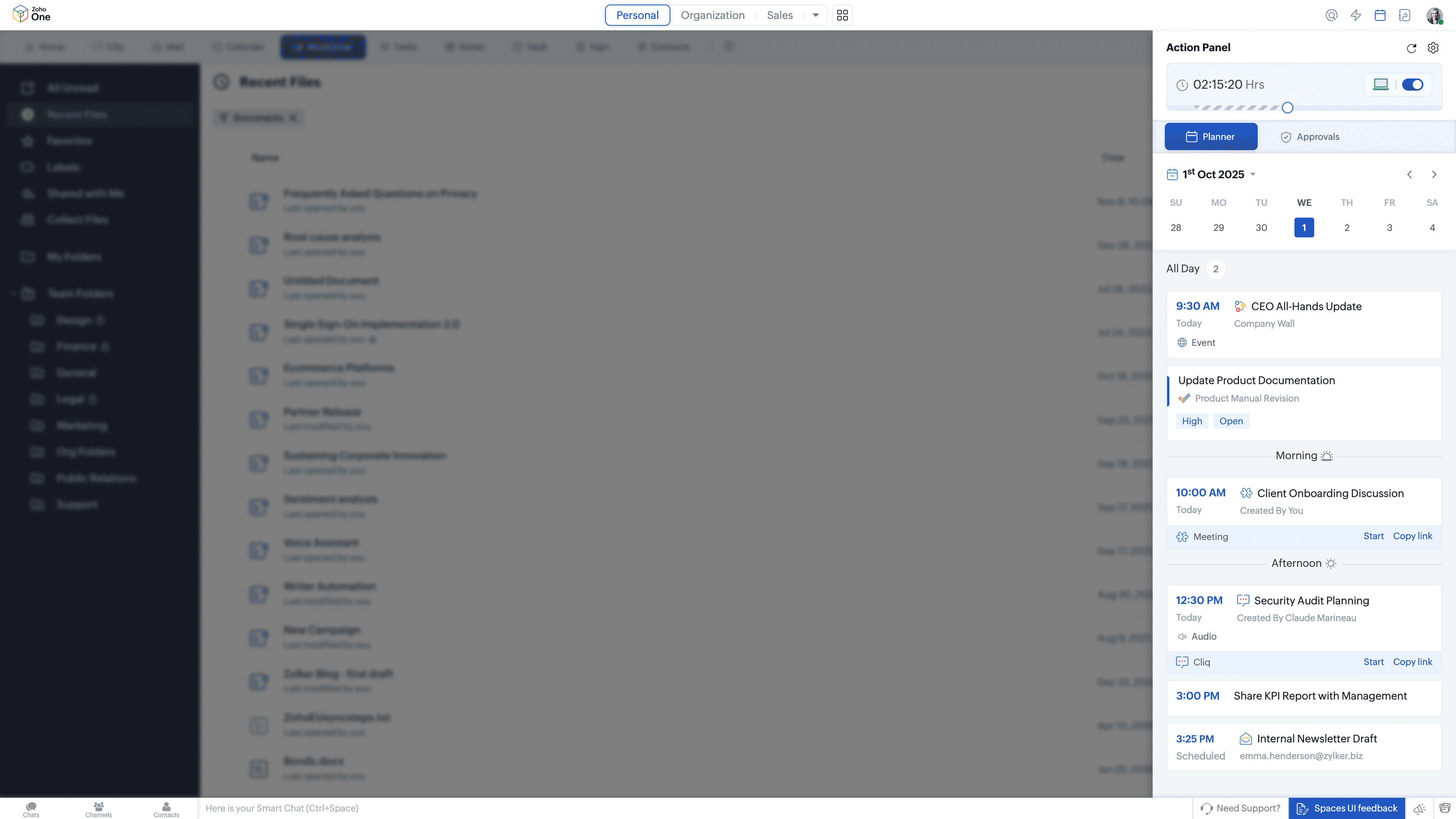
Because the planner draws from multiple application streams, it reflects the reality of how work is scheduled rather than how individual tools store events.
Approvals: Surfacing decisions that require action
The approvals section lists requests that are waiting for the user’s action, along with requests they have raised themselves. These may originate from finance, HR, operations, or other workflow-driven applications.
By presenting approvals together, the Action Panel reduces the risk of decisions being delayed simply because they are scattered across systems. Users can see what requires a response, what is pending, and what has already been initiated, without searching through individual apps.
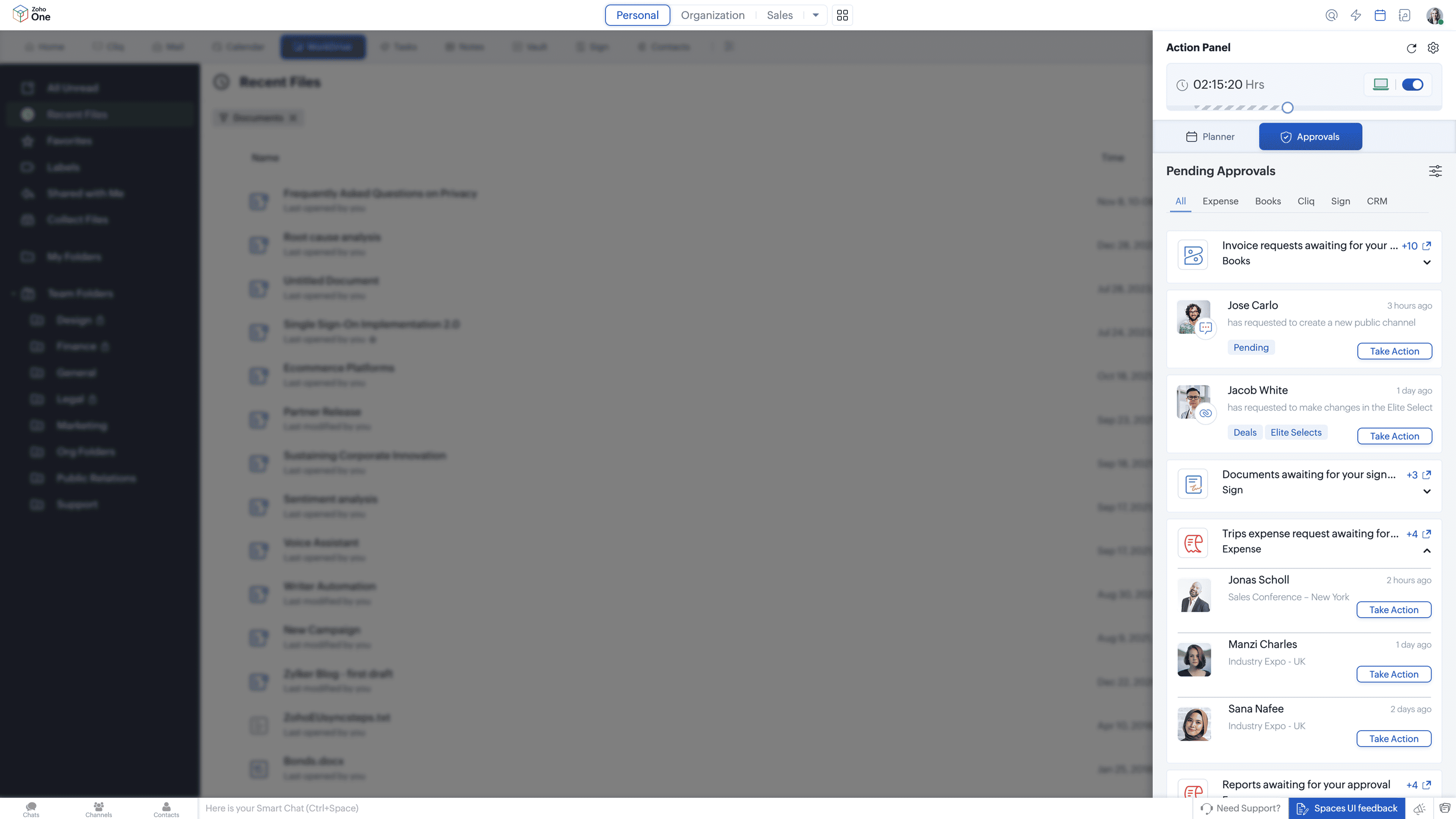
This keeps decision-making visible and contained.
Managing attention without switching context
Beyond aggregation, the Action Panel supports small but meaningful actions that help users stay oriented throughout the day.
Users can update their availability status across applications from one place, respond to meeting or event invitations with a single action, and receive reminders as meetings or calls approach. These interactions reduce the need to manage attention through constant app switching or notification scanning.
The effect is cumulative. Fewer transitions are required just to stay aligned with what is happening next.
How this changes day-to-day work
When the start of the day is clearer, execution tends to follow more smoothly.
People spend less time deciding what to look at first and more time acting on what already requires attention. Meetings are less likely to be missed or double-booked. Approvals move faster because they are visible at the right moment rather than buried in individual tools.
Over time, this reduces the background effort involved in managing work before work actually begins.
How the Action Panel fits into the broader system design
The Action Panel is part of a broader design direction within Zoho One that focuses on reducing friction across the work cycle:
Spaces — where work lives
Dashboard 2.0 — how work is seen
Quick Nav — how work moves
Action Panel — how work begins
Each element addresses a different phase of engagement. The Action Panel concentrates on the moment where intention forms and attention is allocated, making it easier to begin work without first assembling context.
Why this matters in practice
Work increasingly demands quick judgment about what deserves attention next. When that judgment requires scanning multiple systems, small delays accumulate and focus erodes.
By providing a unified starting surface, the Action Panel helps users begin their day—and each new block of work—with clearer orientation. This supports better use of time, steadier execution, and fewer missed handoffs, without requiring people to change how they work inside individual applications.


Comments