Fixing knowledge silos: How Zoho Workplace creates a workplace where information flows

Picture this: A product manager is 20 minutes away from a high-stakes customer meeting.
He vaguely remembers a colleague mentioning a workaround for a recurring customer issue a few months back. Hoping for a quick win, he jumps into the shared drive. He finds three documents with almost identical names. A quick message to a teammate reveals that the actual latest version is hidden in a completely different folder. Then, someone else chimes in: It turns out the final decision wasn't documented at all; it was just agreed upon during a team sync.
Fast forward 20 minutes: he's still frantically piecing the puzzle together, the clock is ticking, and the meeting is about to start.
Sound familiar?
The real issue here isn't a lack of knowledge; the organization had the answer. The problem is that the knowledge was scattered across fragmented conversations, buried documents, and lost in shifting human memories.
This is exactly what a knowledge silo looks like.
When we think of "silos," we usually picture isolated departments, like engineering not talking to marketing. But in reality, knowledge silos are far more subtle. They form whenever valuable information becomes difficult for others to discover, understand, or reuse. It's not a wall between teams; it's a fog over your shared data.
Breaking down knowledge silos is about shifting the culture. Let's look at how Zoho Workplace effortlessly captures and organizes knowledge, and makes it easy to rediscover in the flow of work.
What are knowledge silos?
At its core, a knowledge silo occurs when the right information exists within an organization, but it isn't accessible to the people who actually need it.
Think of it as organizational amnesia; the company knows the answer, but the team can't find it.
These silos don't always look like rigid corporate walls. Instead, they show up in everyday friction:
- Vital data gets trapped inside deeply nested folders with absolutely no clear ownership.
- Critical decisions live only inside 50-message-long chat threads that are impossible to search later.
- Crucial context exists solely in the minds of a few experienced employees.
No matter where the info is hidden, the end result is always the same: When knowledge gets siloed, teams pay a heavy cost in daily productivity. Here are just a few examples of that cost:
- Teams waste hours playing digital detective instead of moving projects forward.
- Employees constantly repeat the same questions that were already answered last week, last month, or last quarter.
- Entire projects get restarted from scratch simply because previous work, research, or code couldn't be found.
Why do knowledge silos happen?
Every single day, we generate mountains of knowledge. Ideas spark in rapid-fire chat threads. Big decisions get made during quick Zoom calls. Files evolve through dozens of tracked changes.
The challenge today isn't creating knowledge; in fact, we're drowning in it. The real challenge is connecting all of these scattered pieces into a cohesive system that actually works for everyone.
Typically, knowledge silos creep into an organization for three specific reasons:
Conversations disappear into endless threads
Think about how many game-changing decisions happen during casual team discussions. But without a dedicated, central place to lock those decisions down, they quickly get buried under a mountain of daily chatter. The result? Employees are forced to ask the same questions repeatedly, or play the dangerous game of relying on someone's memory of what happened six months ago.
Files completely lose their context
A final document tells you what was created—but almost never explains why.
Without the background discussions, the client feedback, and the shifting requirements that shape a document, the most valuable part—the organizational context—simply vanishes.
People have no idea where to search
When a team member needs an answer, they shouldn't have to wonder:
- Is it buried in a folder?
- Was it shared in a chat thread?
- Did it go out in a company announcement?
When finding information feels like looking for a needle in a haystack, employees eventually just give up. Instead, they hit up a colleague for a quick answer, creating a chain reaction of constant interruptions across the entire company.
The three stages of a knowledge-first workplace
If you want a truly efficient, high-performing team, you need to stop thinking about knowledge as a collection of static files. Instead, think of it as a journey. Every single valuable idea, decision, and process in your company naturally flows through three distinct stages:
It's captured
Knowledge starts with action. It's the breakthrough during a brainstorming session, the fix for a nagging bug, or the definitive decision made in a meeting. The goal here isn't to force people to write exhaustive manuals, but to make it effortless to log information in the moment so it isn't lost to memory.
It's organized
Capturing information is useless if it's just tossed into a digital junk drawer. Bring context directly to your content. By tying feedback directly to your files, you preserve the "why" behind every change and turn raw data into meaningful team insights.
It's discovered
When an employee needs an answer, they shouldn't have to guess which folder, app, or chat thread to look in. Discovery means having a single, intuitive place to search where the right information surfaces instantly, exactly when it's needed.
Let's take a look at how Zoho Workplace seamlessly connects these three stages.
Step 1: Capture knowledge with Zoho Connect
An idea shared out loud today can easily become your team's best practice tomorrow.
But if those brilliant conversations take place in fast-moving, endless message feeds, they have a very short shelf life—which is exactly where Zoho Connect comes in.
By providing structured, collaborative spaces, it gives your team a place to talk openly while ensuring that core insights are preserved, categorized, and easy to discover down the road.
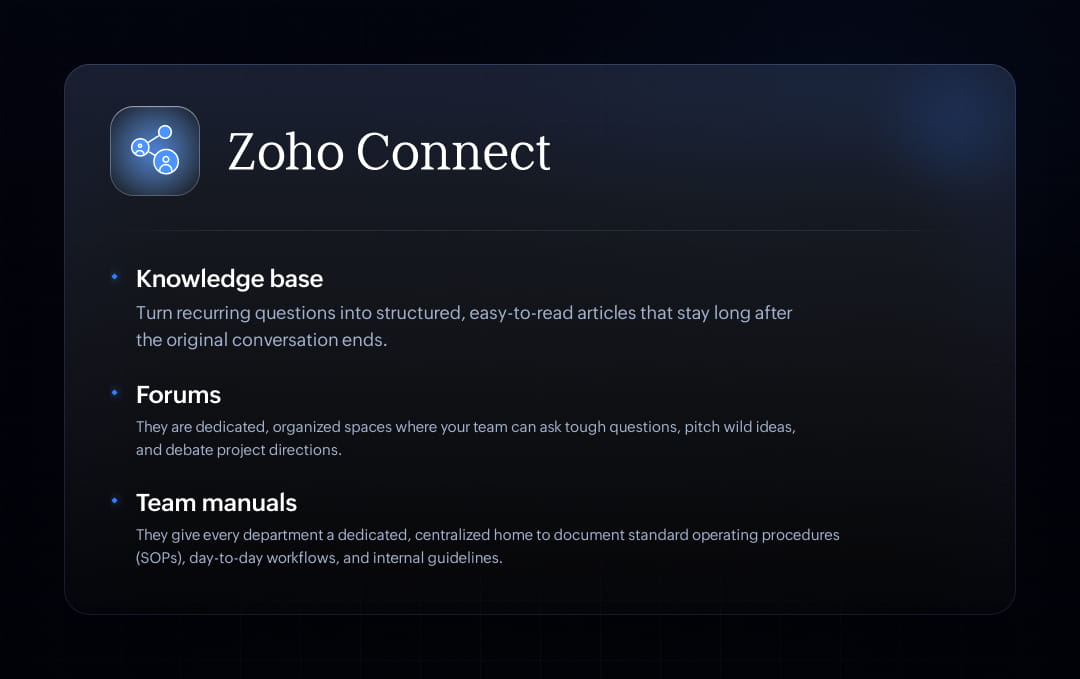
Build a searchable knowledge repository with a knowledge base
Whether it's onboarding guides, HR policies, IT troubleshooting steps, or sales playbooks, your team shouldn't have to rely on the memory of your most experienced employees to get things done.
With a centralized knowledge base, you can turn those recurring questions into structured, easy-to-read articles that remain long after the original conversation ends. Instead of hunting down a veteran team member, anyone in the organization can access a growing library of facts whenever they need it.
For example, new hires get up to speed on their own terms without needing constant hand-holding. Everyone stays on the same page, eliminating the risk of outdated or conflicting information spreading across teams.
Encourage collective problem-solving with forums
In the real world, sometimes the best solutions emerge naturally through messy, collaborative discussions. It could be a teammate troubleshooting out loud, a quick brainstorm over a complex problem, or a shared piece of feedback that completely pivots a project.
But if those brilliant breakthroughs happen in standard team chats, they have a lifespan of about five minutes before getting swallowed by the endless scroll.
That's where forums come in. They're dedicated, organized spaces where your team can ask tough questions, pitch wild ideas, and debate project directions without the fear of important details getting buried under a mountain of daily chatter.
Every time a teammate answers a question on a forum, they aren't just helping one person; they're adding a permanent brick to your organization's collective knowledge base.Instead of interrupting a colleague for help, employees open the floor to the whole team, unlocking diverse perspectives and smarter solutions.
For example, a new hire facing the exact same challenge can type a few keywords into the search bar and find the entire historical discussion, complete with the context, the trial-and-error, and the ultimate solution.
Preserve institutional knowledge with team manuals
Relying on "verbal knowledge transfer"—basically, passing down information like an old family recipe—is asking for operational chaos. When teams scale, details get blurred, mistakes get repeated, and onboarding slows to a crawl.
Team manuals give every department a dedicated, centralized home to document standard operating procedures (SOPs), day-to-day workflows, and internal guidelines.
Whether someone is stepping into the finance team, stepping up in marketing, or joining the front lines of customer support, they don't have to spend their first month guessing or constantly interrupting colleagues. They can just open the manual and immediately understand exactly how work gets done. Crucial company context stays safely inside the organization, no matter who comes or goes. When everyone follows the same documented playbook, consistency and output quality rise.
For example, new hires hit the ground running with self-serve training, drastically reducing progress time.
Step 2: Turn files into shared organizational knowledge with Zoho WorkDrive
Writing down a great idea or documenting a new process feels like a major win. But capturing that knowledge is only half the battle.
If that valuable document ends up tossed into a massive, disorganized cloud storage dump, it goes to die. It gets buried under old revisions, forgotten in private folders, and completely lost to the lifecycle of the project.
This is exactly where Zoho WorkDrive helps.
WorkDrive isn't a passive cloud storage platform; it's a dynamic, shared workspace engineered specifically to help teams actively build, refine, and preserve their organizational knowledge.
Organize information with team folders
Team folders shift the focus away from individual employees and place it exactly where it belongs: on departments, projects, and teams.
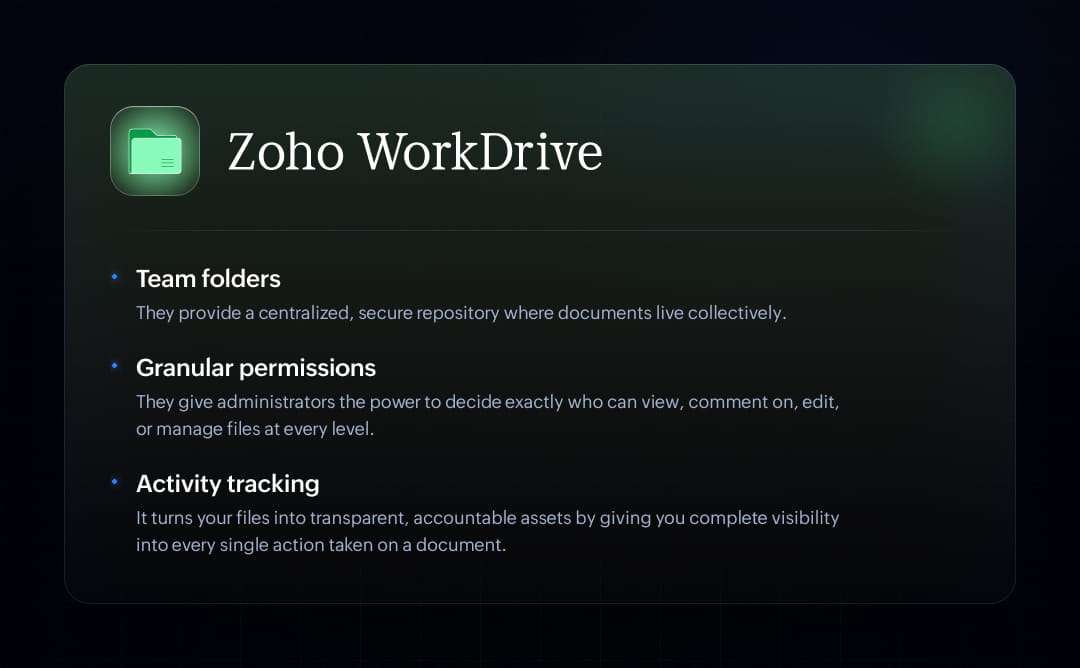
Instead of a chaotic web of privately owned links, Team Folders provide a centralized, secure repository where documents live collectively.
Everyone works from the exact same central hub. This completely eliminates the nightmare of duplicate files and the confusion of Project_Plan_v3_EDITED_final.pdf floating around. Secure, role-based access ensures that the right people have the appropriate permissions to view, edit, or manage files, keeping sensitive data safe while maintaining transparency.
When an employee leaves or moves to a new department, absolutely nothing breaks. The knowledge, context, and historical files remain exactly where the team expects to find them.
Protect information without slowing collaboration using granular permissions
Too often, companies lock everything down so tightly that they end up creating massive information barriers. Teams get blocked, productivity stalls, and IT gets buried under a mountain of access requests.
But safeguarding your data shouldn't mean slowing your team down. Knowledge should be effortless to access—but only by the right people.
With Zoho WorkDrive, you don't have to choose between tight security and seamless collaboration. Our granular permission controls give administrators the power to decide exactly who can view, comment on, edit, or manage files at every level.
Instead of an all-or-nothing approach, you can tailor access to fit the exact rhythm of your business:
- Lock down sensitive spreadsheets and budgets to view-only or restrict them to executive leadership entirely.
- Ensure employee reviews and onboarding data are safely accessible only to authorized HR personnel.
- Open up project folders so copywriters, designers, and external agencies can brainstorm, leave comments, and edit in real time.
Your teams get a secure, structured workspace where they can share ideas openly, while you get the peace of mind that comes with ironclad security.
Understand the story behind every file with activity tracking
On its own, a document can only tell you part of the story; it can show you what the content looks like right now, but it leaves you entirely in the dark about how it got there. To move forward confidently, teams need answers to the real questions:
- Who made the final edits?
- When exactly was this spreadsheet updated?
- Has the manager reviewed this draft yet?
- What actually changed since I looked at this yesterday?
Activity tracking turns your files into transparent, accountable assets by giving you complete visibility into every single action taken on a document. You can:
- Instantly see if a file has been updated recently by a stakeholder, giving you the green light to use it for an upcoming client meeting or product launch.
- Stop emailing teammates to ask if they've looked at a proposal yet; a quick glance at the activity stream shows you exactly who has viewed, edited, or reviewed the file.
- If a file gets accidentally moved, renamed, or altered, you don't have to guess what happened; the activity log shows you the exact sequence of events so you can fix it instantly.
Step 3: Make knowledge instantly discoverable with universal search
Imagine you need to track down a specific project update, so your hunt begins.
First, you open your email. It's not there. Next, you check your team chat app and scroll through a few channels. Still nothing. Then, you open your cloud storage drive and type a couple of keywords into the search bar. Finally, you remember it might have been posted as a formal company announcement, so you open another tab.
By the time you actually find the answer, you've opened four different applications, clicked through a dozen tabs, and completely lost your focus.
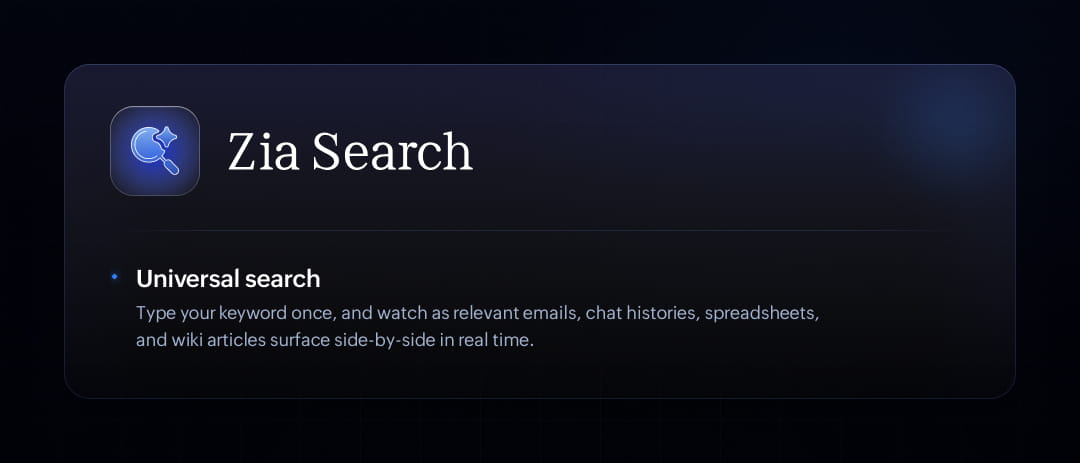
Instead of forcing you to open and search through multiple tools one by one, universal search gives you a single, powerful window into your entire Zoho Workplace ecosystem.
Need a document? A forum discussion? A specific announcement? A slide deck?
Search once and find everything. Type your keyword once, and watch as relevant emails, chat histories, spreadsheets, and wiki articles surface side-by-side in real time.
What does a connected knowledge flow looks like?
Imagine your product team is bouncing ideas around for a game-changing new feature.
The spark starts in a Zoho Connect forum, where the brainstorming happens. Once the dust settles and the details are locked in, those finalized specifications are neatly documented in a team manual.
But it doesn't stop there. The actual design files and project documents live inside WorkDrive team folders, where contributors collaborate in real time, track revisions, and manage versions without losing a single edit.
Let's say six months later, a new product manager joins the company. In most workplaces, their first week would be a wild goose chase, messaging five different colleagues just to piece together the backstory.
Instead, they type a single query into the search bar. Right in front of them is the original discussion, the finalized process, and the latest project files.
The result:
- Nothing had to be recreated.
- Nothing was lost in translation.
- The knowledge simply kept flowing.
Wrapping up: Build a workplace where knowledge stays connected
Knowledge isn't just born inside a static document; it actually starts as a spark in a conversation, gets refined through teamwork, and grows stronger every single time someone builds on top of previous work.
The real challenge today is ensuring that all this information stays connected throughout its entire lifecycle.
With Zoho Workplace, knowledge stops being a chore that people have to manage. Instead, it becomes a natural fluid asset that flows freely across your organization, keeping everyone aligned, productive, and moving at top speed.


Comments