Why work loses structure across apps—and how Spaces restore it

As work becomes more cross-functional, teams spend less time struggling with access to tools and more time trying to understand where work actually belongs.
Tasks, conversations, files, and decisions increasingly span multiple applications. While these tools may be technically connected, the work itself often lacks a clear structure that defines scope, ownership, and boundaries. Teams end up reconstructing context before they can move forward, especially when work stretches across tools and time.
This friction shows up in small ways—extra steps, repeated clarification, delayed handoffs—but it compounds as work becomes more distributed.
Spaces have been introduced in Zoho One to address this gap by giving work a clearer structural home once it starts crossing tools and teams.
Why traditional structures stop holding work together
Most software systems still organize work around applications, folders, or projects. Each of these structures serves a specific purpose, but they were not designed to hold everything that accumulates as work spans multiple tools and participants.
Applications are built around functionality, folders are optimized for storing files, and projects are typically scoped around timelines. As work evolves, conversations, decisions, data, and follow-ups begin to spread across these structures, making it harder to see the full picture in one place.
As a result, information is distributed across tools, context has to be repeatedly reconstructed, and governance becomes more difficult to apply without adding process or friction.
What’s needed is a unit of organization that can contain work as it actually unfolds across boundaries.
Organizing work around purpose, not tools
Spaces introduce a higher-level organizational layer that groups apps and tools around zones of focus, rather than around products or menus.
Instead of navigating a long list of applications, users enter Spaces that correspond to how work is structured in practice. Each Space creates a bounded environment where related work is brought together intentionally, making scope and ownership easier to understand.
Work is no longer arranged primarily by tool category. It is grouped by purpose, with structure emerging from how work is actually done.
How Spaces work in everyday use
Spaces are designed to provide structure without imposing rigidity or additional process.
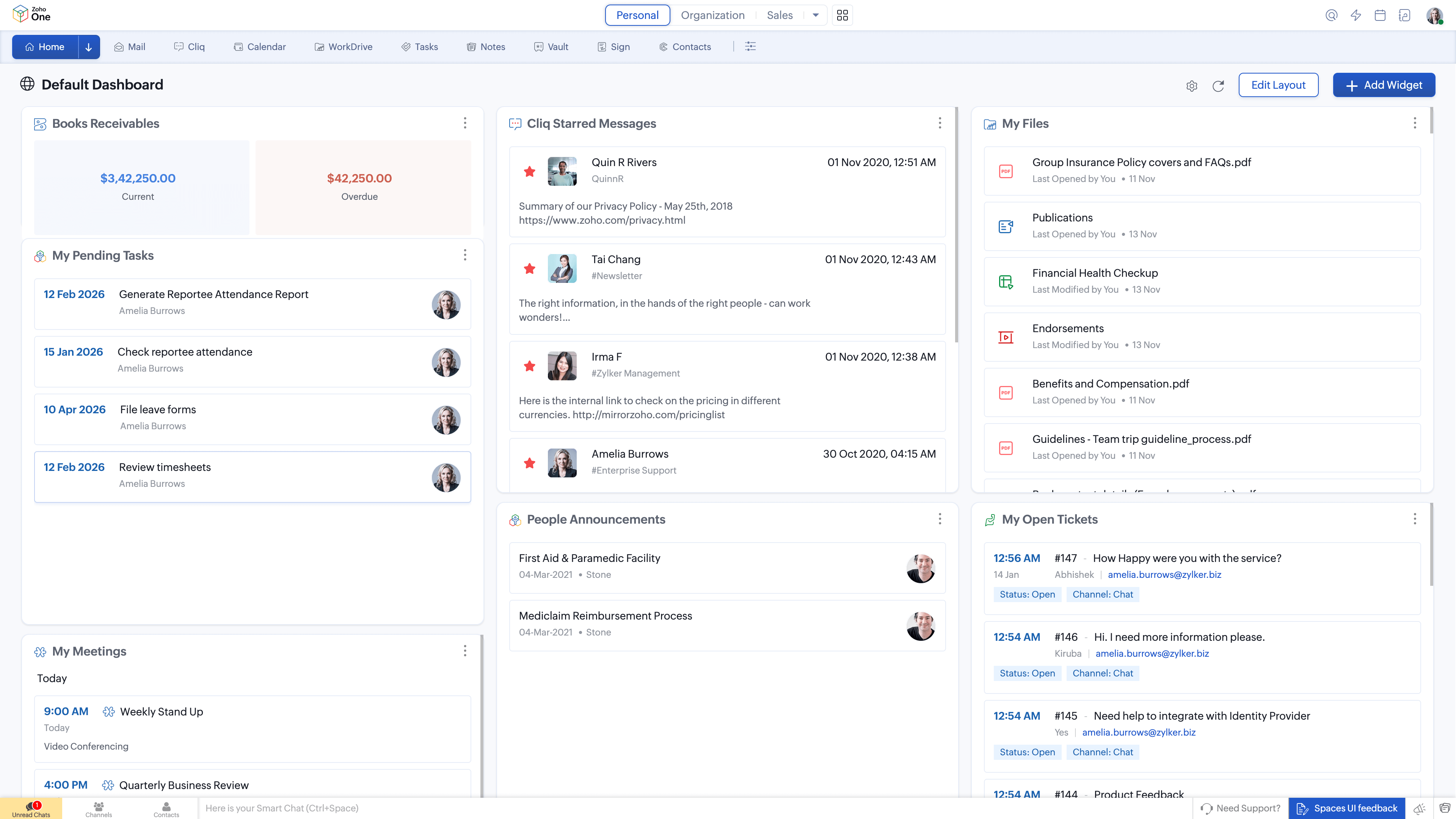
Personal space
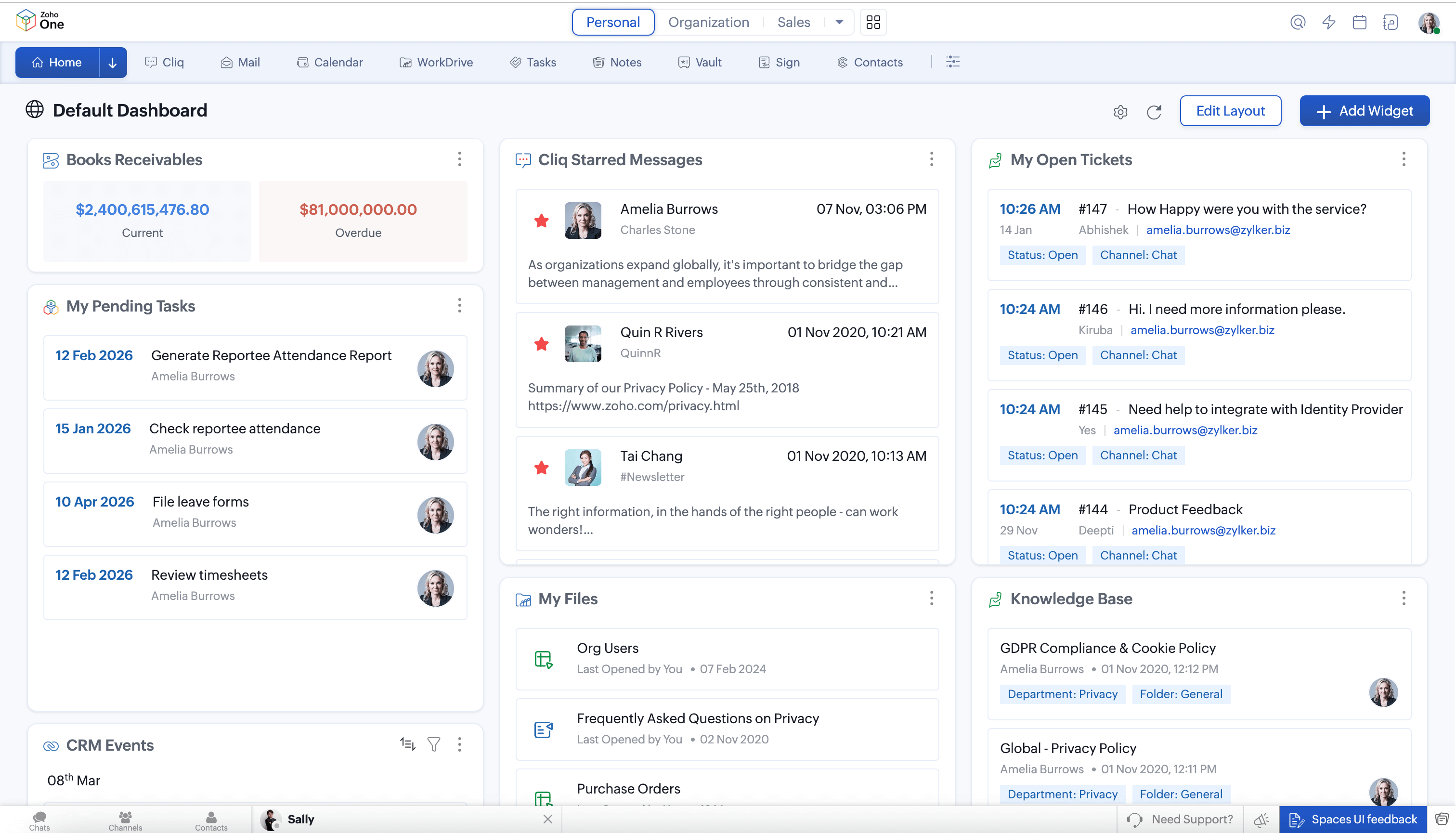
Every user has access to a Personal Space that brings together everyday productivity tools such as Mail, Calendar, Tasks, Cliq, WorkDrive, and Vault. This Space acts as a consistent home for individual work, regardless of role or department.
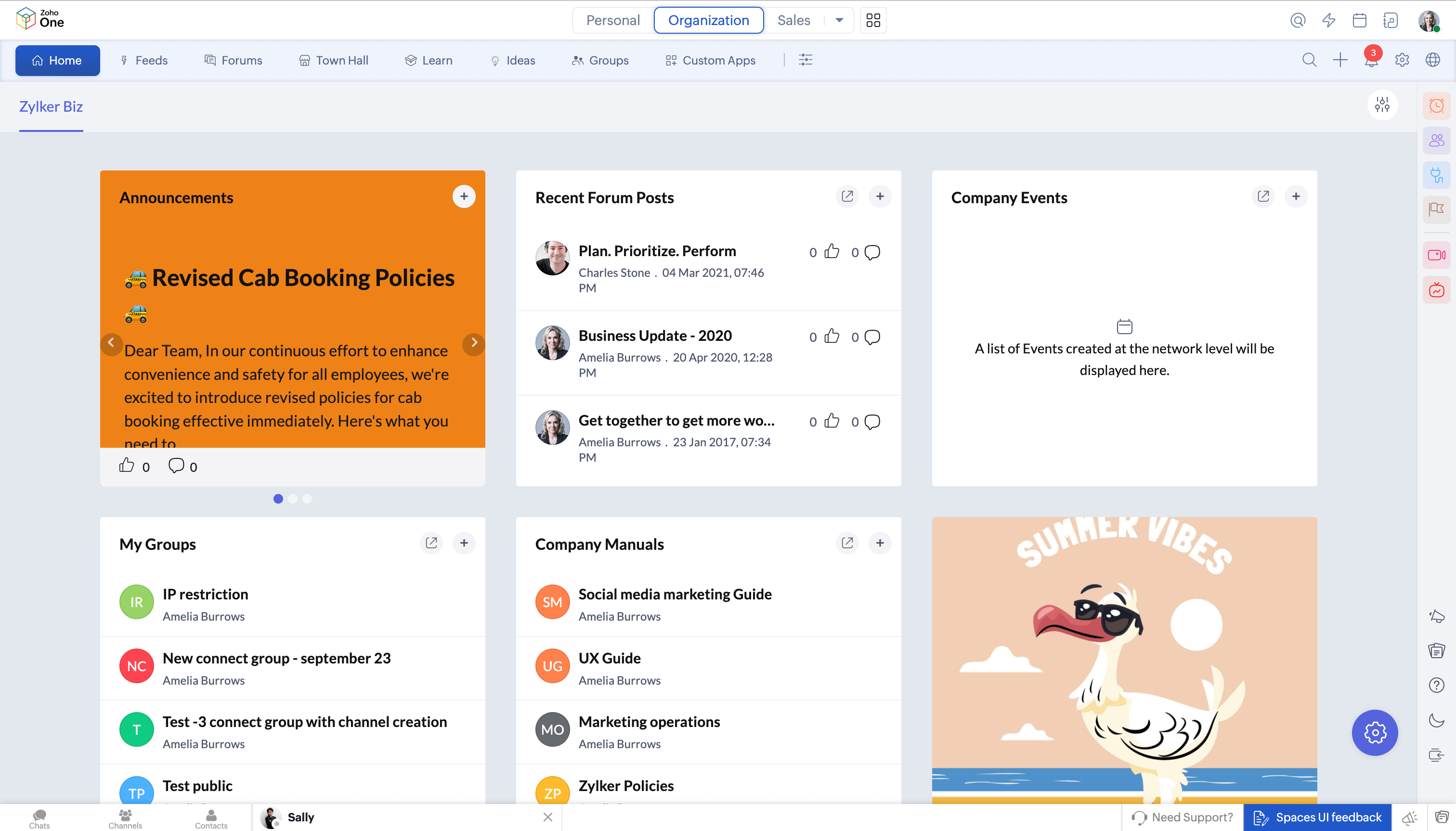
Organization space
The Organization Space brings together company-wide collaboration tools such as Feeds, Forums, and Townhall. It provides a shared environment for announcements, discussions, and organizational communication that cuts across teams.
Functional spaces
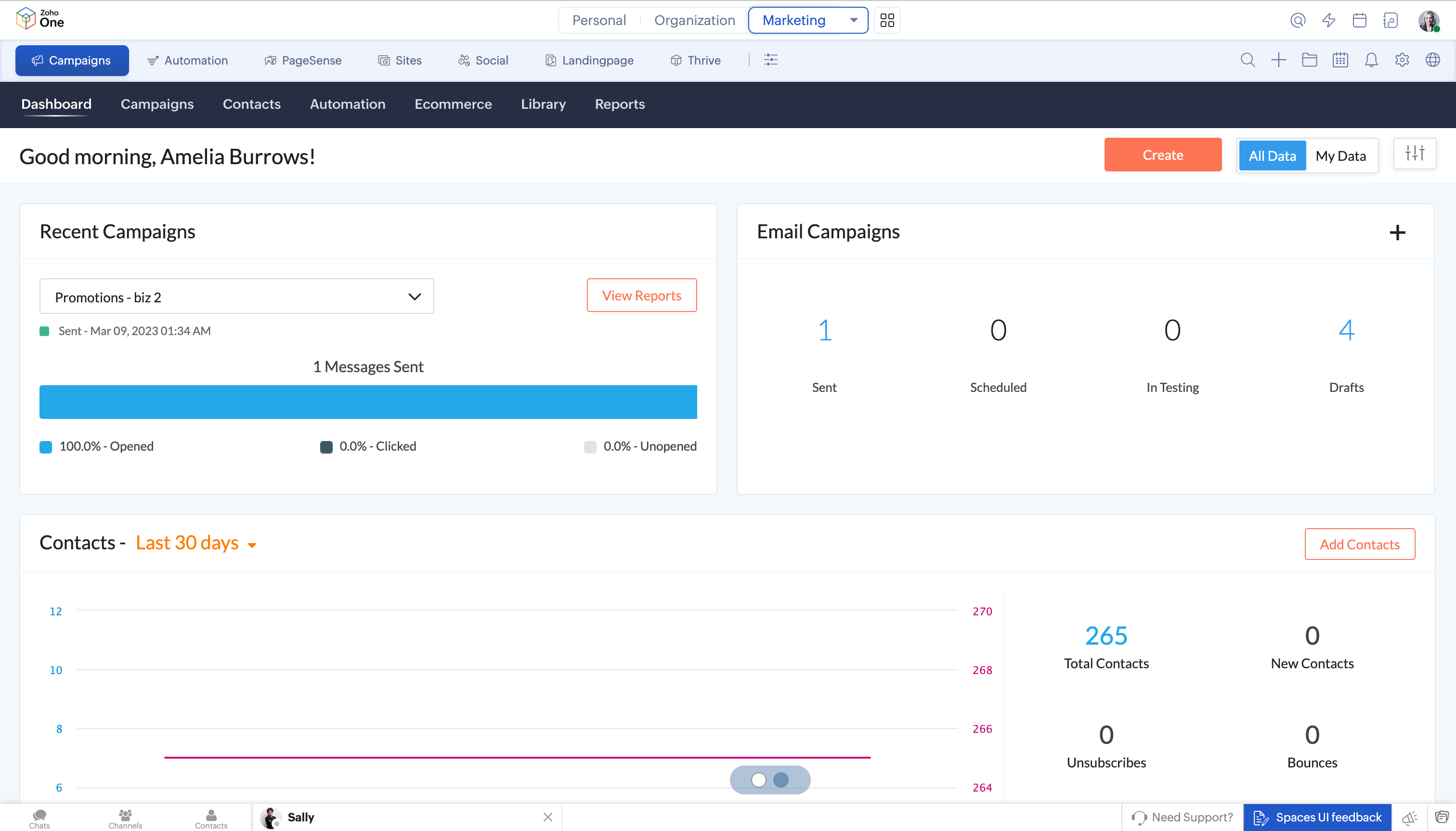
Functional Spaces align with departments such as Sales, Marketing, Service, HR, Finance, and Legal. These Spaces appear based on a user’s role and surface only the applications relevant to that function, helping reduce noise while keeping responsibilities clear.
All users have access to Personal and Organization Spaces by default. Functional Spaces appear automatically based on role, reducing setup effort while preserving structure.
Boundaries that hold without getting in the way
Spaces establish clear boundaries around work without locking users into a fixed layout.
Within a Space, users can enable, disable, or reorder apps to match how they work. This allows individual flexibility while preserving the shared structure that makes Spaces effective at a team or organizational level.
Navigation remains consistent across the platform. Elements such as search, settings, and the portal switcher appear in the same locations across apps and Spaces, reducing relearning and making movement predictable. Users can also choose between top, side, or compact navigation styles without altering the underlying organization.
Adding tools without overwhelming navigation
Spaces are designed to scale without crowding the interface.
Accessing additional apps when needed
The tools panel provides access to additional applications without permanently placing them in the main navigation. Frequently used tools can be promoted, while others remain available when required.
Finding related apps in context
Boards arrange applications based on context rather than product boundaries. Notes may appear in both Notebook and Mail, and task-related modules across Zoho applications are grouped together. This helps users encounter tools where they are relevant instead of searching across products.
How structure affects day-to-day work
When work is organized into clear Spaces, teams spend less time deciding where things belong and more time acting on them. Ownership is easier to understand because work is grouped by purpose, information is easier to locate because it lives in predictable environments, and governance can be applied where work actually happens rather than across disconnected tools.
Continuity improves as a result. Work is easier to resume because its structure persists even as tools, people, or timelines change.
How Spaces fit into the broader system design
Spaces are part of a broader shift in Zoho One toward making complex systems easier to operate through clearer structure and predictable boundaries.
Spaces — where work lives
Dashboard 2.0 — how work is seen
Quick Nav — how work moves
Action Panel — how work begins
Together, these changes reduce ambiguity and support governance without forcing teams to work around the software. The intent is not to add layers, but to give work a place to belong.




Comments