Zoho Writer’s latest automation updates: smarter formulas, dynamic content, and less manual work

Create personalized documents with smarter formulas, dynamic content, and payment links, and update templates without rebuilding your workflow.
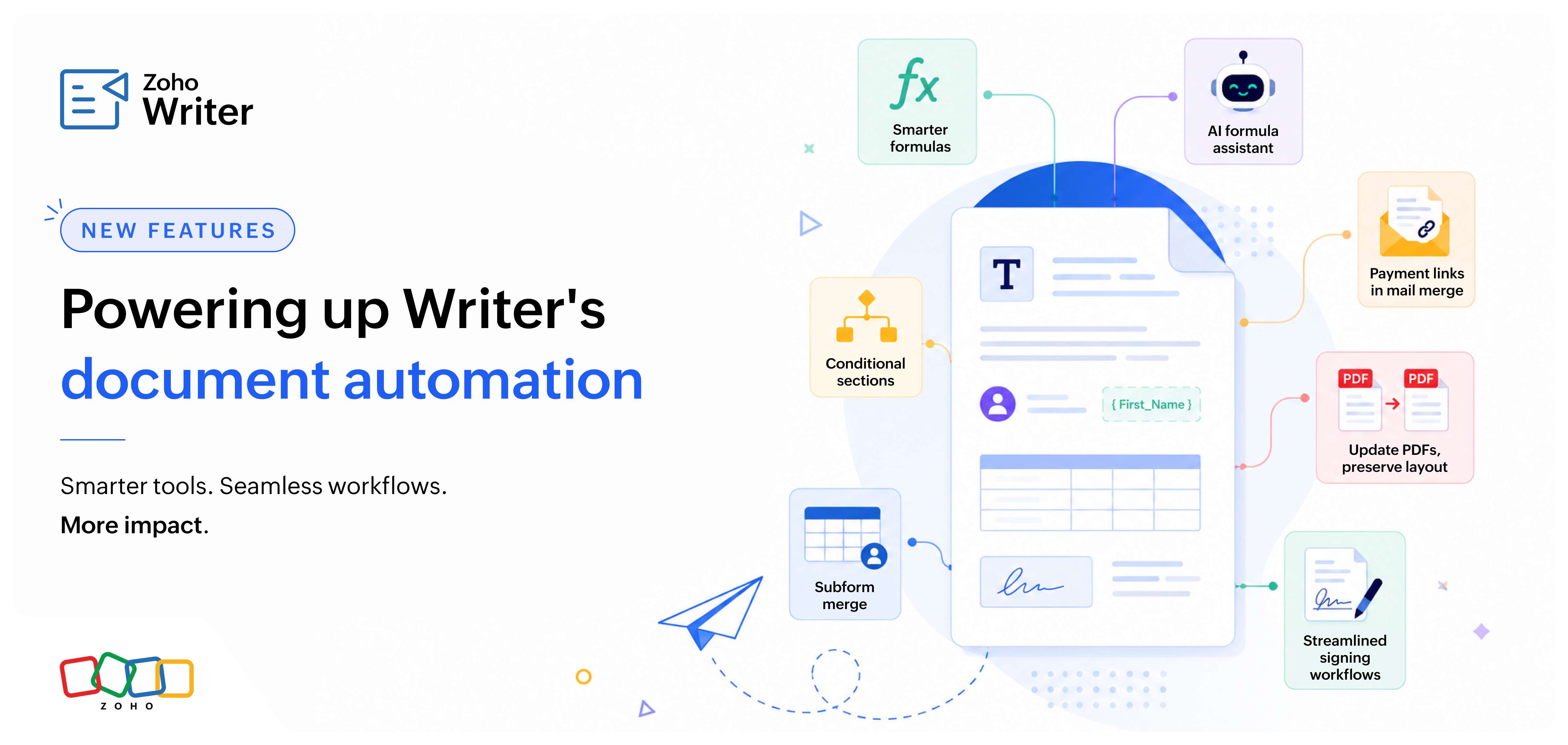
From smarter formulas and dynamic content to more flexible forms and streamlined signing workflows, this release brings powerful new capabilities to Zoho Writer. These enhancements make it easier to create personalized documents, automate repetitive tasks, adapt templates to changing business needs, and manage end-to-end document workflows—all while reducing manual effort and simplifying everyday work.
Highlights of this update
Smarter formulas
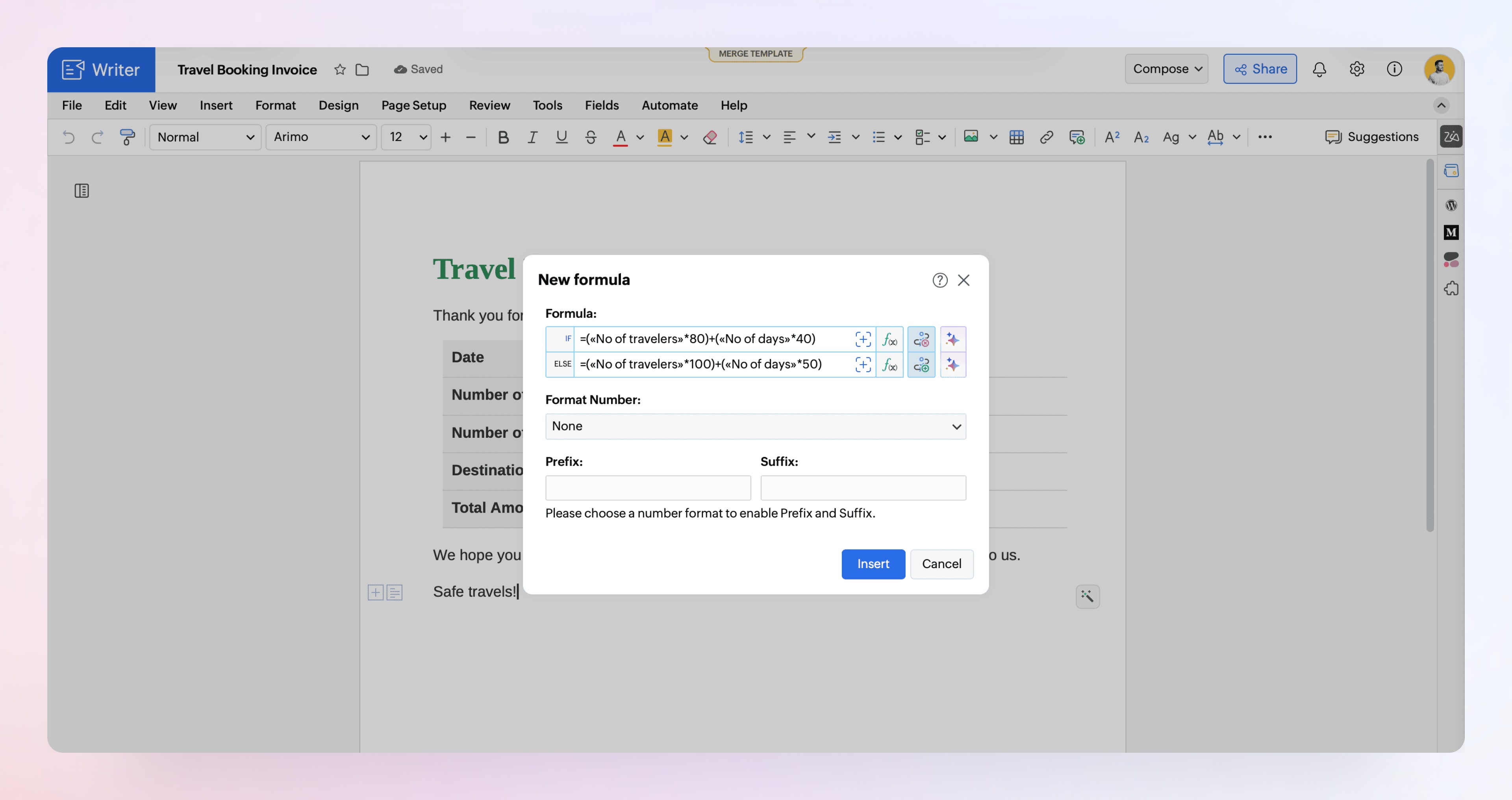
Twelve new string functions help you format and manipulate text. Conditional formulas let you set rules for how values are calculated. An AI formula assistant can generate, fix, and refine formulas from a plain description in English, which helps with tasks like formatting names, combining address fields, or cleaning CRM data. Learn more
Conditional sections
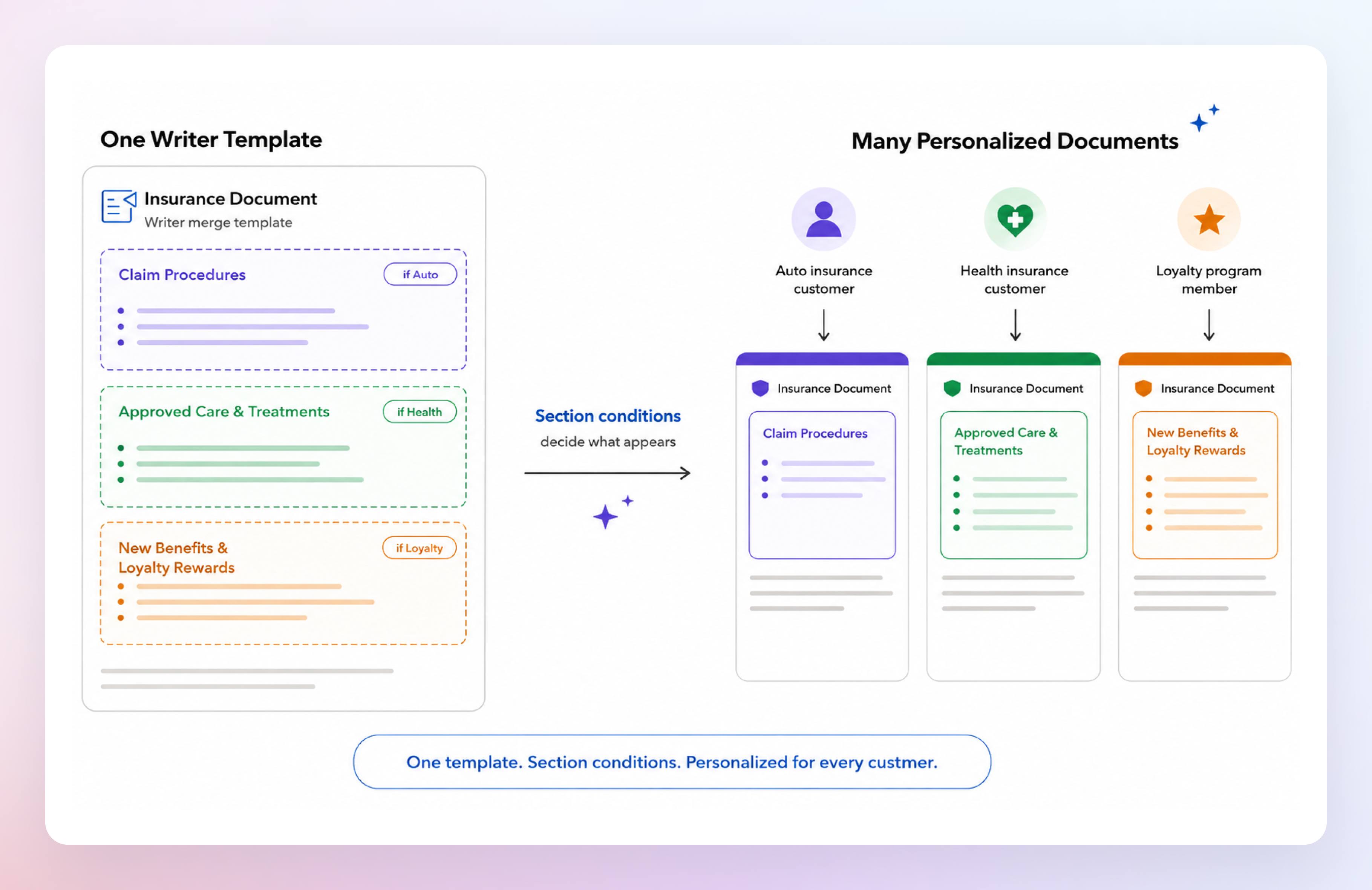
Build one template and choose which sections appear based on merge data. For example, an insurance policy can show only the selected plan’s coverage, and an offer letter can include clauses only for certain employees. This removes the need for a separate template per scenario while delivering personalized documents. Learn more
Rich text support in CRM mail merge
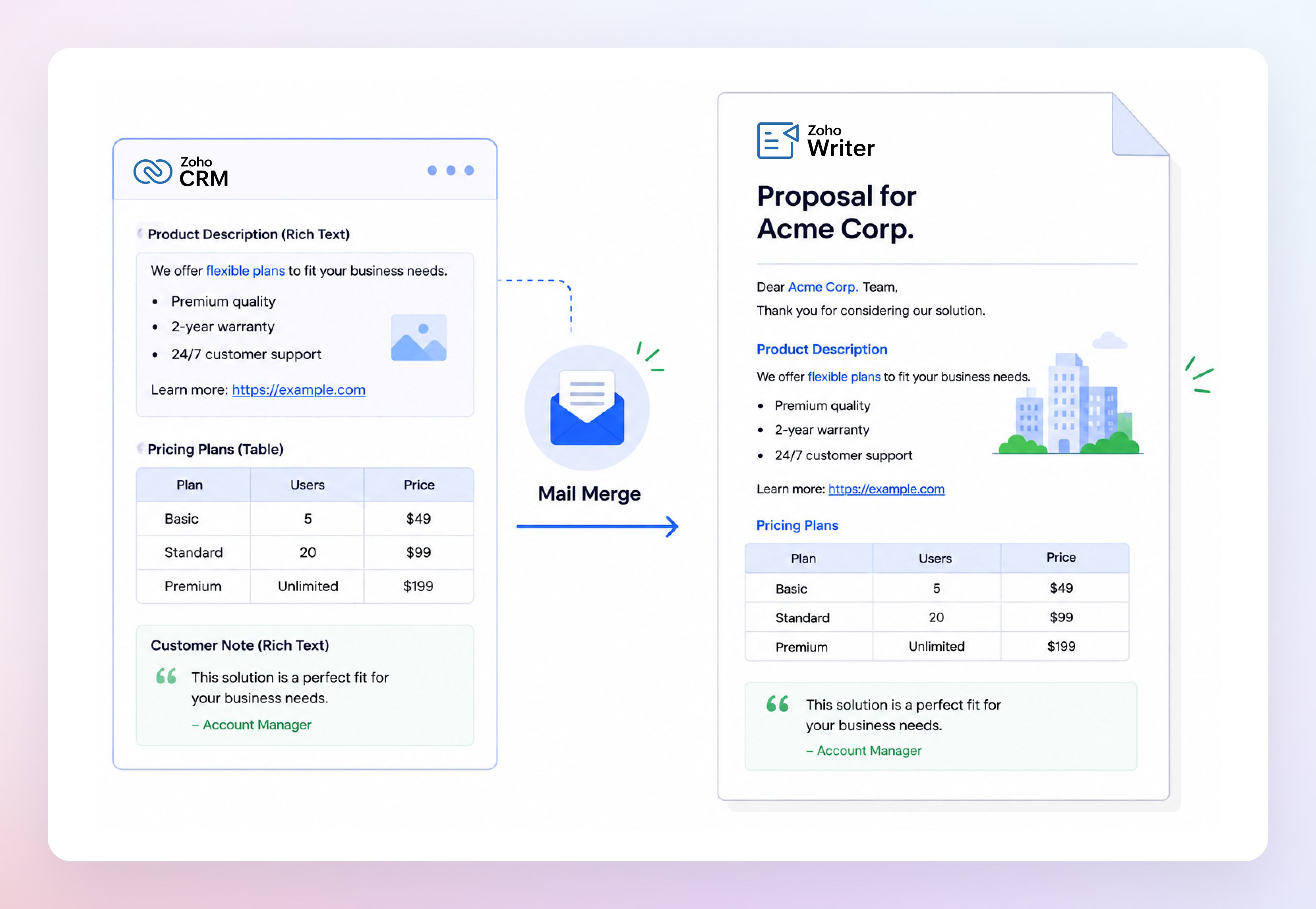
Lists, hyperlinks, tables, and other formatting now carry over exactly as they appear in CRM, so merged documents need no extra formatting work.
Subform merge
Generate a separate personalized document for each subform record, while still using information from the parent record. You can create admission letters for students, event certificates for participants, onboarding documents for employees, or invoices for individual order items. Learn more
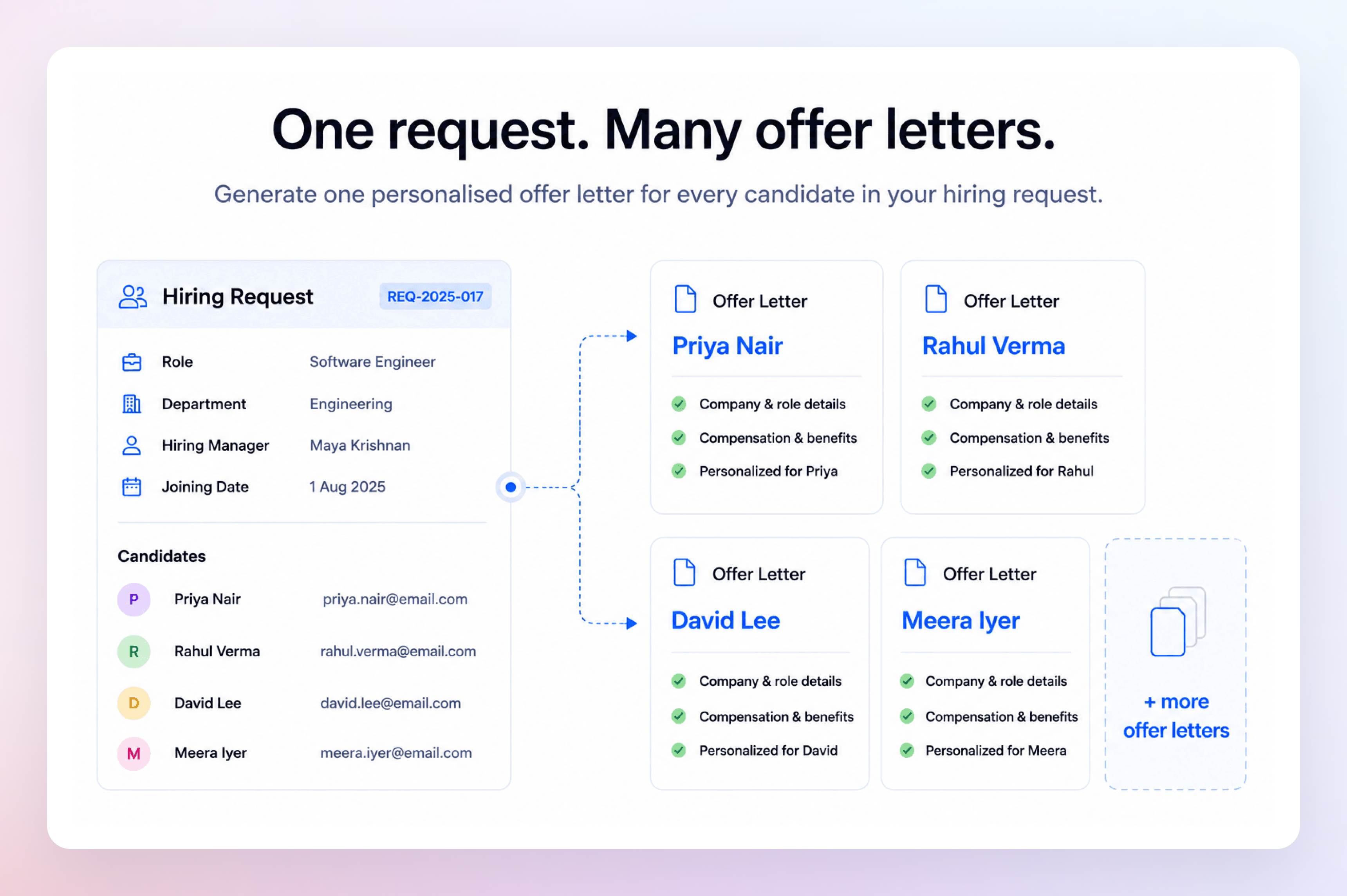
Payment links in mail merge
With Zoho Checkout integration, include a personalized payment link in the same email as the document. Recipients get an invoice, registration confirmation, renewal, or donation request together with a way to pay, with no follow-up needed. Learn more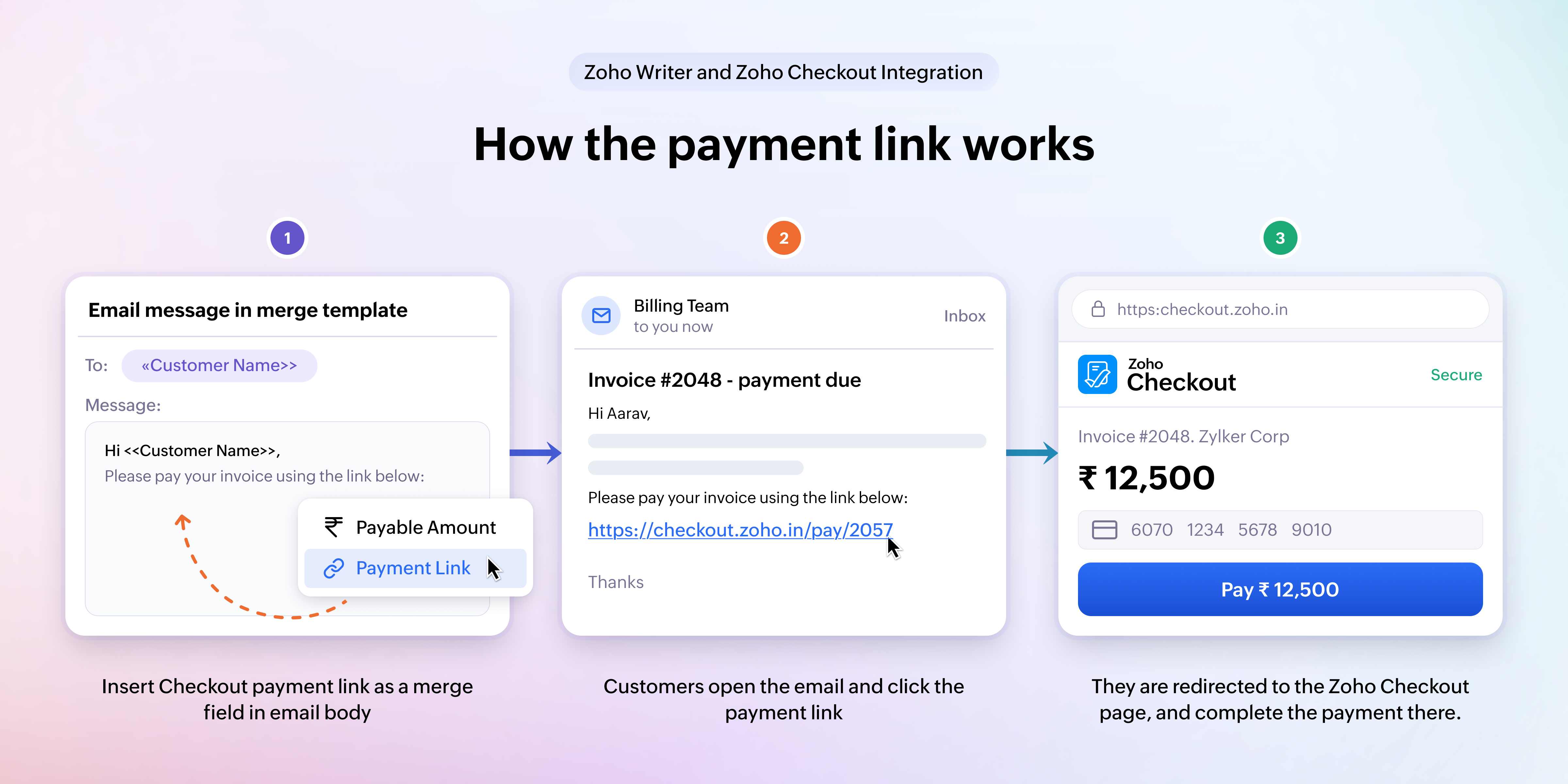
Replace PDFs without rebuilding
Replace the PDF behind an existing fillable form, mail merge, or sign template while keeping all field mappings and signature fields. This is useful when you are updating your company branding, redesigning a form. Learn more
Whether you're creating personalized documents, collecting payments, gathering information, or managing approvals, these enhancements help you automate more of your document workflows with Zoho Writer.
Try these features and share your feedback in the comments or write to support@zohowriter.com or support@eu.zohowriter.com.
Comments