Simplify scheduling: How Zoho Calendar’s appointment booking helps you meet smarter

If there’s one universal truth in the workplace, it’s this: Scheduling meetings takes way more time than it should.
From endless back-and-forth emails to mismatched calendars and last-minute double-bookings, coordinating even a simple 30-minute slot can feel like solving a Rubik’s cube blindfolded.
You’re not alone. According to a report, professionals waste up to three hours every week simply managing meetings. That’s time that could’ve gone into actual work, strategic planning, or even a well-deserved break.
In today’s hybrid era, where teams, clients, and partners work across locations and time zones, scheduling shouldn’t be a struggle. It should be smooth, automated, and user-controlled.
That’s exactly where Zoho Calendar’s appointment booking steps in.
In this blog post, we’ll explore how appointment booking in Zoho Calendar works— and, more importantly, how it takes the stress out of scheduling. By streamlining the process, Zoho Calendar frees you up to focus on the work that actually matters (and maybe even sneak in that coffee break).
Note: While this feature is meant for paid Mail or Workplace users, we’ve included one complimentary booking page for our free users so you can see how much time you'll save.
Why appointment booking is now business-critical
Appointment booking technology has rapidly transitioned from a convenience to an operational necessity, driven by three fundamental shifts in how we work and interact.
1. Clients expect self-service scheduling
Research consistently shows that a staggering 70% of people prefer the autonomy of booking appointments online rather than enduring the friction of phone calls or email exchanges.
For modern businesses, self-service scheduling is no longer a competitive advantage; it’s become the baseline expectation for professional engagement. Failing to offer this instantaneous, 24/7 flexibility is a silent driver of client abandonment.
2. Internal teams need more flexibility
As organizations embrace flexible hours and distributed teams, manually coordinating internal schedules has become a massive, time-consuming effort.
Automated scheduling systems are essential for cutting through this complexity, allowing team members and internal partners to control their schedules and instantly find overlapping availability.
3. Calendars have now become workflow hubs
Today’s sophisticated scheduling solutions automatically trigger essential actions: They allow you to securely book online meeting rooms, send timely reminders to reduce no-shows, and log interaction records directly into CRM or project management systems. The appointment itself has become the crucial trigger point for the entire business process.
What is Appointment Booking in Zoho Calendar?
At its core, the Appointment Booking feature within Zoho Calendar is designed to eliminate the administrative friction while scheduling, putting you in complete control. Instead of endless email chains or “Does Thursday at 3 work?”, you set the rules once and let the system do the heavy lifting.
Publish your available time slots: Easily define and specify the exact time slots you wish to make available, eliminating any guesswork.
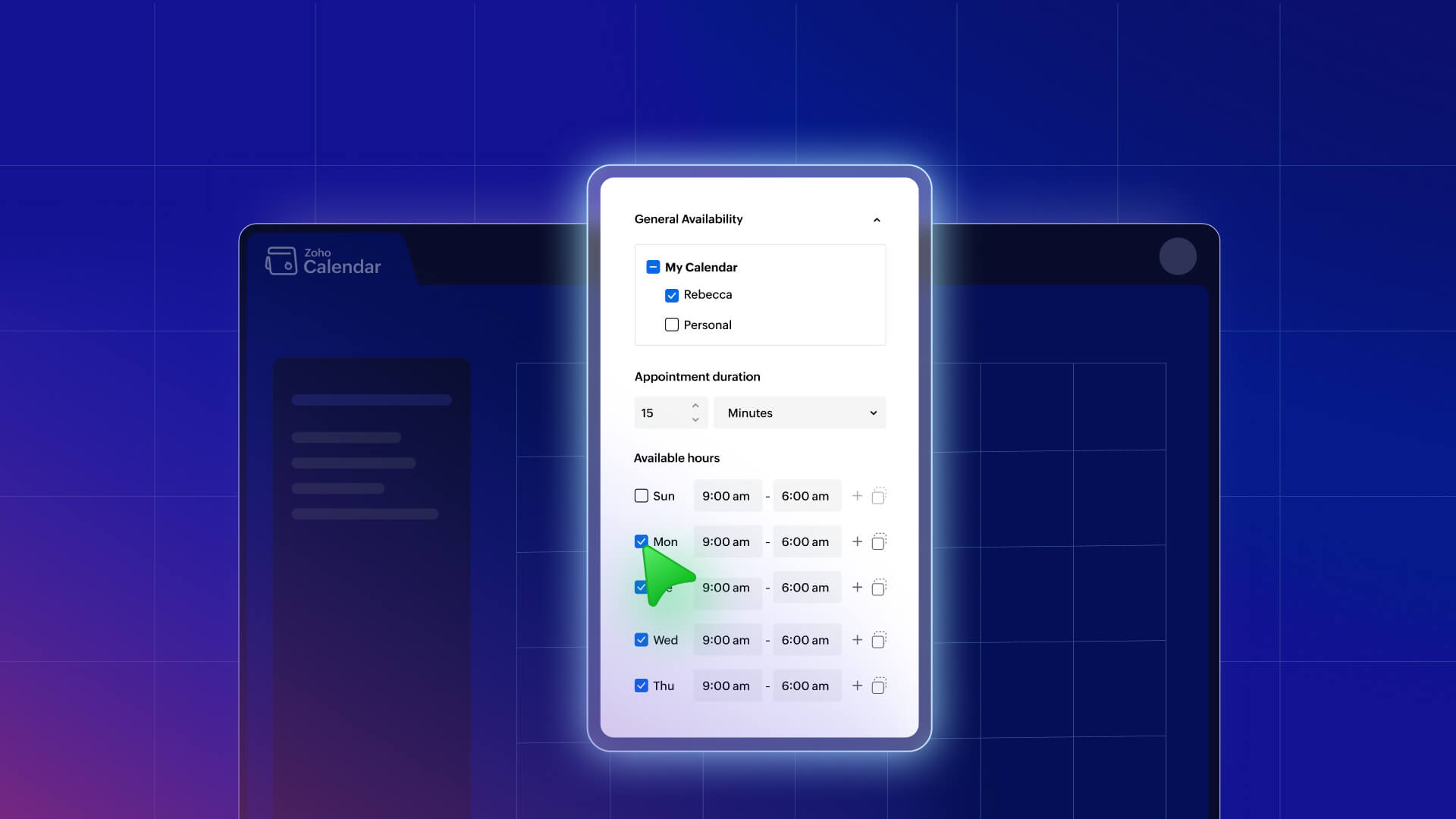
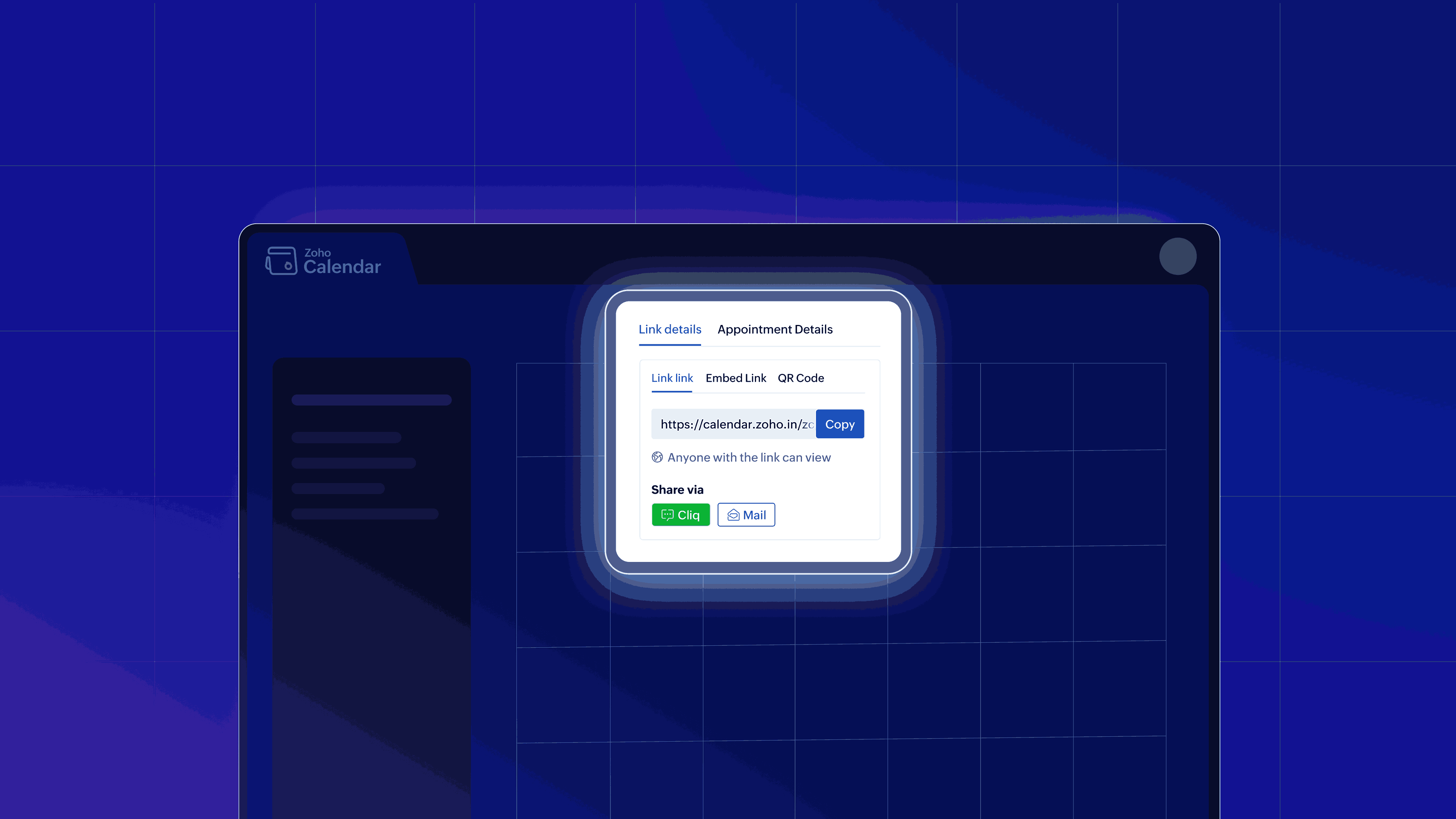
Share a simple booking link: Replace the back-and-forth talks by sharing a single link that instantly directs others to your open schedule.
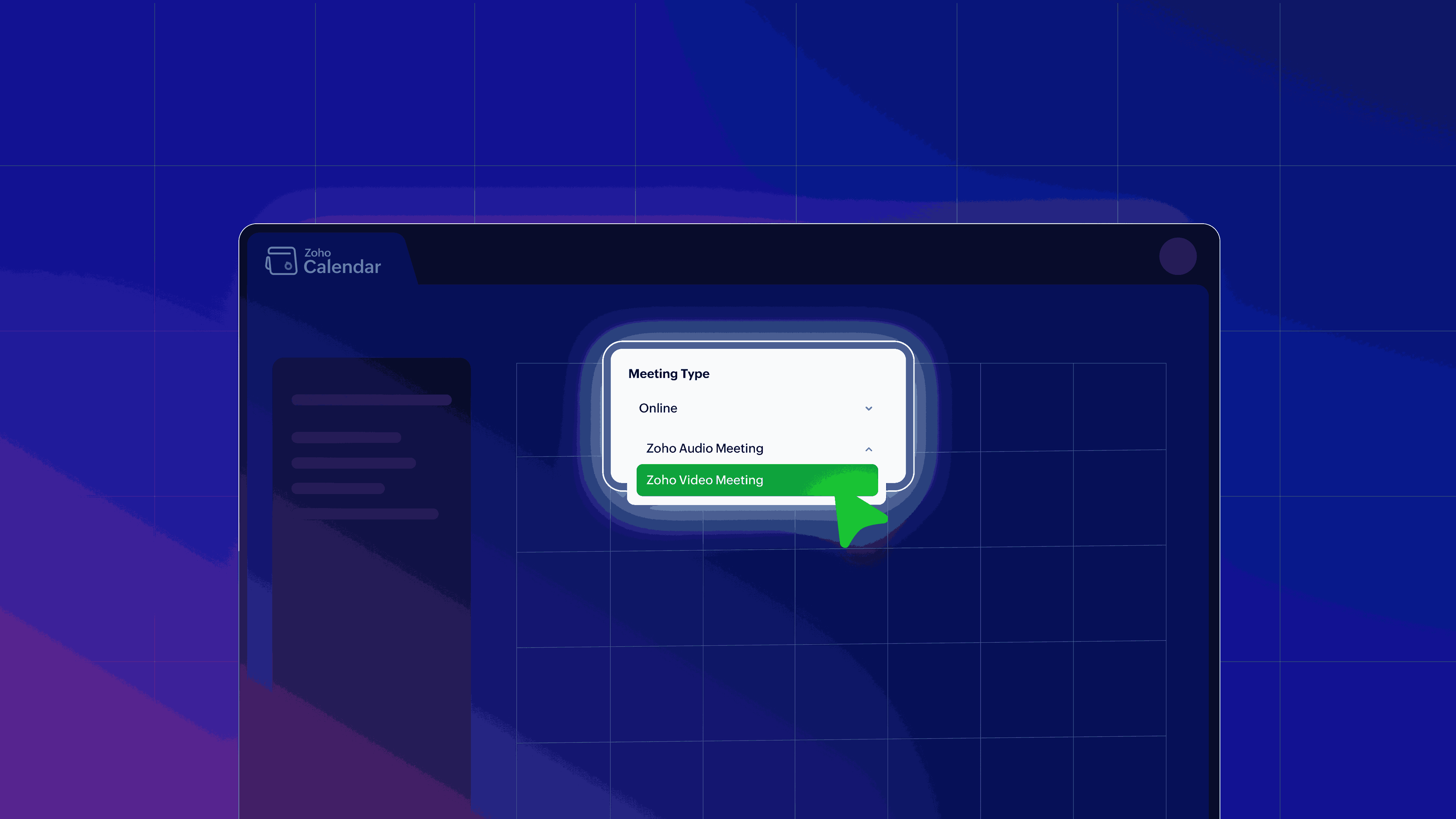
Bring your conferencing tool along: With the Zoho Meeting integration, guests can generate a unique, secure link when they book an online meeting.
Let clients, colleagues, and partners book meetings directly: Grant clients, colleagues, and external partners the power to book meetings directly.
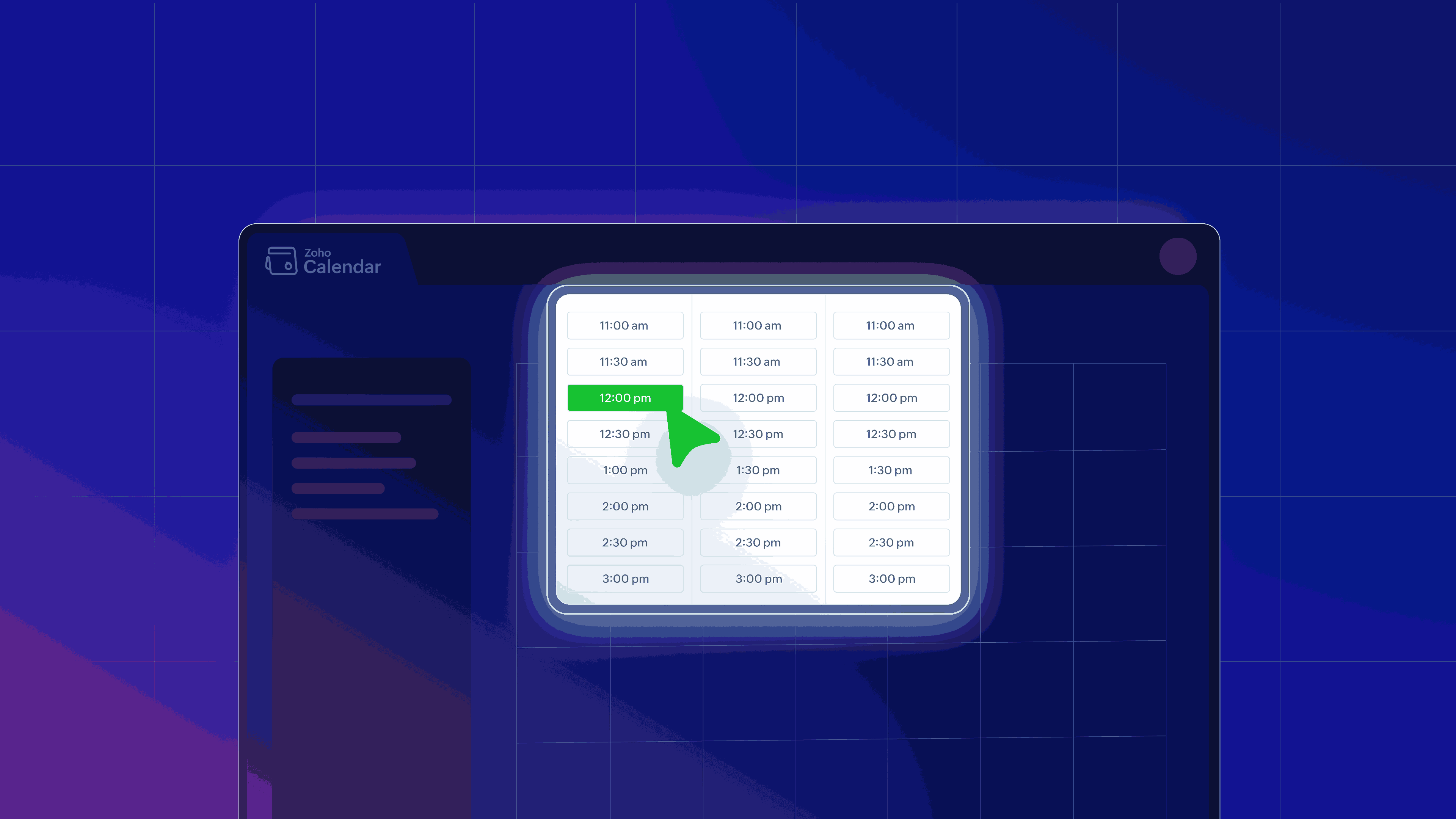
Automatically generate events for both parties: Once a slot is confirmed, the system instantly and automatically generates calendar events for both parties, complete with meeting links and necessary details.
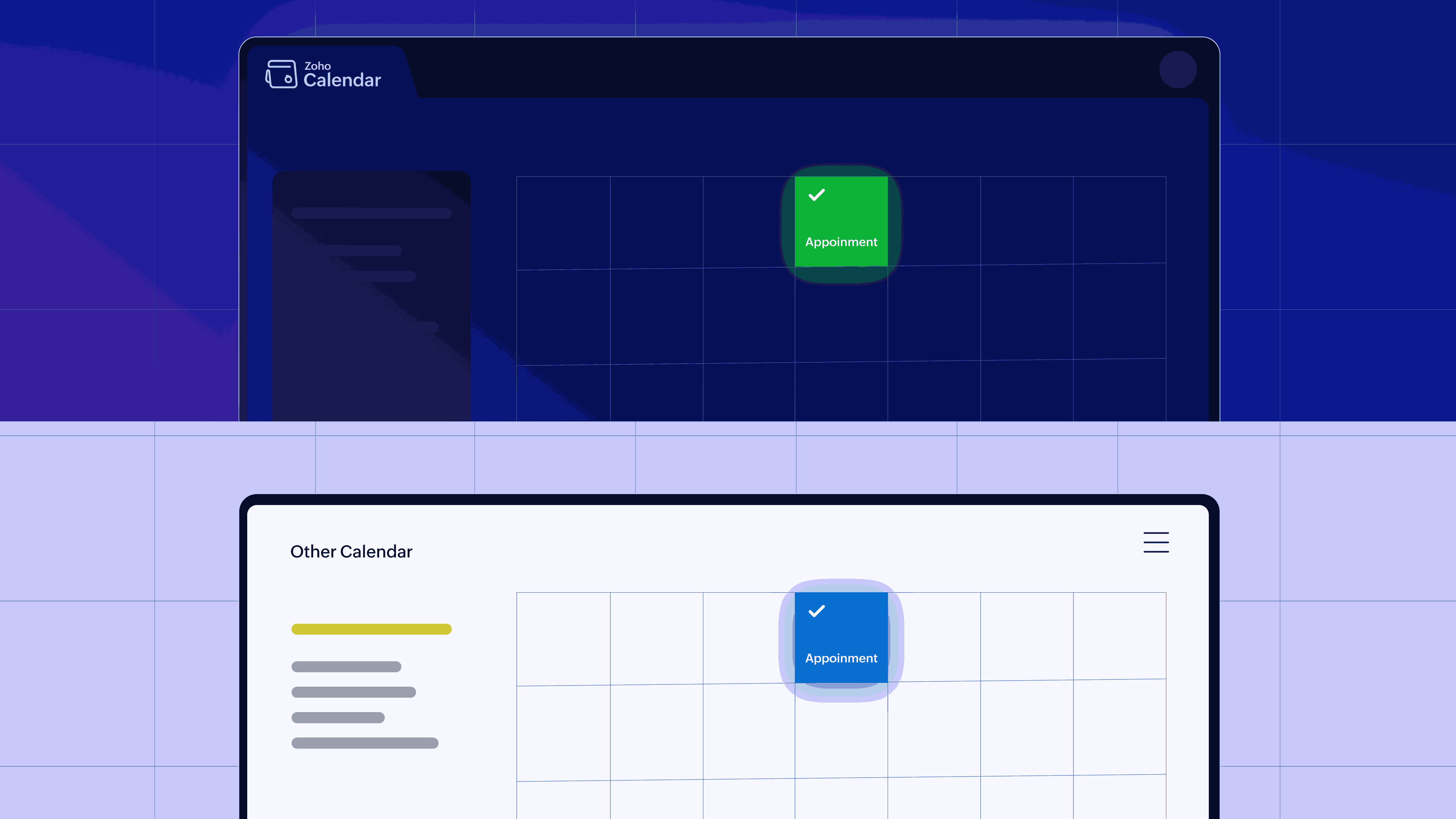
Avoid double‑bookings with smart conflict checks: Confidently avoid double-bookings with integrated intelligence that checks your master calendar, ensuring that you're never booked twice for the same hour.
Avoid ghost bookings: You’ll never have to wonder if an appointment is real again. When someone tries to book time with you, they'll need to confirm their email address before that appointment is locked into your calendar. No verification? No appointment.
The beauty of appointment booking is that you stay in full control while giving others the freedom to choose a slot that fits.
Zoho Calendar's Appointment Booking feature
Zoho Calendar's Appointment Booking feature is built on essential, user-centric foundation. It doesn't just offer equivalent functionality as others, but comes with nifty customizations, strong privacy controls, and native integration within the wider Zoho Workplace ecosystem.
Let’s explore the features that Zoho Calendar's appointment booking offers for modern professional scheduling.
1. Customize your booking pages
Zoho Calendar enables you to create a professional, public-facing booking page, offering high flexibility.
Specify all relevant information for transparency: Lay out your availability in one neat spot—days, hours, appointment lengths, the whole package.
Diversify your appointment categories: Stop treating all meetings equally. Create different booking pages or streams tailored for distinct purposes—whether you’re running a client consultation, a recruiter screening, a coaching session, or a team collaboration huddle.
Brand the page for consistency: Maintain professional consistency by easily branding the booking page to match your company’s visual identity.
2. Publish your availability, your way
We understand that your time is your most valuable resource, and control should never be sacrificed for convenience.
Custom duration: Define flexible meeting lengths, whether it’s a quick 10-minute catch-up or a full-fledged 8-hour workshop.
Buffer zones: Automatically enforce mandatory buffer times between appointments. There’s no need for any frantic last-minute dashes to grab your coffee before the next call hits.
Maximum appointment quotas: Set a maximum number of appointments per day, preventing your schedule from being completely overwhelmed.
3. Share appointment links the way you want
Once you’ve defined your professional boundaries and customized your booking page, the final step is to make your availability incredibly easy for others to access. We believe that securing a meeting should take one click, not five emails.
Send via mail or chat: Instantly send the link or a QR code via email (Mail) or chat (Cliq) to internal colleagues or external clients.
Embed on your website: Embed the link or button into your company website or professional landing pages to convert interest into booked meetings instantly.
Make the link a single source of truth: Share the appointment links proactively with clients, partners, and internal teams, ensuring that everyone knows the fastest, most reliable way to connect with you.
4. Control what you share
Zoho Calendar lets you share availability without sharing event details.
Public access: Anyone with the link can book. It’s ideal for sales funnels, general consulting offers, or public-facing events.
Internal collaboration only: Only people in your organization can schedule appointments. This is perfect for team leaders who want to block external requests but need internal agility.
This layered control means you can publish an open booking page for the world without ever exposing the sensitive details of your private calendar.
Use cases: Where appointment booking makes a difference
Scheduling sounds simple—until you try it. Sales teams chase replies, recruiters juggle candidate calendars, and team leads play calendar ping‑pong.
Appointment booking flips the script. You publish your availability once, share a booking link, and let others choose a time that works. This makes scheduling seamless, automated, and user‑controlled.
| Job role/industry | Friction point solved | Appointment booking advantage |
| Sales teams | Endless emails trying to pin down a time that works for a busy client. | Share a dedicated booking link early in the funnel. This accelerates time-to-meeting and shows professional efficiency, making your team easier to buy from. |
| HR and recruiters | Manually comparing candidate availability against multiple interviewers. | Let candidates pick interview slots based on real-time recruiter availability. This enhances the candidate experience and reduces administrative overhead. |
| Consultants, coaches, and freelancers | Clients booking the wrong length of session or being unclear on pricing. | Create distinct, categorized appointment types. This clearly defines services and value. |
| Educators and trainers | Students queuing up or emailing questions outside designated slots. | Publish clear slots for office hours that students or trainees can reserve. This manages student volume and ensures focused, scheduled interactions. |
| Internal team leads | Trying to coordinate 1:1 check-ins or project reviews across a distributed team. | Set up a standing booking page for 1:1 mentoring or project check-ins. This empowers team members to book time when they need it, without the manager having to send invitations manually. |
Tips to get the most from appointment booking
By implementing appointment booking you may have taken the first step, but to see real results, you need to use it wisely.
We have a few tips to help you cut down on manual effort, streamline your workflow, and keep your calendar running smoother.
1. Segment and categorize your time
Avoid the “one link fits all” trap.
Create separate, dedicated booking pages for different meeting types. Use one link for “Sales demos,” another for “Client check-ins,” and a third for “Internal 1:1s.”
This ensures that the right person books the right duration with the right context.
2. The essential buffer time
This is non-negotiable.
Always utilize the buffer time feature to automatically block out 10 to 15 minutes between appointments.
This simple tactic is the key to preventing “meeting hangover,” giving you the necessary time to process notes, grab a bottle of water, or simply breathe before the next engagement starts.
3. Observe and optimize your peak hours
Analyze your peak booking hours and adjust your public availability accordingly.
If your clients most often book at 10:00 AM and 2:00 PM, ensure that you block out your most complex tasks during the low-booking windows.
Fine‑tune your availability using analytics so clients can book with ease while your prime productivity time stays protected.
Wrapping up: Let your calendar do the scheduling
In 2026, there’s no reason scheduling should still be a manual, unnecessarily painful, time-consuming task.
Zoho Calendar’s Appointment Booking feature is the decisive end to this friction. It’s simple, smart, and flexible. It’s designed to function precisely the way modern teams need to work.
It provides you with an easy and intuitive way to finally get control over your availability and automate meeting workflows. You can enjoy a genuinely hassle-free scheduling experience for every client, prospect, and colleague who seeks to connect with you.
So why keep wrestling with your calendar? Create your first appointment booking page in Zoho Calendar today and see how much time you reclaim.

Comments