Vibe code your automations with Cliq platform MCP tools


Every workplace has a graveyard of out-of-the-box automation ideas to improve productivity. In reality, someone needs to wire up the logic, script the code, choose the proper handlers, test the edge cases, and debug why the thing that worked well yesterday stopped, fixing whatever broke along the way.
No more blank editors or memorizing multiple syntaxes. Just connect your AI tools with the Cliq developer platform MCP tools, describe your use case, and let the platform turn that description into a working automation.
Say it, and it's built
Vibe coding means describing what you want in plain language and letting AI handle the implementation instead of writing every line yourself. This isn't a detour from where Cliq was already headed. The developer platform has offered low-code and no-code paths for a while, so the people who understand a process don't have to wait on someone who knows Deluge to automate it.
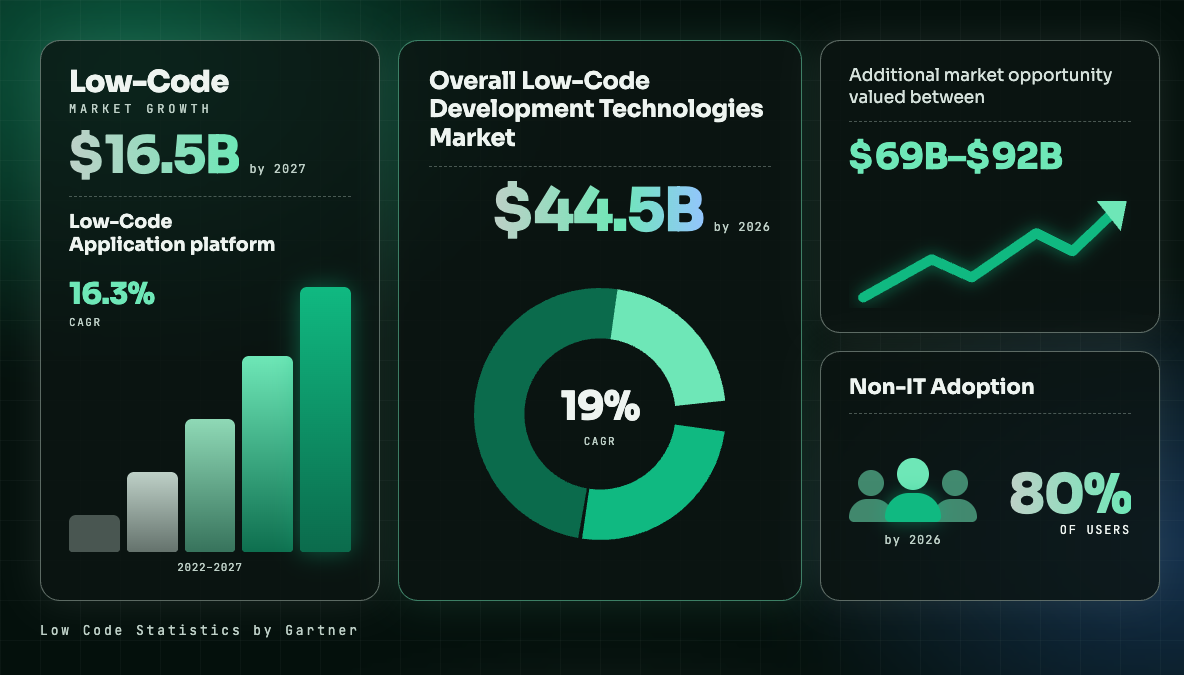
According to Gartner, 70% of new applications built by organizations will use low-code or no-code technology by 2025, up from less than 25% in 2020. Prompting takes that same idea a step further. Instead of picking from a palette of blocks, you describe the outcome, and the MCP tools behind the Cliq developer platform assemble it.
Building bots without the boilerplate
Traditionally, creating a bot and deploying it within an organization required translating every user requirement into Deluge for each handler, integrating with webhooks, and testing each flow manually. Now, you can prompt the platform with how you want the bot to be built, and its MCP tools will scaffold the implementation for you.
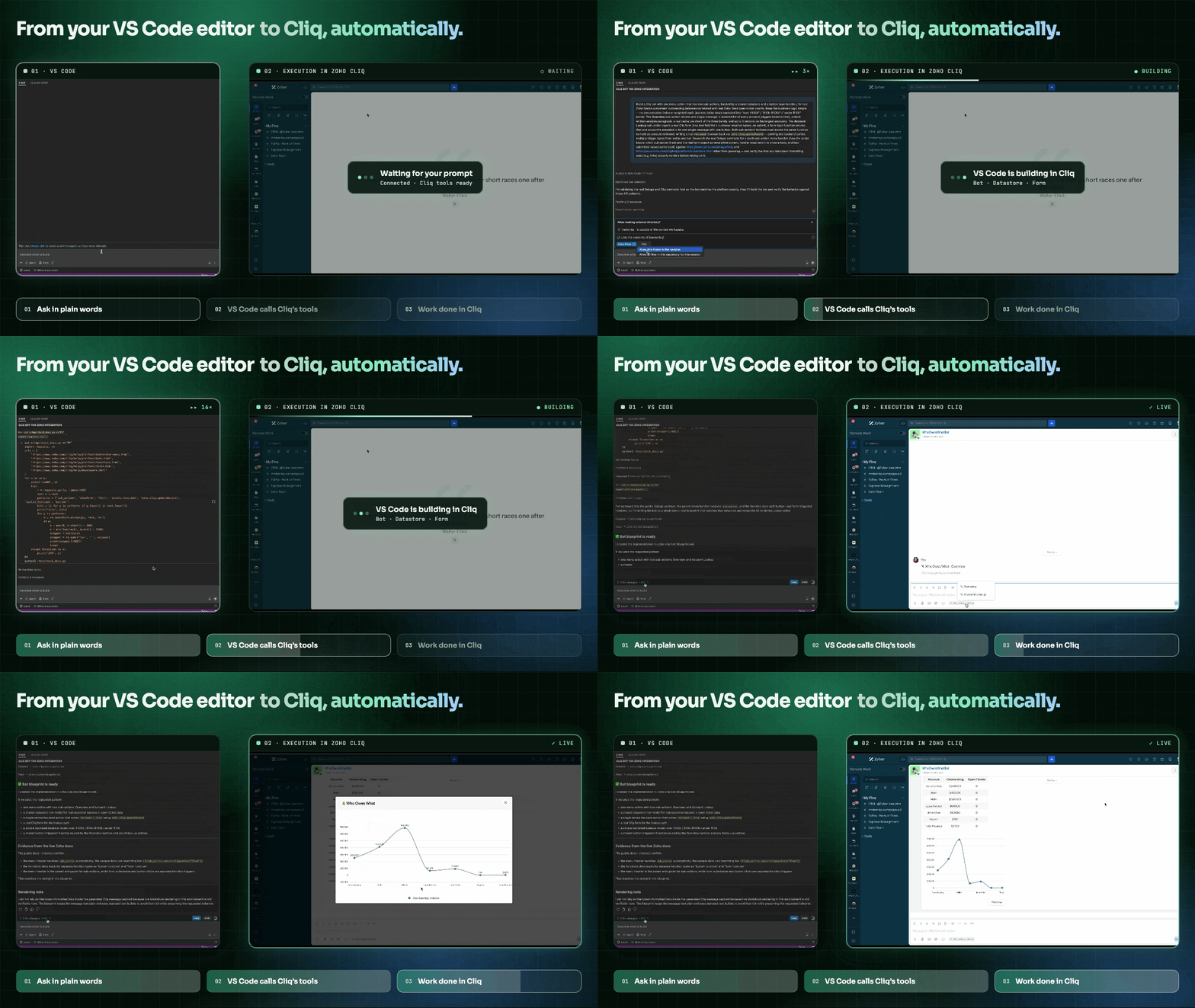
Slash commands, sketched in a sentence
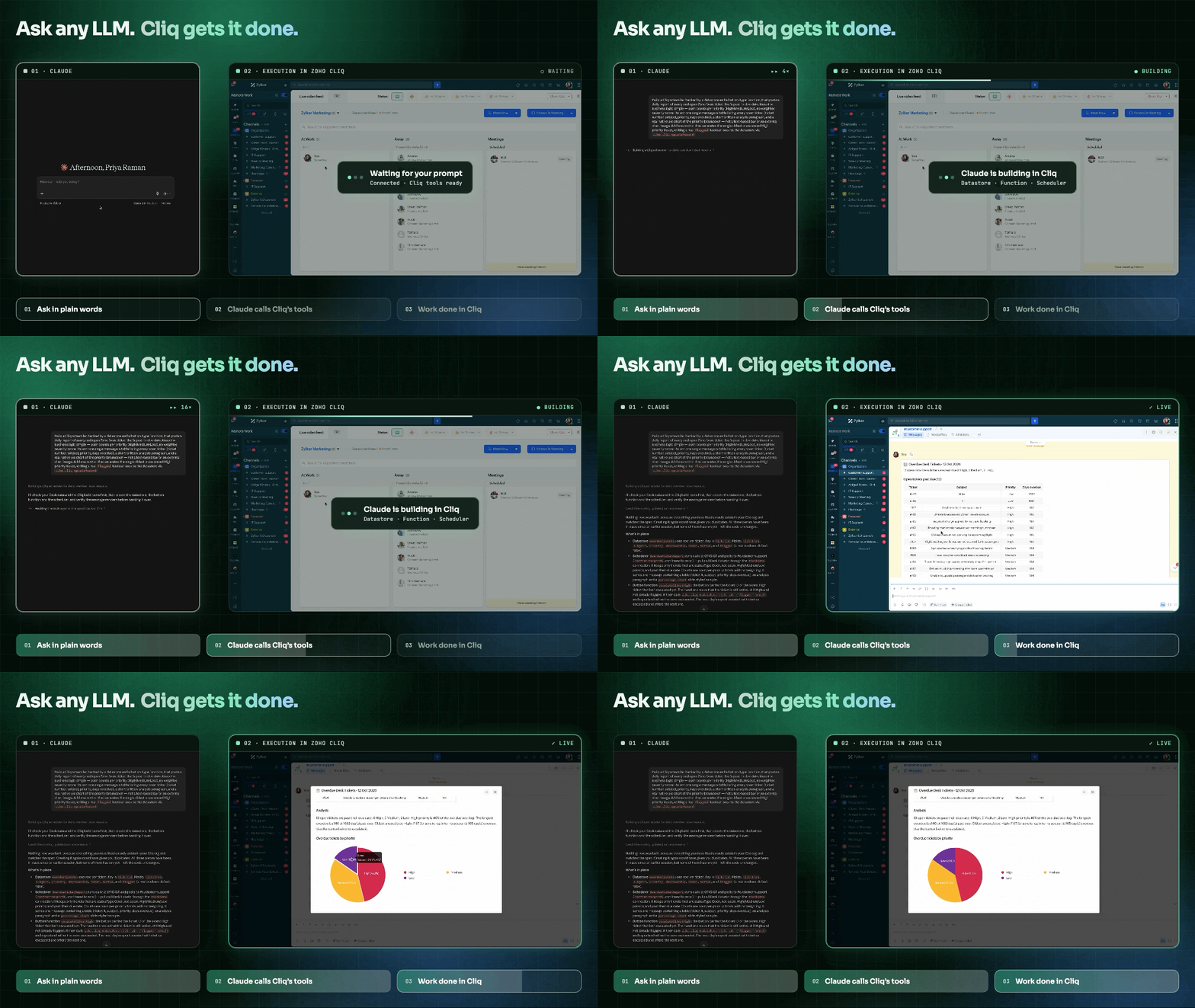
Commands trigger actions within any chat. You can raise an access request using /request, or summarize a lengthy conversation with /summarize to create a quick brief. Additionally, you can post updates without switching contexts. Suggestions can help guide users toward the appropriate command or input as they type. With a simple prompt, these shortcuts can be customized to fit the way your team works.
Schedulers that set themselves
There's no need to worry about posting the Friday campaign summary, the Monday morning project digest, and the monthly customer health report. These can be scheduled for automatic delivery directly into the team's existing workflow. By specifying the timing and purpose of each report, the scheduler can effortlessly manage their recurring execution.
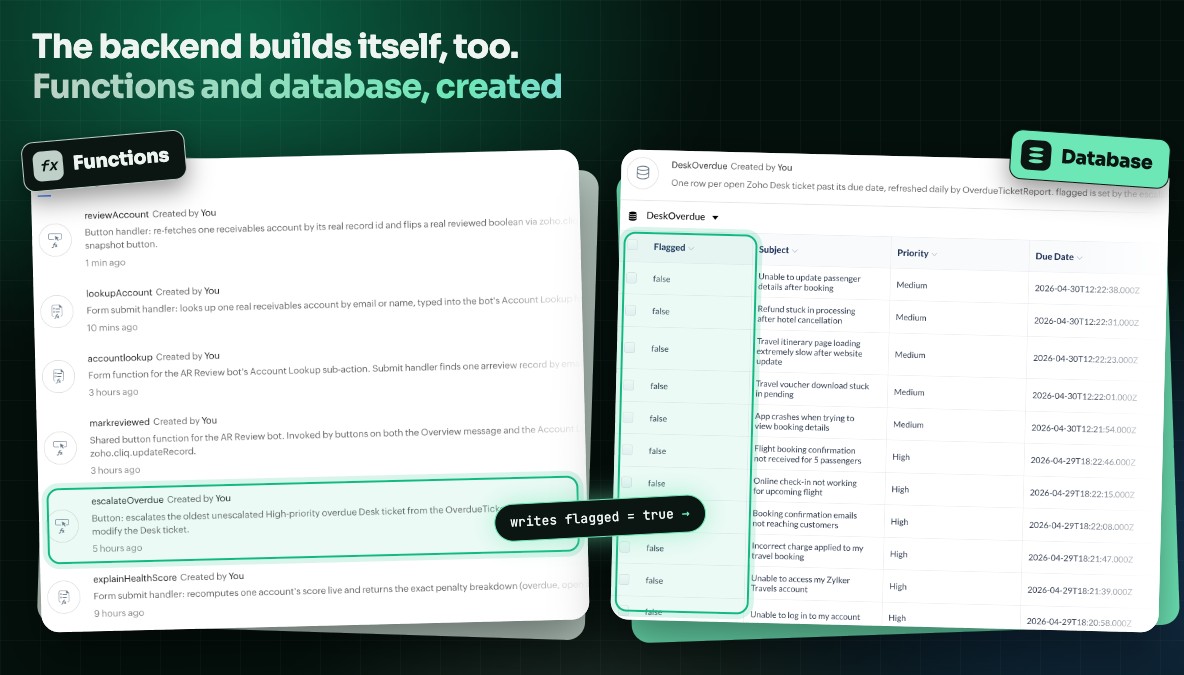
The engine behind the buttons
None of the previously mentioned features would function without an underlying system of functions and a database. This is important because the more tedious aspect of developing automation is rarely the visible interface. Ask for a bot, a scheduler, or a message action, and the platform builds the Deluge functions that power it and the database tables that store its data at the same time, not as a separate step you circle back to later.
Widgets are next, and this is only the start.
Widgets, the visual tiles that live inside a channel, aren't part of this yet. Support for prompting them to be deployed as dashboards is in progress and coming soon.
Built for everyone who isn't a developer
The cost of manual development isn't always measured by the hours spent writing code. Sometimes, it reflects the number of automations that never progress beyond the idea stage. None of this replaces the need for developers who want to open the editor and write precise Deluge code. It is designed for everyone else, like the support lead who knows exactly what an escalation should look like but has never written a function and the ops manager who wants a scheduler without needing to submit a ticket to the backlog.
Low-code and no-code solutions have empowered more people to build on Cliq. Vibe coding with Cliq platform MCP tools just opened the door wider and gives those ideas a shorter path from “wouldn't it be nice if…” to “it's done. "
The possibilities continue beyond this point. Explore our Zoho Cliq AI use case series in the Developer Community for additional practical examples, ready-to-use prompts, and ideas that can assist you in creating automations for everyday tasks.


Comments