Deep dive into SalesIQ's Summer '26 release: 40+ features for the agentic era

We've already introduced you to Zoho SalesIQ's Summer '26 release, our annual release, and the one where SalesIQ enters a new territory: the era of agentic intelligence. Now it's time to go deeper.
In this blog, we'll break down exactly what's new across all seven capability areas and how each feature can transform the way you engage with your customers.
Why this release matters?
Bots have had a bit of a reputation problem. For the longest time, they were the bouncers of customer service. They stood at the door, asked 'How can I help you?', and then couldn't actually help. Meanwhile, your customer-facing teams were scrambling behind the scenes to find answers while the bot bought them time.
LLMs have changed all of that: not just what's possible, but what customers expect. It's no longer enough to be fast. Your customers now expect you to know what they're talking about, give them accurate answers, and follow up like someone who actually listened.
If you're evaluating a conversational AI today, chances are you're running into the same problem: your customers don't feel heard. Bots give generic replies, agents lack context, and the tools meant to connect you with your customers end up creating more distance. That's the gap this release is built to close.
SalesIQ's Summer '26 release is built around a single conviction: all 40+ features: from Agents and AI bots to WhatsApp and video calls, should help your customers feel heard, seen, and empowered.
Here's how, across seven chapters.
Table of contents
Chapter 1: AI and agentic intelligence
Zia Agents
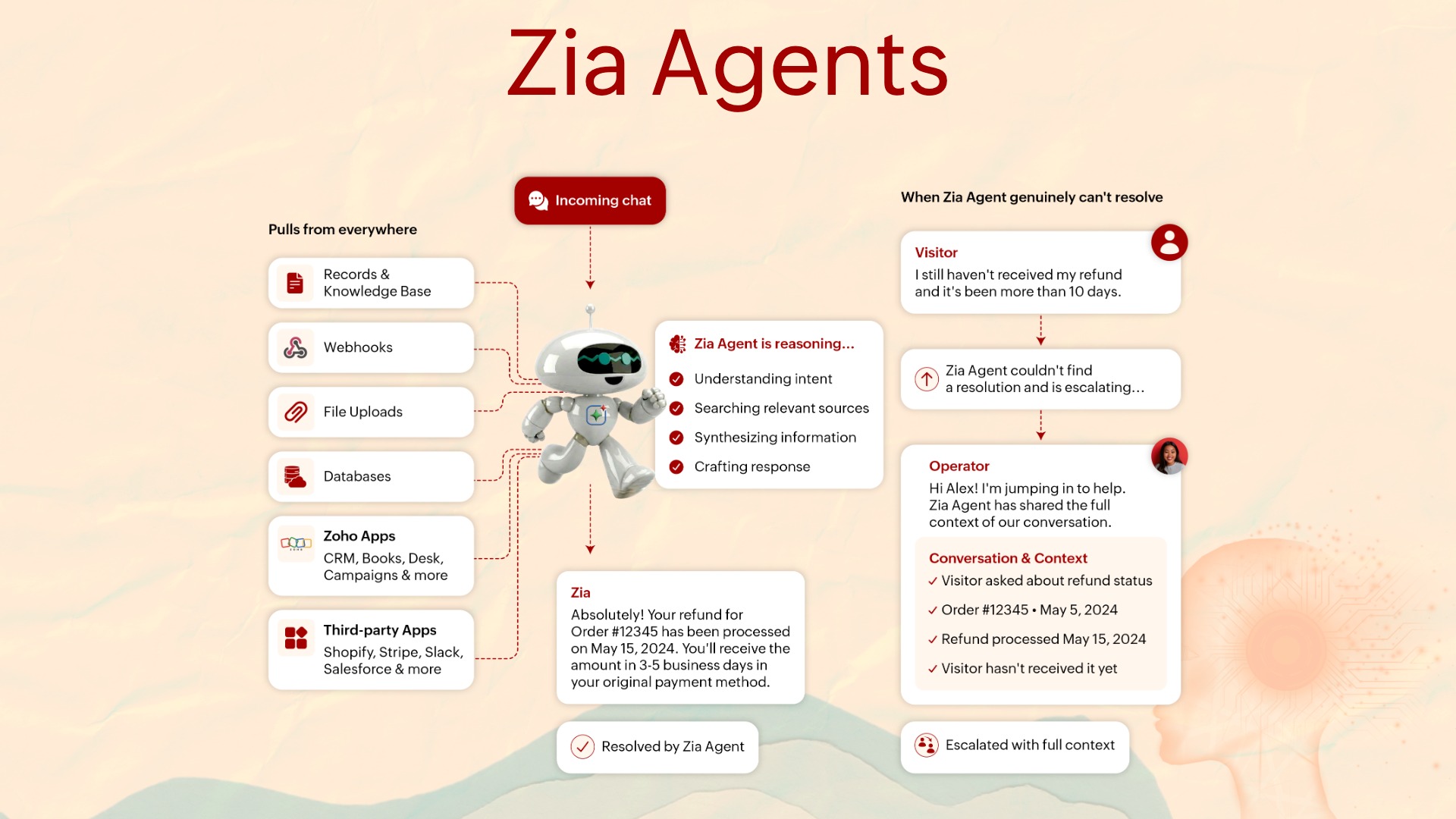
Zia Agents are your new digital workforce. They pick up incoming chats, reason through the visitor's question, and pull from records, webhooks, file uploads, databases, and Zoho and third-party apps to generate context-aware responses and escalates with full context only when they genuinely can't resolve an issue.
So what's the difference between chatbots and Zia Agents?
It comes down to reasoning. A bot follows a predefined path. A Zia Agent reasons through the conversation dynamically: understanding what the visitor is actually asking, deciding which resources or systems to consult, and determining whether the issue can be resolved or needs a human.
Bring your own AI (BYOAI)
If you've explored AI for customer conversations, you've probably noticed a pattern: most platforms give you their AI and say 'take it or leave it.' One model, their rules, their limitations. If you want to switch, you're starting from scratch.
We've never been fans of that approach. Even before modern LLMs made headlines, we were already integrating with Watson, Dialogflow, and others alongside our native Zia Skills. We've always believed the product should work for the customer, not the other way around.
When ChatGPT changed the conversation, we moved fast with direct integration with OpenAI, productivity boosters, and custom-training bots. We also added Zoho's own LLM, Zia—privacy-first, at no extra cost. With Summer '26, we're expanding this horizon even further.
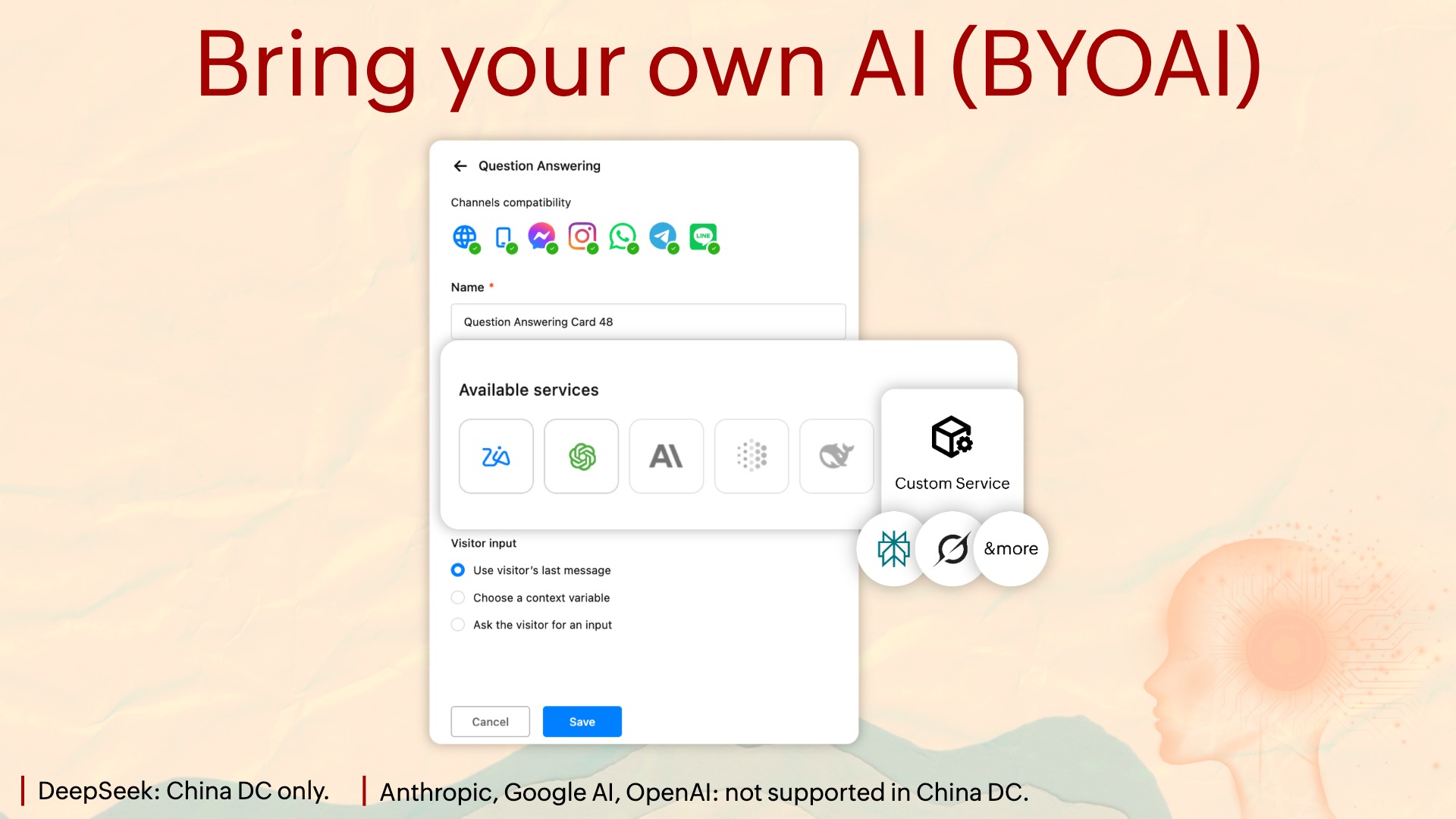
You can now bring your own AI to our Answer Bot. This could be Anthropic's Claude, Google's Gemini, DeepSeek, or any other custom service such as Perplexity or Grok, or even a self-hosted LLM.
By bringing in your own models, you get to train the bot on how to engage in conversation with your visitors, how to show responses, and how to gather feedback from them, So you can loop everything back in to refine your conversations.
For instance, if you're a healthcare company that can't afford an LLM's hallucinations, you can run a self-hosted LLM with SalesIQ. If you're an enterprise that wants the best reasoning capabilities, you might pick Claude. Ultimately, irrespective of the brain you choose, SalesIQ works seamlessly with everything.
A note on data center availability: DeepSeek is supported only in the China DC, while Anthropic, Google and OpenAI are not supported in the China DC.
Streaming across all AI services
All of our AI services support streaming now.
What's the big deal about streaming?
Instead of making customers wait for a complete answer, which makes them abandon the conversation, streaming sends responses in chunks, creating an interactive experience that keeps users engaged.
Note: The AI service you're using needs to support streaming responses. If it returns a complete response instead, SalesIQ will still display it, it just won't stream.
AI-assisted bot routing
Historically, the major difference between human support and bot support has been emotion. With today's technology, training a bot to answer promptly isn't that difficult. The hard part is understanding the emotion behind the conversation.
Humans always had the upper hand here, which is why Silicon Valley had the popular saying, 'Empathy can't be scaled.' Until now.
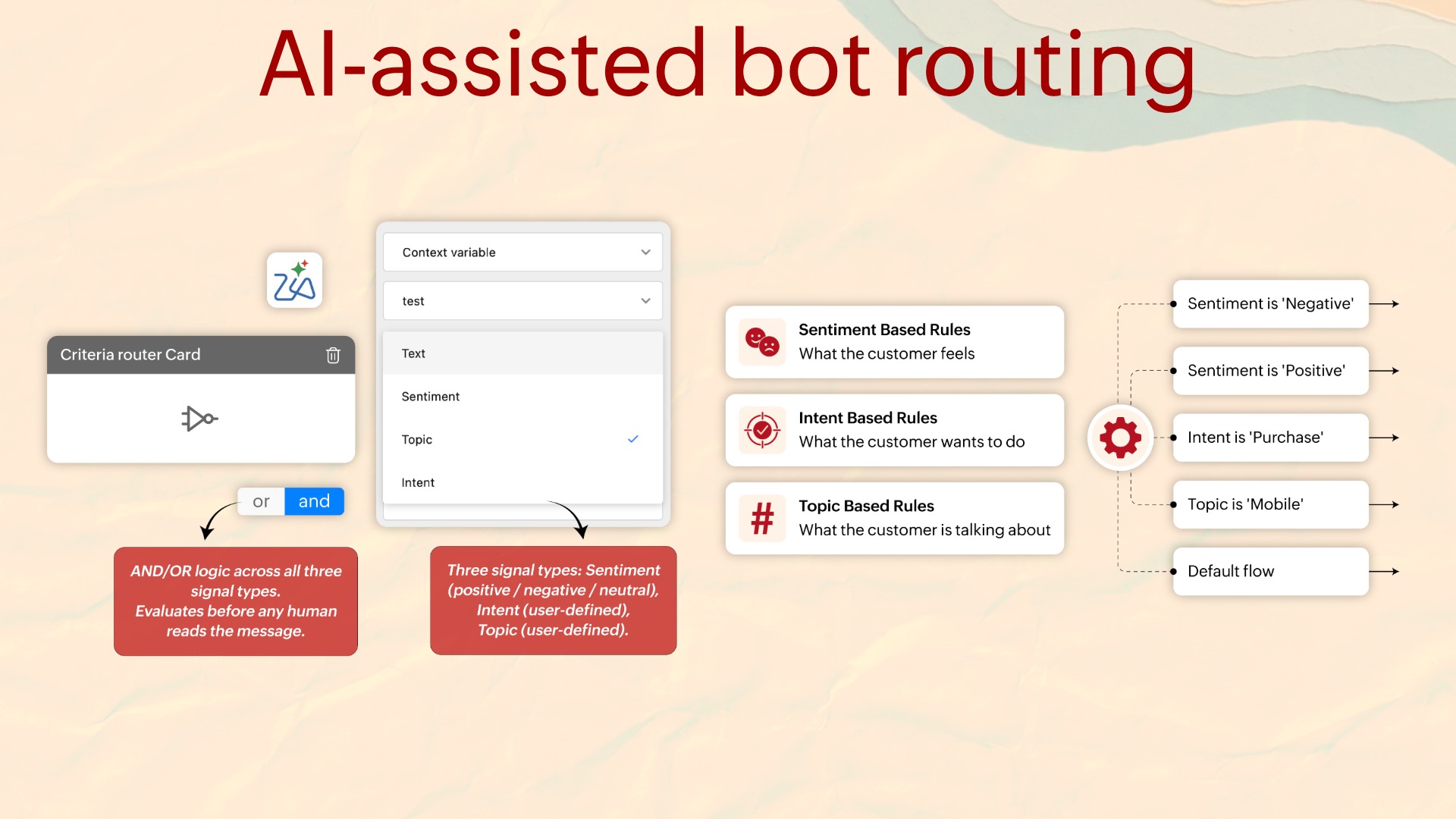
In our existing criteria router, we've added three AI filters: Sentiment, Intent, and Topic.
Sentiment filter: Understands the tone of the visitor: positive, negative, or neutral, and routes accordingly. If a customer sounds irritated, the AI filter marks their sentiment as negative and routes them directly to experienced agents for quick resolution. If someone sounds happy in their interaction with the bot, they can be routed to your customer success team to collaborate on a case study or testimonial.
Intent filter: Detects the purpose of the conversation: cancellation, purchase, scheduling, and so on. If someone's intent is identified as 'looking to purchase,' you can immediately route them to your sales team for a demo without waiting for them to say it explicitly. That speeds up your conversion cycle.
Topic filter: Lets you define topics like 'Chicago real estate' or 'New York real estate.' When the bot detects these topics, it routes visitors to the agents who specialize in the respective regions.
To sum up: instead of leaving your customers hanging or bouncing them through touchpoints that irritate them, our AI-powered criteria router intelligently sends them to the person best equipped to resolve their query.
In other words, your bot finally learned to read the room and behave accordingly.
AI-assisted bot routing help guide
AI-powered self-help
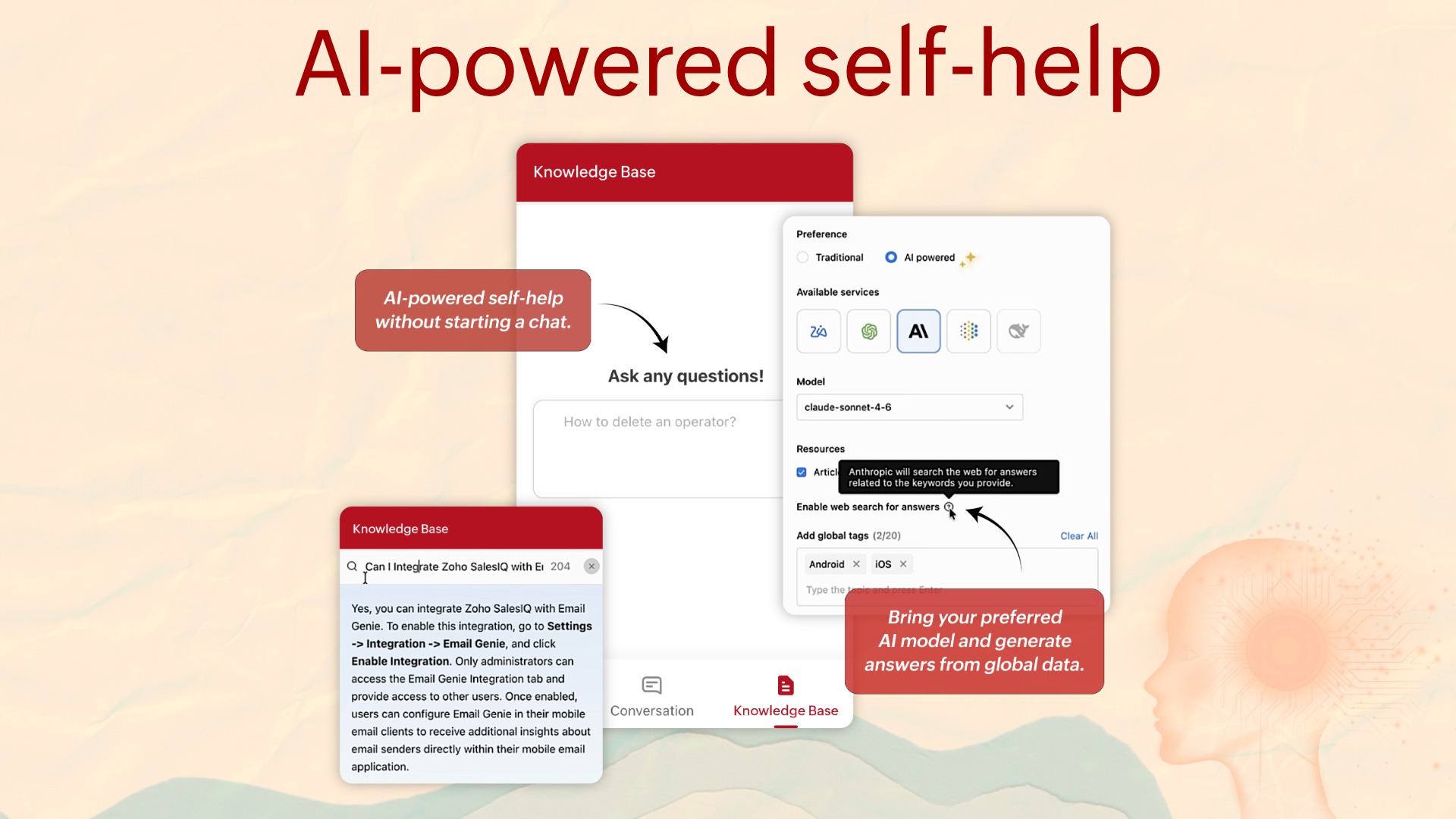
Instead of manually browsing through articles to find answers, visitors can simply type their questions in the natural language.
The AI analyzes your available knowledge base content and delivers accurate answers in a conversational format, making self-service faster and more intuitive.
You also have the flexibility to choose from supported AI vendors to power this experience, so you can align the feature with your organization's AI preferences and requirements.
Chapter 2: Bot and automation
The single most common reason bot deployments stall is when the bot has to rely on external systems like looking something up, updating a record, or connecting to a system outside SalesIQ, and it can't do any of it. This chapter removes remove those shortcomings.
Webhook card in the codeless bot builder
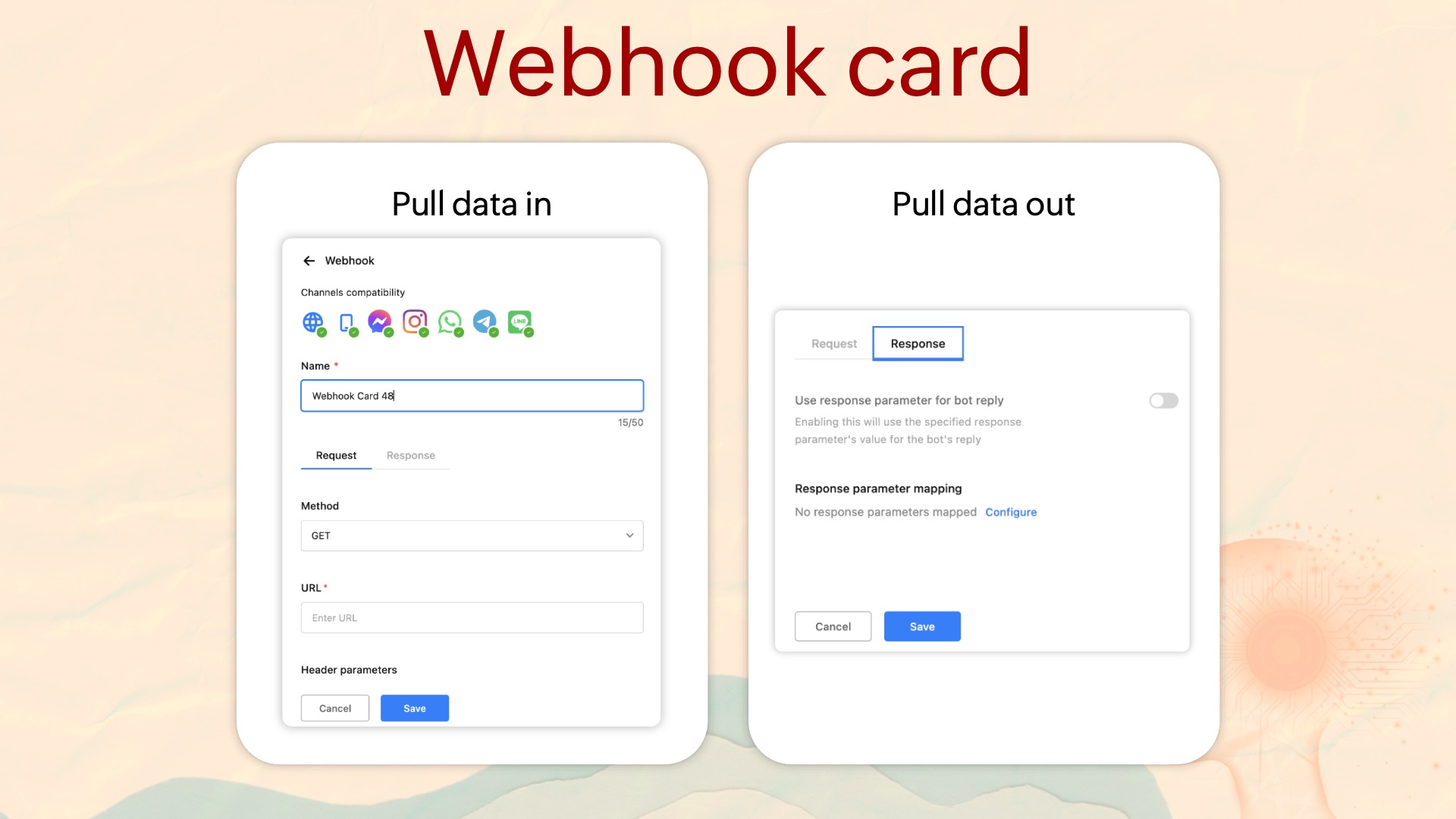
So far, when SalesIQ didn't have a native integration, third-party or external application integration was handled in two ways: Plugs for anything specific to the bot, and Webhooks for bringing in or sending out any data that supports an API outside the bot's purview.
Now we've expanded Webhook capabilities to our codeless bot builder, making configuration simple and seamless. The Webhook card brings full REST API capability into the codeless bot builder.
The bot can pull live data in from external systems mid-conversation, and push structured data out to them when the conversation ends. Responses from the webhook can also be used directly within bot replies, enabling richer interactions without coding effort.
Update info card
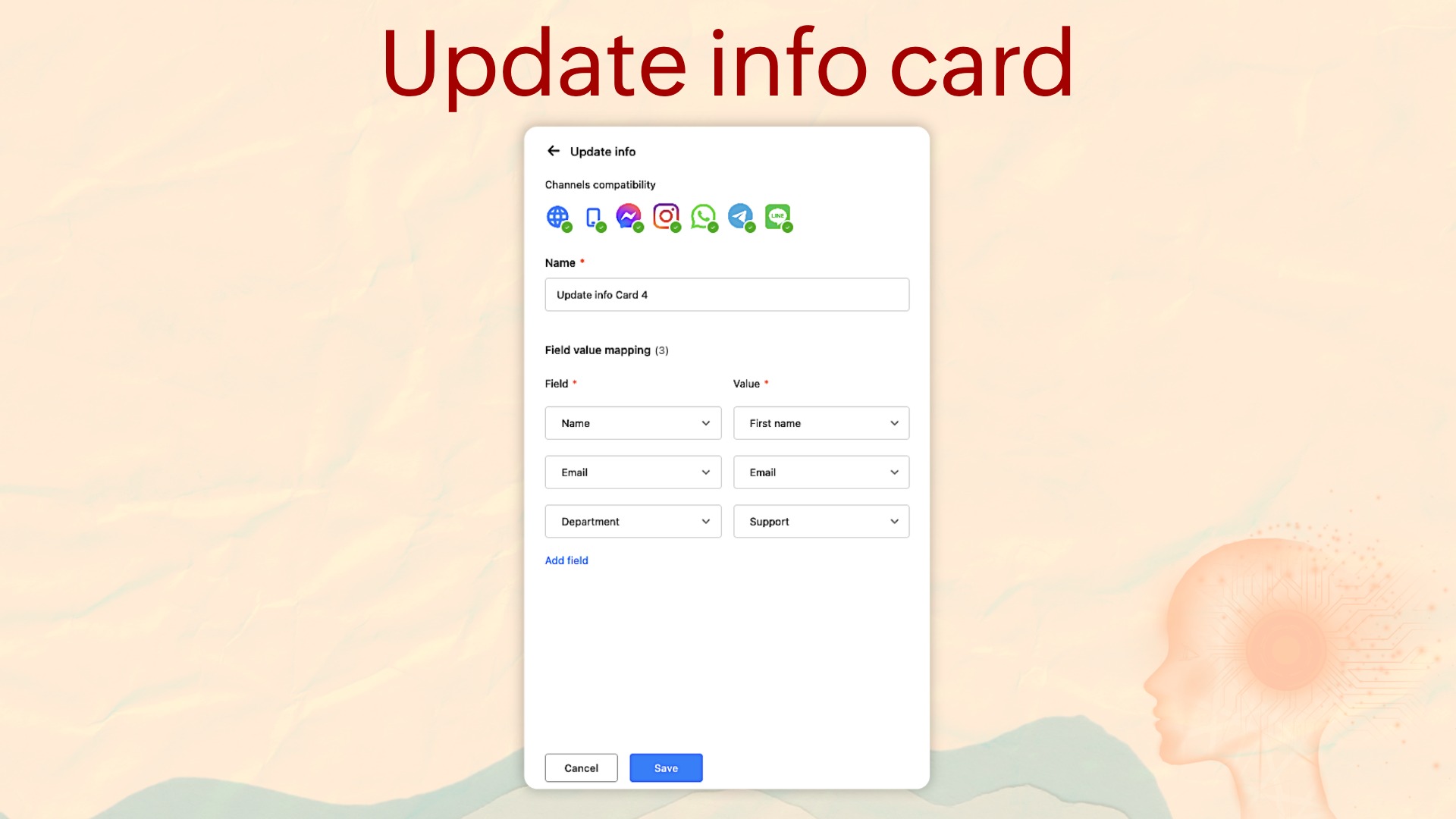
The bot can now update visitor parameters, CRM fields, and conversation context mid-flow, not just at hand-off.
For example, when a visitor corrects their email address in a bot conversation, that correction can be pushed to update the record immediately.
Live product showcase from Zoho CRM
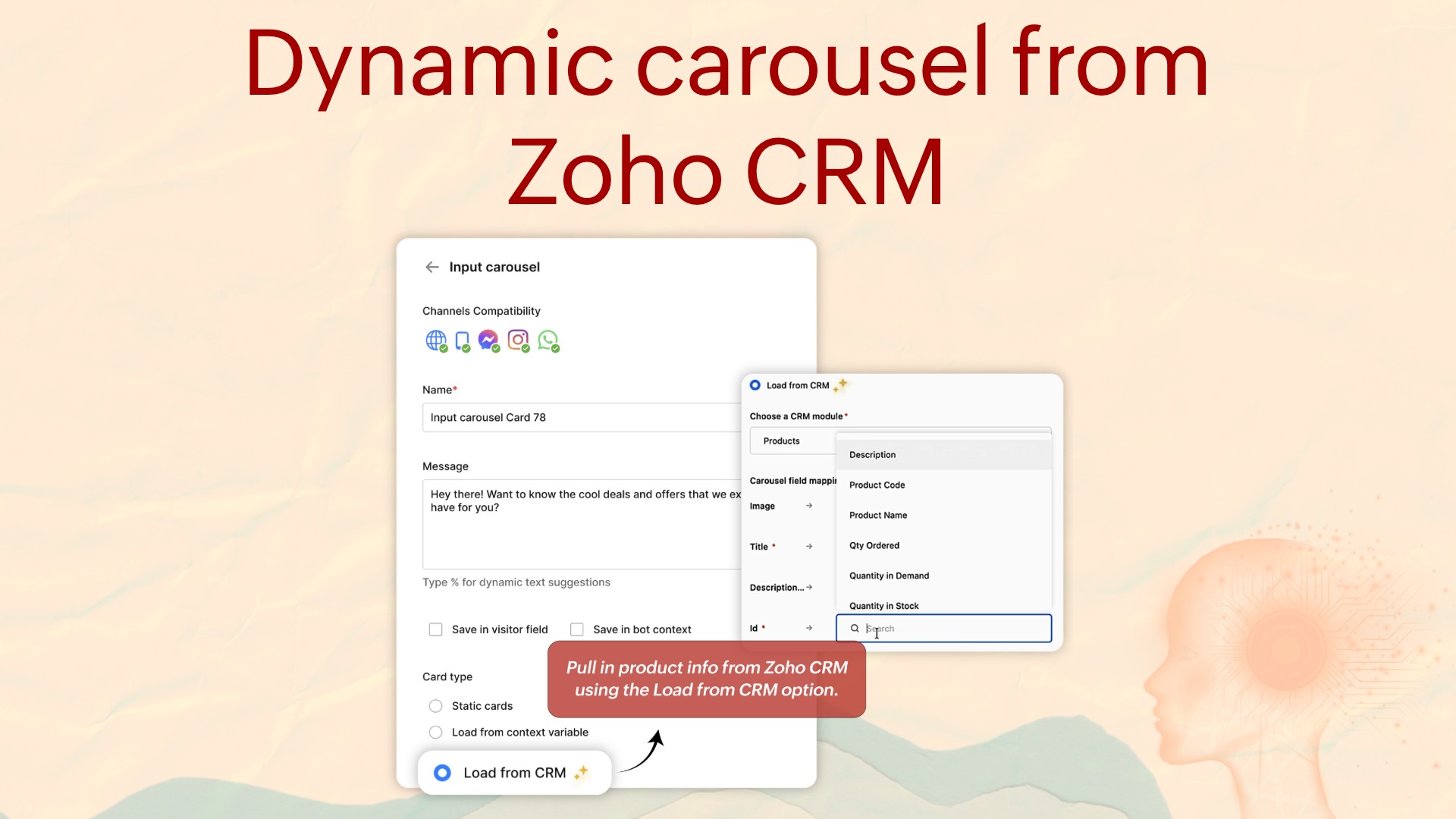
Carousels are no longer static. They pull live data from Zoho CRM at runtime. The data query executes at conversation runtime, not at bot publish time, which means the carousel always reflects current CRM data. If a product is removed from CRM, it disappears from the carousel automatically.
Live product showcase help guide
Bot-to-operator transfer as a call
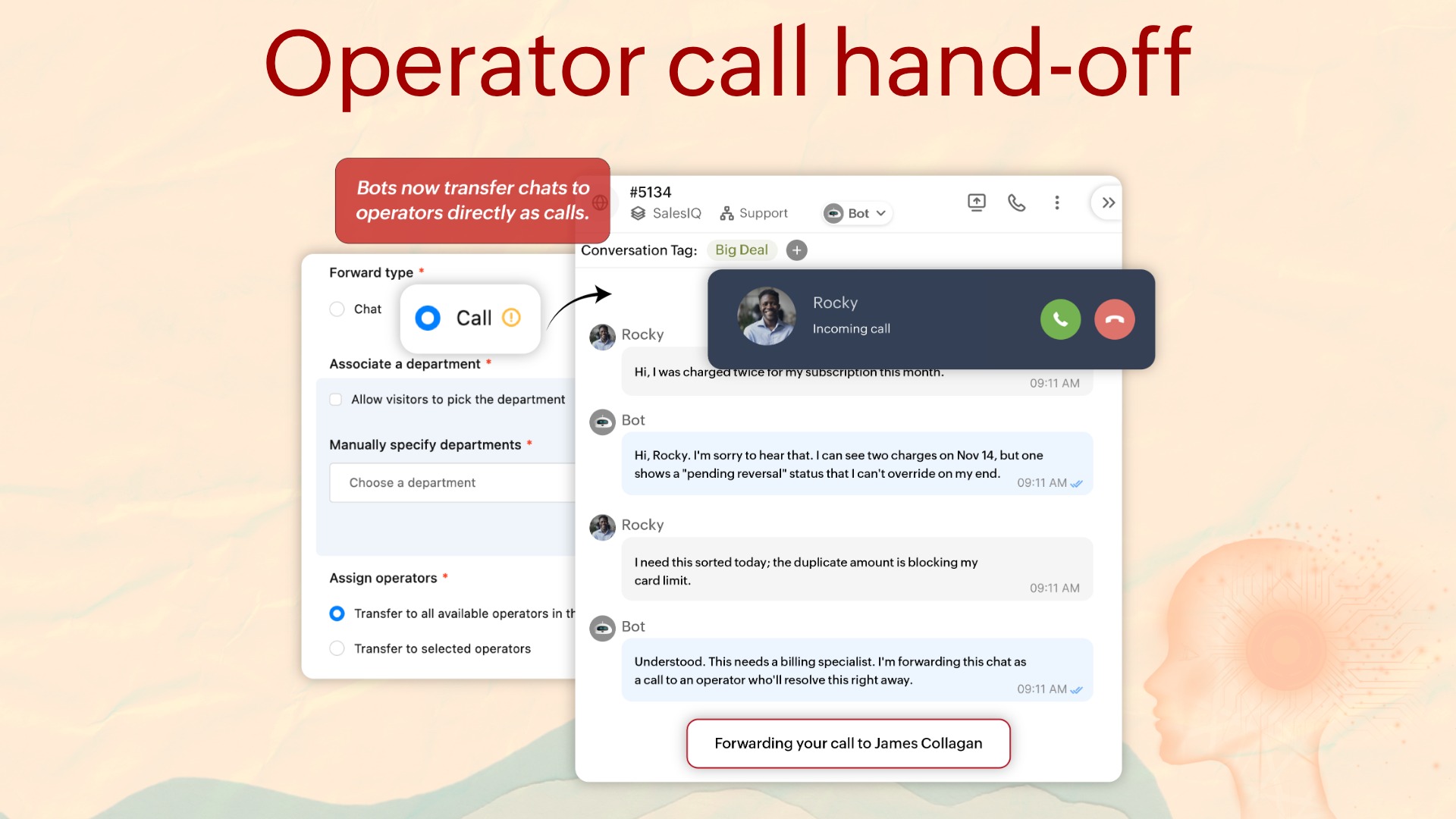
If your customers want to connect with your team over a call when they've already initiated a bot conversation, the bot can now transfer them to an operator as a call instead of a chat.
Feedback-driven actions for the Question Answering card
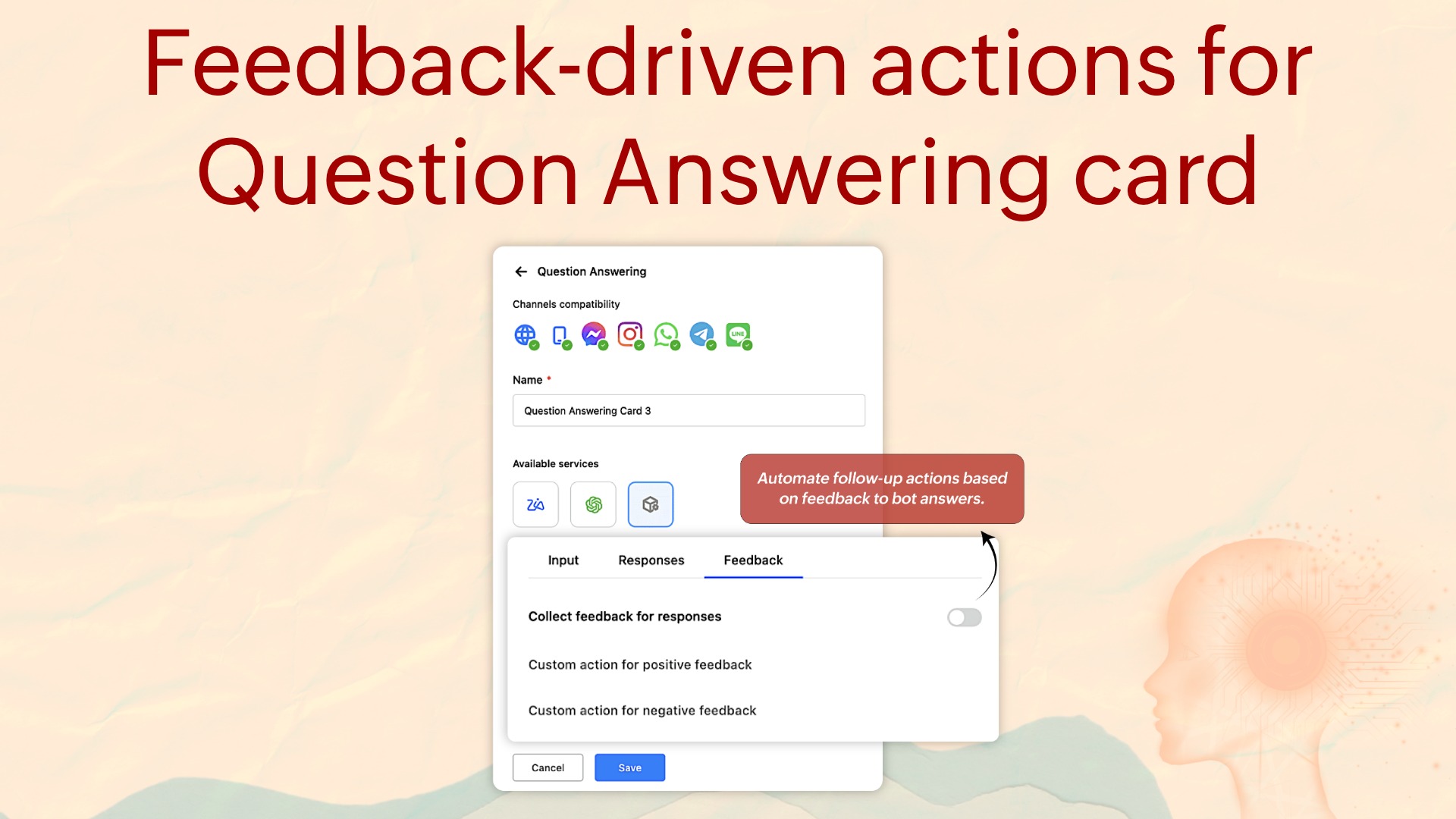
The Question Answering card (formerly the Answer Bot card) has a whole new capability. When a visitor rates a bot reply: positively or negatively, you can now set an immediate follow-up action using Plugs.
Feedback-driven actions help guide
Auto-translate bot flows
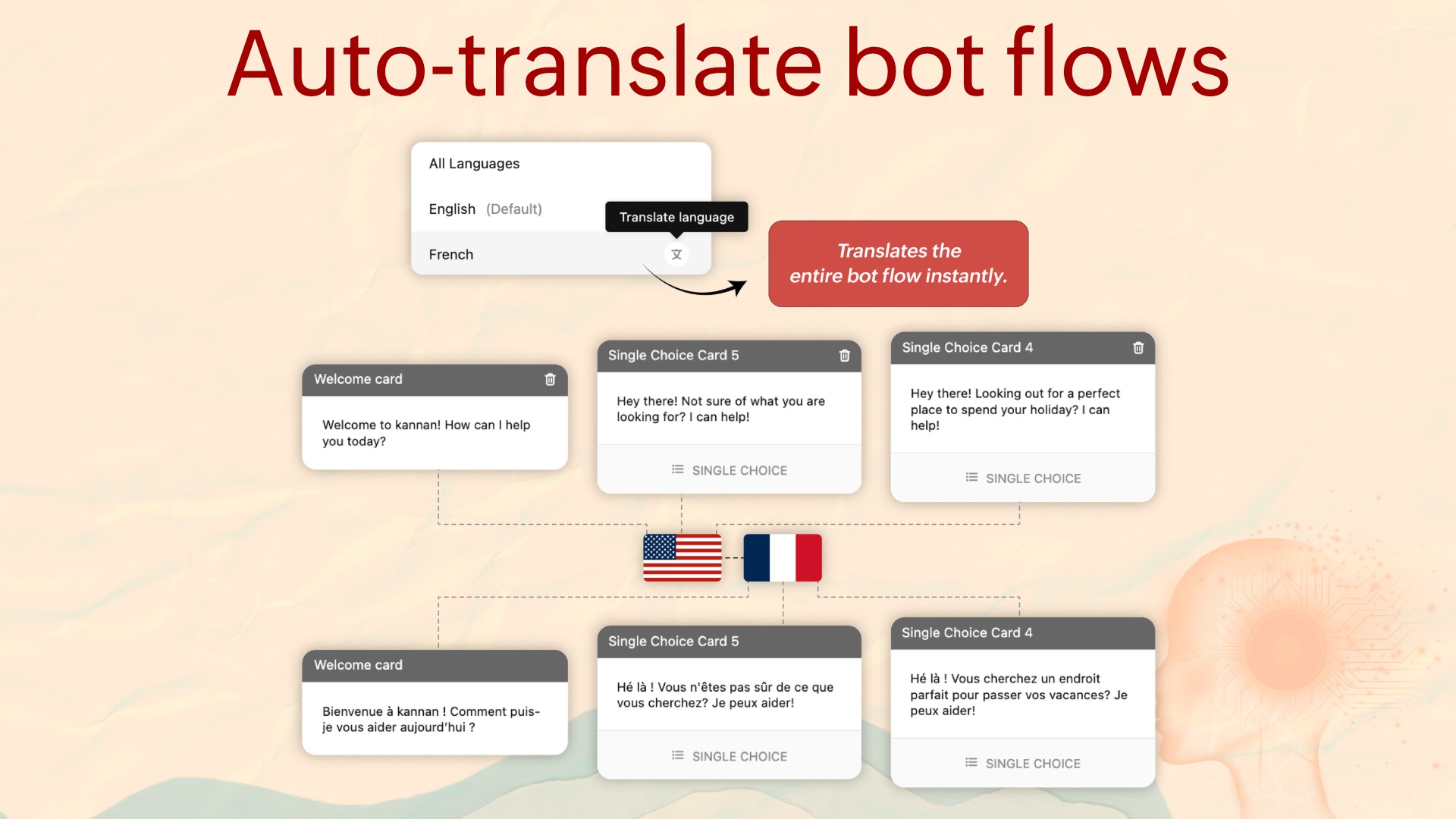
One click translates an entire bot flow from the source language to all configured target languages. Cards, messages, options, prompts; all of it.
Auto-translate bot flows help guide
Bot execution logs
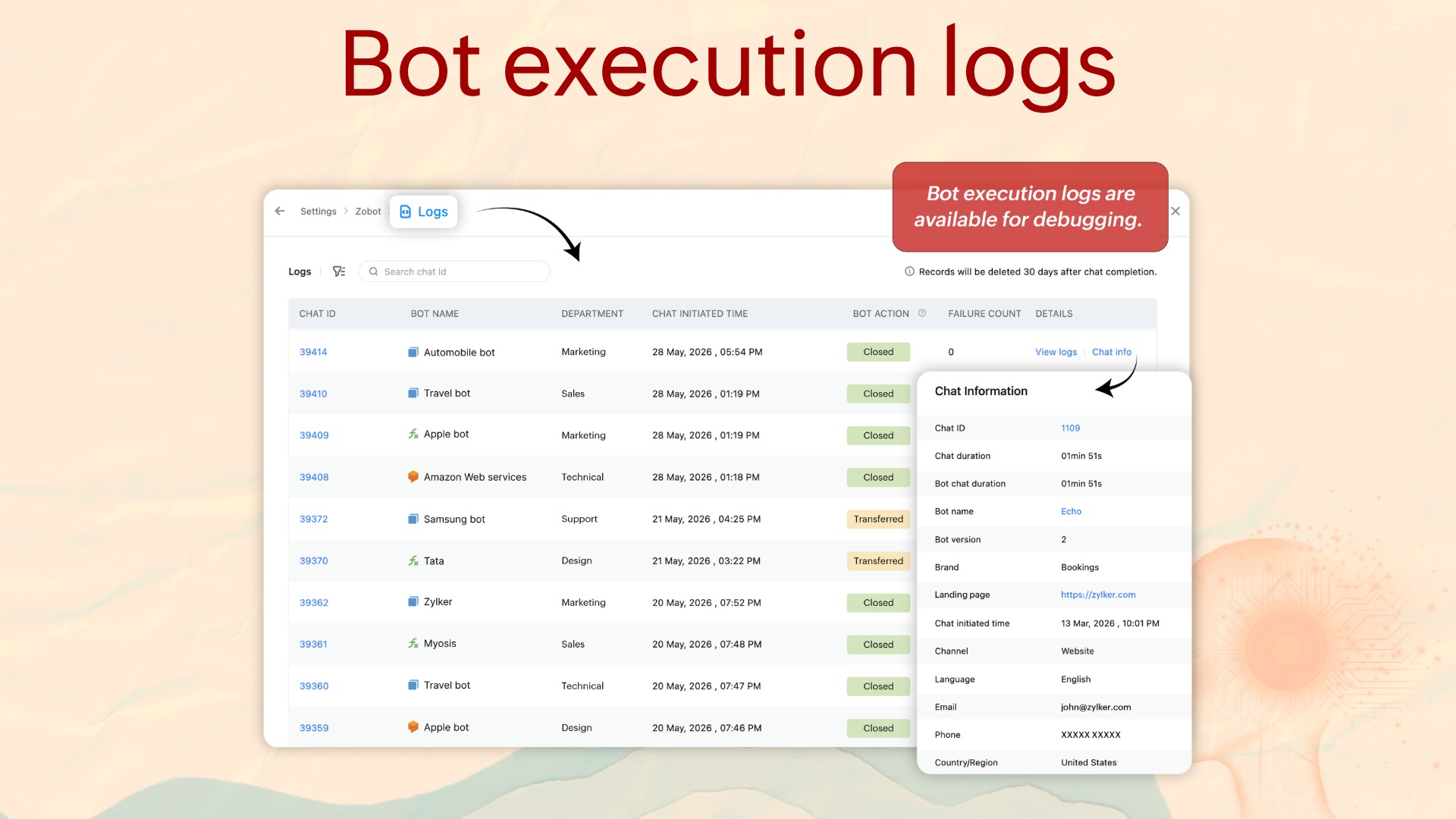
Bot logs are now available in SalesIQ. Every closed conversation now has a full execution log: which cards fired, which branches were taken, what inputs were received, and where it ended.
Codeless workflow builder, with preview and logs
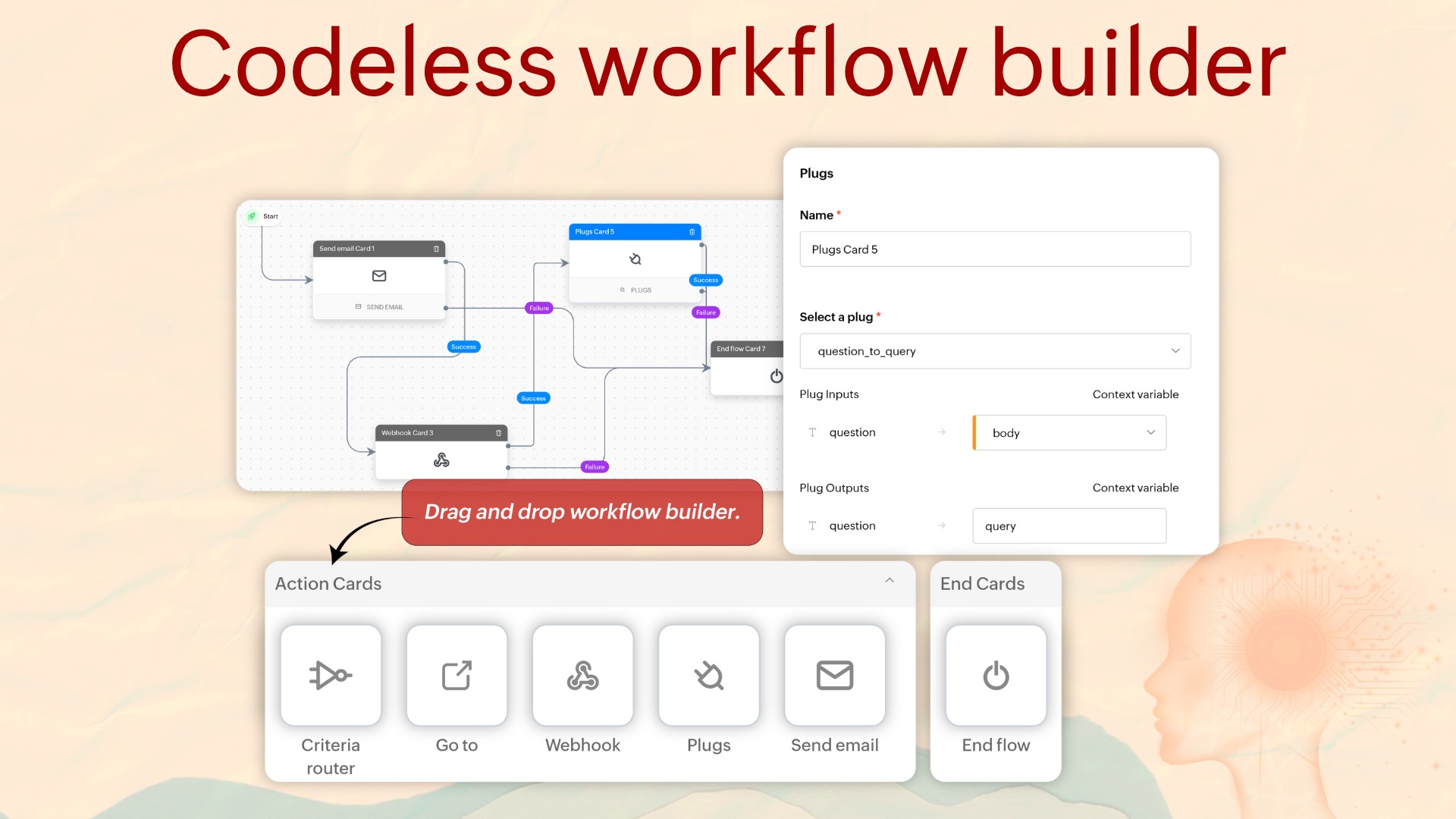
Workflows, which we launched during our last annual release, Nova '25, are now codeless thanks to a completely revamped UI. This makes it easy for your teams to put together complex workflows in the simplest ways.
Let's say you want to assign VIP visitors to your senior sales reps automatically, send them a personalized welcome message, and log it in CRM. Previously, you'd need a developer to create all of that. Now, with the codeless workflow builder, you can build, preview, and deploy it in minutes. So workflows have gone from 'file a ticket with engineering' to 'I'll do it myself.'
You also get a workflow preview to check how everything works before deploying, plus complete access to the post-creation log history so you understand exactly what happened and when.
Codeless Workflow builder help guide
Chapter 3: Knowledge base
Traditional self-service puts the burden on the visitor. Search for an article, hope the bot shares the right one, read through it, figure out the answer. If you can't find what you need, search again, and the loop continues. This chapter removes that burden entirely.
Dynamic FAQs
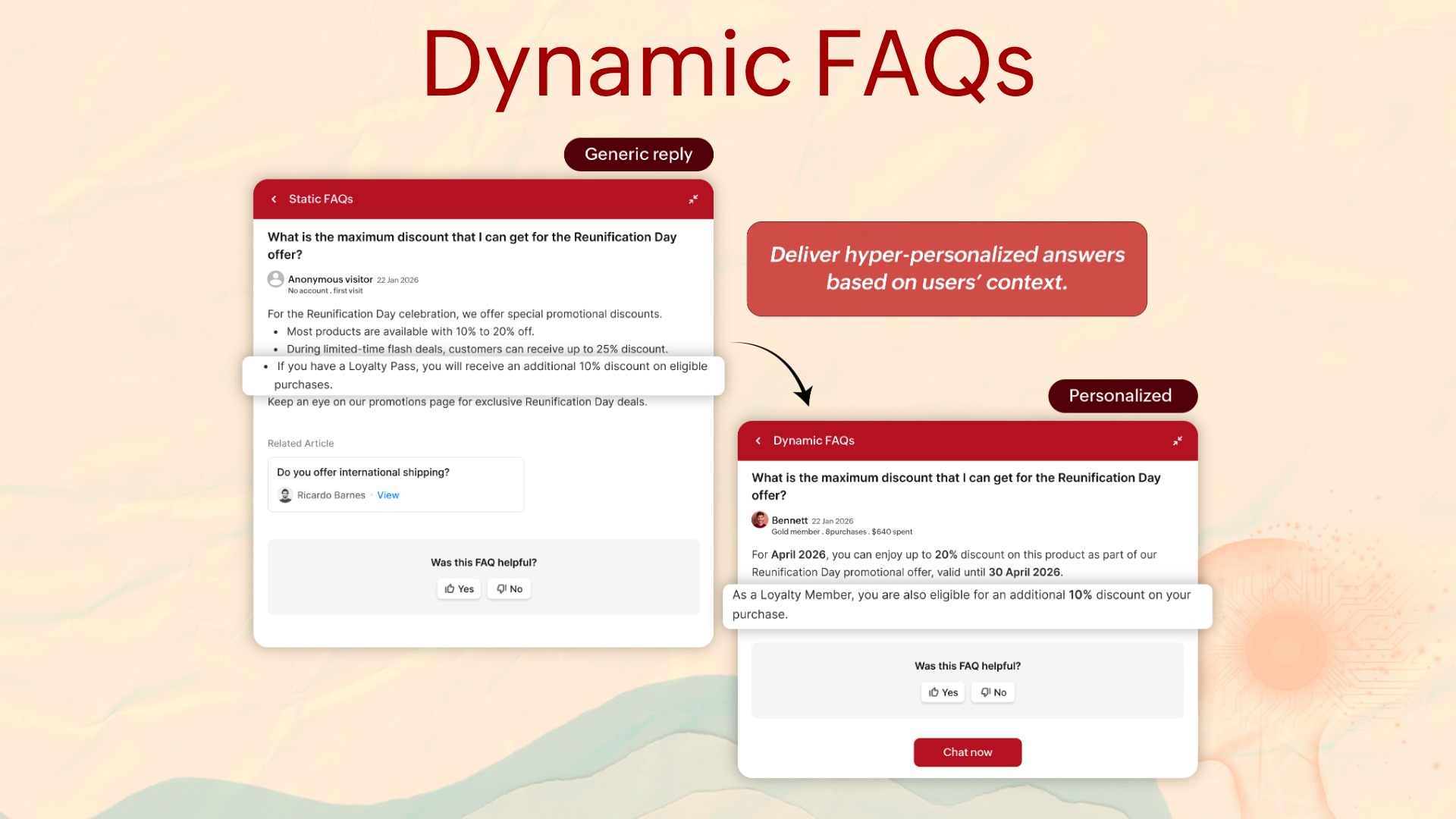
Every customer is unique in their own way. They believe they have unique needs and unique problems, and that they require unique, personalized solutions. And they're correct, they do. But self-service has always treated everyone the same.
With dynamic FAQs, you can show personalized responses to individuals based on criteria you set.
Say you run an ecommerce store, and two people ask your bot about discounts: a customer who's placed 15 orders this year and a first-time visitor. With traditional FAQs, you're restricted to showing the same static information to everyone.
But with dynamic FAQs enabled, the frequent buyer sees a 20% loyalty offer and the new buyer sees a 10% welcome discount.
Now the same FAQ shows different responses, fully automated based on the rules you set. That's what scaled empathy looks like in practice. And to be clear: it's not favoritism, it's personalization.
Writing assistant for articles and FAQs
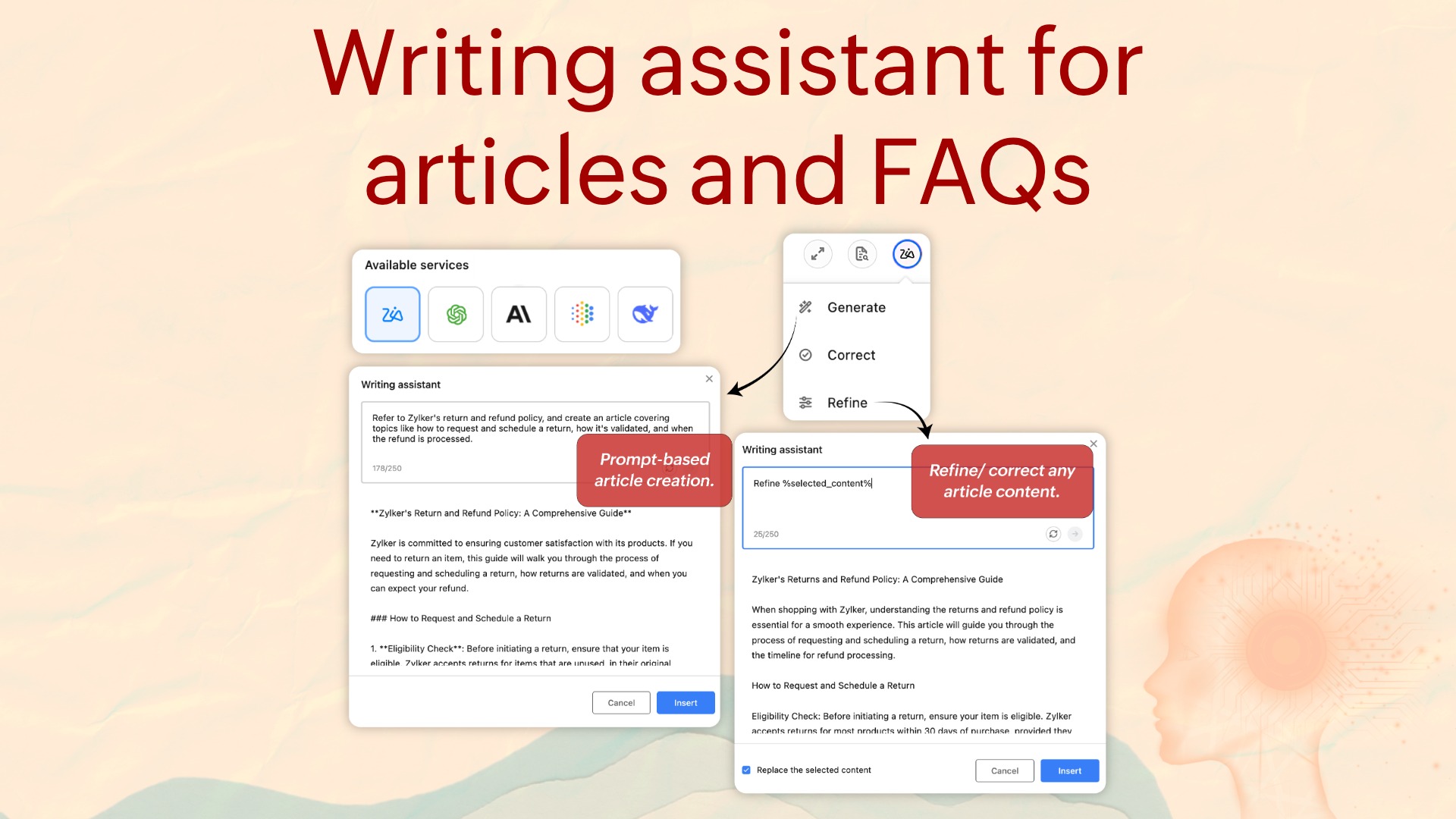
We're all used to AI helping us draft content. One priority for this release was building features that bring our customers real relief and enhance their productivity.
This feature drafts knowledge base articles and FAQs from a simple prompt, then lets you review, refine, or correct and publish them faster, using the AI service providers you've chosen.
If you're using a self-hosted model for your business requirements and want to use that same model to create articles inside SalesIQ, you can now do exactly that.
Writing assistant for articles and FAQs help guide
Auto-translate articles and FAQs
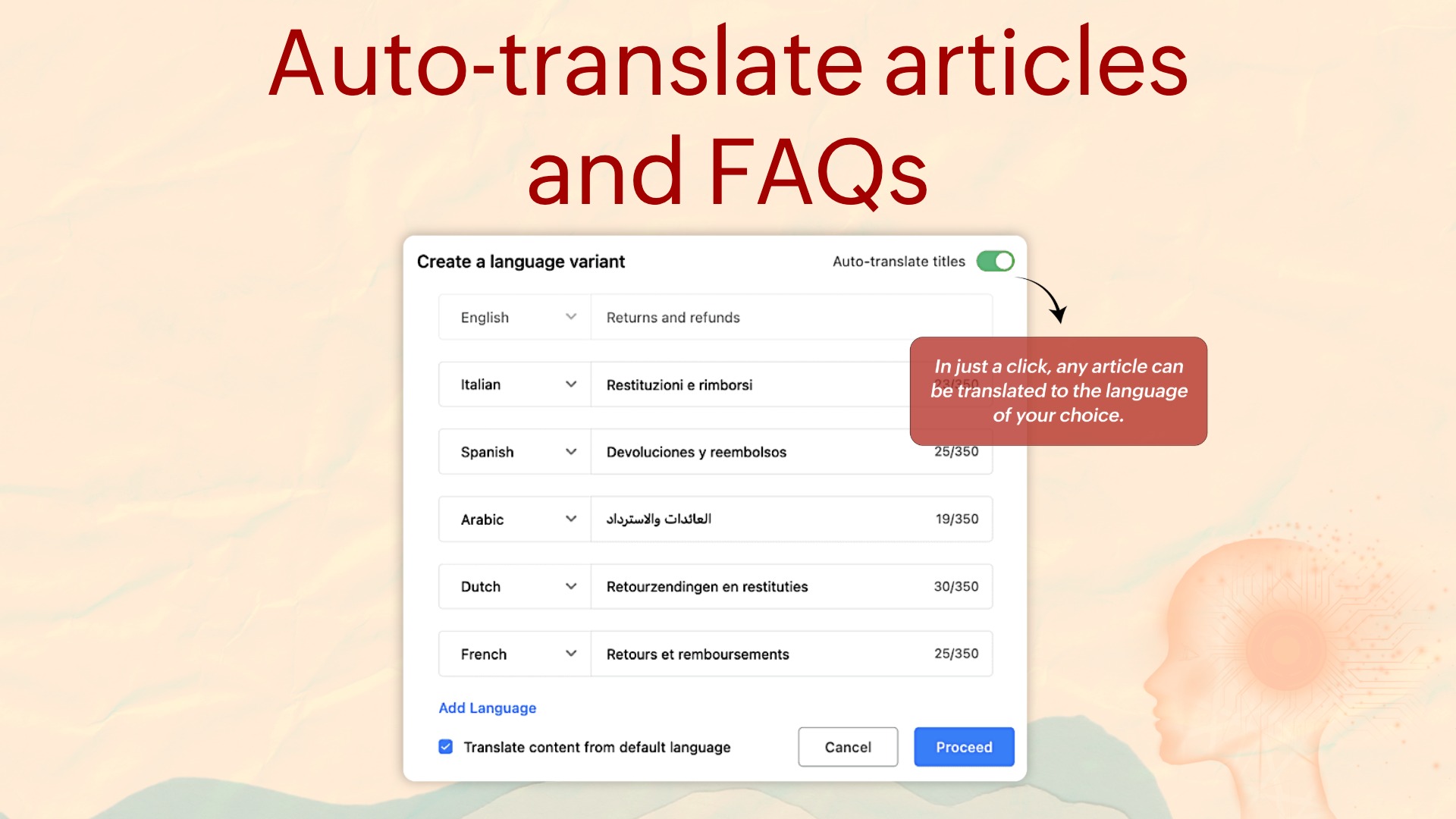
Once you've created plenty of new articles and FAQs relevant to your business, you previously had to manually recreate them in each language of choice. Now you can translate them in a single click.
It saves time, effort, and the burnout that came with the old way. You can use any translator service you've integrated inside SalesIQ: DeepL Translate, Google Translate, or Azure translator, or Zoho's built-in translator (If you're in SalesIQ's Professional or Enterprise plans).
Auto-translate articles and FAQs help guide
Attachments in articles and FAQs
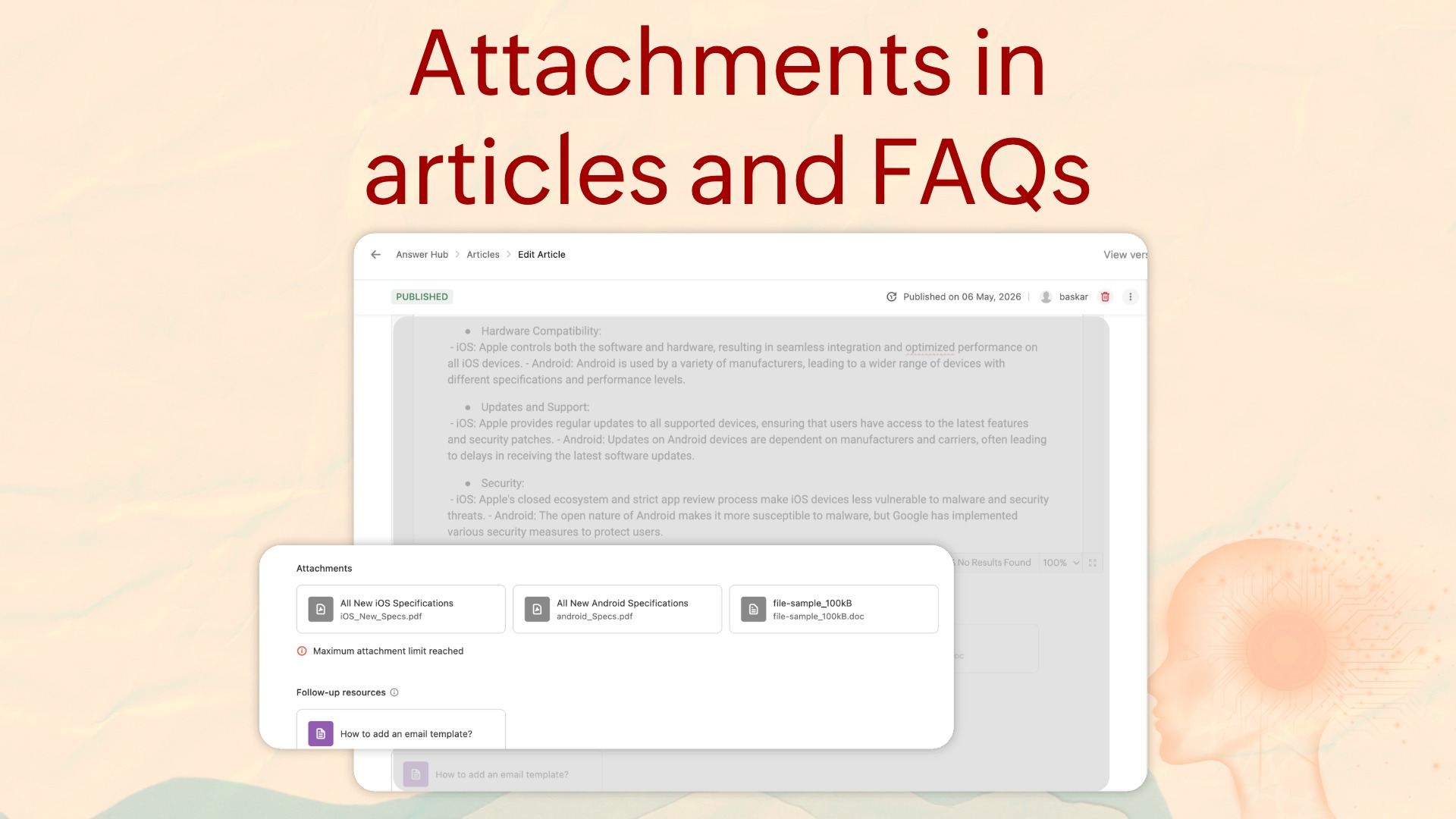
You can now add attachments: PDFs, documents, spreadsheets, and images, alongside the articles and FAQs you create.
For example, if you're publishing an article that explains the HR onboarding process to new hires, you can attach supporting resources such as the Employee Handbook PDF, tax forms, and IT access request documents. This lets employees access and download everything they need from a single article.
Attachments in articles and FAQs help guide
Webpages in resources
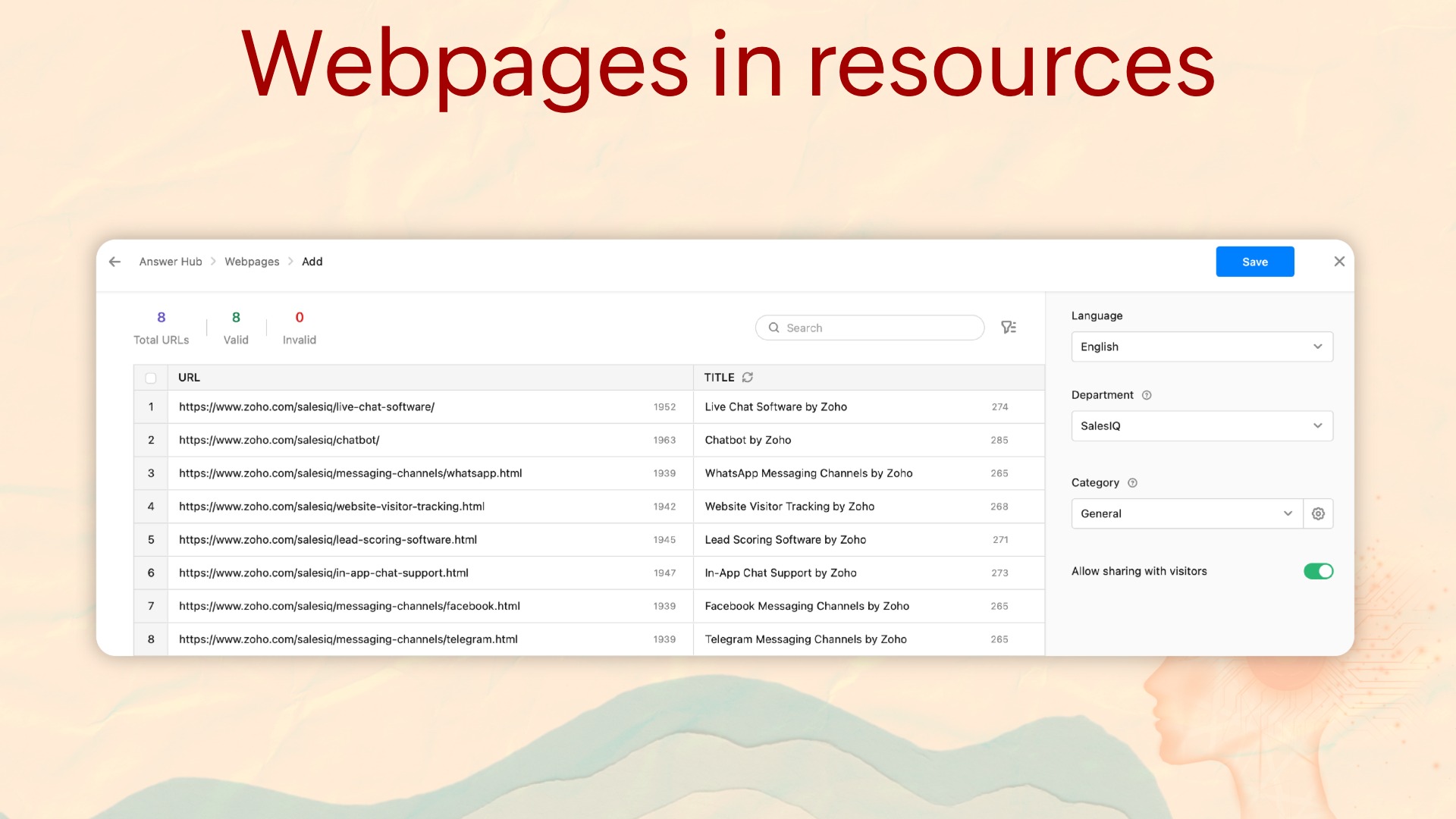
Webpages are now a native resource type in SalesIQ, sitting alongside articles, FAQs, and small talks. Add webpage URLs to the Answer Hub once, and operators can share them directly with visitors mid-conversation, without hunting for the right link when it matters most.
Webpages in resources help guide
URL-based training
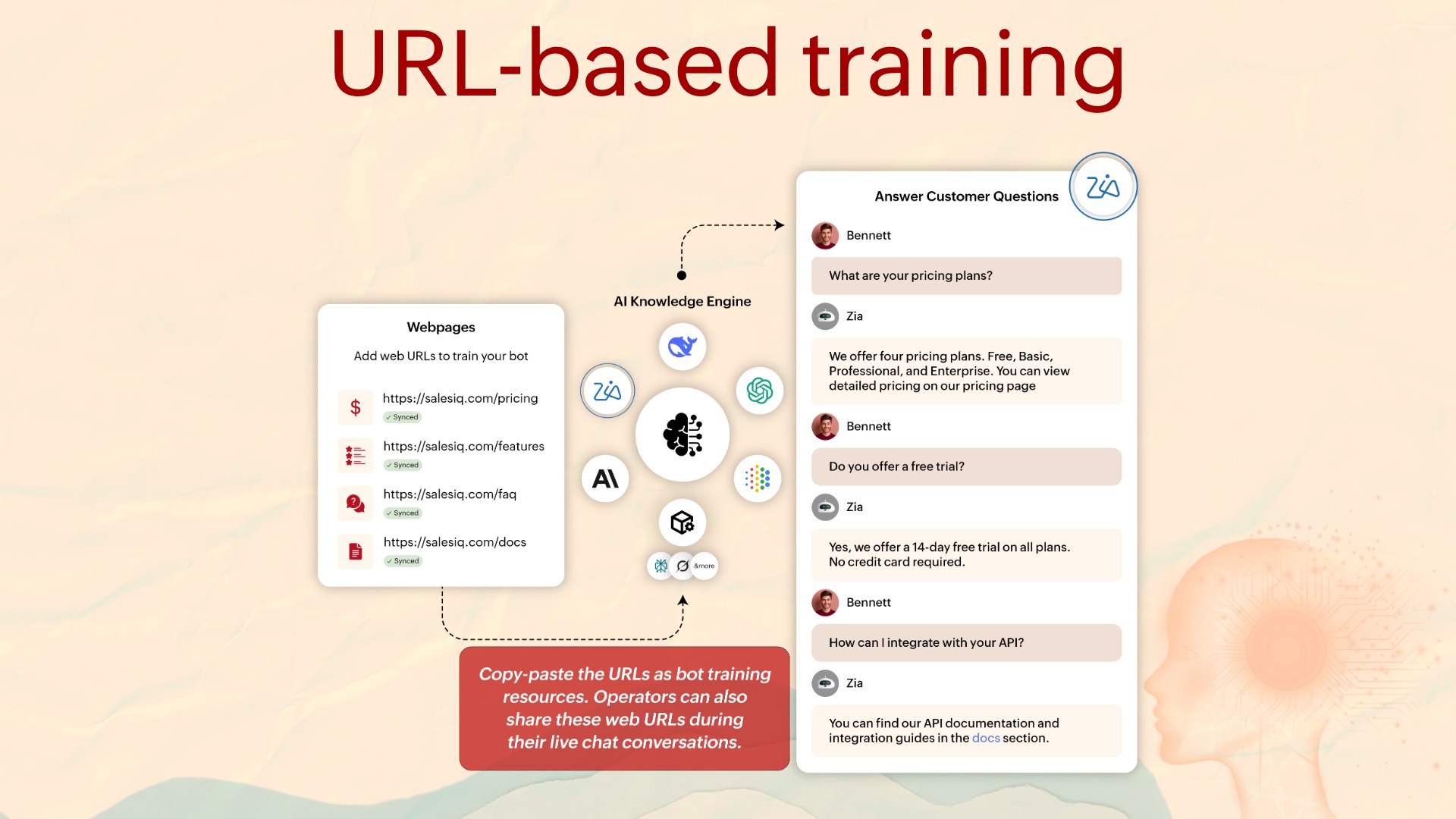
In continuation of the Webpages feature, you can now use URL-based training for your Answer Bot.
Train the bot using existing web content by simply providing a webpage URL, reducing manual effort for teams whose content already lives on their website or help documentation.
Answers from AI built-in knowledge
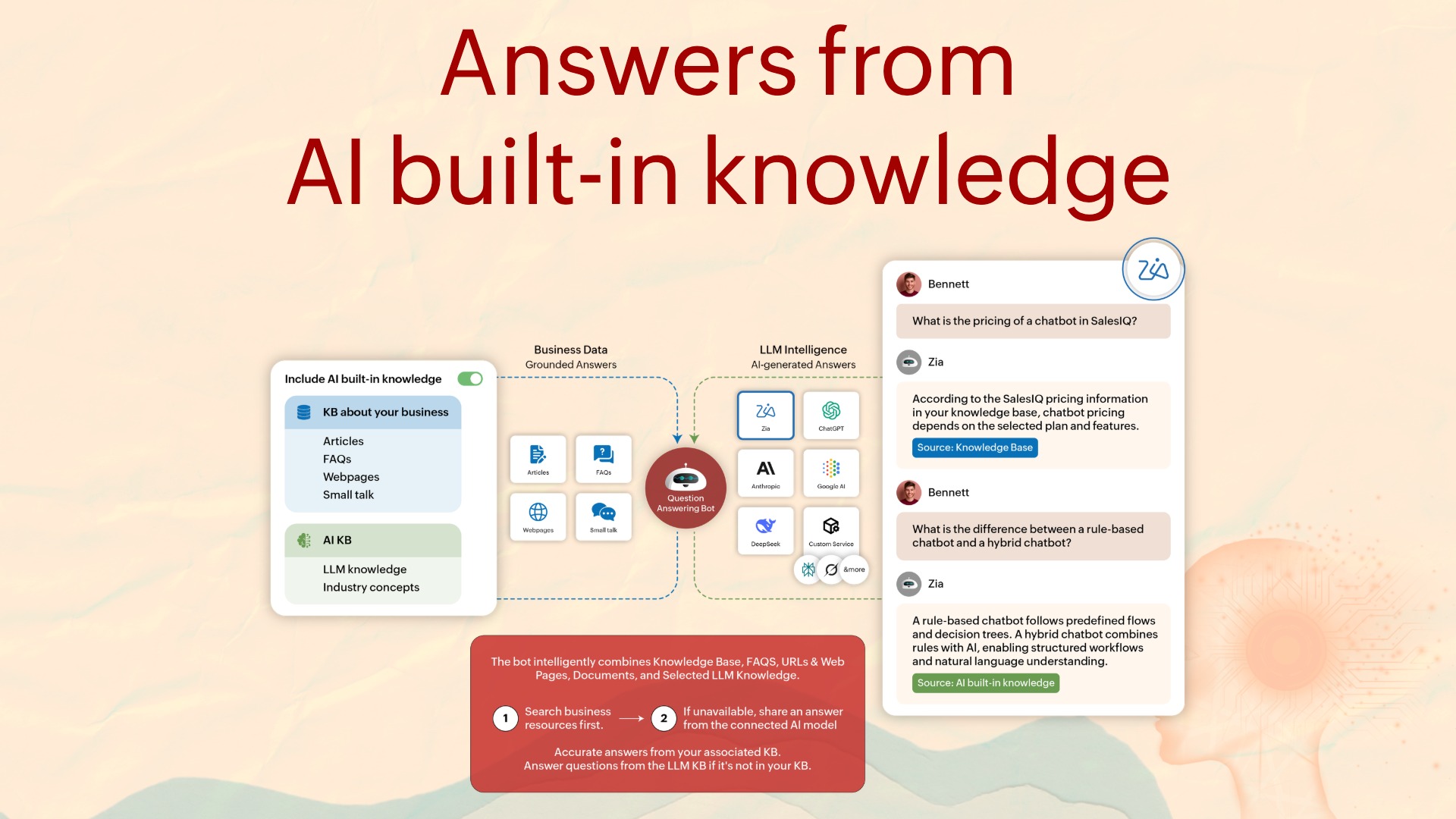
You can generate responses from the AI's general knowledge for queries your existing knowledge base has no answer to. You can also include topics to contextualize the answer the AI generates.
Answers from AI built-in knowledge help guide
Chapter 4: Channel engagement
WhatsApp–SalesIQ integration has been hugely beneficial for many of our customers, and we've stayed focused on this channel layer to bring the best experience to our users. Here's what's new under that umbrella.
Send WhatsApp proactive messages by phone number
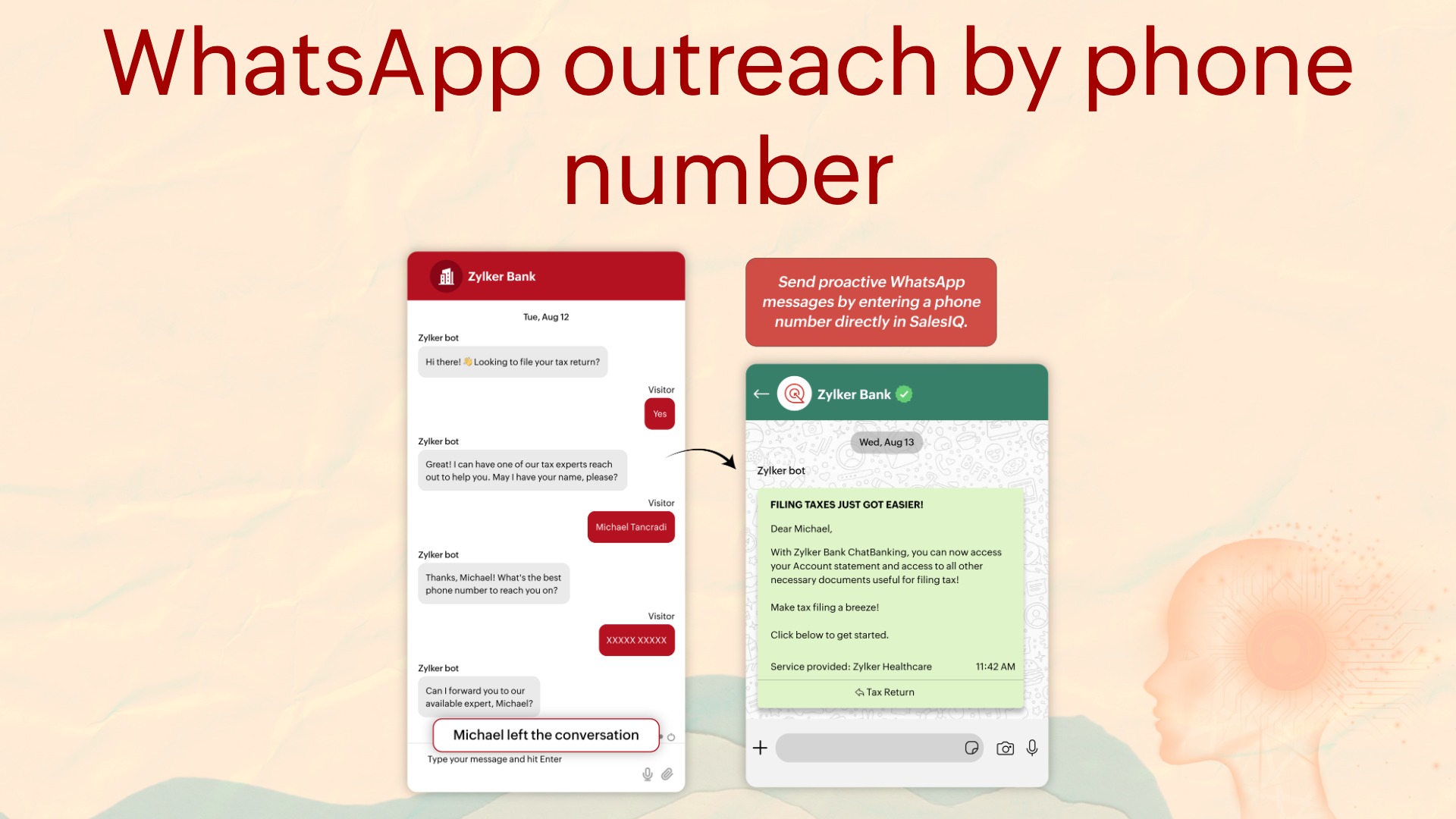
You no longer need to wait for a user to start a chat inside SalesIQ to send a WhatsApp message. Operators can now initiate a WhatsApp conversation by entering a phone number directly, without any prior contact record.
WhatsApp templates in bot flows
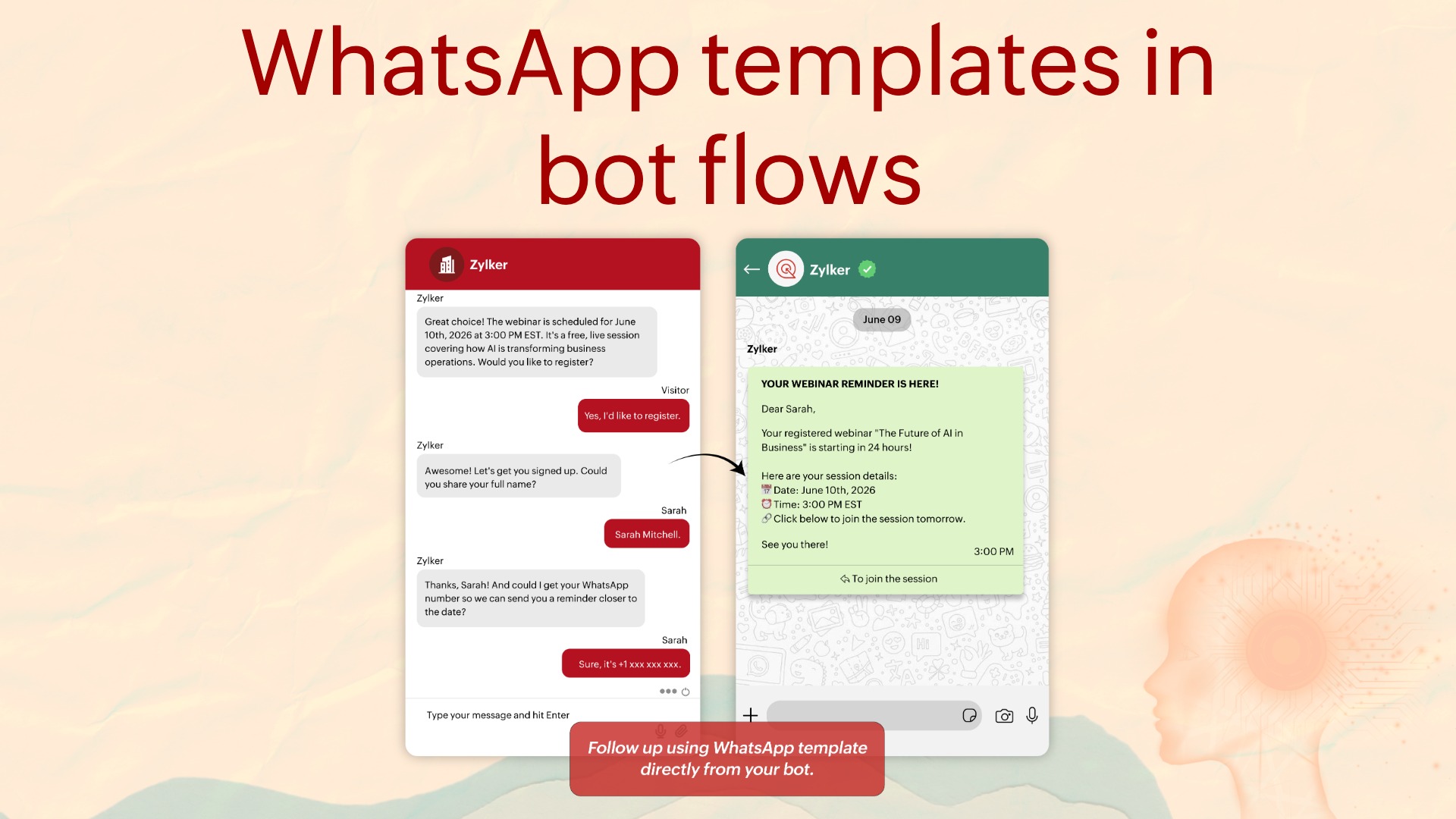
What if you want to automate this inside a WhatsApp bot flow you've created? Template messages can be triggered directly from Zobot flows via the Channel Message card.
WhatsApp templates in bot flows help guide
Multilingual WhatsApp templates
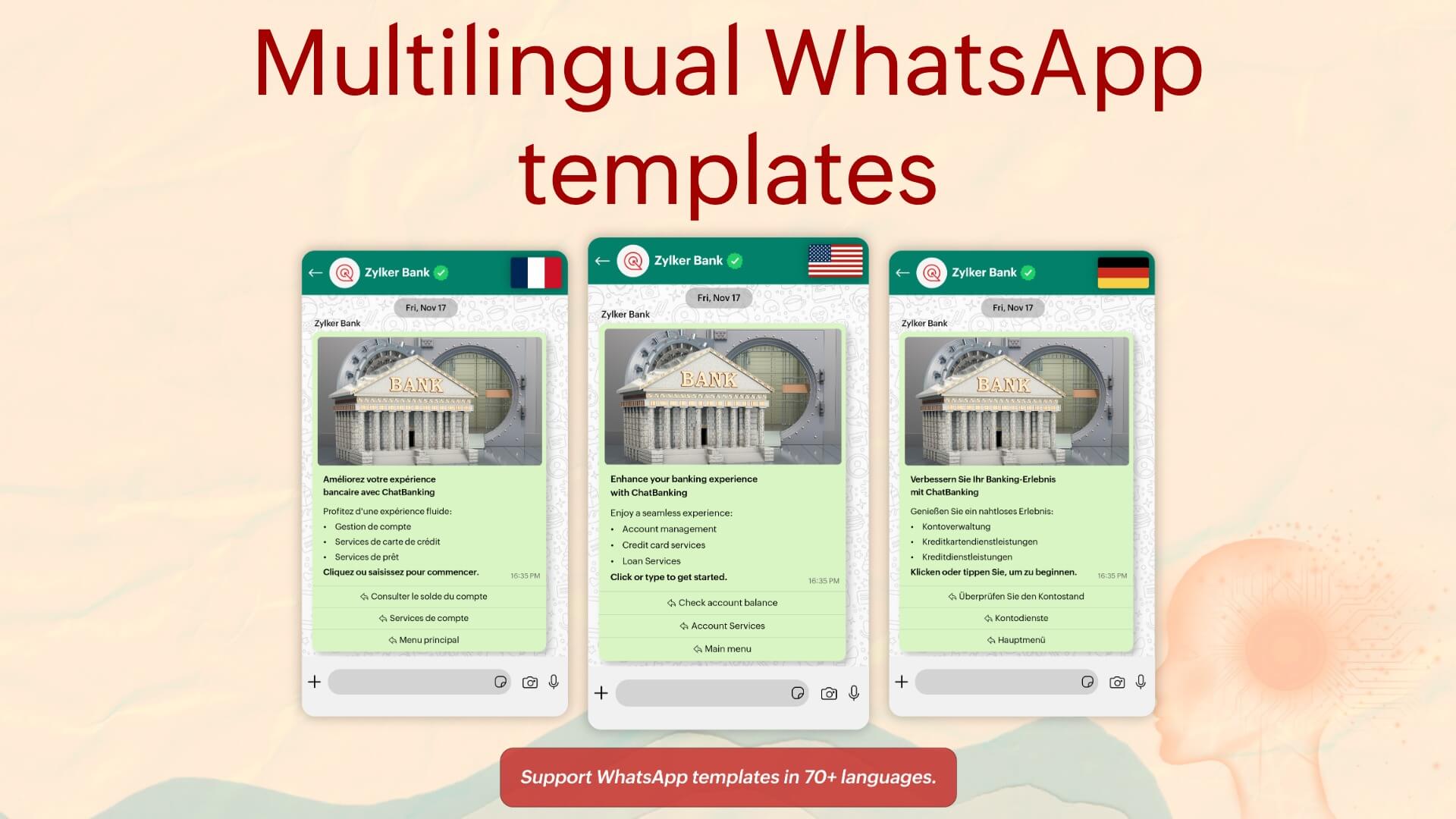
WhatsApp templates now support 70+ languages. We support both marketing and transactional templates sent from SalesIQ, and now all of them can be multilingual.
For example: a travel brand running booking confirmations and pre-arrival messages no longer has to choose a single language; each template can be configured for the visitor's local language.
Multilingual WhatsApp templates help guide
Single WhatsApp number across multiple Zoho products
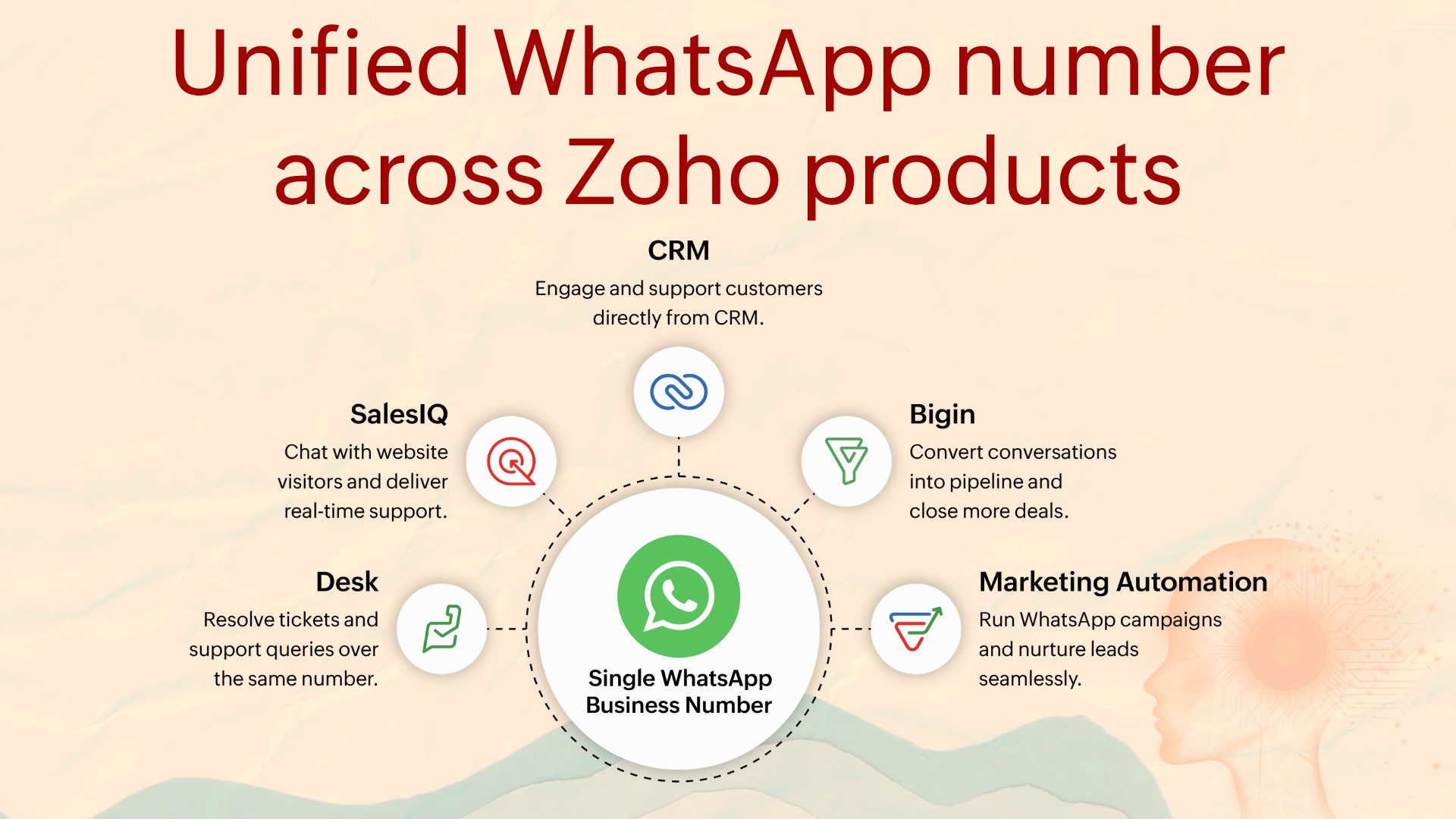
Businesses that use WhatsApp Business alongside multiple Zoho products have historically had to maintain separate numbers per product, or remove one integration before adding another. That's resolved. The same WhatsApp Business number can now be connected across multiple Zoho products simultaneously.
Proactive web messaging with rich templates
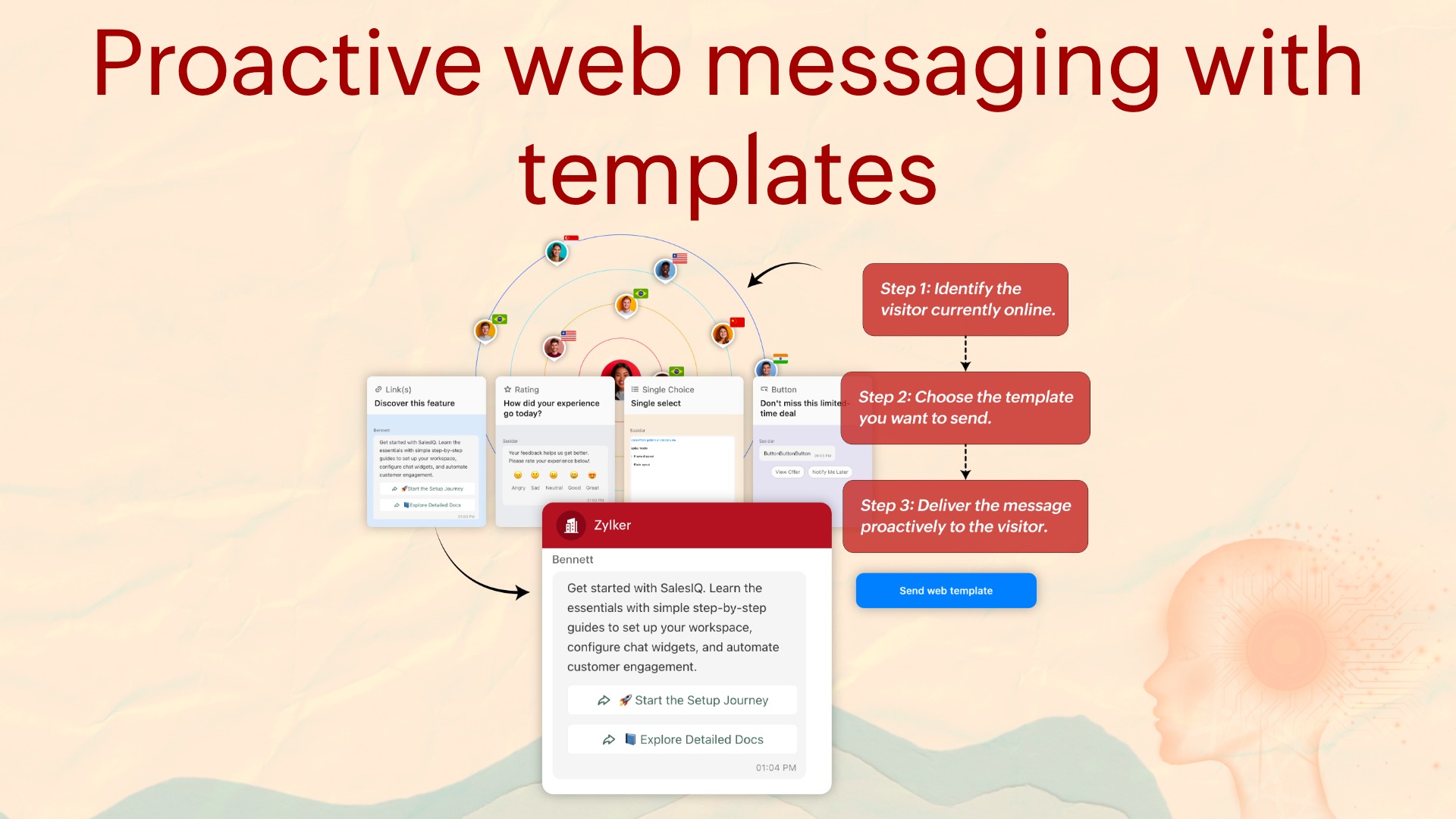
Operators can now initiate conversations with visitors currently on the website using rich message templates, not just plain text. There's a range of templates to pick from that support images and CTAs, and they can be sent to multiple visitors simultaneously.
Proactive web messaging help guide
Broadcast and proactive reports
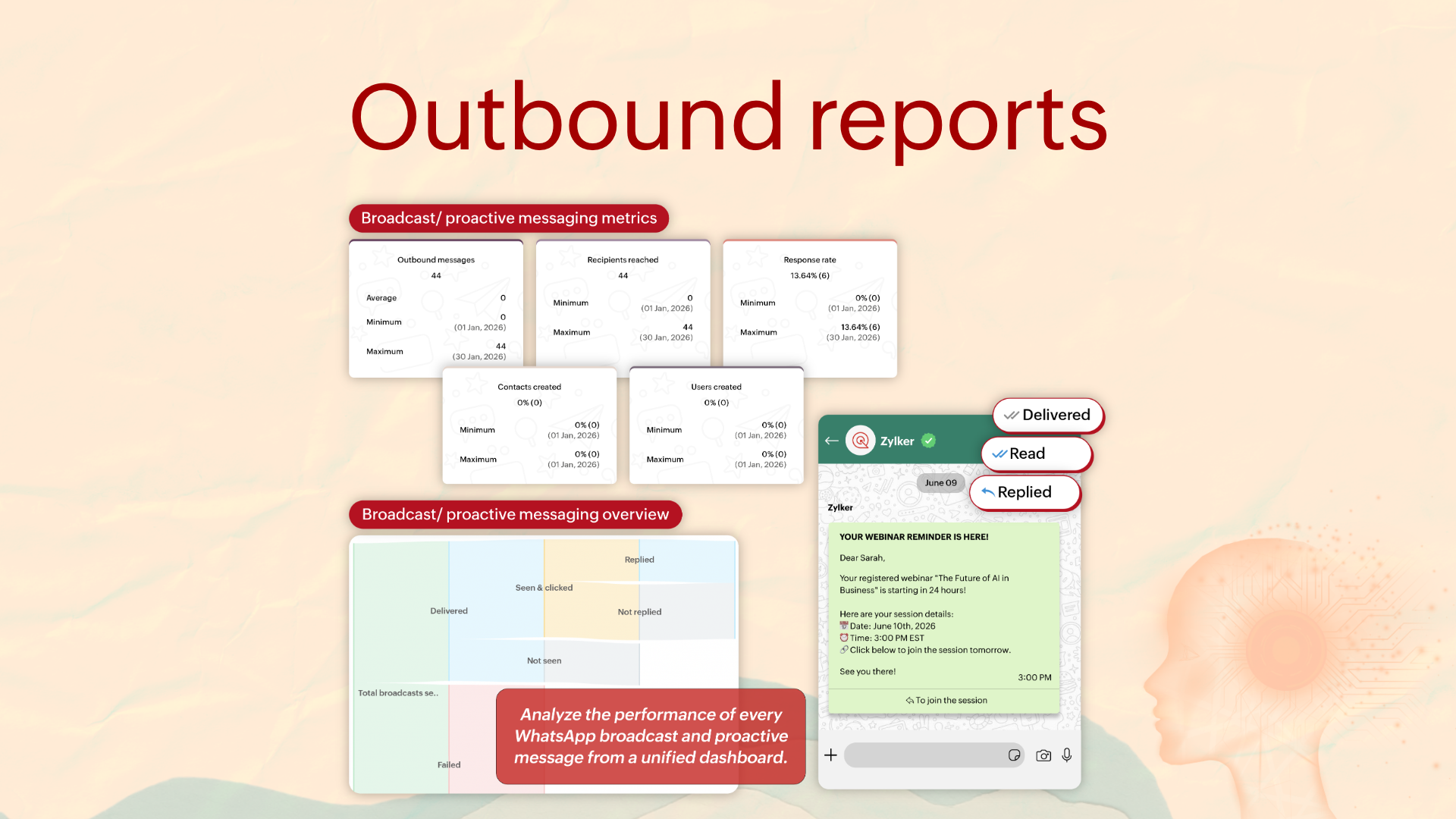
You can now measure and perfect your outbound campaigns. Outbound reports enable you to track everything from delivery status, clicks, response rate to conversation outcomes. You also get a response volume heat map to identify patterns in how your recipients interact with your campaigns to optimize.
Chapter 5: Integrations
This release moves all the work operators have to do in multiple tabs into one place without moving the data. Your team stays in SalesIQ, and everything still lands exactly where it needs to.
AI vendors
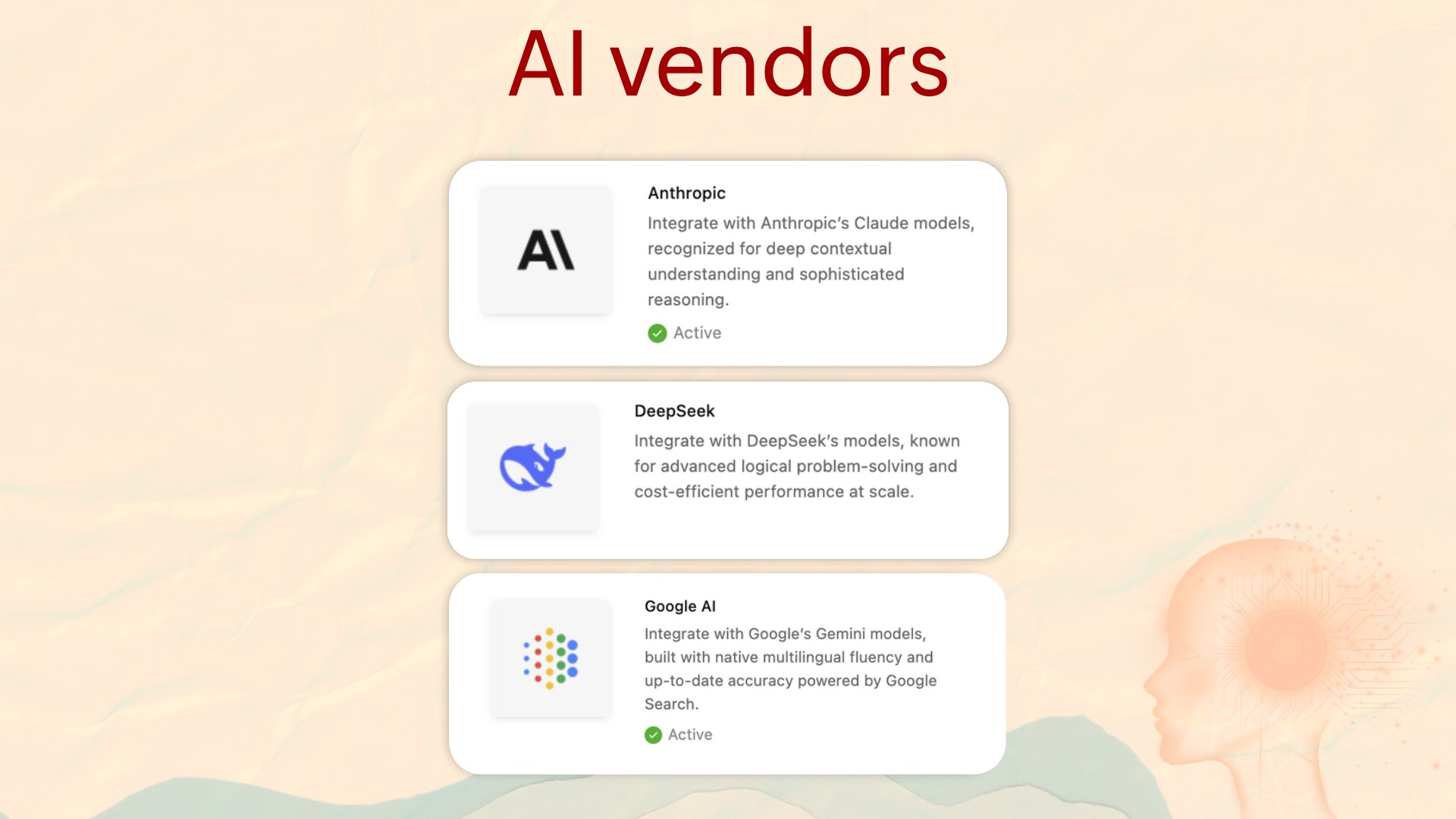
In Chapter 1, we covered BYOAI (Bring Your Own AI). This is an extension of that as an integration. You can now connect Anthropic, Google AI, and DeepSeek (China DC) to power not just your bot, but also your knowledge base. Use this integration to create articles, FAQs, and more.
Zoho Projects
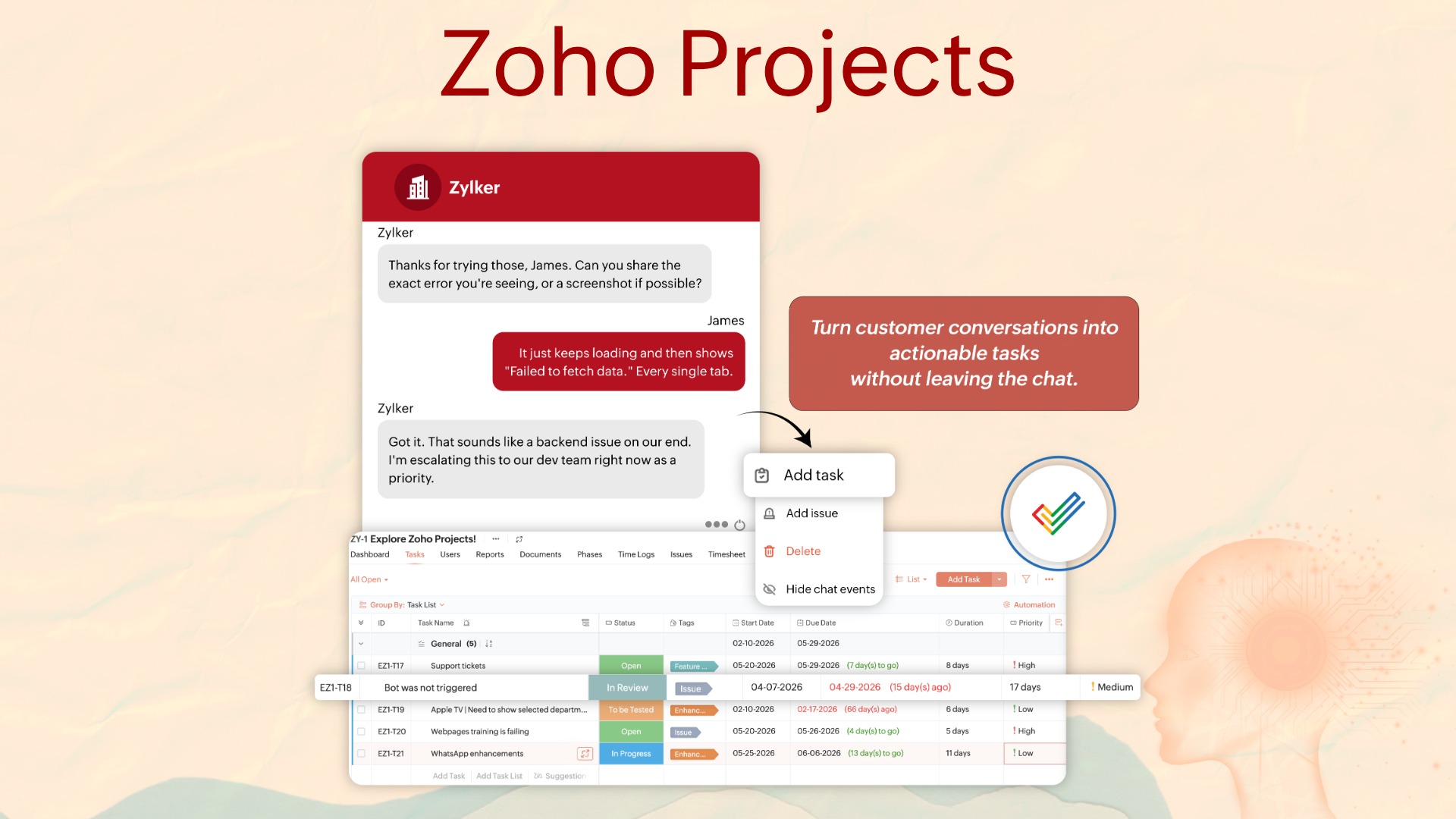
When a customer reports a bug or a prospect requests a new asset, that conversation has always required leaving SalesIQ before anything happens. The rep opens Projects in a new tab, and the task gets created eventually.
Now operators can create tasks or bug reports in Projects directly within a conversation, add comments to existing items from inside SalesIQ, and report back to the customer immediately.
Zoho SalesIQ-Projects integration guide
Zoho Survey
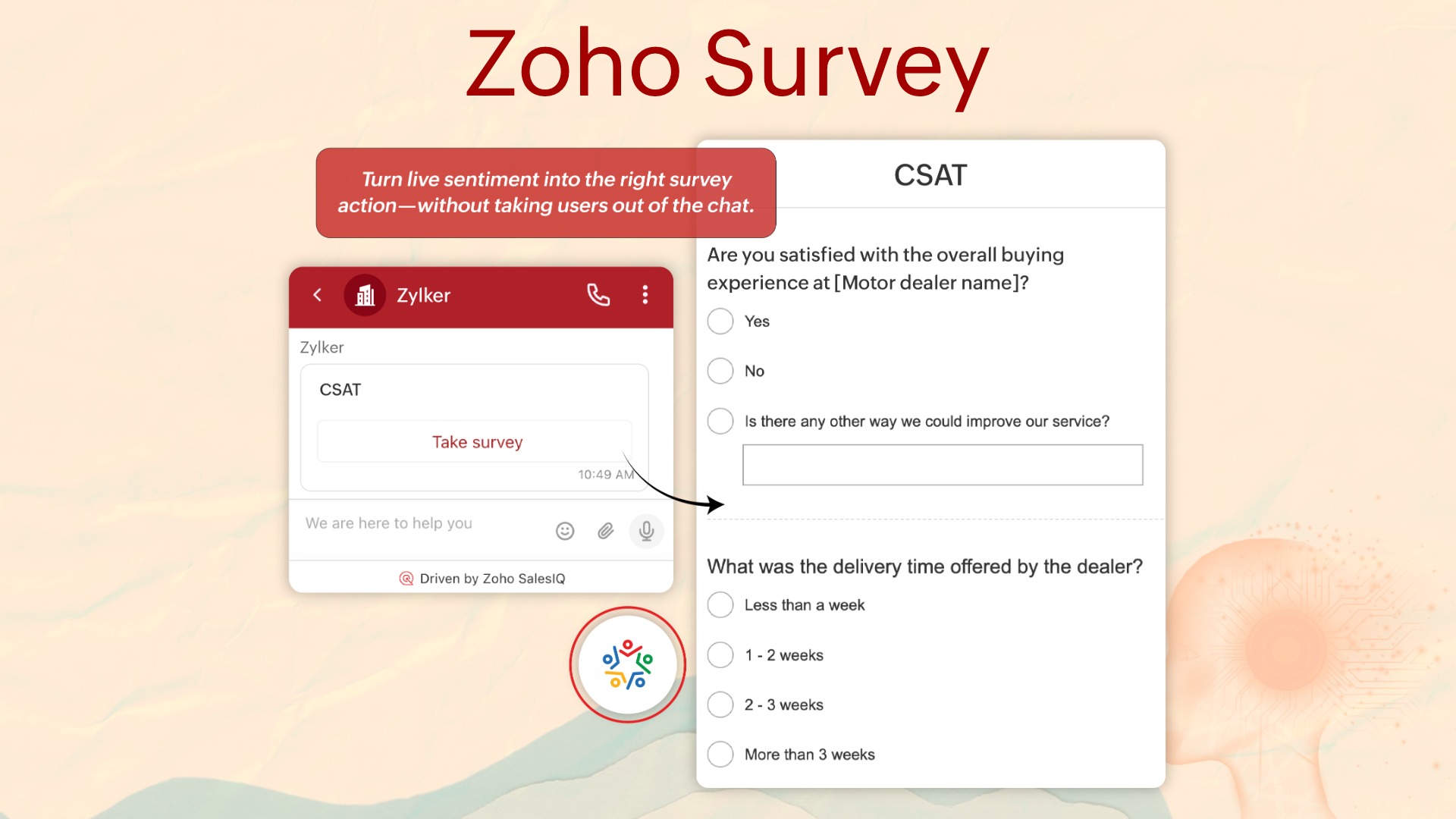
SalesIQ already provides a default post-chat feedback option. The Zoho Survey integration gives you control over when, how, and to whom surveys are delivered, without taking visitors to a new tab.
Zoho SalesIQ-Survey integration guide
Zoho Cliq
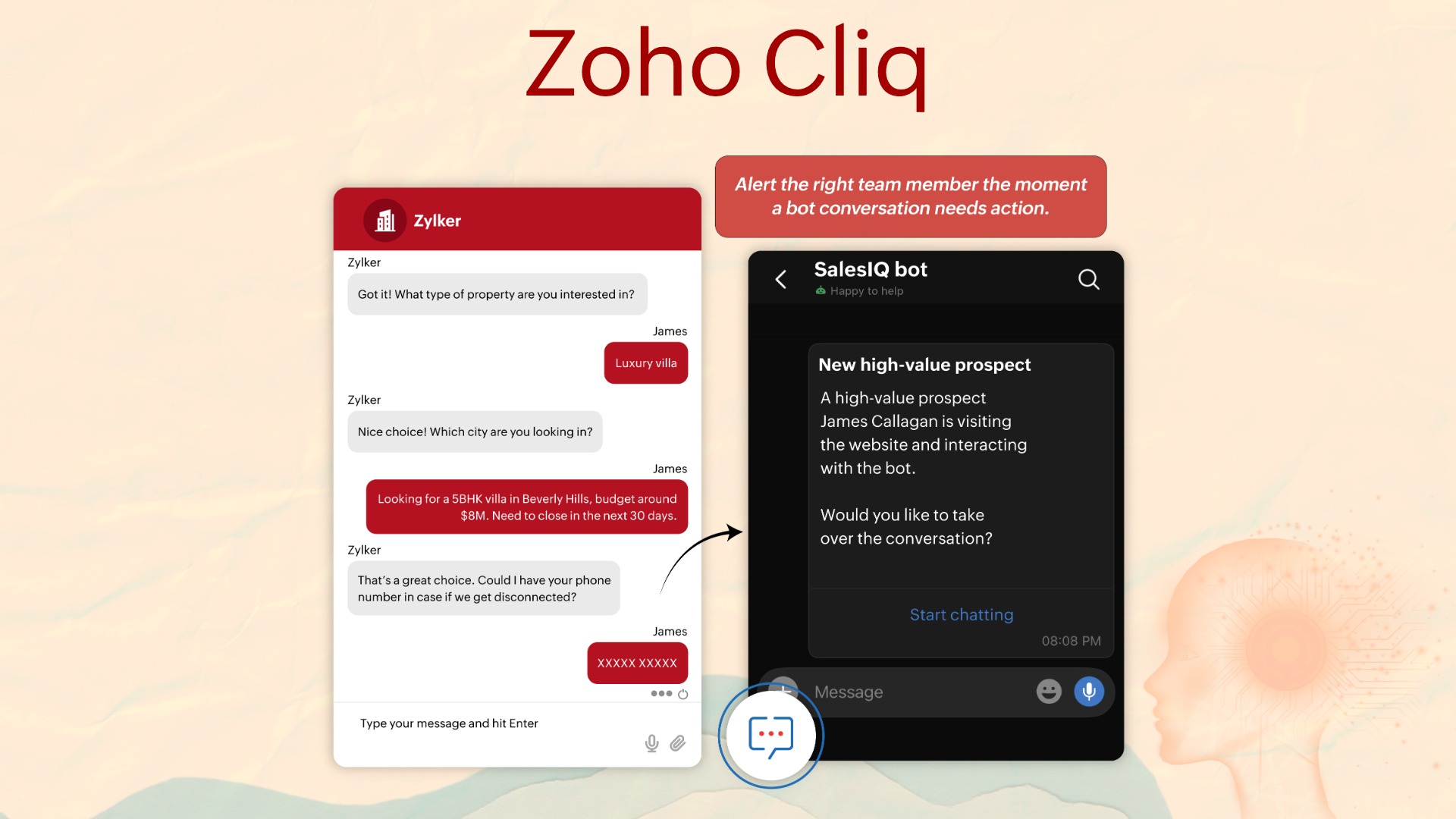
Bots can now send direct messages to Cliq users. Escalation alerts, status updates, lead notifications, all flowing from SalesIQ conversations into Cliq automatically.
For example, the moment someone expresses interest in a product via the bot, a message can be dropped to the respective sales rep in Cliq immediately, no waiting for the pre-sales team to check a queue. It removes the time delay between customer intent and team response, which is exactly where conversion momentum is usually lost.
Zoho SalesIQ-Cliq integration guide
DeepL Translate
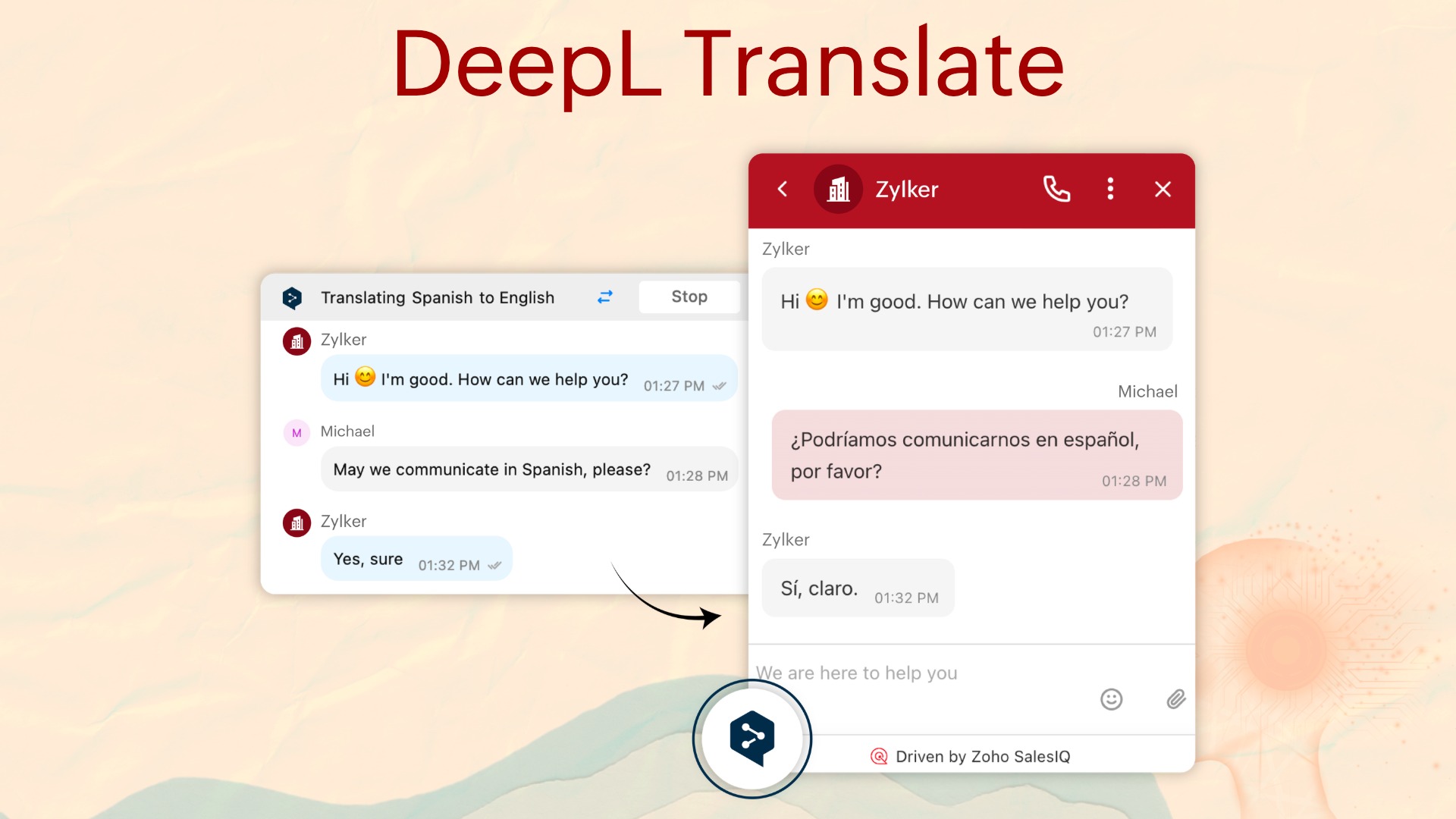
DeepL Translate is now available as a translation engine, in addition to Google Translate and Azure translator.
Zoho SalesIQ-DeepL Translate integration guide
Chapter 6: Video calls and meetings
Video calls for web
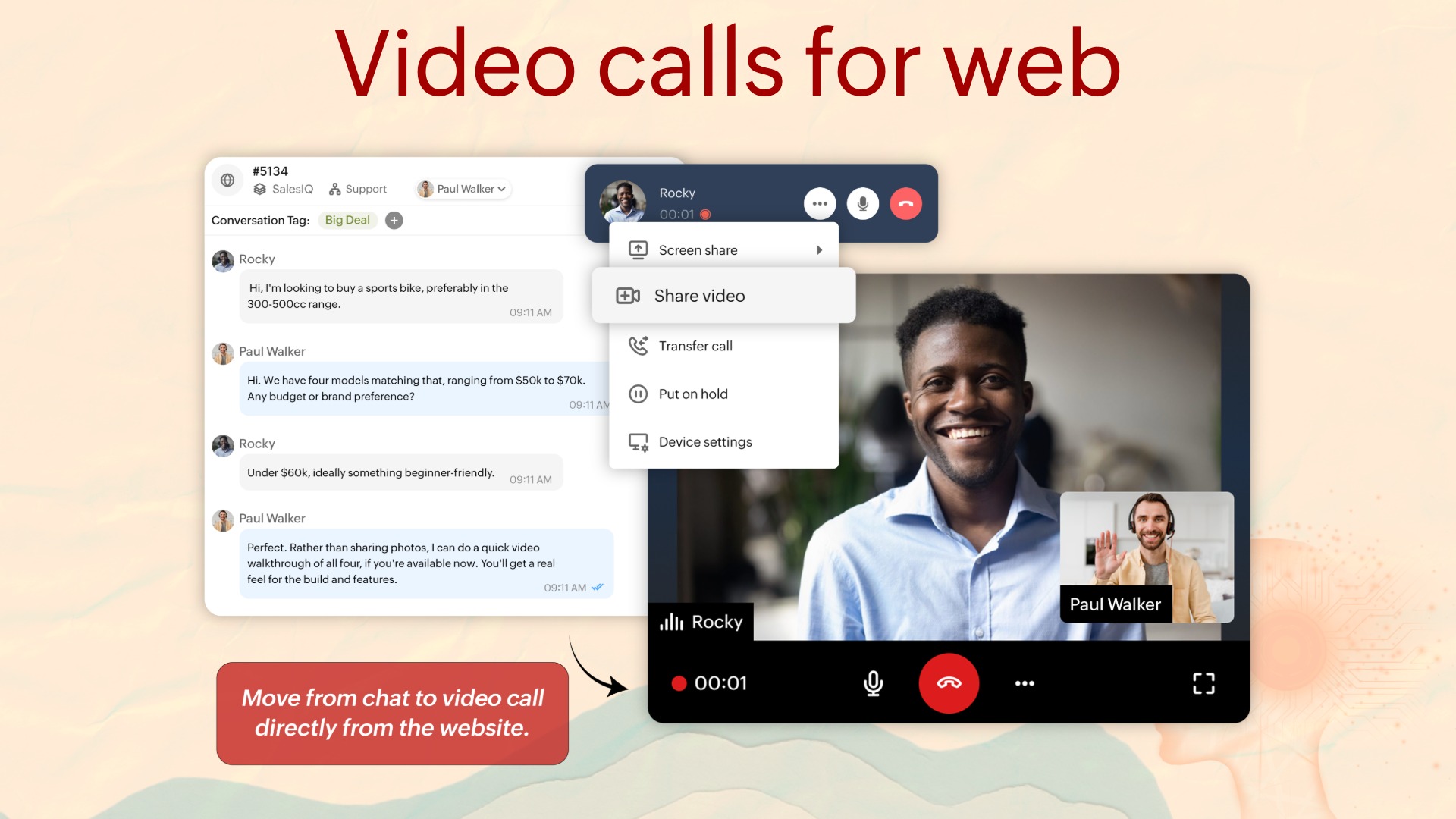
SalesIQ has always offered multiple ways for customers to connect: social channels, mobile apps, screen share, audio calls. Video calls complete this picture.
Customers can now connect face-to-face with operators directly within SalesIQ, with no add-on or third-party integration required.
For businesses where the conversation benefits from a human face: high-touch sales, complex technical support, healthcare consultations, this closes the gap between digital and in-person.
Meetings scheduler
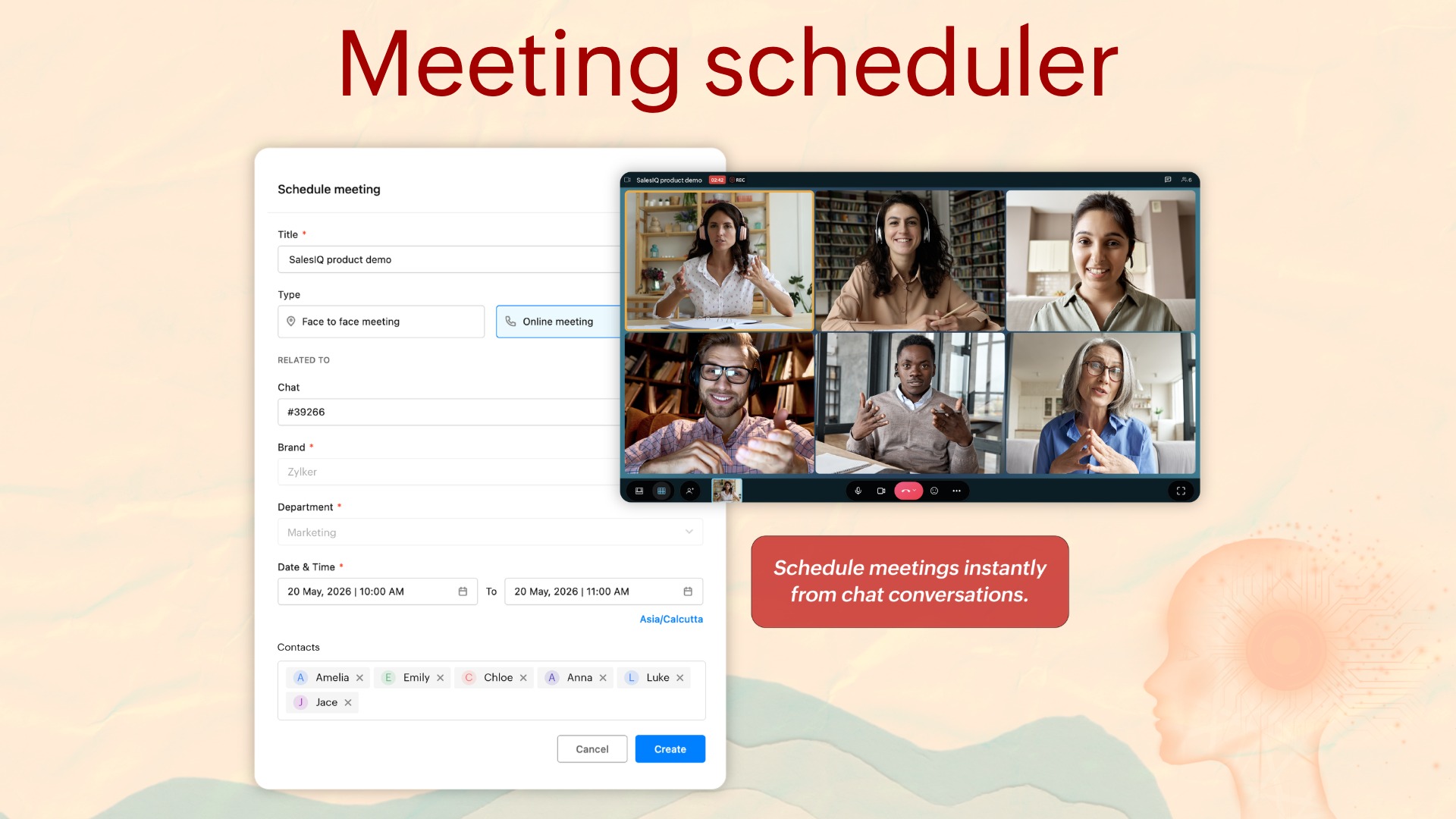
Kindly note that this is not an integration with Zoho Meetings. We've built meetings inside SalesIQ. Scheduling, managing, and tracking customer meetings has always required operators to switch tabs.
Now, when a prospect or customer requests a meeting during a conversation, the operator can schedule it then and there from inside SalesIQ.
Chapter 7: Monitoring and controls
Audit logs
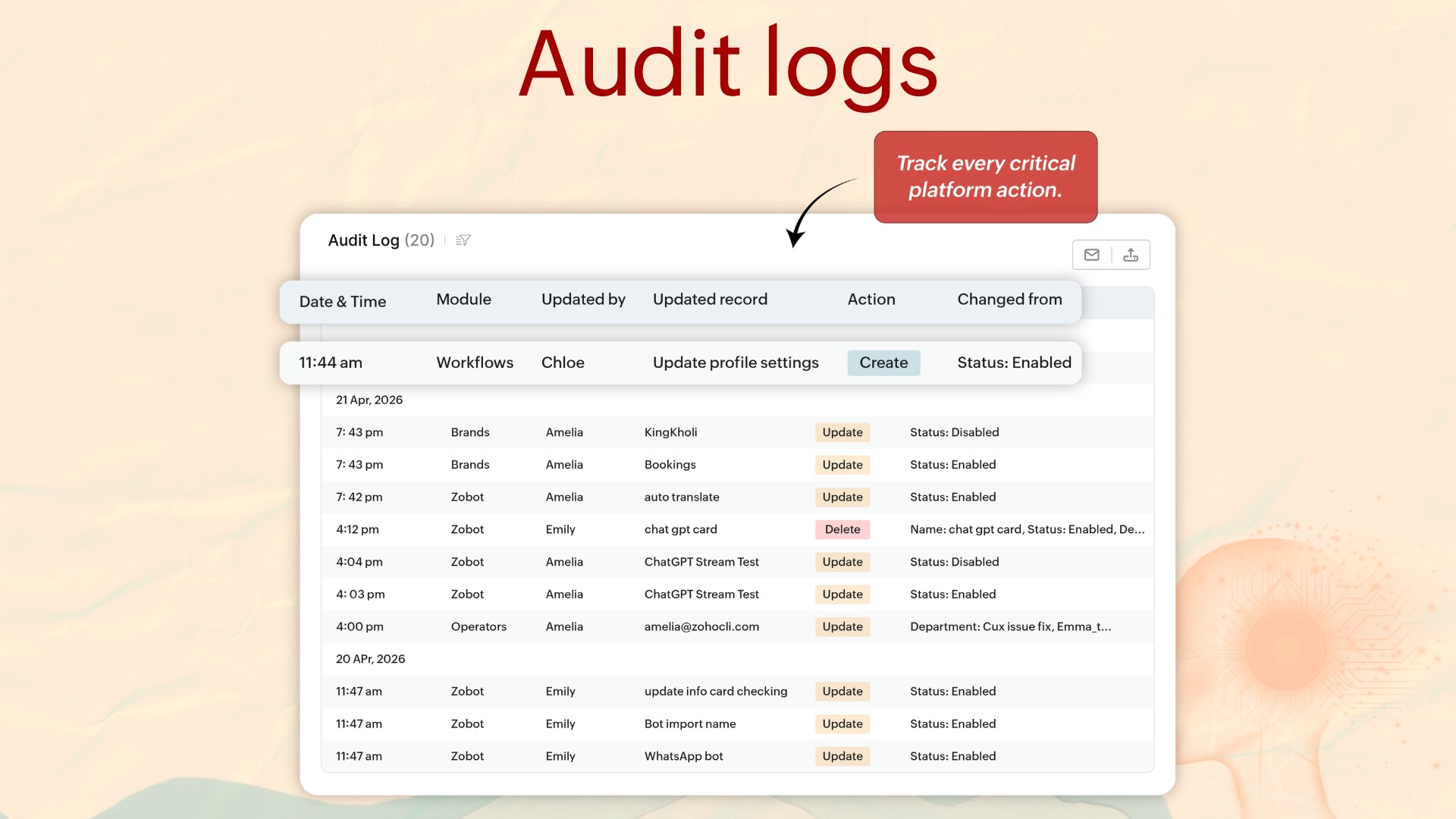
We've already seen workflow logs and bot logs. Adding audit logs to this set makes it a trifecta of visibility.
Audit logs capture every action that affects data or configuration across the platform, be it conversation actions, contact modifications, bot and integration config changes, admin setting changes, or system-triggered actions. Each entry records who, what, which entity, the before/after state, and a UTC timestamp.
Spammers
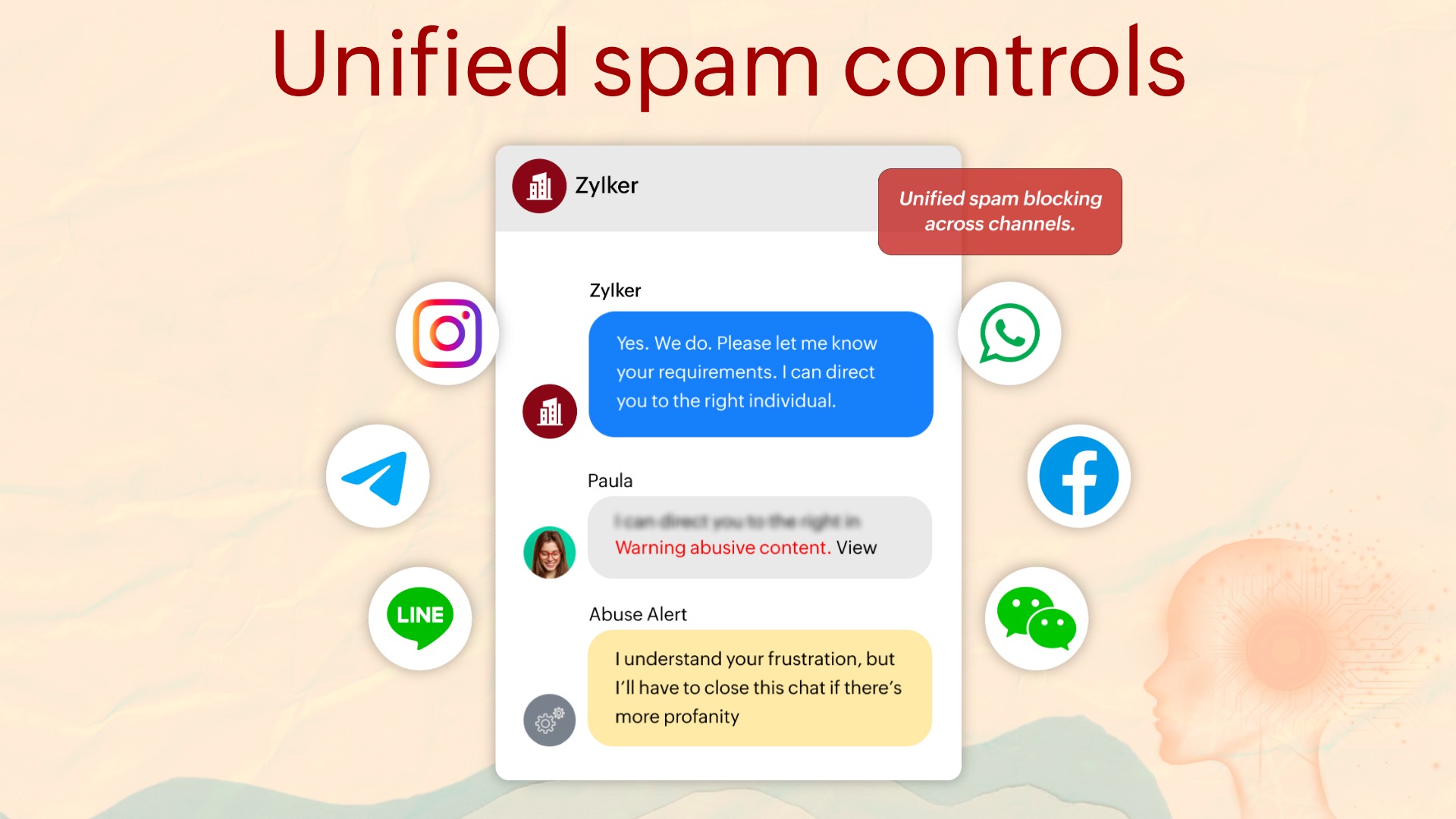
With this release, we've brought in a unified cross-channel blocking view under Spammers. Blocking across web, iOS SDK, Android SDK, WhatsApp, Facebook Messenger, Telegram, Instagram, LINE, and WeChat now lives in one view, making it far easier to manage.
Mobile app enhancement
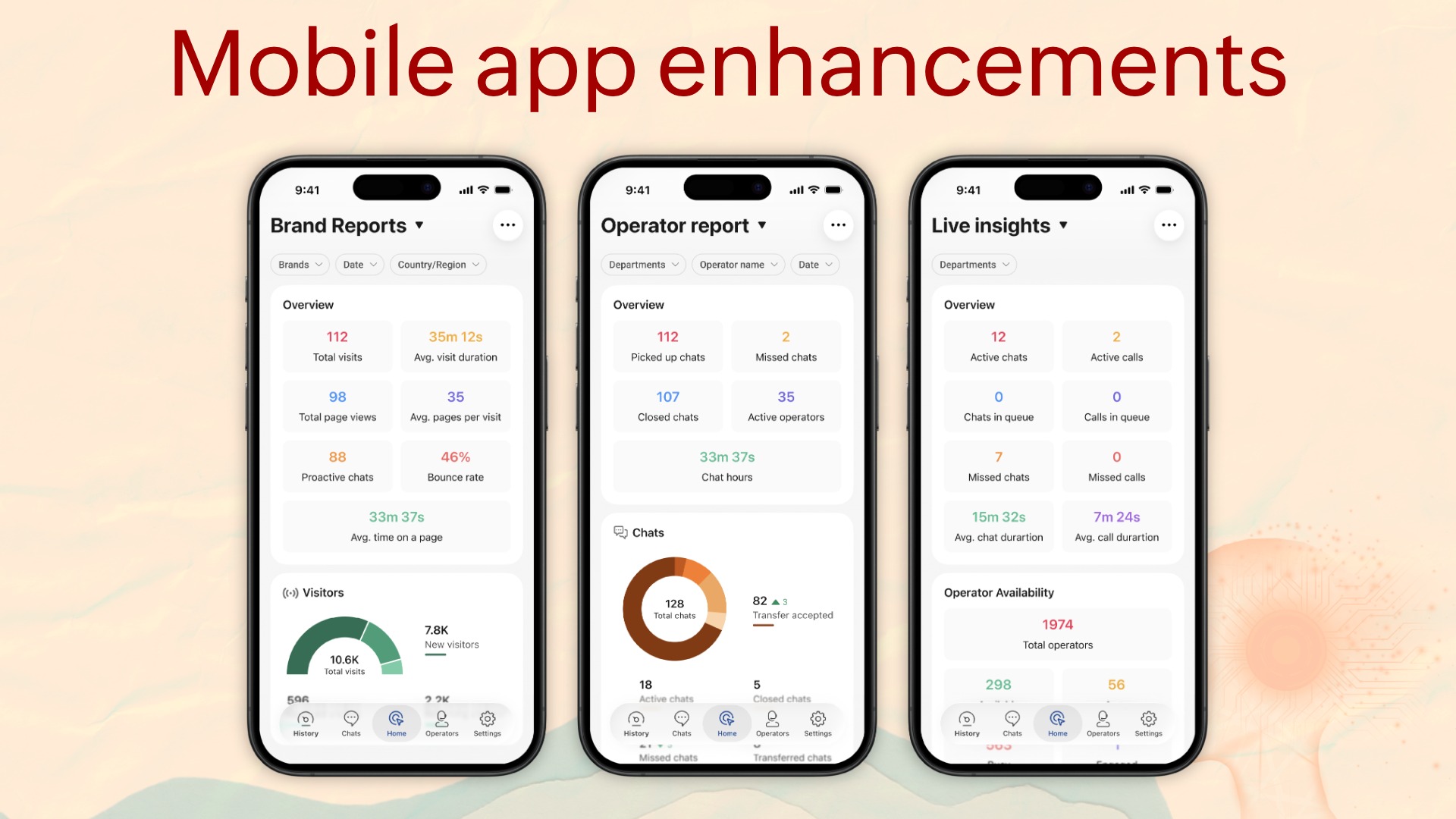
For businesses whose managers aren't desk-bound like retail ops, field service, distributed teams, this is the feature that makes SalesIQ manageable from anywhere.
We've brought the admin view into the mobile apps. It's role-controlled, so admin-level users see it automatically on mobile. Report data is real-time and identical to the web app: live team status, operator availability, and brand-level reports.
TV app enhancements
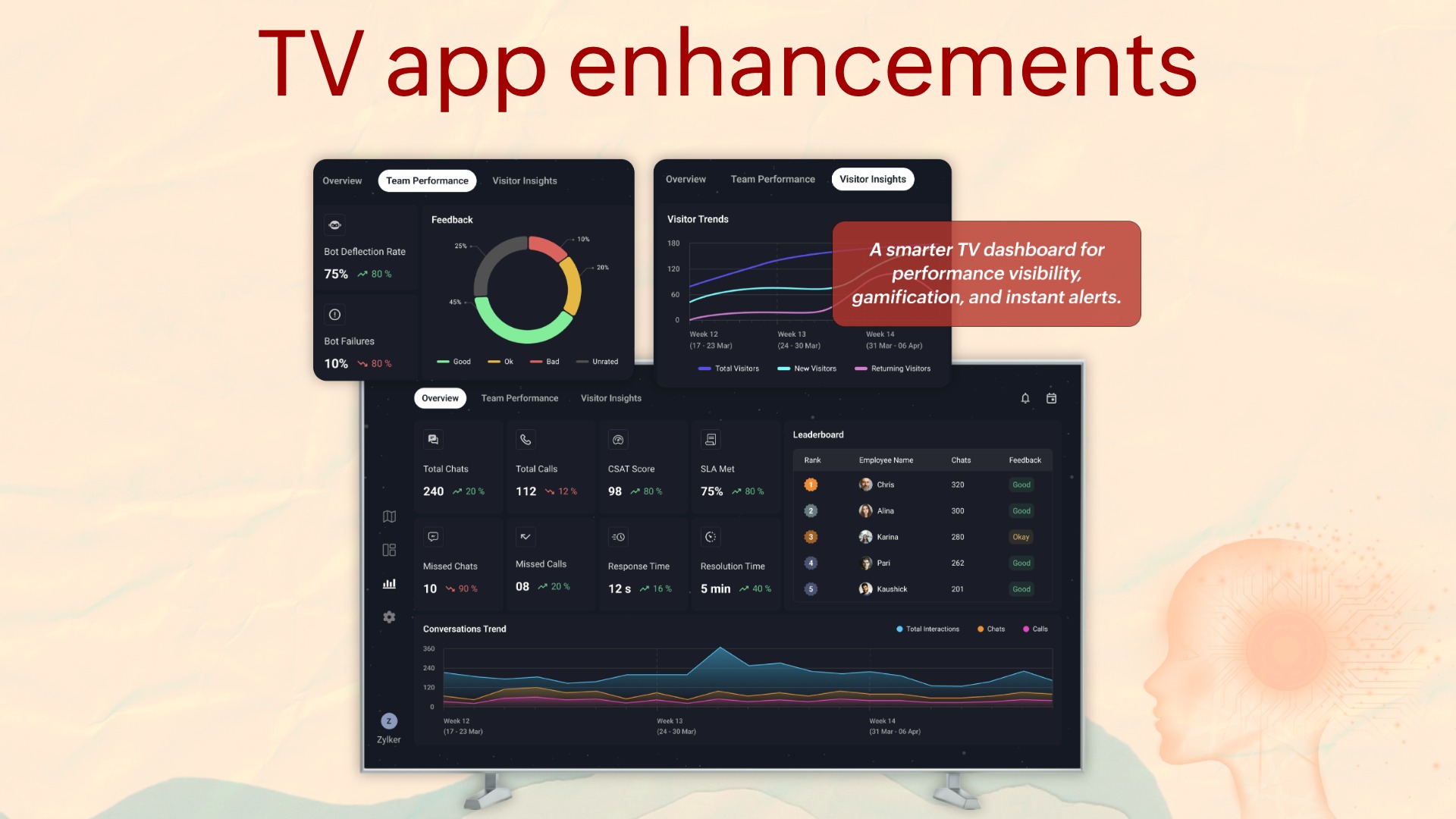
If you've ever walked into a support bay and seen a TV on the wall showing a static spreadsheet or dashboard, you'll understand why this update matters.
The new version shows new reporting views for Overview, Team Performance, and Visitor Insights, along with top-operator celebrations, multilingual support, and more. For any business running a structured support operation, this is the screen that earns its place on the wall.
UI enhancements
We also brought in a few UI enhancements:
Brands
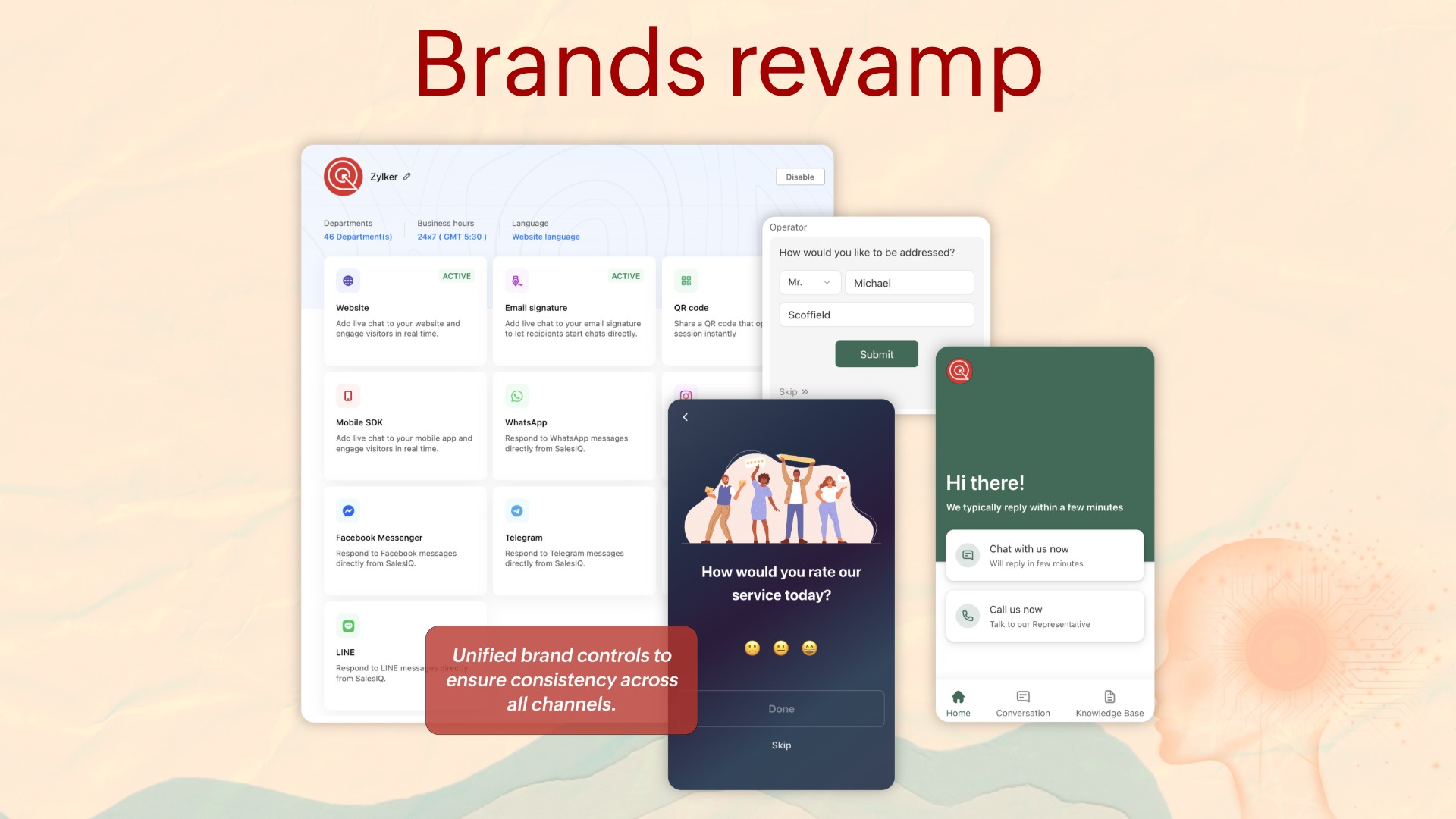
Brands under SalesIQ have a new look. Brand settings are now independent per channel—widget appearance, routing rules, bot assignment, language defaults, and feedback configuration. If you've previously configured multiple brands and relied on shared settings, review the configuration.
Ratings and feedback
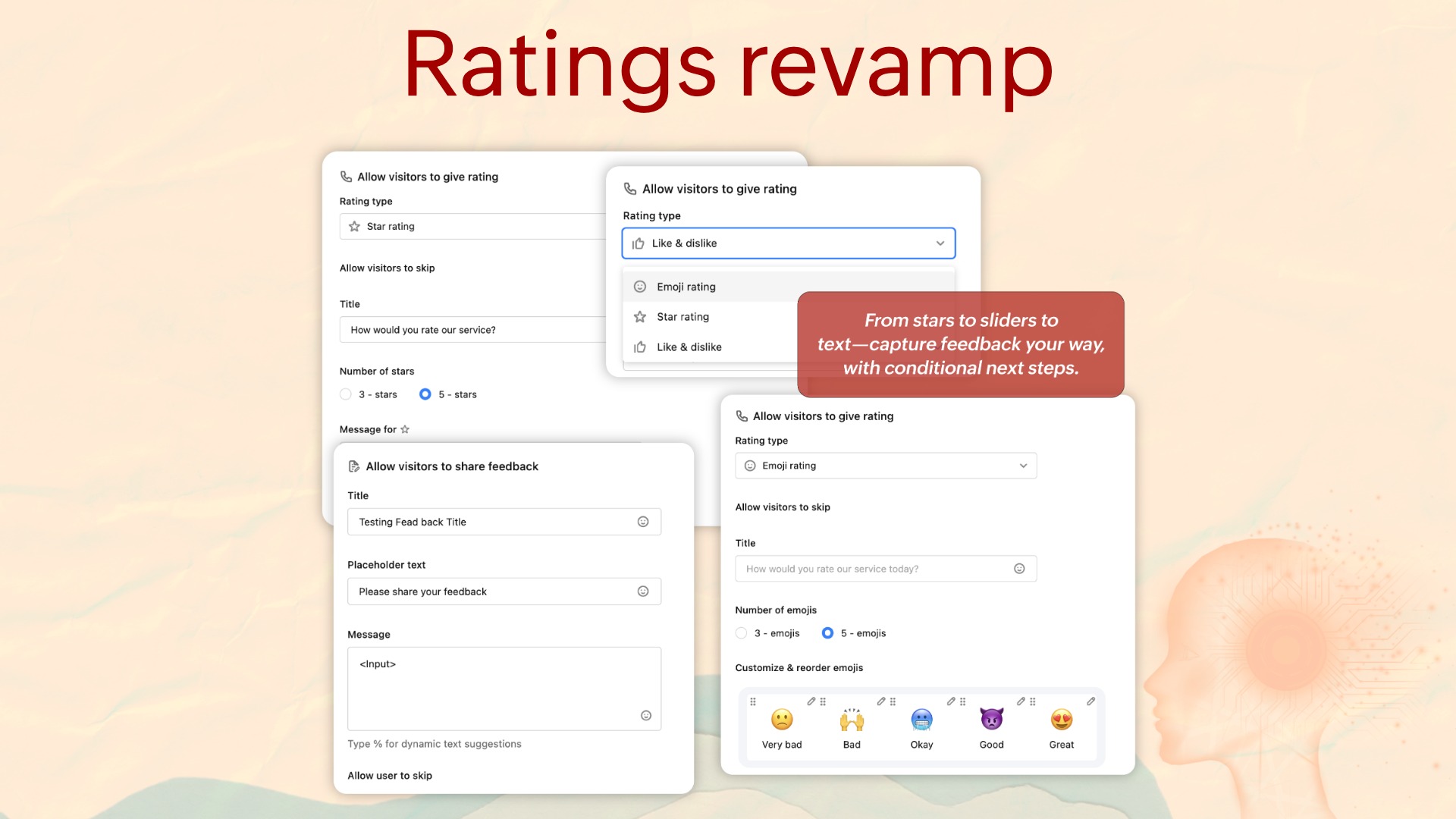
Post-chat feedback now supports emoji rating, star rating, like/dislike, or text feedback, each configurable per brand, and each able to be followed with conditional action cards.
Ratings and feedback help guide
Summer '26 release features start at our basic plan
Existing customers get access to all the BYOAI features right from the basic plan. In-built Zia features will be available from Professional and Enterprise at no additional cost. Check our pricing or plan comparison for more information on how the features are spread out.
40+ features, seven capability areas, one platform, all built around a single idea: helping your customers feel heard, seen, and empowered. Explore the features inside your SalesIQ portal, and put the agentic era to work for your team.
If you're new to Zoho SalesIQ, sign up now to evaluate the new features or book a free demo to get a detailed walkthrough.

Comments