The Zoho Sign app for Microsoft Windows

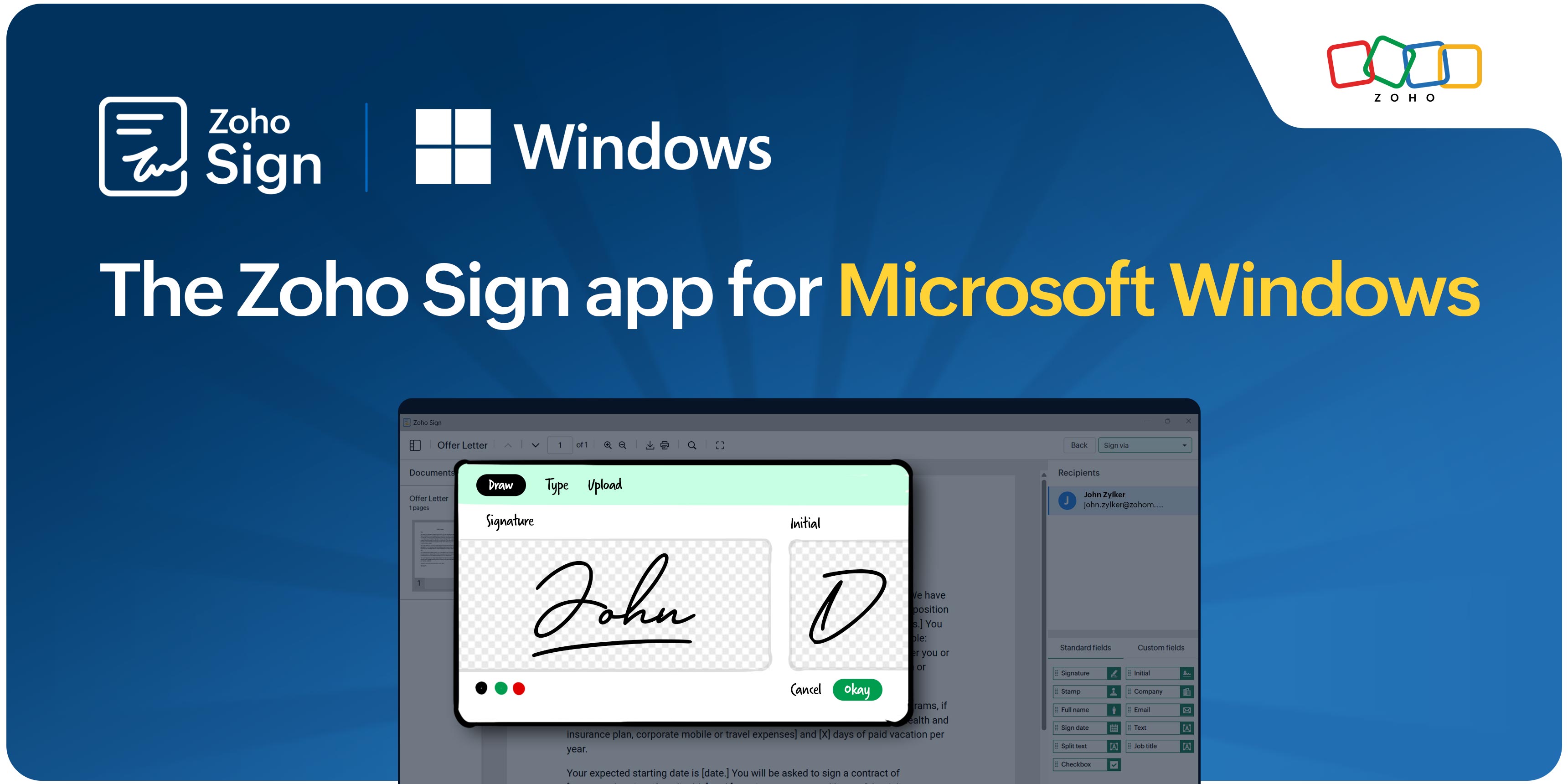
Zoho Sign is a trusted platform for digital signatures, helping businesses of every size send, sign, and manage documents with speed, security, and legal confidence. Its cloud-based signing workflows streamline everything from employee onboarding to enterprise contract management, removing paper, eliminating delays, and keeping deals moving.
But for certain industries and use cases, the requirements go a step further. Government filings, court submissions, regulated financial transactions, and high-value procurement agreements often mandate the use of a digital signature certificate (DSC) held in the form of a USB hardware token or installed directly on the user's computer.
This is where the Zoho Sign Windows app stands apart from the web app. It includes all the capabilities of the web app while adding support for digitally signing documents using USB hardware tokens or DSCs locally installed on the signers' Windows device. This desktop application enables users to sign documents using DSCs held in these formats while continuing to manage documents through Zoho Sign's cloud platform. This allows organizations to combine the convenience of cloud-based workflows with the higher assurance level required for regulated use cases, ensuring both operational efficiency and compliance where needed.
This blog covers everything you need to know about the Zoho Sign desktop app for Windows: what it does, who it's built for, how its standout features work, and how to get the most out of it from day one.
What is the Zoho Sign Windows app?
The Zoho Sign Windows app is a native desktop application available for free from the Microsoft Store. It combines the convenience of Zoho Sign's web-based workflows with the flexibility of desktop-based signing, making it ideal for organizations that rely on digital signature certificates and USB tokens.
With the Zoho Sign Windows app, users can:
- Perform all actions available in the Zoho Sign web app.
- Sign documents offline using USB tokens, PFX files, or system-installed digital signature certificates.
- Create, send, track, and manage documents and templates from a unified interface.
- Receive real-time notifications and stay updated on signing activity without keeping a browser tab open.
Who is this app for?
- Legal and compliance professionals who must use organization-issued DSC tokens
- Finance and procurement teams handling high volumes of contracts
- Healthcare and life sciences organizations under FDA 21 CFR Part 11 or EU GMP Annex 11
- IT administrators deploying a standardized signing solution across Windows workstations
- Any Windows user who wants a faster, more integrated signing experience
Key features of the Zoho Sign Windows app
Full web app feature parity
The Zoho Sign Windows app brings all the capabilities of the web app to the desktop, giving users access to the same document management, signing, and workflow features in a dedicated Windows experience, including:
- Reusable templates: Build signing templates once, reuse them for recurring document types like NDAs, offer letters, or sales agreements.
- Shareable signing URLs: Generate public URLs for documents that need to be signed by a large or undefined audience.
- Detailed audit trails: Every action, timestamp, and IP address is logged for compliance and dispute resolution.
- Bulk signature collection: Send a document to hundreds of signatories simultaneously without manual repetition.
- Bulk signing: Sign multiple documents in one click.
USB token-based/local device certificate or PFX-based digital signing
The Zoho Sign Windows app allows users to digitally sign documents using a DSC stored on a physical USB token or on the signer's Windows device as system-installed certificates or PFX/P12 files.
Offline signing support
One of the most valuable features for users is offline signing. When internet connectivity is unavailable, users can continue signing documents locally and apply their digital signatures without an active internet connection. The signed documents are then automatically saved to a specified output folder using the USB-based or local signing certificate, ensuring business continuity without needing an active connection.
Deep integration with Microsoft 365
For organizations that rely on Microsoft 365, the Zoho Sign Windows app integrates seamlessly with Microsoft's productivity, collaboration, and automation tools, making document signing a natural part of everyday work.
| Microsoft app | Integration capability |
| Microsoft 365 (SSO) | Access Zoho Sign with federated single sign-on, no separate login |
| OneDrive, SharePoint | Import documents from and back up signed files |
Legal compliance and security
- Encryption and data protection: Documents are protected with AES-256 encryption at rest, while TLS/SSL encryption secures data in transit between the app and Zoho's servers. Every signed document also includes a blockchain-based timestamp, providing an immutable and tamper-evident record of signing activity.
- Enterprise-grade security: Sign documents using DSCs stored on USB tokens, PFX files, or the Windows device's certificate chain. Private keys remain under the signer's control, reducing the risk of unauthorized access.
- Comprehensive audit trails: Track every document action with timestamps, signer information, and IP addresses to support compliance reviews and dispute resolution.
- Regulatory compliance: Meet requirements across frameworks such as GDPR, HIPAA, FDA 21 CFR Part 11, and EU GMP Annex 11.
- Global legal recognition: Execute legally valid signatures under regulations including the ESIGN Act (US), eIDAS (EU), India's IT Act, ECTA, and ETA.
- Regional trust services: Integrate with local identity and trust providers such as eMudhra, Aadhaar eSign, Sign with Singpass, TrustFactory, and Swisscom Trust Services.
For example, an Indian pharmaceutical company whose employees must sign batch records using government-issued DSC tokens can use the Zoho Sign Windows app to sign documents offline, maintain a complete audit trail, and meet the requirements of both FDA 21 CFR Part 11 and India's IT Act.
Getting started
Getting started with the Zoho Sign Windows app is simple. Download it for free from the Microsoft Store, install it on your Windows device, and sign in with your Zoho account. New to Zoho Sign? Start a 14-day free trial to explore its features and see how it can streamline your document workflows.
To use USB tokens for signing in Zoho Sign, ensure that you have a valid DSC issued by a recognized CA stored on a compatible USB token and a Windows 10 or later device with the required drivers installed. If you're part of an organization, ask your administrator to enable USB digital signatures under Integrations. Once set up, plug in your USB token, open the app, access the documents that require your signature, and complete the signing process by selecting your digital certificate.
So why wait? Bring secure, USB token-based digital signatures to your Windows desktop with Zoho Sign and extend your workflows to meet high-compliance requirements with confidence.
Please feel free to email us at support@zohosign.com to share your feedback or request a personalized demo.
Happy signing!
Comments