Run payroll in batches using Pay Groups, now with Zoho Payroll

Imagine you're a business with 100 employees or 10,000, with teams spread across Delhi, Bengaluru, and Chennai. Let's say you want to run payroll for Delhi on the 26th, Bengaluru on the 28th, and Chennai on the 30th giving your payroll team the time they need to finalize inputs accurately. Under a single payroll run, this is not possible.
Pay Groups change that.
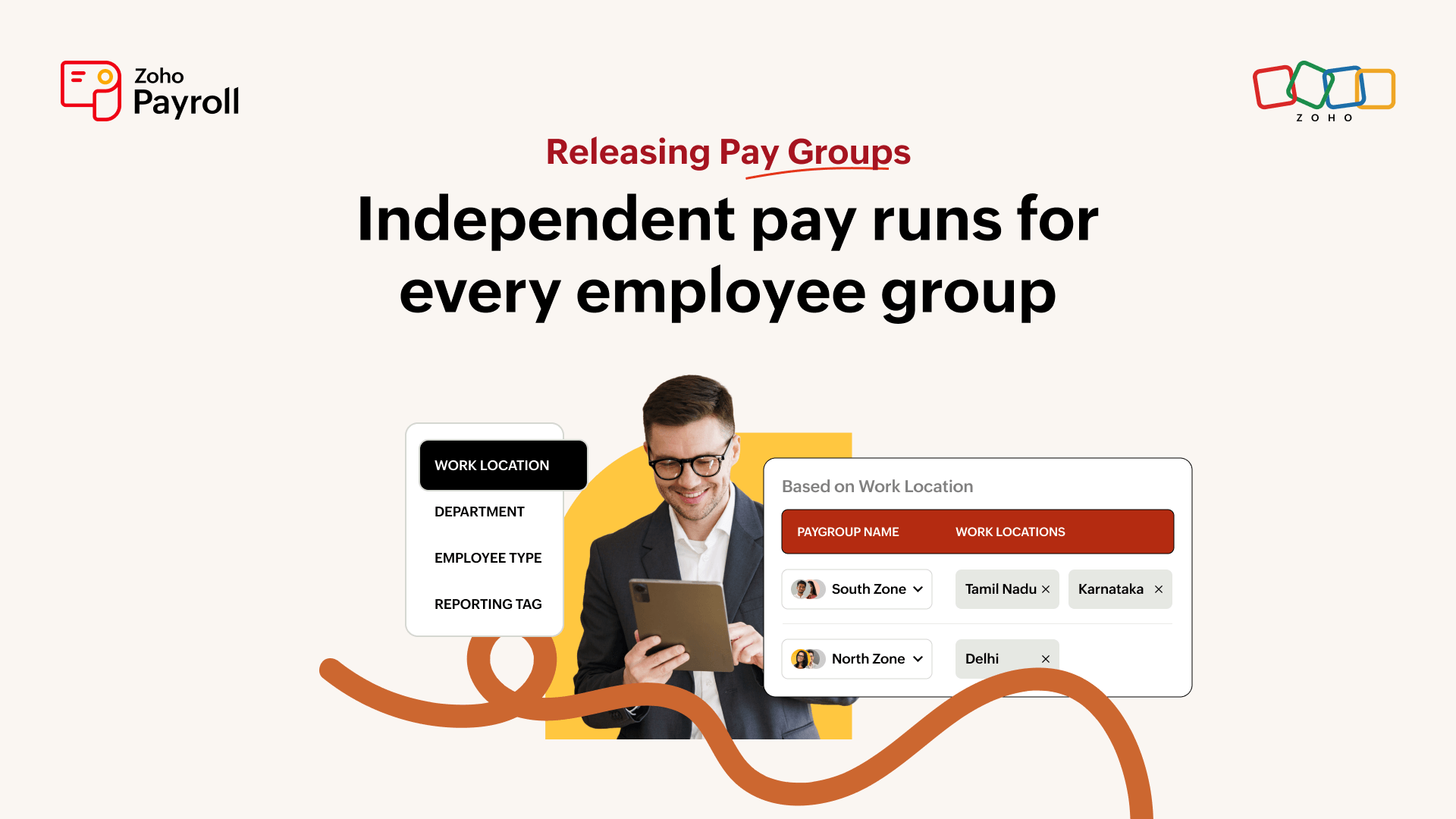
So, what is a Pay Group?
A Pay Group lets you run multiple payruns in a month, one for each group of employees. Group your workforce by a common attribute and process, approve, and pay each group on its own timeline, with its own approvers and group-level reports.
Here's some scenarios based on which you can create pay groups:
Grouping criterion | Choose this when |
Work location | Employees across different offices or cities need to be processed on separate schedules. |
Department | Different departments like sales, finance, or operations have different payroll timelines or inputs. |
Employee type | Full-time employees and contractors need separate payroll cycles. |
Reporting tag | Employees need to be grouped by a custom tag, like night shift and day shift. |
Once groups are defined, employees are automatically placed into the right one based on their profile.

Where Pay Groups help
If you have multiple work locations (just like our example above), departments, or a mixed workforce of full-time employees and contractors, Pay Groups is built for you. Here are a few use cases where it makes a difference:
Variable pay:
If you're a business with a dedicated sales team on commission, release payroll for the rest of the organization while commission calculations are still being finalized for sales teams.
Access control:
Each Pay Group has its own approver, giving teams granular visibility into their own payroll structure. This makes it easier to establish control and independently authorize payroll within each team.
Shift-based teams:
Use reporting tags to group employees by shift(for example, night shift and day shift). Shift differentials, allowances, and attendance patterns are then calculated and analyzed separately for each group
Region-specific statutory rules:
India has region-specific statutory requirements, and with Pay Groups, each region gets its own pay run, making hygiene checks and audits easier.
Works across every payroll type
Pay Groups work across every pay run type in Zoho Payroll, not just regular monthly runs including:
- Regular pay run
- Off-cycle pay run
- One-time payout
- Resettlement
- Bulk Final settlement
What it means in practice
Payroll can move forward for groups that are ready without delay.
Approval authority: Each group has its own approval workflow, ensuring the right people review and approve only the groups they're responsible for.
Reports filtered by each group: Analyze payroll costs, overtime trends, leave patterns, and headcount by employee group to simplify audits and gain deeper payroll insights.
Note: Every group follows the same approval and payment flow, just applied independently per group, with full audit trails for each.
Ready to get started? Explore how to configure and use Pay Groups in Zoho Payroll with our step-by-step guide. Read the detailed guide here.
Payroll that works for every business
Payroll doesn't become more complex because businesses grow, it becomes more complex because different parts of the business operate on different timelines.
Pay Groups brings that flexibility to your business, enabling independent payroll cycles while keeping everything centralized in a single system. It's built for businesses of every size, and for companies managing large, distributed workforces, the benefits go even further.
Comments