Introducing intelligent document processing with Zoho RPA

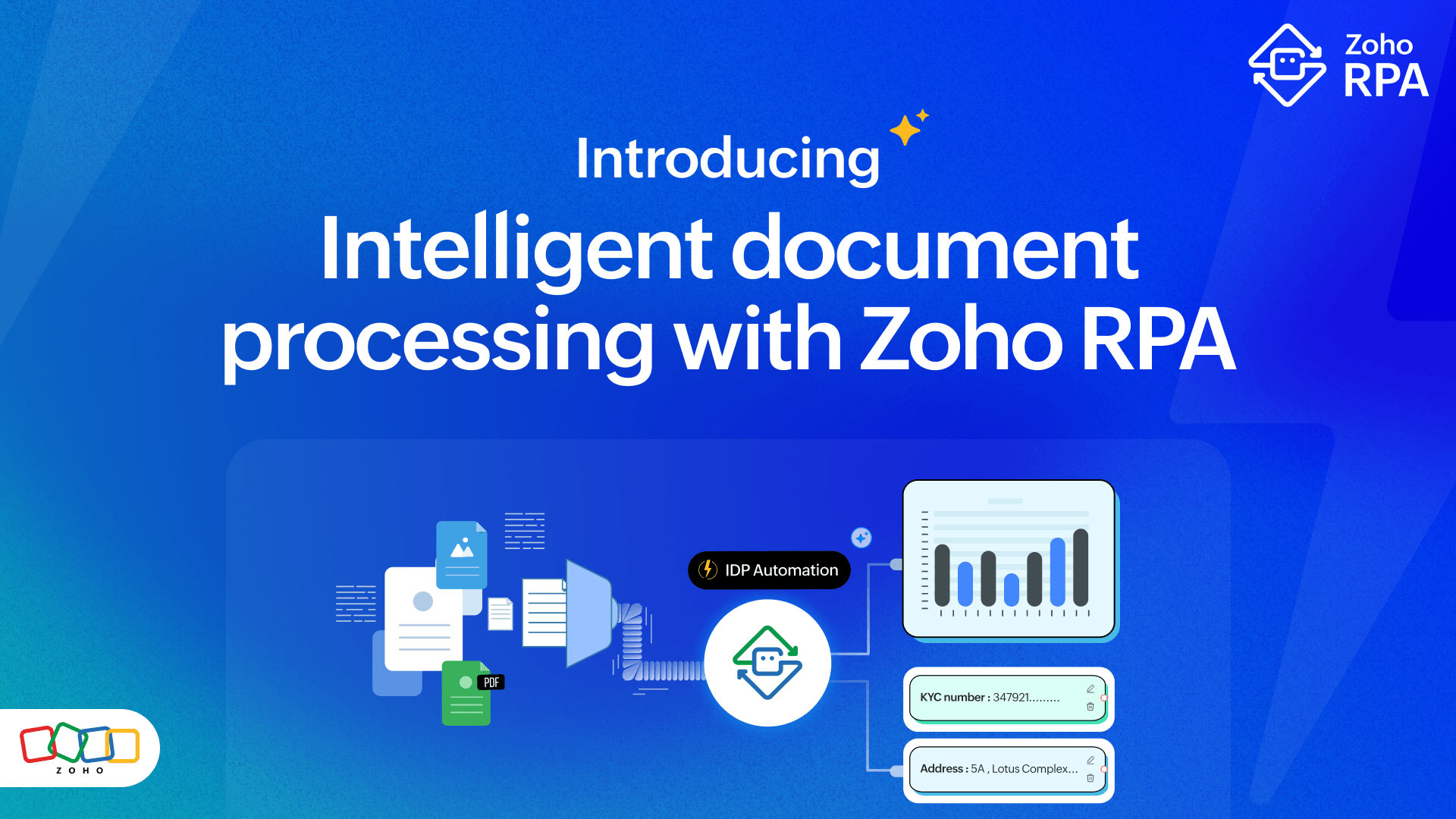
Documents are a major bottleneck at many organizations. Invoices, contracts, forms, ID cards, receipts: They all arrive in different shapes and sizes, scanned or digital, sometimes human-filled and sometimes typed. Manually extracting key fields, routing them, verifying them, and then entering data into systems is tedious, error-prone, and slow.
That's why we’re excited to introduce intelligent document processing (IDP) support in Zoho RPA. Our bots can now process unstructured documents using AI, extracting essential details into structured formats and acting based on it.
Key highlights of Zoho RPA’s IDP
Unlock data from documents: IDP enables Zoho RPA bots to interpret PDFs, images, and handwritten files, transforming them into digital data that your systems can act on.
Visual, no-code configuration: You don’t need to script or code templates; define areas or keywords via drag-and-click, set field mappings, and integrate with the workflow.
Seamless workflow integration: Once data is extracted, bots can automatically populate your CRM, ERP, cloud apps, and desktop apps or archive, route, and trigger next steps.
Prompt-based PDF data extraction: You can retrieve specific information from documents by describing what you want in natural language.
Context-based extraction: Even if the layout shifts, the bot can look for a label (“Invoice No.”, “Date”, etc.) and pick up the value next to it.
Region-based extraction: IDP-powered region extraction allows you to select a specific part of a document, such as a field, header, table, or block of text, and automatically extract meaningful data from it.
How region-based extraction works:
Define a region manually or dynamically
Draw or select a specific area on the document (anchor-based, coordinate-based, or AI-detected).IDP engine analyses the region
OCR converts any image/PDF into machine-readable text. AI/ML models classify content, detect fields, and understand context.Data is extracted
Instead of just reading raw text, IDP recognizes patterns like invoice numbers, names, amounts, dates, line items, and signatures.Use the data in your workflows
The output is passed back to your workflow for validation, ERP posting, database updates, or other actions.
Real-world examples
Here are a couple scenarios where this capability can pay off immediately:
1. Contract processing and project creation
A bot watches an incoming folder for client contract documents, extracts the client name, client address, budget, and deliverables, updates the data in the project management tool, and uploads the contract document.
2. Generating digital invoices from handwritten receipts
A retail store receives hundreds of handwritten receipts everyday. The RPA bot extracts the customer details and billing item data from the receipts and updates it to their accounting software (Zoho Books) while also generating an invoice.
How to get started with IDP?
Identify a document-heavy process with high volume, low variation, and manual effort (e.g., vendor invoices, routine forms, onboarding docs).
Install the Zoho RPA agent (if not already) and connect the bot to monitor the document source, which could be a folder, an email inbox, a web portal, etc.
Use the drag-and-drop builder to: Create a trigger → Set up OCR → Map the fields → Create validation rules → Configure an action based on the extracted text.
Define error and exception paths: If a key field is missing, you can set up a separate workflow to be executed or route to human review.
Scale gradually: Once initial automation succeeds, replicate for other document types, categories, and departments and integrate deeper with workflow orchestration.
Looking ahead
With this IDP capability inside Zoho RPA, we’re moving closer to a digital workforce that doesn’t just click buttons but can understand and act on information embedded inside documents.
Visit zoho.com/rpa to get started with a 15-day free trial. If you’d like to know more about how to apply intelligent document processing in your organization, you can book a live demo or consultation here or write to us at support@zohorpa.com


Comments