Presenting Zoho Sprints 3.0: Enterprise-ready Agile Project Management

We always start small. As kids, we rely on pure instinct, curiosity and energy to get something done. When we grow into teenagers, the process revolves around experimenting and learning through trial and error. Adulthood is the real challenge where responsibilities grow, decisions carry weight, and complexity becomes as routine as breakfast.
The same applies to organizations, as they evolve from their startup roots. Growing into something meaningful demands maturity, not just momentum. Tighter timelines, increased risk, and uncompromising standards are just the tip of the iceberg. Over the past two years, we’ve pushed ourselves to understand how we can help enterprises meet their most demanding requirements head-on.
With all that focused effort and perseverance, we have arrived at four brand-new modules, more impactful integrations, and advanced automation with AI-driven capabilities. We're excited to bring you the latest and most feature-rich iteration of our Agile project management tool: Zoho Sprints 3.0.
Keep costs in check with Budget and Expense management
Costs can make or break a project. Sprints 3.0 gives you more control with a comprehensive array of Budget Planning settings that help you track costs with precision from the very start. Choose from four Budget Types at the project or release level, and five Billing Methods, ranging from project hours to individual user roles.
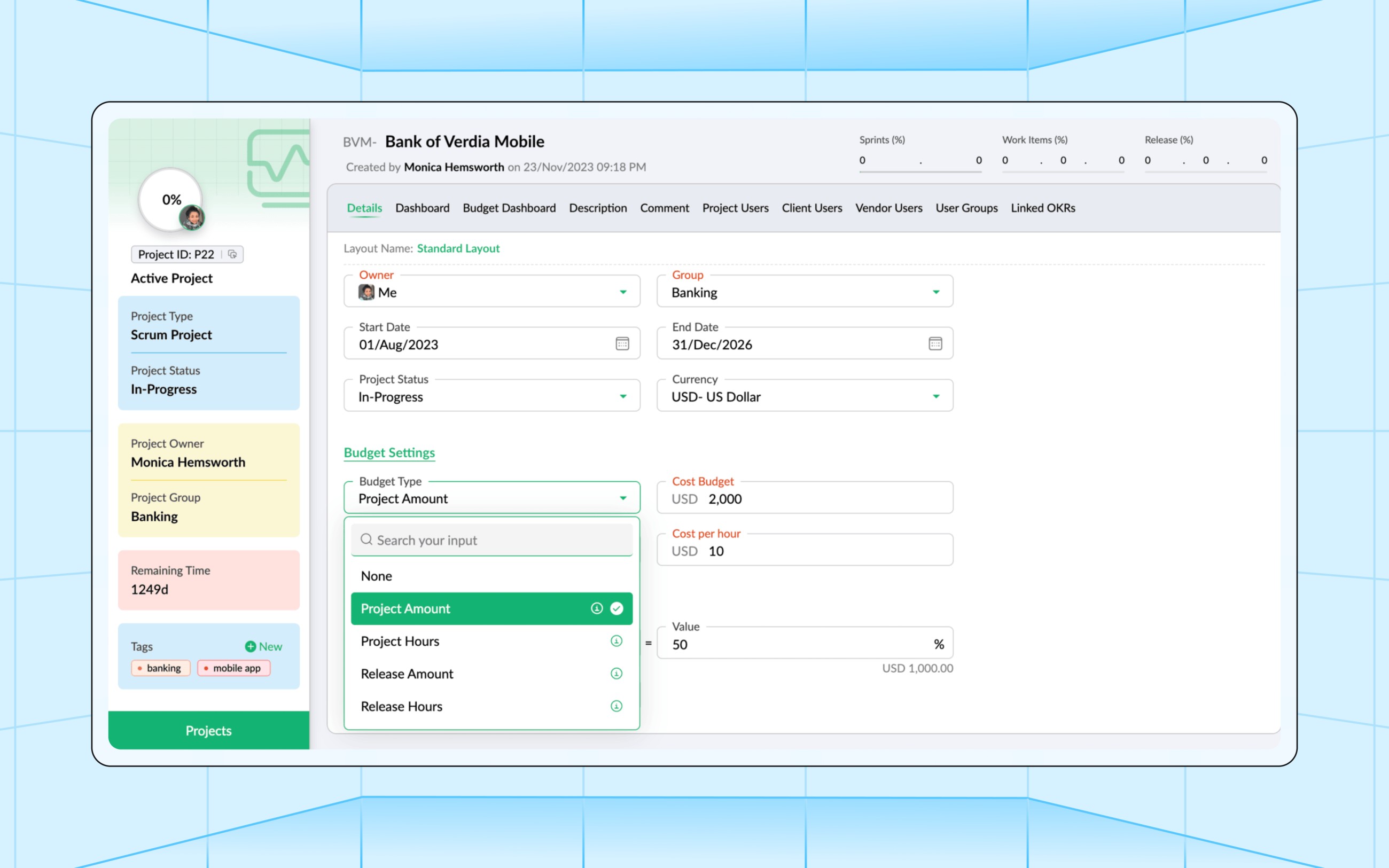
You can then set two types of alert triggers. The first trigger is Planned Value Exceed, where you'll be alerted if the actual budget crosses the planned budget by a certain percentage. The second trigger is Budget Threshold, which sends an alert when a certain percentage of budget completion is reached. Each project also comes with its own Budget Dashboard that lets you track a wide range of spend-oriented performance metrics.
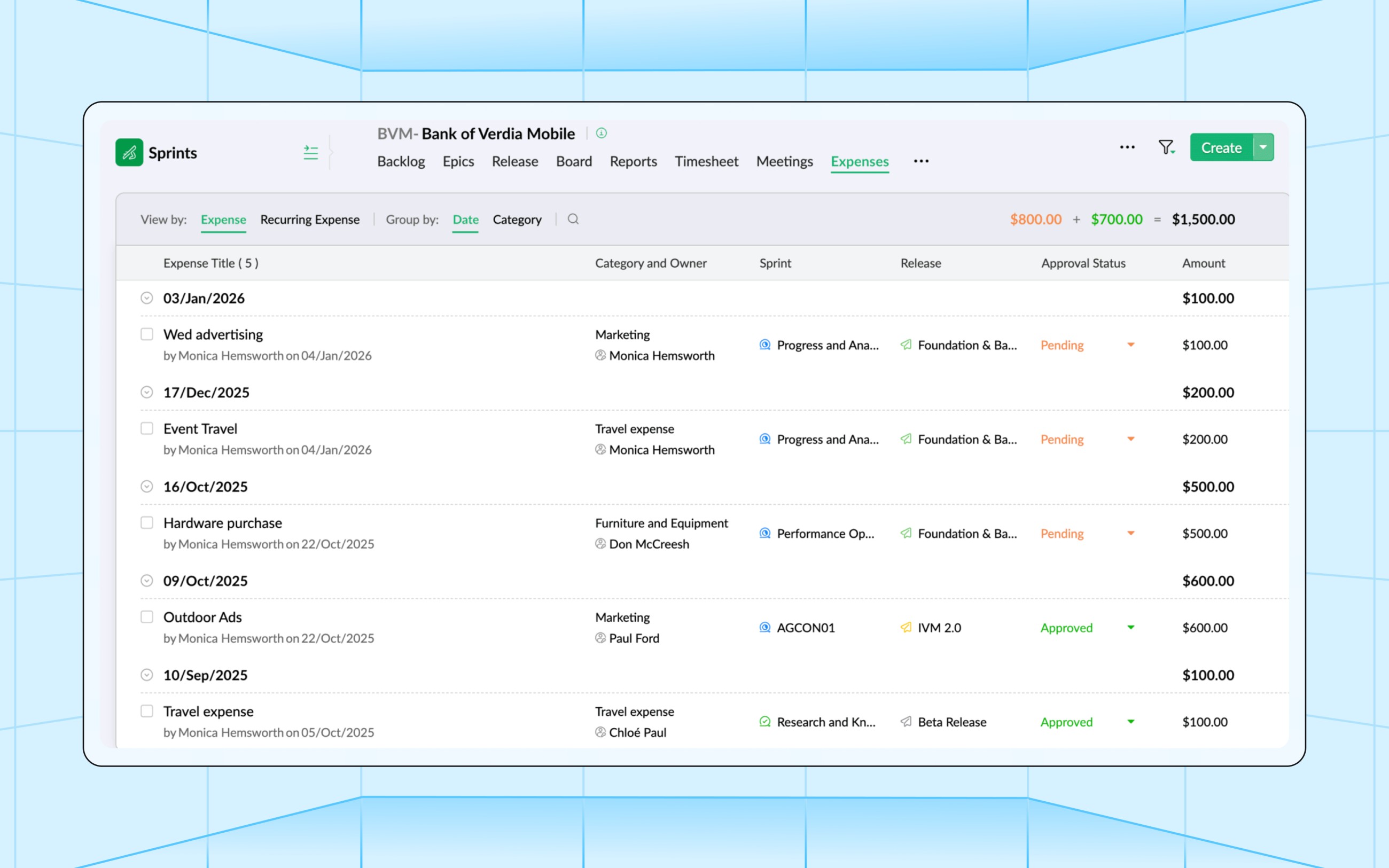
Costs that aren’t directly tied to project elements can be logged in the new Expenses module. This is highly beneficial in recording expenditures like raw material purchases, travel, rent, and other miscellaneous costs. You can even set recurring expenses that are automatically calculated based on your selected frequency. The expenses recorded here are seamlessly added up to the actual costs in the project's Budget Dashboard.
Learn more about Budget Settings and Expense Management
Build better QA processes with test case management
While most Agile project management tools rely on exclusive third-party solutions for managing test cases, Sprints 3.0 offers it as a native solution in the form of a standalone module. The new Test Management module consists of two components:
Planning phase: Test Cases and Test Suites
Execution phase: Test Runs
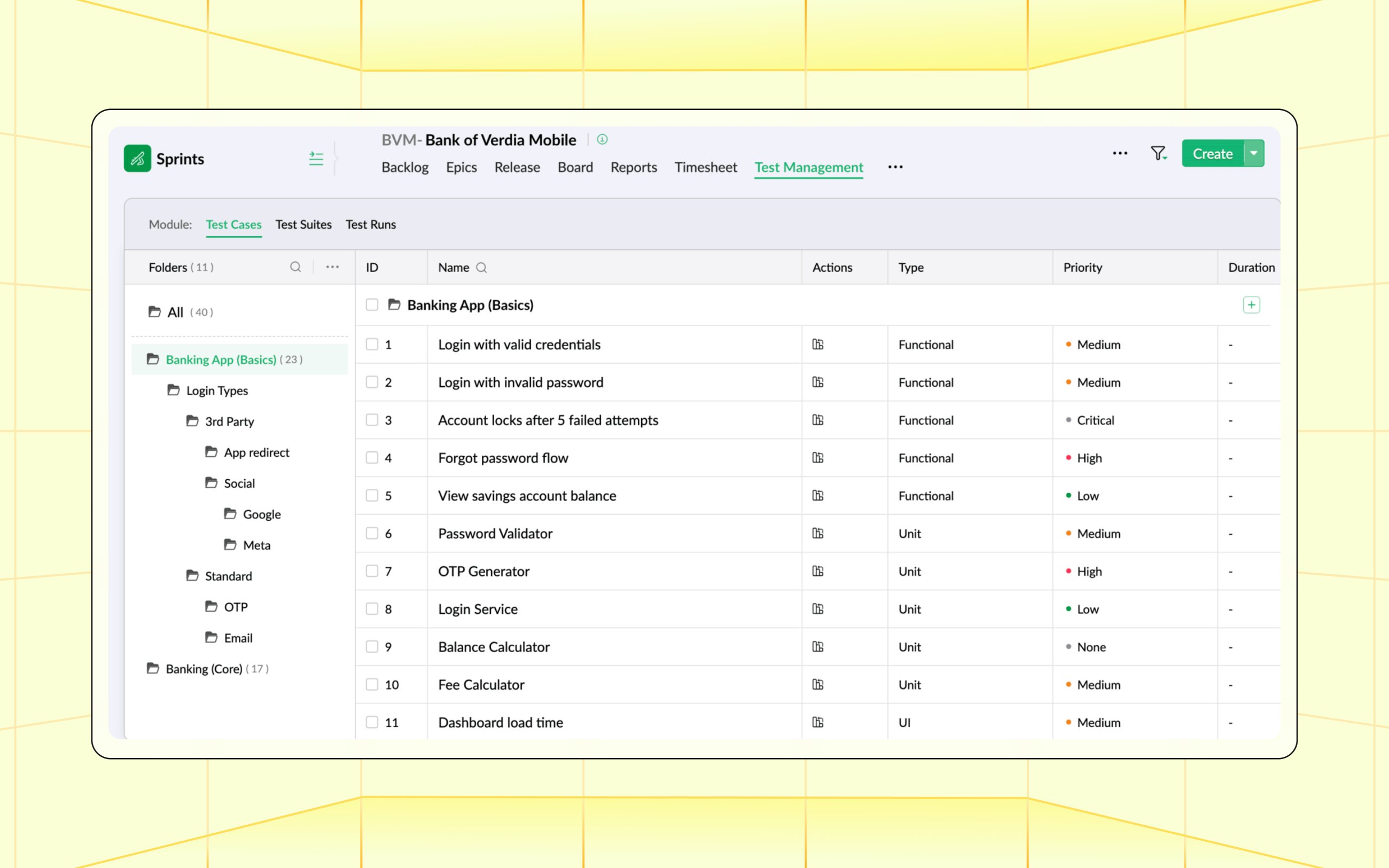
The fundamental unit in this module is a Test Case, which contains a set of attributes, Preconditions, Step Descriptions, and Expected Results that define its purpose. Test Cases can be organized into folders for easier navigation, and related Test Cases for a particular workflow or scenario are grouped into a test suite. Once the Test Suites are ready, you can conduct test runs for the entire suite or for specific parts of it.
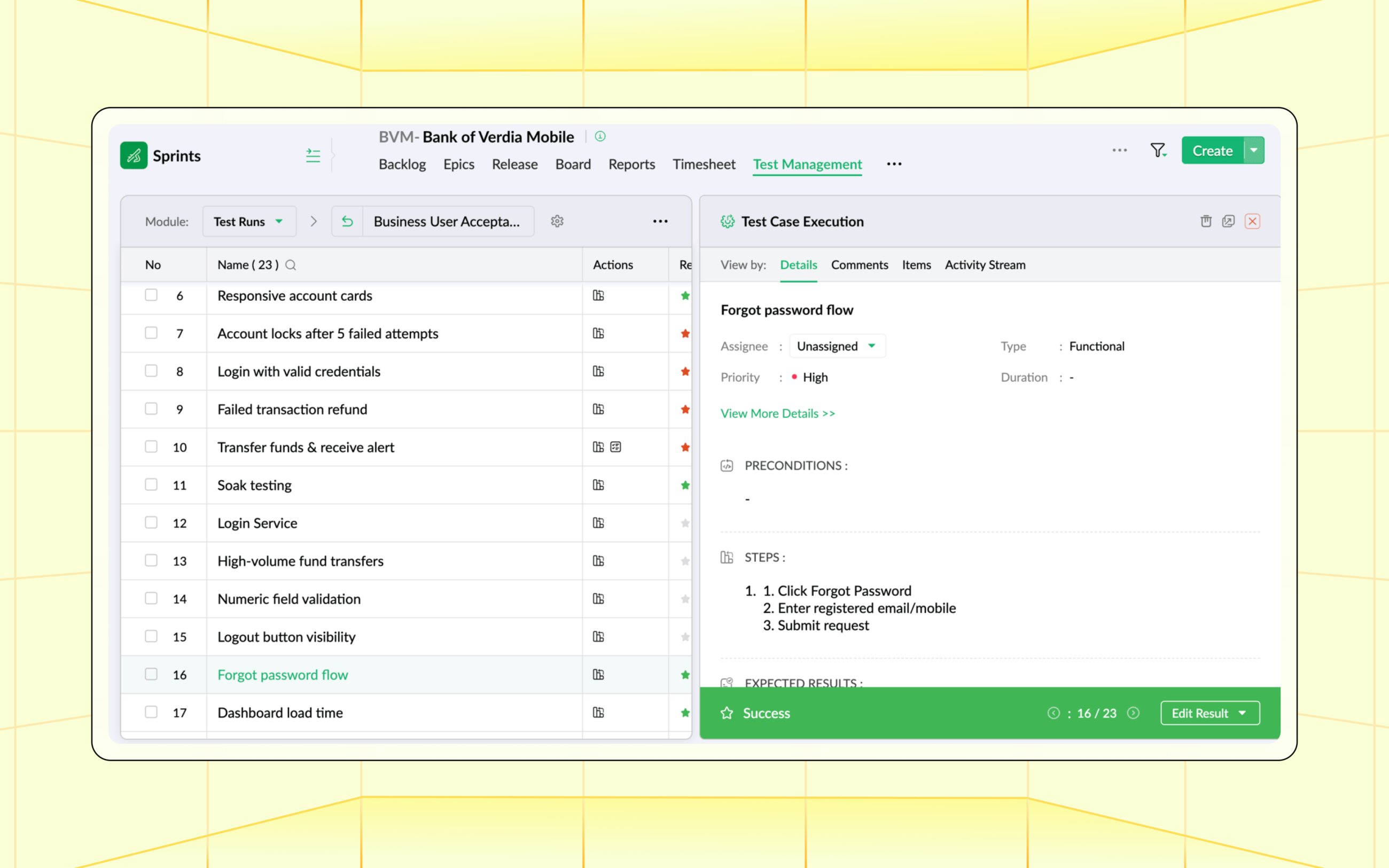
Based on the results, you can select the outcome of each test case in the Test Runs section. Any defects detected during the Rest Runs can be filed as bugs and linked to their respective Test Cases. Team members can also add comments after the Test Runs to improve collaboration and understanding. This transforms quality assurance from a disconnected activity into a continuous, embedded part of Agile delivery.
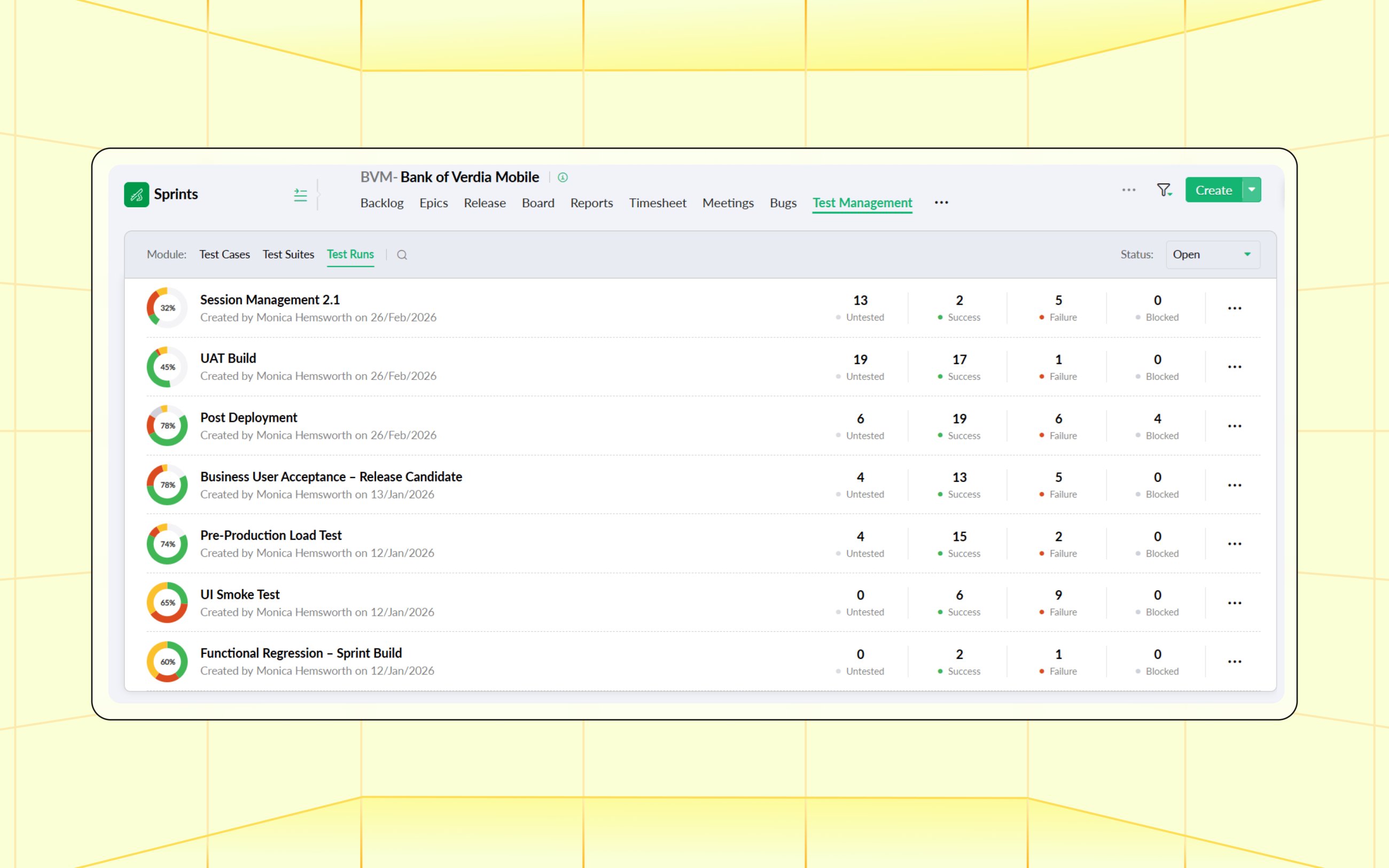
Learn more about Test Management
Navigate uncertainty with risk and opportunity management
Enterprise projects inevitably involve complexity and uncertainty, and the new Risk and Opportunities module helps you address them proactively. You start by defining a matrix for risks and opportunities, including various Impacts, Probabilities, and corresponding Risk Classes.
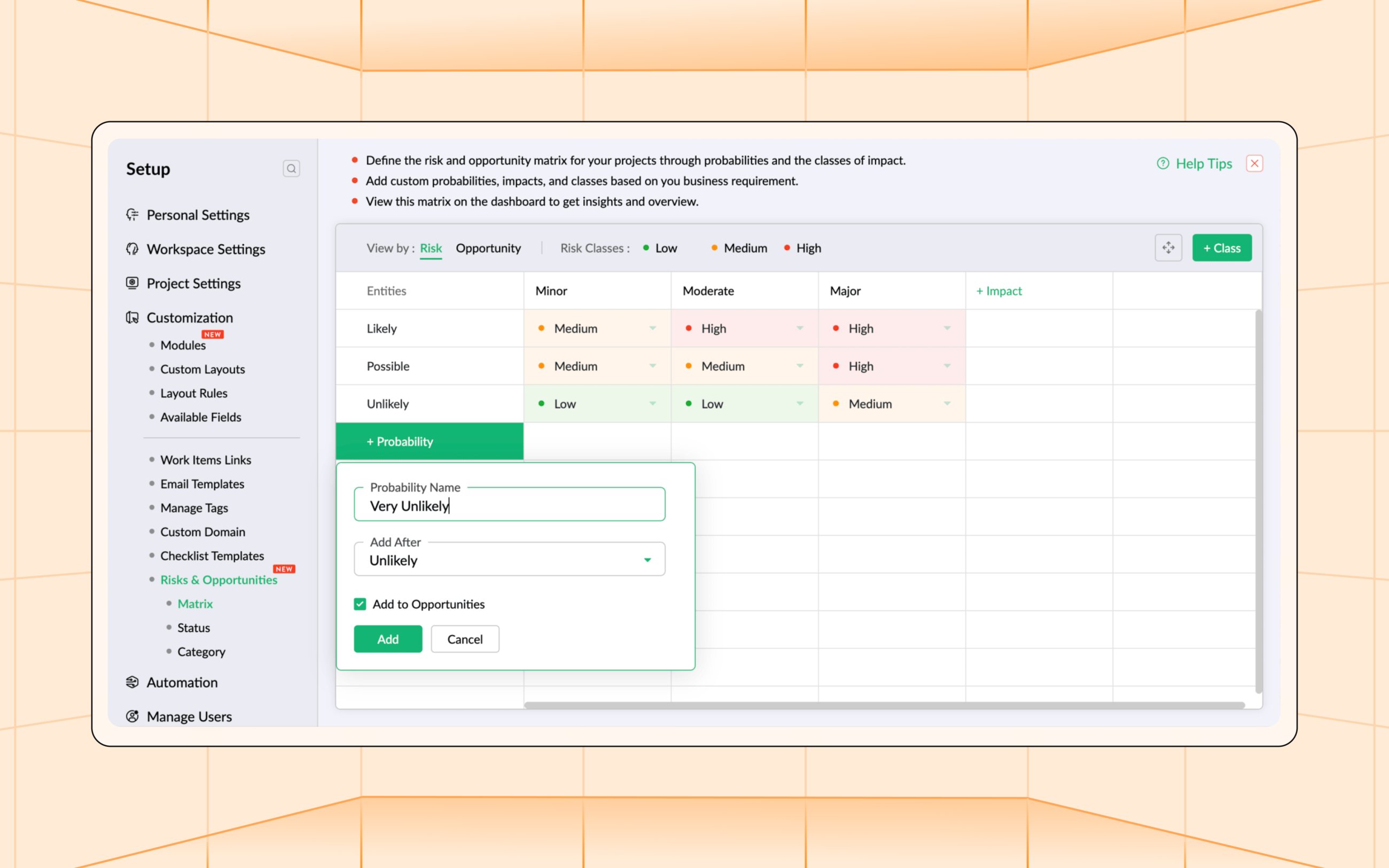
The Risk and Opportunities Register consists of all project records and their attributes (such as User Group, Owner, and Identified Date). Most importantly, this is where you can view their Inherent Impact and Inherent Probability. The system automatically assigns an Inherent Class based on the previously defined matrix. Each risk and opportunity has three major sections:
Mitigation Controls/Action Plans: Mitigation Controls are the preventive or corrective measures designed to minimize the impact or likelihood of risks. Action Plans are the steps taken to maximize the benefit of an opportunity. Both are linked to a set of work items that correspond to their completion.
Verification Actions: Verify whether the Mitigation Controls or Action Plans achieved their objective.
Evaluations: Submit an evaluation to the risk owner or approver, who confirms whether the risk was reduced or the opportunity improved based on the previous two steps. The whole process ultimately creates the Residual Class.
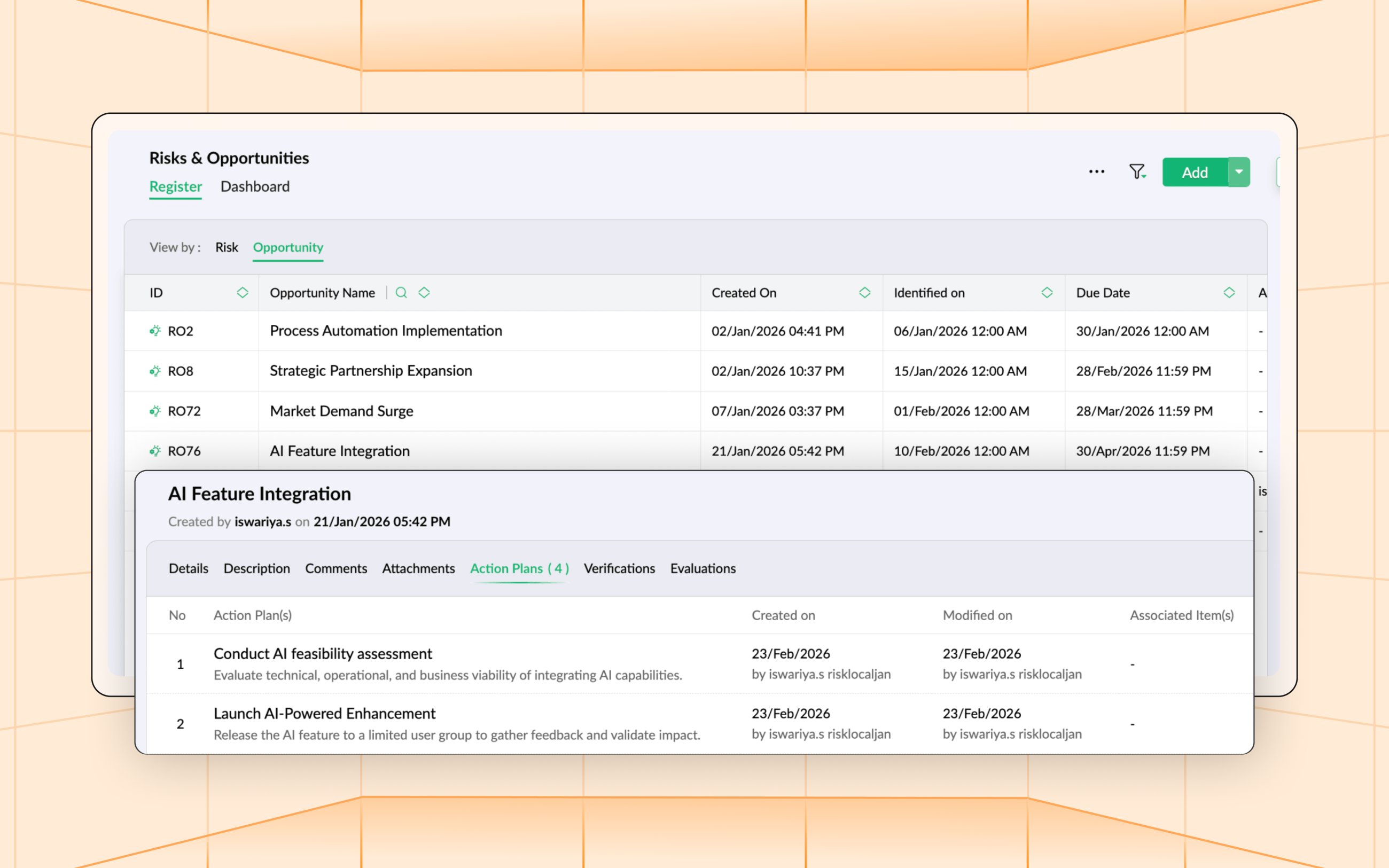
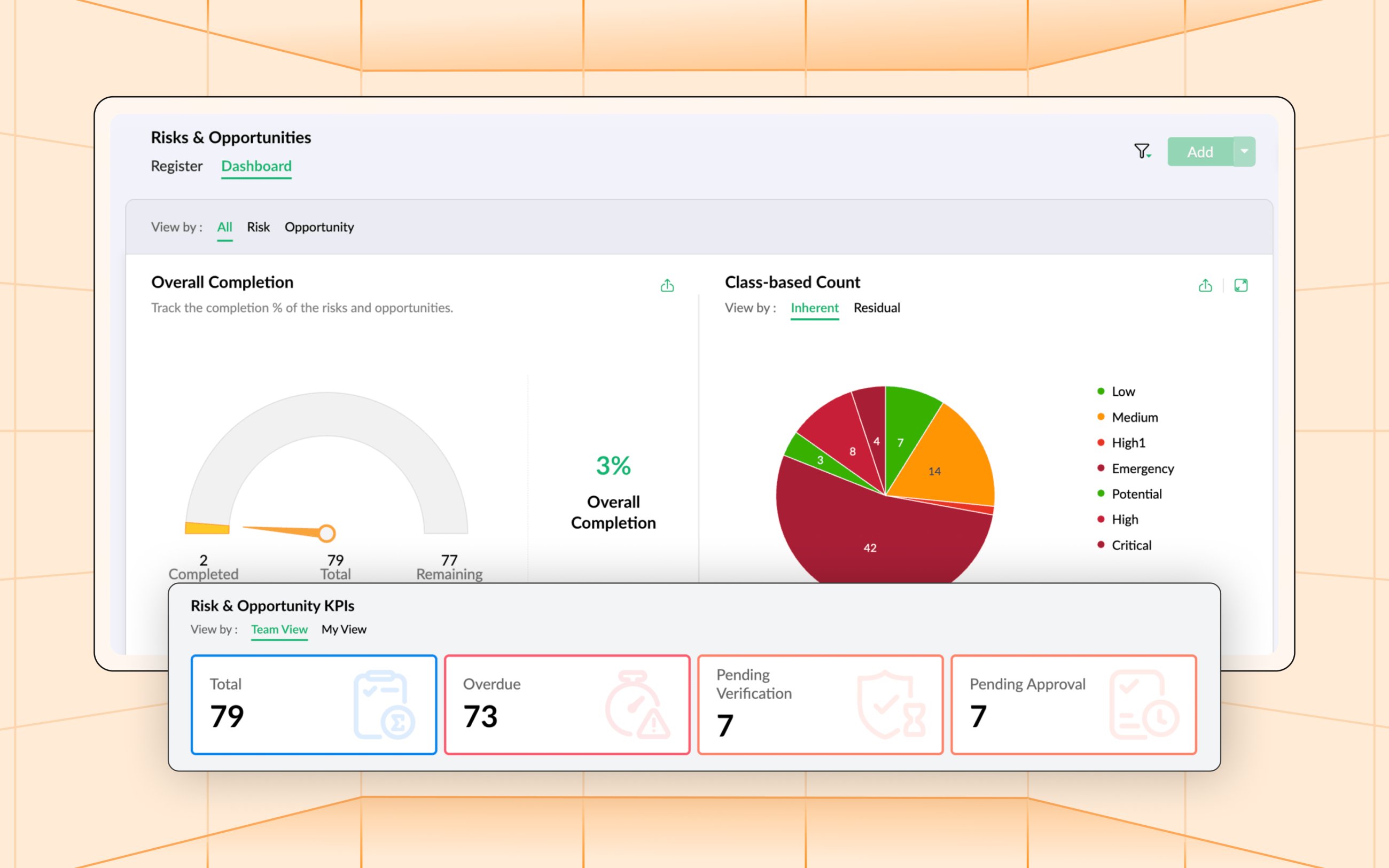
This module comes with a detailed dashboard that lets you visually monitor the progress of all risks and opportunities across projects. You can access various charts and metrics mapping out inherent and residual classes for either component at the class, owner, project, and matrix level. It also consists of other statistics, such as overall completion and count overview.
Learn more about Risk and Opportunity Management
The sky is the limit with custom modules
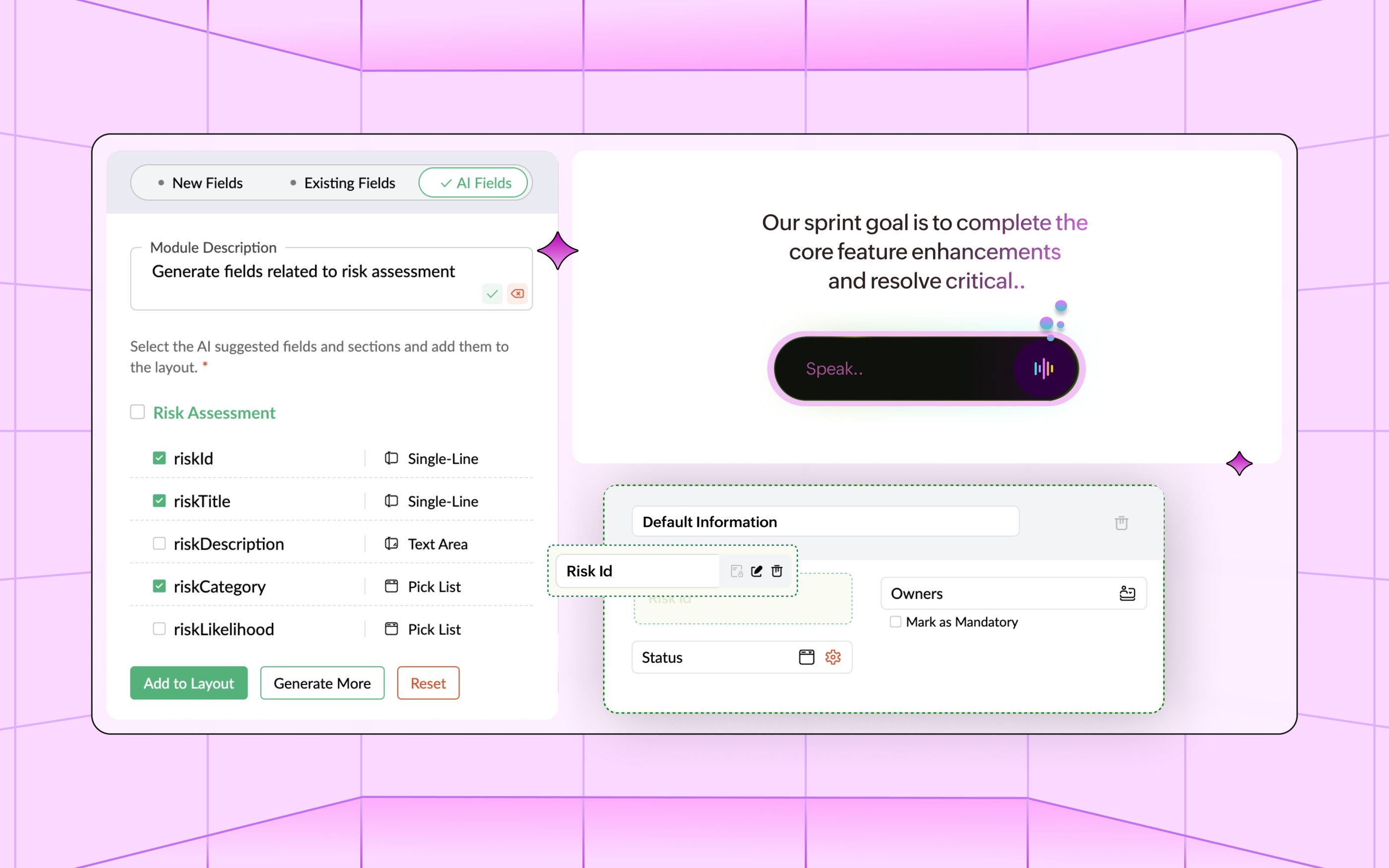
Large-scale enterprise environments tend to have intricate project requirements that, in all likelihood, can’t be answered by any turnkey solution. Custom Modules account for this. Create tailored modules on both Project and Global levels, and populate your module layout with 21 existing field types—or get crafty with AI prompts.

Custom Modules also support the same level of operations as regular modules, such as cloning records, searching, sorting, setting filters, selecting view types, and so on. You can import data into a Custom Module as well from an external source by mapping the respective fields on an XLS, XLSX, CSV, or JSON file.
Click here to learn more about Custom Modules
More functionality with fresh integrations
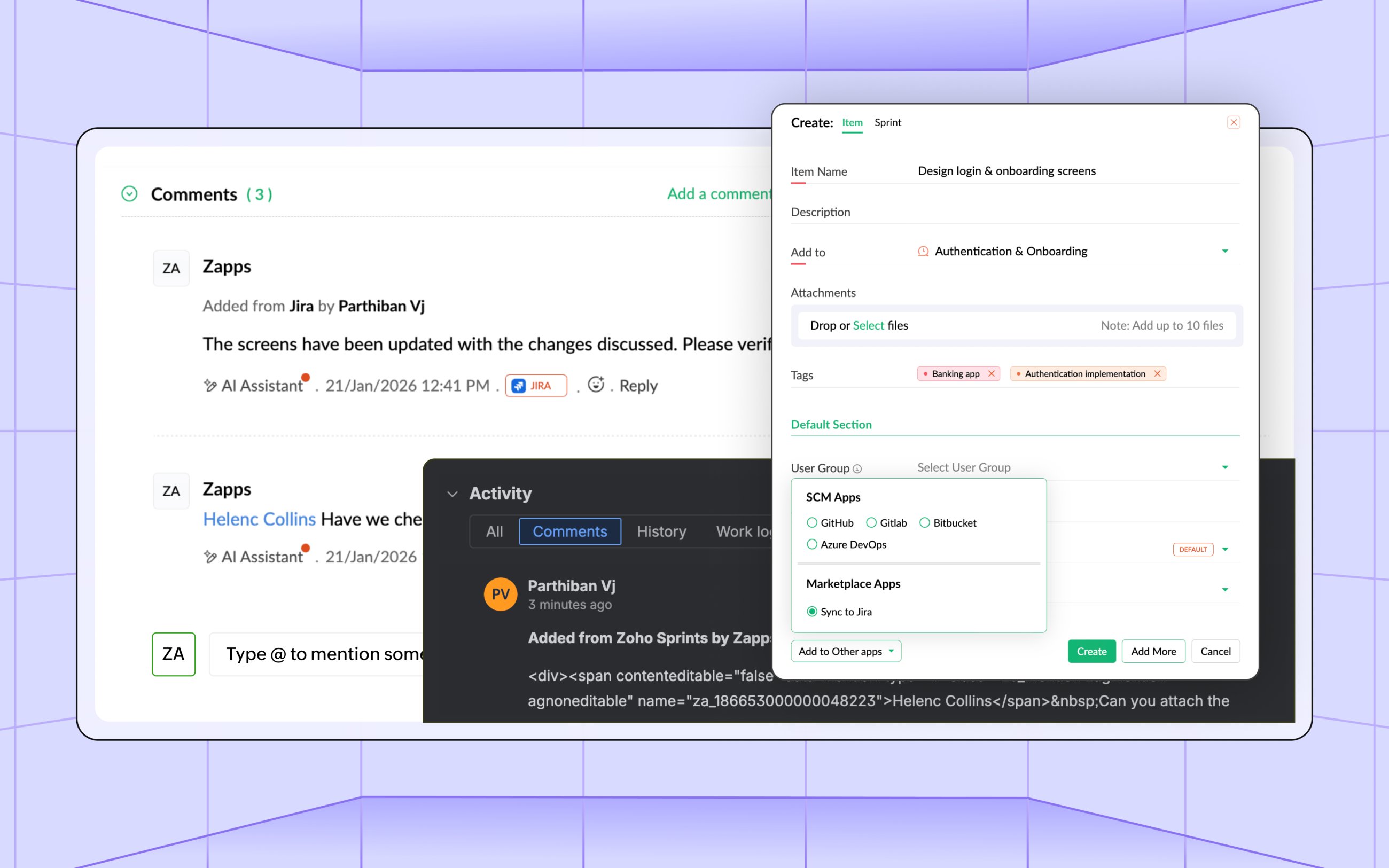
Jira: Keep your Agile teams aligned, eliminate duplicate work, and improve your process efficiency by automatically syncing data across Zoho Sprints and Jira. This integration not only syncs new work items but also details like statuses, priorities, and tags. Attachments and comment discussions from the Sprints side automatically sync to Jira with a custom header to preserve context.
QEngine: Implement a more streamlined testing and development process by using Zoho Sprints and QEngine together. With this integration, failed test case executions in QEngine automatically become bug reports in Zoho Sprints, while statuses stay in sync for full visibility. This allows testing teams to focus on executing and reporting on the QEngine platform, while developers simultaneously work on resolving and managing issues using Sprints.
SharePoint: Keep your project documents organized and accessible with the Zoho Sprints and SharePoint integration. Quickly attach existing SharePoint files or folders to work items in Zoho Sprints. You can also upload or create new files in Zoho Sprints and sync them across SharePoint. Teams can easily collaborate without juggling multiple storage platforms, while maintaining a single source for all project-related files.
Agentic Agile with MCP
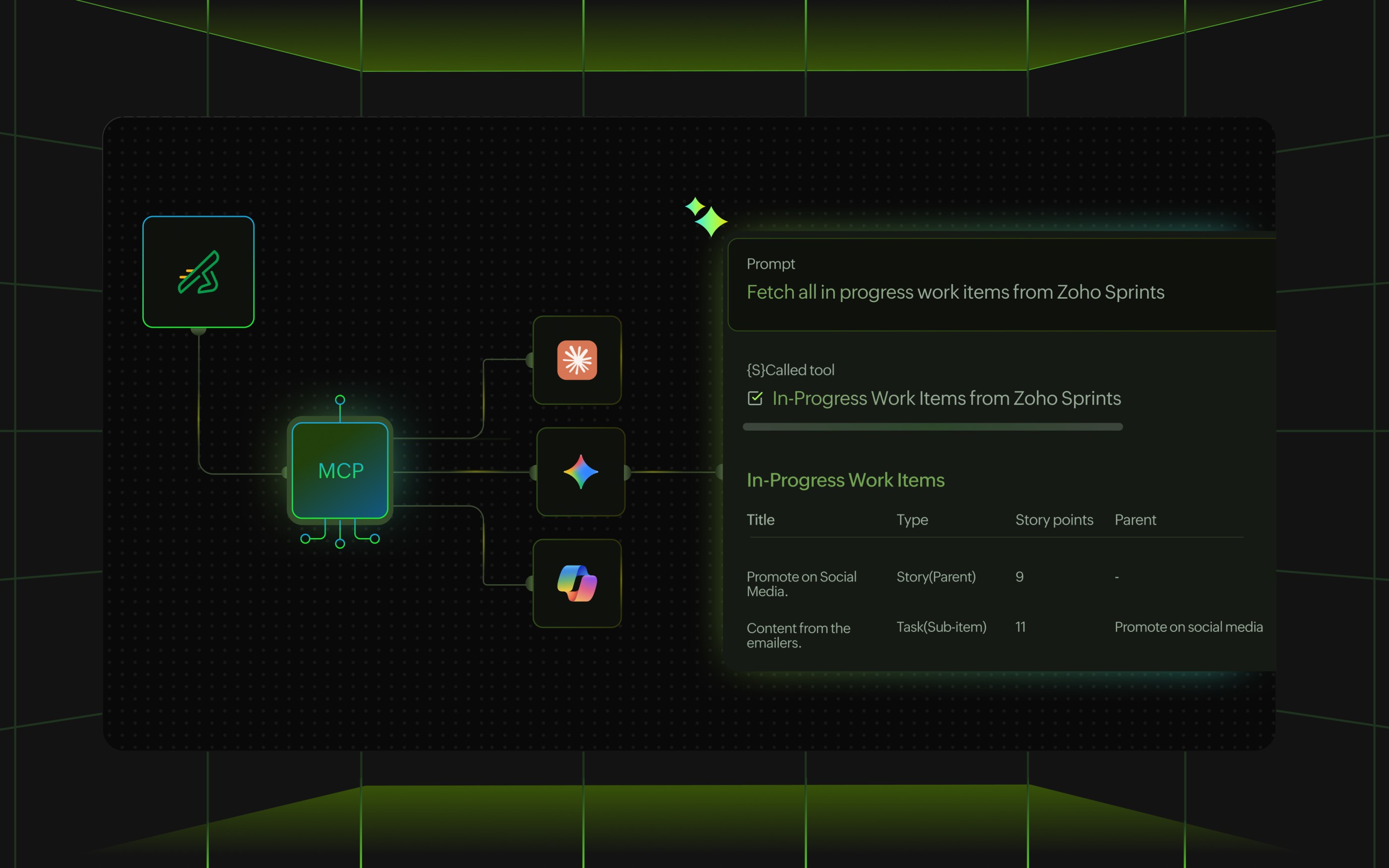
The Zoho Model Context Protocol (MCP)integration opens the door for AI agents to interact with your Zoho Sprints workspace in a meaningful way. Securely present project data such as work items, sprint progress, and team activity to your AI agent of choice for analysis, interpretation, and insight generation from your Agile workflows. Teams can use these agents to generate visual representations, identify bottlenecks, and strategize actionable recommendations while completely eliminating the manual effort associated with compiling and exporting. Enable an intelligent and insight-driven approach to your Agile process, where AI works alongside your team to turn raw project data into clear direction.
The other significant enhancements
Efficient automation: With Sprints 3.0, custom functions, webhooks and layout rules are now also supported for custom modules. The OKR suite now supports automatic progress tracking of Key Results based on the completion of linked work items, in addition to support for custom functions and webhooks.
Embracing AI: We have added some new AI features to Sprints 3.0, including speech-to-text conversion, AI prompts to build custom modules, AI-assisted layouts for default modules, and the ability to create sub-items under parent work items.
We’re ready for the big leagues!
With Sprints 3.0, your teams can tackle complexity, act faster, and drive results like never before. Step into the next era of Agile project management and experience how the all-new Zoho Sprints transforms ideas into impact.


Comments