Fixing communication friction: How Zoho Workplace gives every conversation the right space

Work doesn’t break all at once. It slowly, silently wears out. It’s not the dramatic communication failures that kill productivity. It’s the tiny gaps.
It’s the message you meant to reply to, the email that vanished into the void, and the decision that happened somewhere else. We call this communication friction.
Most teams don't even realize they're fighting it; they just think they’re "busy." It’s the invisible tax we pay for using disjointed tools. Most of the time, we don't even notice the threads fraying until the whole project starts to unravel.
But being busy shouldn't mean being lost. Zoho Workplace aims to eliminate this fraying by unifying communication tools so your information flows without any stumbling blocks.
The real problem isn't "too many tools "
It’s tempting to blame the stack. We tell ourselves it’s the numerous apps, the endless notifications, and the dozens of tabs that are killing our focus. But here’s the uncomfortable truth:
Communication friction isn’t caused by having multiple tools. It’s caused by using one tool for everything.
When we cram urgent pings, deep collaborative thoughts, and casual info-sharing into the same space, boundaries start to blur:
- Emails turn into instant messages.
- Chats turn into unmanageable noise.
- Important decisions get buried under a mountain of information.
This is where friction lives. Context gets lost because we’ve blurred the purpose of our tools. The solution isn't fewer tools; it's better intention.
The fix: Give every conversation its intended space
The secret to fast-moving teams isn’t that they communicate more. It’s that they communicate with intention.
When you stop treating your inbox like a chat room and your chat room like a file cabinet, the friction disappears.
The fix is simple: Give every conversation its intended space.
- Email is for structure. It’s the formal record, the client-facing thread, the final word.
- Chat is for speed. It’s the quick pulse check, the "lunch is here," the immediate pivot.
- Forums & intranets are for collective knowledge. It’s where ideas go to live, grow, and be found months later.
This is where Zoho Workplace shifts from being "a collection of tools" to a coordinated system. It’s not just about having the apps; it’s about knowing how they play together to keep your team in sync.
Let’s break down how that coordination actually looks.
Use Zoho Mail for clarity
We’ve all called email slow, bloated, or chaotic. But if we’re being honest, email isn't flawed; it’s just being asked to wear too many hats.
If your inbox feels like a chaotic mess, it’s probably because it’s being flooded with conversations that should have been a quick chat or a forum post.
When used correctly, Zoho Mail is the anchor of your workplace. It’s designed for:
- Structured communication that needs a paper trail.
- Formal decisions that require context and depth.
- External threads that represent your brand’s voice.
Collaborate using Streams and email comments
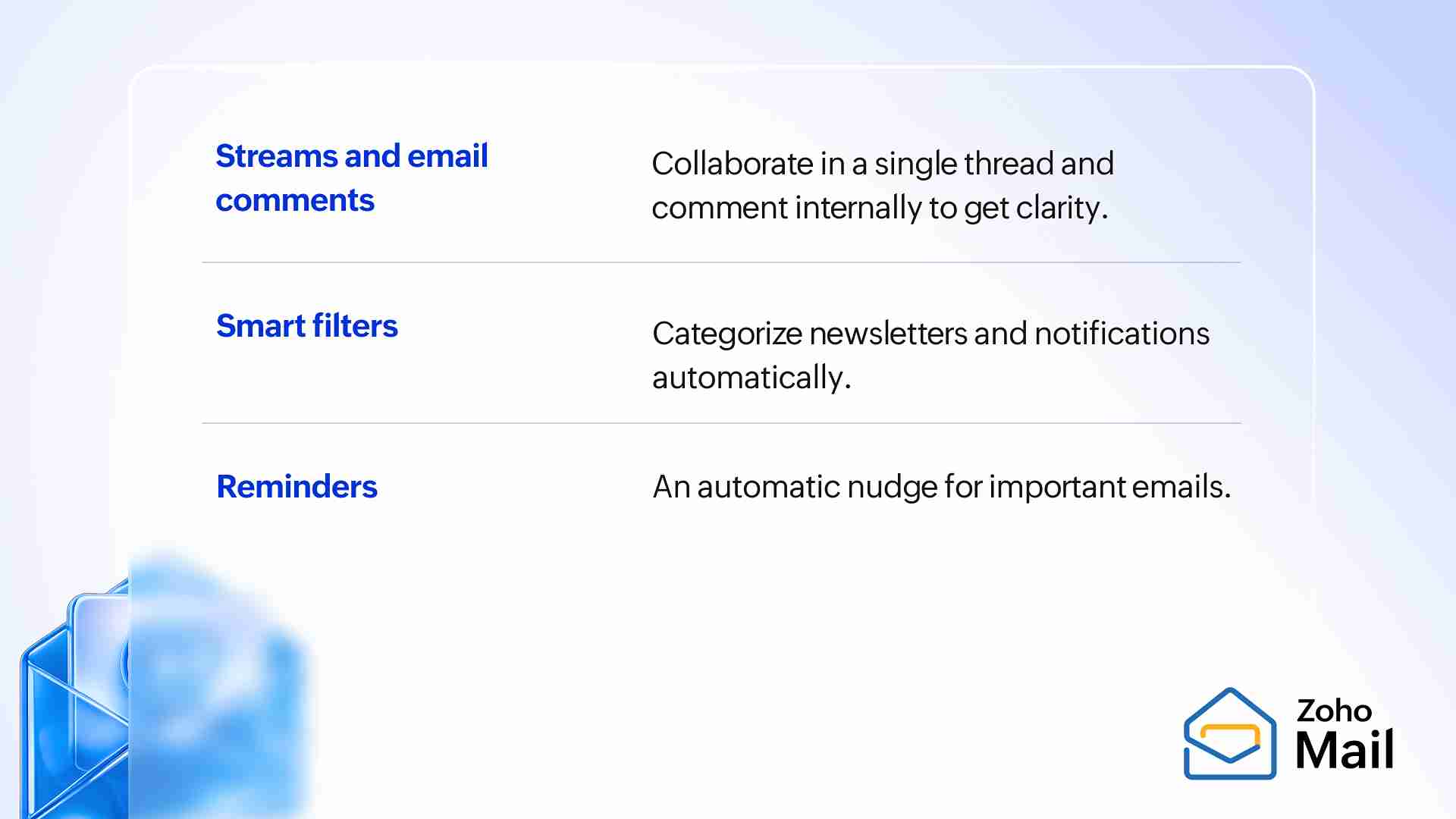
Imagine a shared inbox that acts like a social feed. Streams allows teams to collaborate on a single thread. No more "FYI" forwards cluttering your inbox just so a teammate can see a message.
You can comment internally on a client’s email—asking your team for clarity or approval—without ever hitting "Reply All." The client sees a polished response; you see the behind-the-scenes teamwork.
Filter smartly
Instead of a flood of noise hitting your primary view, Smart Filters act as a gatekeeper. They categorize newsletters and notifications instantly, ensuring you only see the important conversations.
Follow up with reminders
When you send an important email, you can set a reminder for an automatic nudge. If the recipient doesn't reply, Zoho Mail brings that thread back to the top of your pile.
Use Zoho Cliq to gain momentum
Email is built for depth and recordkeeping. When a topic requires quick, iterative back-and-forth, email ceases to be a tool and starts to become friction.
That’s where Zoho Cliq steps in. It's a real-time communication app designed to create momentum, not distractions.
- Instant clarity: Some questions take 30 seconds to answer in a chat, but 30 minutes to manage in an email.
- Easy follow-ups: Instead of a long-form CC chain, you drop a message in a Cliq channel, get the consensus, and move on.
- Contextual speed: Because Cliq is part of the Zoho Workplace ecosystem, you aren't app-hopping and keep the flow going.
In Cliq, we’ve built the architecture to ensure that speed never comes at the cost of clarity. Here’s how:
Channels
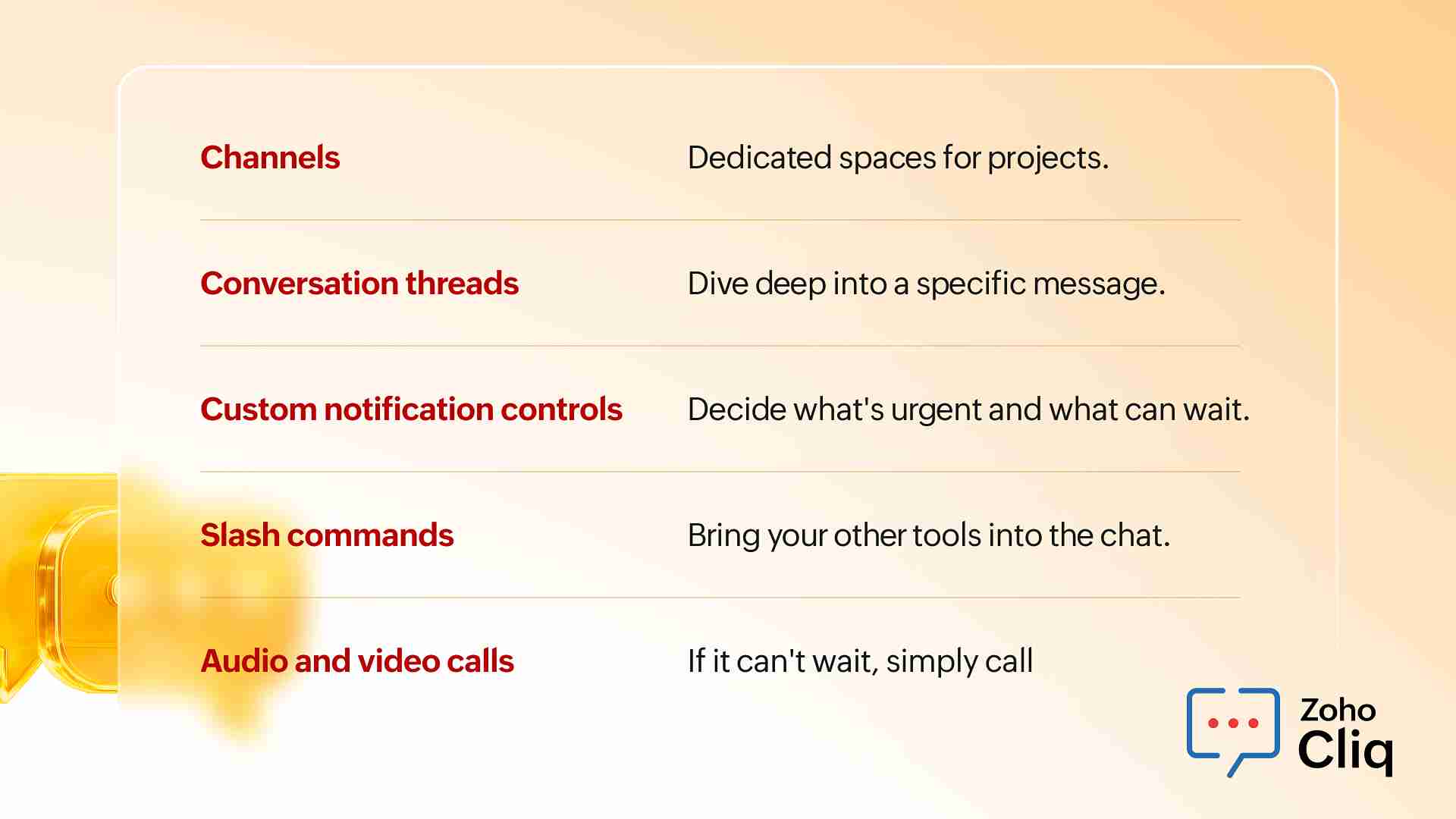
Channels act as dedicated spaces for specific projects. You don't have to hunt through a general chats to find the marketing update.
Conversation threads
Use Threads to keep side conversations from cluttering the main view. They allow you to dive deep into a specific question or message without hijacking the main conversation for everyone else.
Custom notification controls
When everything pings, nothing feels important. With Cliq's notification controls, you decide what’s urgent and what can wait, ensuring that when you do get a notification, it actually matters.
Slash commands
With Cliq's slash commands, you can bring your other tools into the chat. Why leave Cliq to check a task status or pull a report when you can do it with a quick / command? Don’t switch tabs; just type.
Audio and video calls
Sometimes, typing isn't enough. When a thread reaches its limit, you can jump instantly to audio or video calls within the same window.
Use Zoho Connect to preserve your knowledge
A brilliant idea is sparked in a meeting. A key decision is made in a fast-moving chat thread. Everyone is aligned.
Then, three months pass. A new team member joins, or the project hits a snag, and someone asks: "Wait, why did we decide to go with Option B?"
Suddenly, you’re scrolling through thousands of chat messages or digging through old email threads. This is the hidden friction of forgotten context.
Zoho Connect is where you stop the leak.
It’s the space for those discussions that deserve to live longer than a notification. It’s your team’s collective memory.
- Decisions get documented, not just "mentioned."
- Ideas get the room to breathe and grow into actual projects.
- FAQs become searchable resources rather than repetitive interruptions.
Forums
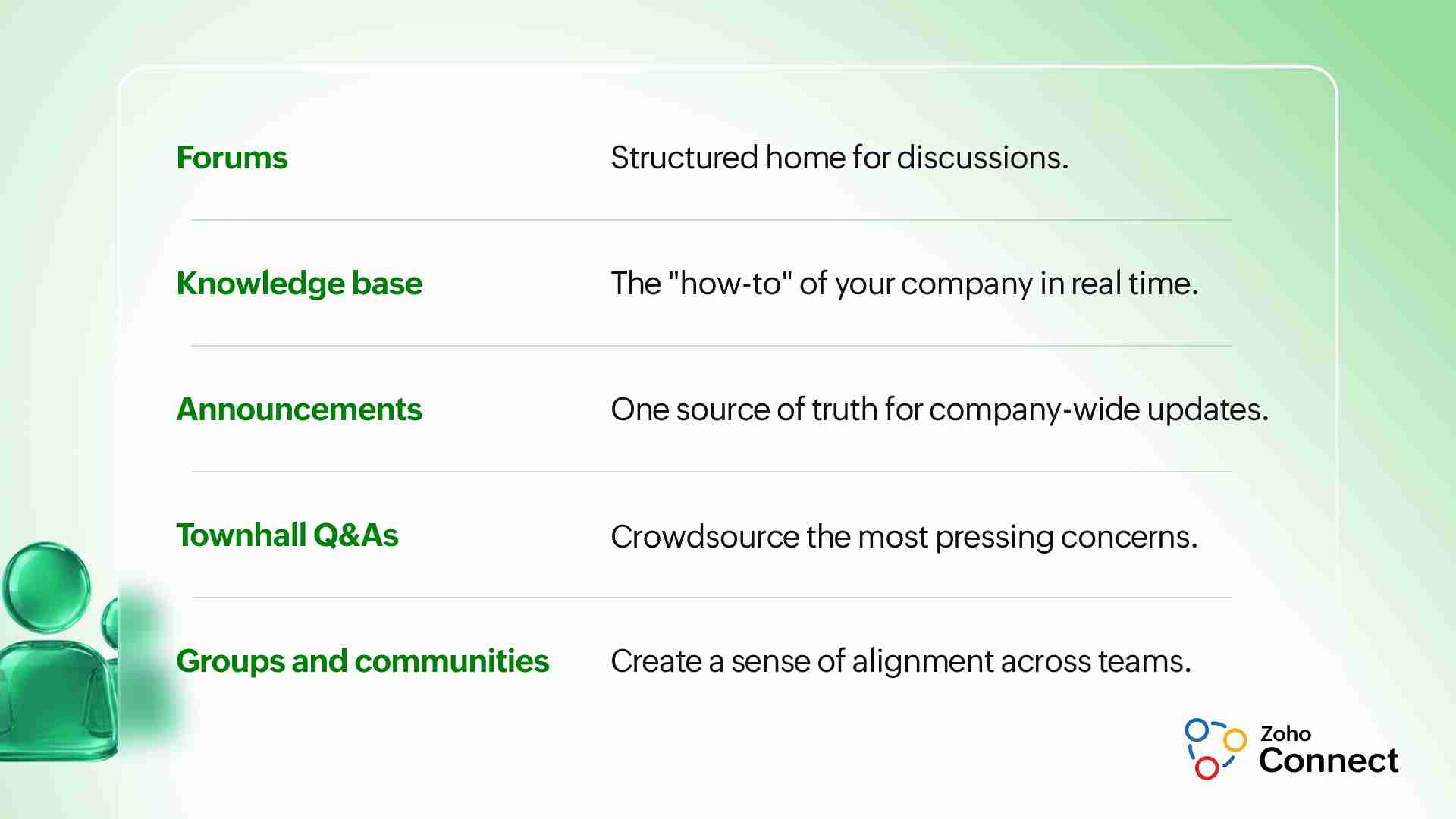
Forums provide a structured home for discussions and deep dives, offering a searchable resource for the future.
Knowledge bases
Insights and guides shouldn’t be trapped in PDFs somewhere. A knowledge base in Connect captures the "how-to" of your company in real time.
Announcements
When you have a company-wide update, an announcement ensures it doesn't get buried under "Thanks!" and "Got it!" emojis. It’s the one source of truth.
Q&A module in Townhalls
One of the biggest sources of friction in corporate communication is when leaders speak and employees have questions but no safe or easy way to ask them. The Q&A in Townhalls crowdsources the most pressing concerns. Instead of a leader answering 50 separate emails, they address the top-voted question once, live.
Groups and communities
Groups break down silos. They allow, for example, the marketing team to see what the product team is excited about, creating a sense of alignment.
When everything works together
Individually, these tools solve problems. Together, they remove friction.
Friction happens when your tools are silos. You find something in an email, talk about it in a chat, and then... it vanishes. You're left doing the same work twice. But when you use Zoho Workplace as a coordinated system, the friction just disappears.
Imagine this:
- A high-stakes client email arrives in Zoho Mail.
- A quick, internal clarification happens in Zoho Cliq. The process is quick without the messy CC chains.
- The final decision is documented in Zoho Connect, ensuring the "why" is saved for the whole team.
This is the natural evolution of work: Conversation → Decision → Documentation.
Where most teams go wrong
Where do most teams go wrong? Sometimes, it's the software they choose. But most of the time, it’s the habits they keep.
You can have the most sophisticated workspace in the world, but if your habits haven't evolved, friction will still find a way in. We see it all the time where teams work harder to manage their tools than they do on their actual projects.
Here are the most common traps teams fall into.
- Using chat for everything: If it’s a policy change or a deep-dive idea, it shouldn't be a chat bubble. Chat is for fast conversations; announcements or deep discussions need their dedicated space.
- Treating email like an IM app: Not every email needs a reply in 30 seconds. And if it does, email probably isn't the mode of communication to discuss it.
- Forgetting important decisions: If a decision isn't documented, did it even happen? Stop relying on "who said what" and start relying on a system.
- Notification overload: If you haven't touched your notification settings, you're letting your apps dictate your focus rather than the other way around.
Wrapping up
We have a habit of thinking that better work requires more tech. We try one more chat app, one more task manager, one more shared doc, and we wonder why the friction doesn't go away.
By intentionally matching the right tool to the right task—Mail for structure, Cliq for speed, and Connect for memory—Zoho Workplace eliminates the friction that holds teams back.
Because when everyone knows where to look for an answer, where to get an update, and where to archive a decision, the friction vanishes.

Comments