Cliq 7.0: From hours to minutes with the Cliq developer platform

After an enjoyable weekend, the chatter at work has quieted down. It never takes long for a new week to feel like the previous one, and by Tuesday, it already does. You invent and try to build a bot to minimize tasks, but shelve it because the development team is busy buried in their sprint.
Meanwhile, you have multiple windows open as you prepare for the weekly meeting. You need a file from WorkDrive, a milestone from Projects, and a dashboard from Analytics just to keep one discussion moving.
Amidst all of this, you're typing out the same access request for the nth time, as there's genuinely no faster way to ask for it. And when you finally turn to an AI agent for help, it explains what to click instead of just getting it done for you.
These obstacles occur across every team, every week, which adds up to a lot of time spent managing work instead of doing it.
Cliq 7.0's release is all about giving you your time back - letting the repetitive layer run on its own so human attention goes where creativity and judgment are needed. Let's run through the latest features of the developer platform, rebuilt for an era where software doesn't wait to be asked.
Building a bot doesn't need a developer anymore
A certain workflow needs to be automated. Still, the challenge of building it often falls to the team members who can code. Unfortunately, these resources may already be occupied with other tasks or have their own backlog.
Flow Builder eliminates this hurdle by providing a user-friendly, drag-and-drop canvas that allows anyone with a clear, step-by-step idea of what they want to automate to do so without needing to code. Guided flows help the builder navigate through each decision point, and webhook support allows the bot to access external systems independently.
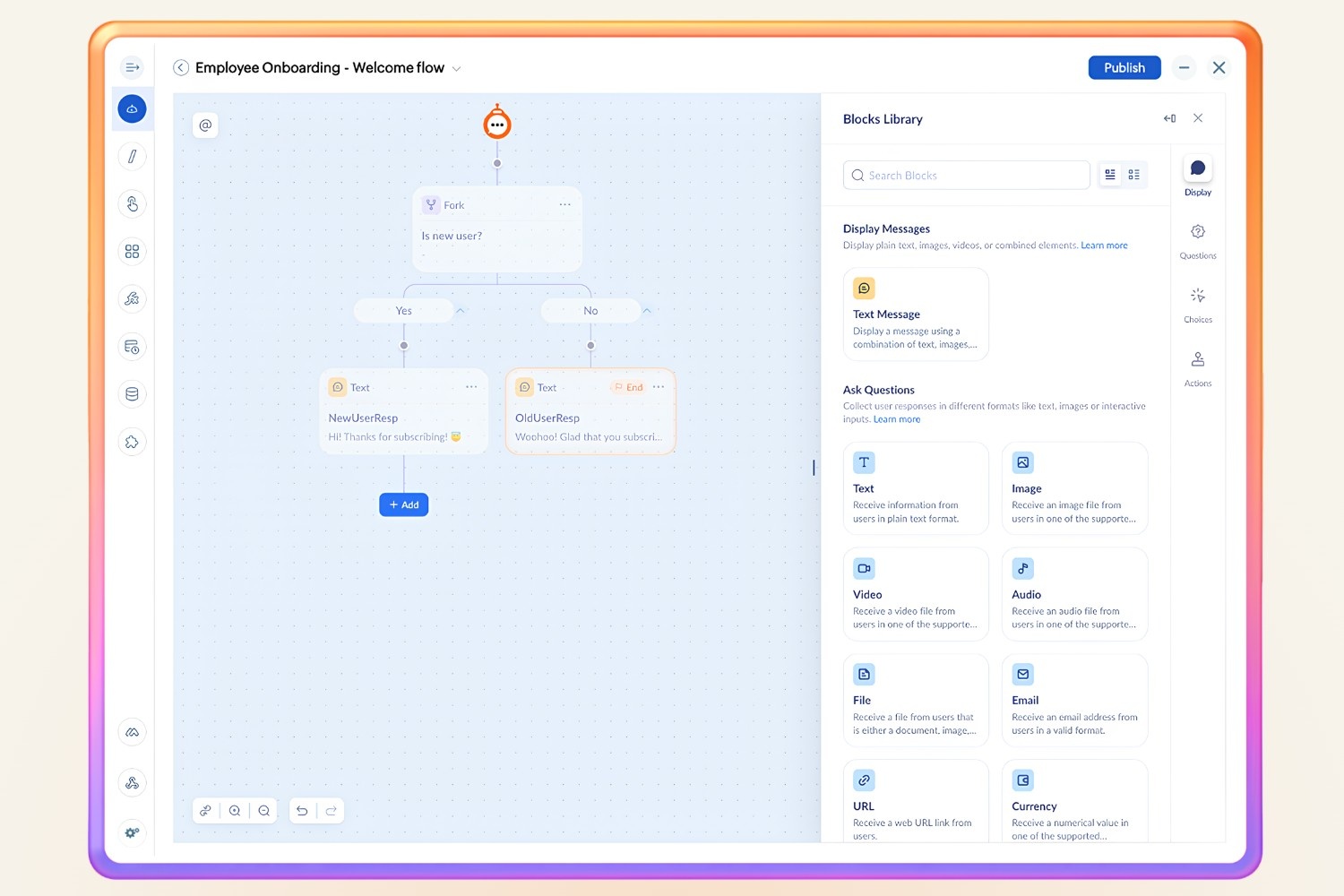
Now, anyone who can articulate a process can ship it, and this ensures that the best person to build an automation is the one who truly understands the process, rather than simply someone who knows how to code.
Never miss a turn again with adaptive widgets
Widgets used to load all content at once, but adaptive widget tabs change that by ensuring that only the active tab renders. This makes widgets load faster and allows them to stay up to date without retrieving unnecessary data.
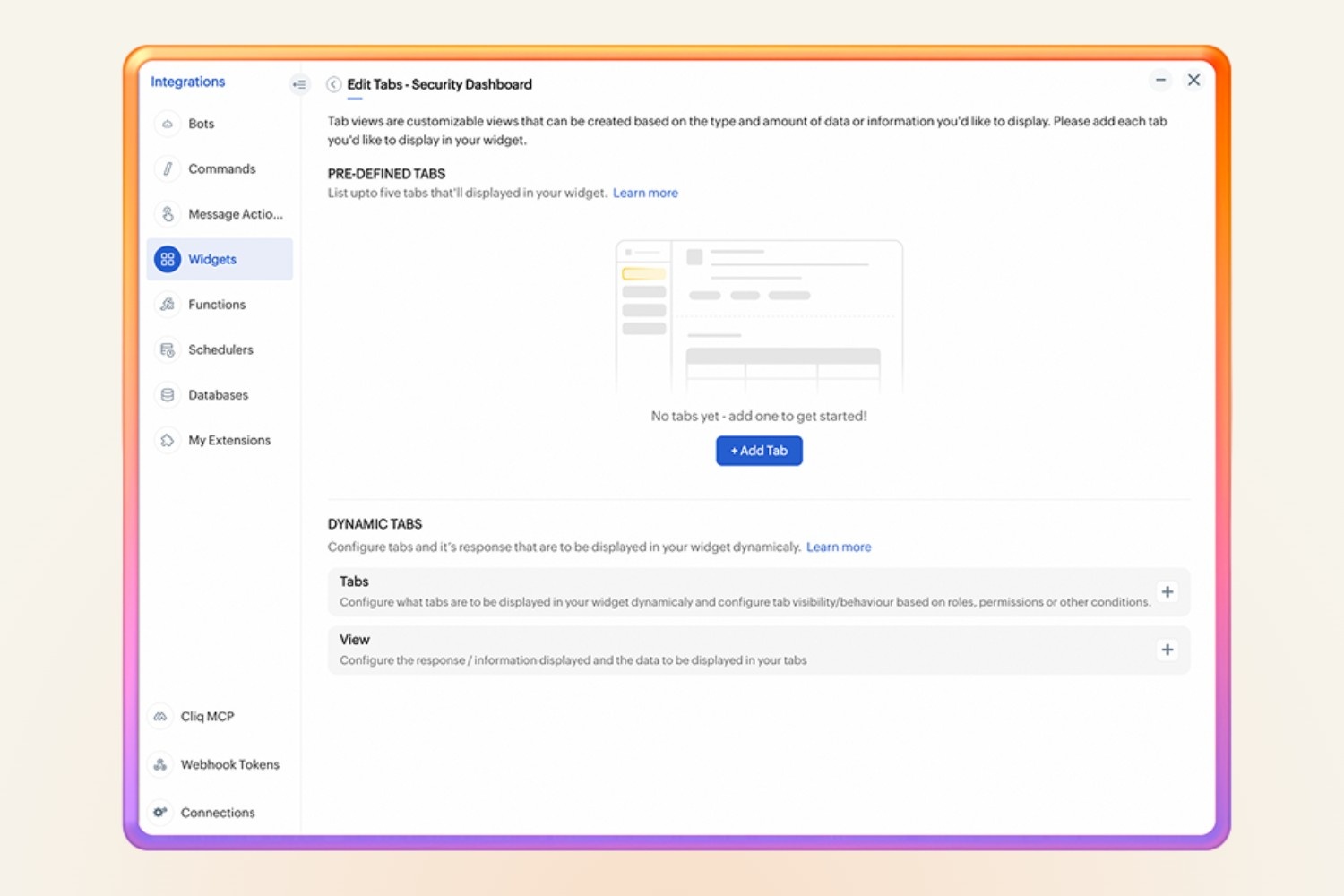
Static tabs now use smarter caching, while dynamic tabs can scale up to 50, support search, and allow adding, removing, and reordering tabs in real time. Additionally, the logic for tab management is now clearly separated from the content it displays.
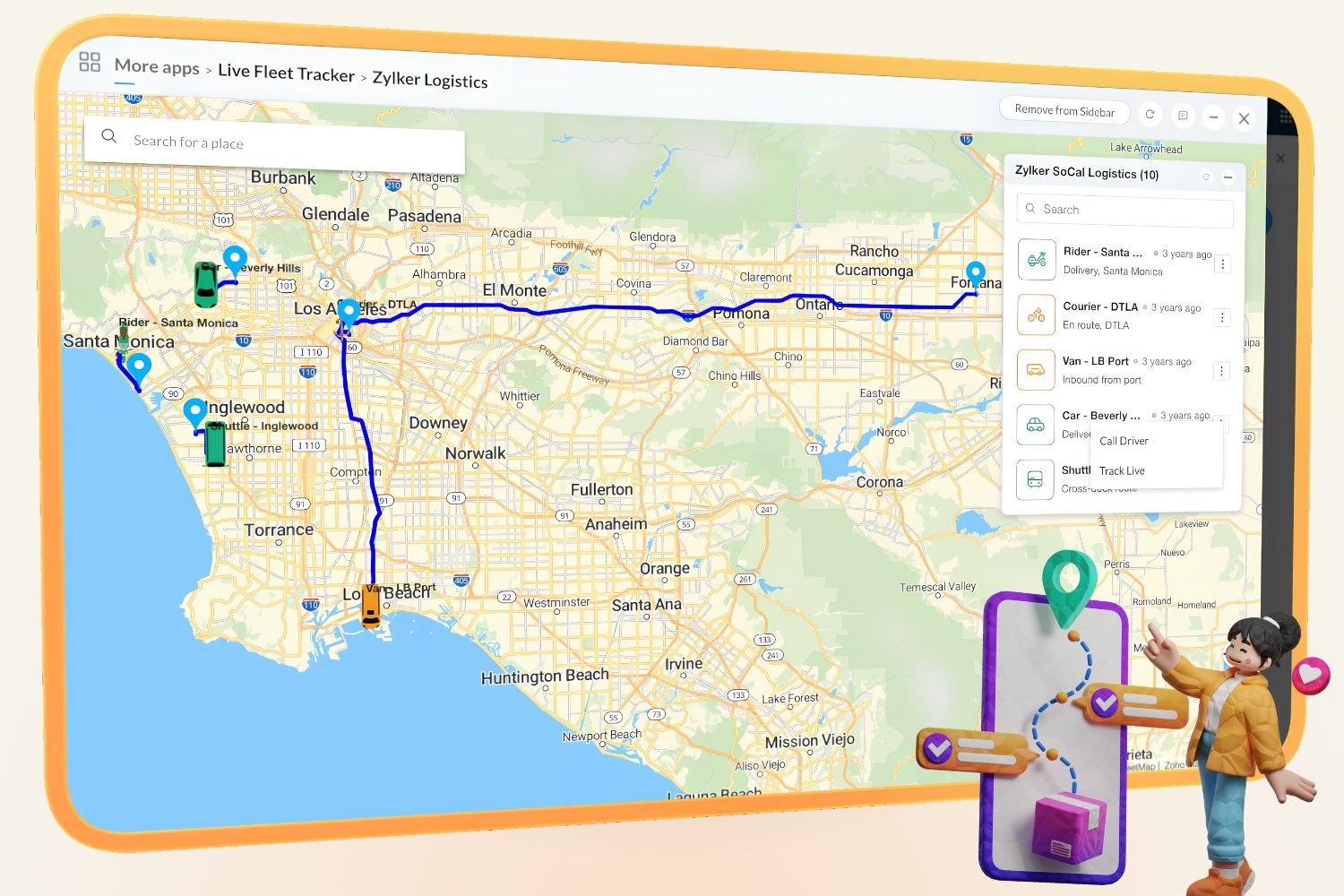
The map view in widgets now supports live tracking , which refreshes automatically as a person moves. This feature is useful for tracking an office shuttle, a delivery, or a support visit that is running late. You can track locations in real time and view live updates as they move. The locations refresh automatically, eliminating the need for manual reloads, and a clear in-app indicator shows when live tracking is active.
Skip the tab-switching with chat tabs
Every time a conversation stalls because you need to access multiple resources at once. With chat tabs, you can pin the tools that a channel relies on directly to that channel, such as an issue list for a project, triggered campaign reports, vital dashboards, or even a linked webpage. This way, instead of switching tabs to check a task list or pull up a shared file, the tool remains readily accessible right where the conversation is happening.
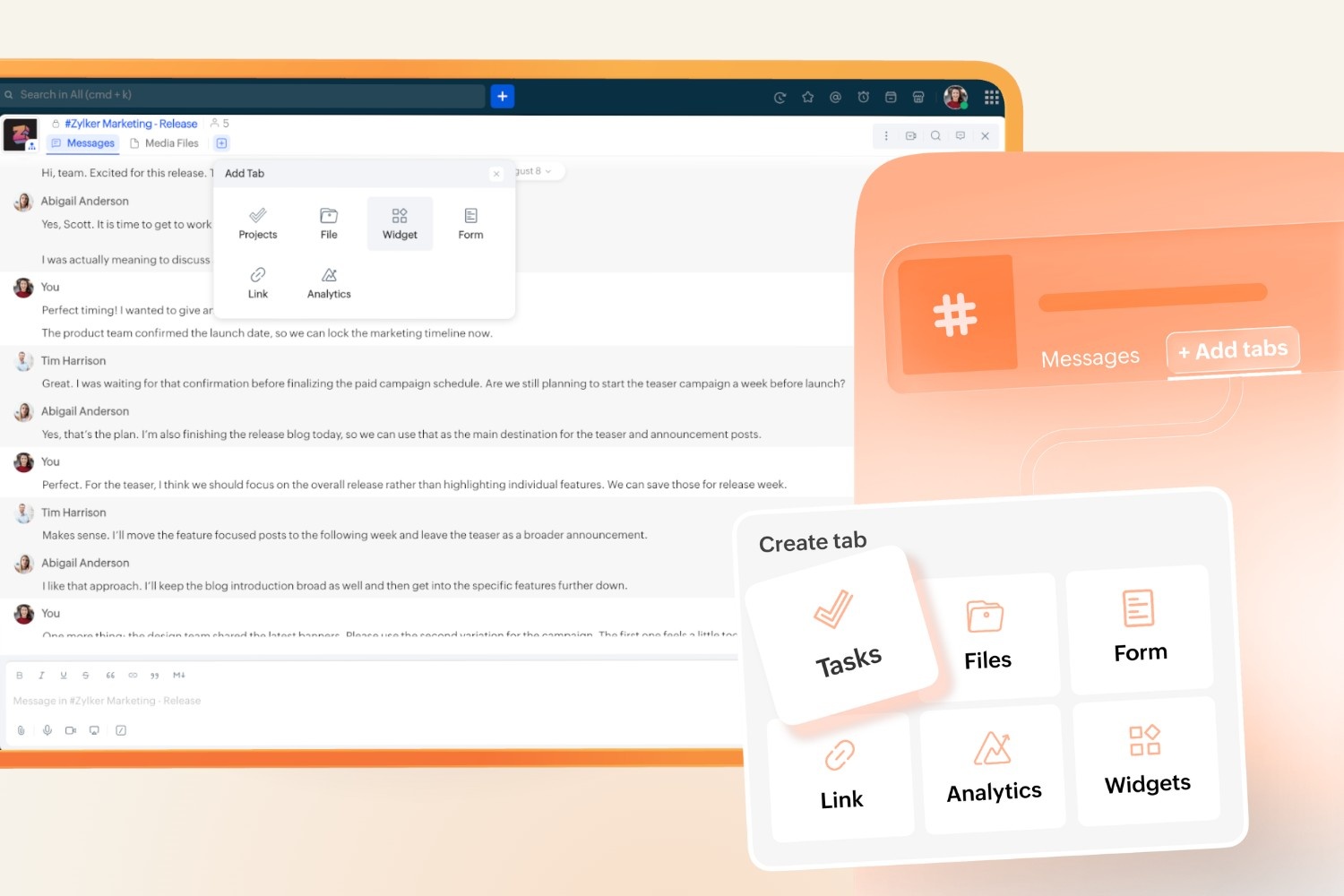
Standard plans allow for three tabs per channel, Professional plans offer five, and Enterprise plans provide ten. Each tab retains the source app's existing permissions, ensuring that pinning a file does not automatically grant access to anyone who hasn't been approved to view it.
Empower your workflows with agentic APIs
Say no to manual workflows because your AI agents can now operate directly within your workspace, converting simple instructions into completed tasks.
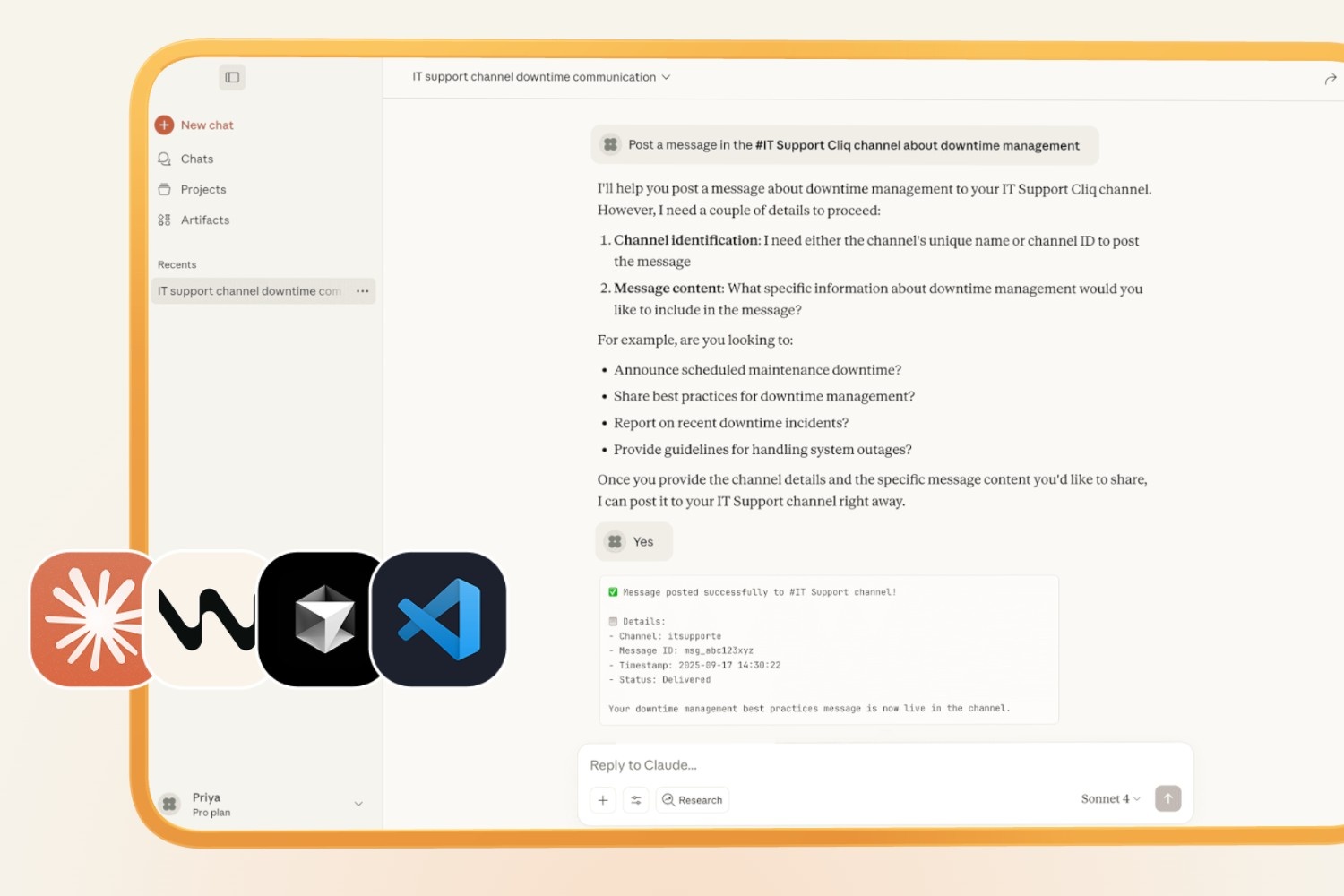
With the Cliq MCP server connecting agents like Claude, Cursor, or your own custom builds through the Model Context Protocol, you can delegate tasks with a single instruction, from posting launch updates in #marketing-channel, to reminding the product team about beta tests, to spinning up project channels or starting strategy discussions.
Say it once, and the agent handles it right where your team works. And it works both ways; with OpenAPI support, any OpenAPI-defined API becomes a tool your agents can access, uniting Cliq, your agents, and external systems through a single protocol.
Also, Cliq APIs are now parsed by LLMs and AI coding assistants, making consistency essential. REST APIs v3 is a complete rebuild for this reality, with one consistent pattern across the entire API, so what you learn once works everywhere.
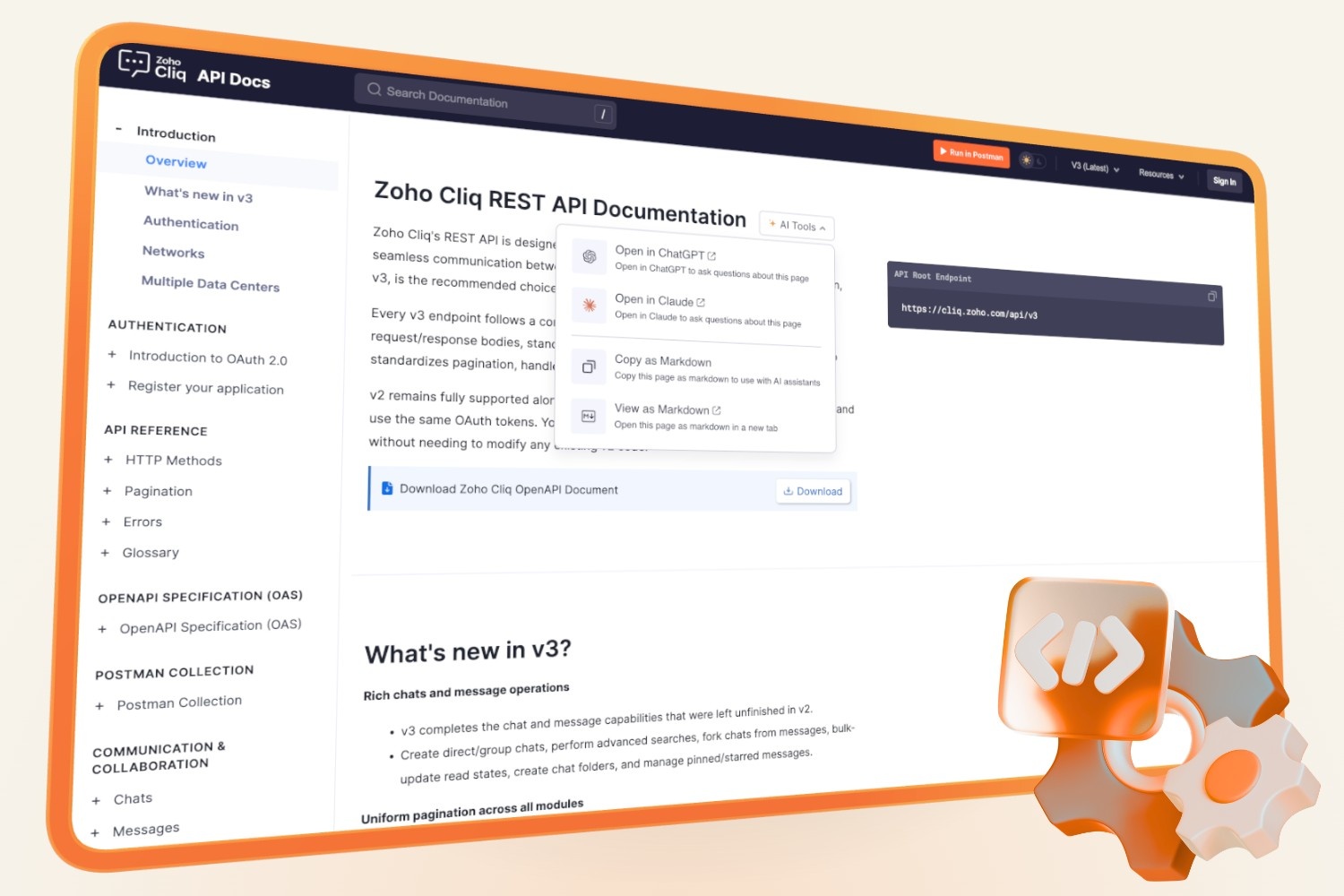
Now, the API supports everything the UI does, and new documentation lets you open any endpoint directly in Claude or ChatGPT, with ready-to-run code in six languages. If you can click it, you can call it.
No more boilerplate with the AI coding assistant
Writing an automation from scratch assumes you already know Deluge's syntax cold, and even a small script has you stopping mid-line to look up the right function or chase down a typo.
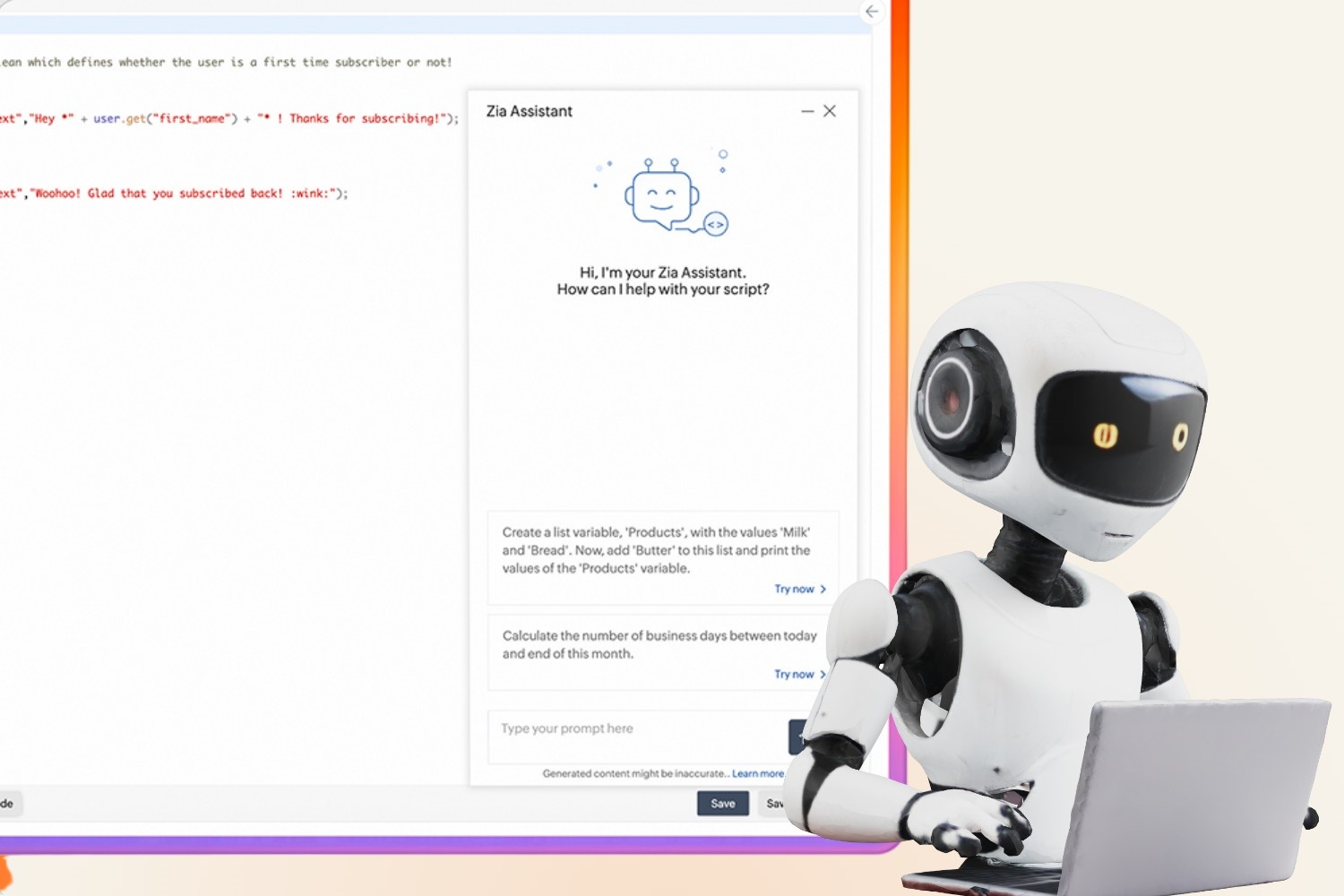
For teams still writing their own automation logic by hand, the Deluge Zia bot takes a plain-language description of an automation. It turns it into a working script in Deluge, Zoho's scripting language for Cliq. Zia tasks embedded directly in that script go further: summarizing content, extracting structured data, and drafting responses, handling reasoning work that used to need a person at every step.
When everything just Cliqs
You don’t need a technical expert on standby. All you need are smarter solutions - an automation that bypasses developer bottlenecks, tools that are part of everyday conversations, actionable requests from the start, and an API with an AI agent that communicates effectively.
With a clear plan, anyone can take charge, and if you need extra support, we’re here to help. Just drop us an email at support@zohocliq.com.
Let the platform handle the busywork so you can focus on what matters most until everything just Cliqs.



Comments