Zoho Backstage 4.0: Introducing the most powerful event experience platform from Zoho, ever

Every year, we observe Event Organizers Day on October 23 to celebrate the hard work and creativity event planners bring to every event. This year, we're marking the occasion with the launch of Zoho Backstage 4.0.
From designing exhibition spaces and managing registrations to coordinating event-day operations, organizing an event involves hundreds of moving parts. With Zoho Backstage 4.0, we're bringing meaningful improvements to three important areas: the expo module, the event mobile experience, and AI-powered event management. This is accompanied by updates across the platform.
Here's what's new.
The mobile experience
Event-day operations rarely are limited by an organiser's location. A lot of activity needs to happen on the go, and Backstage 4.0 brings more powerful capabilities to mobile.
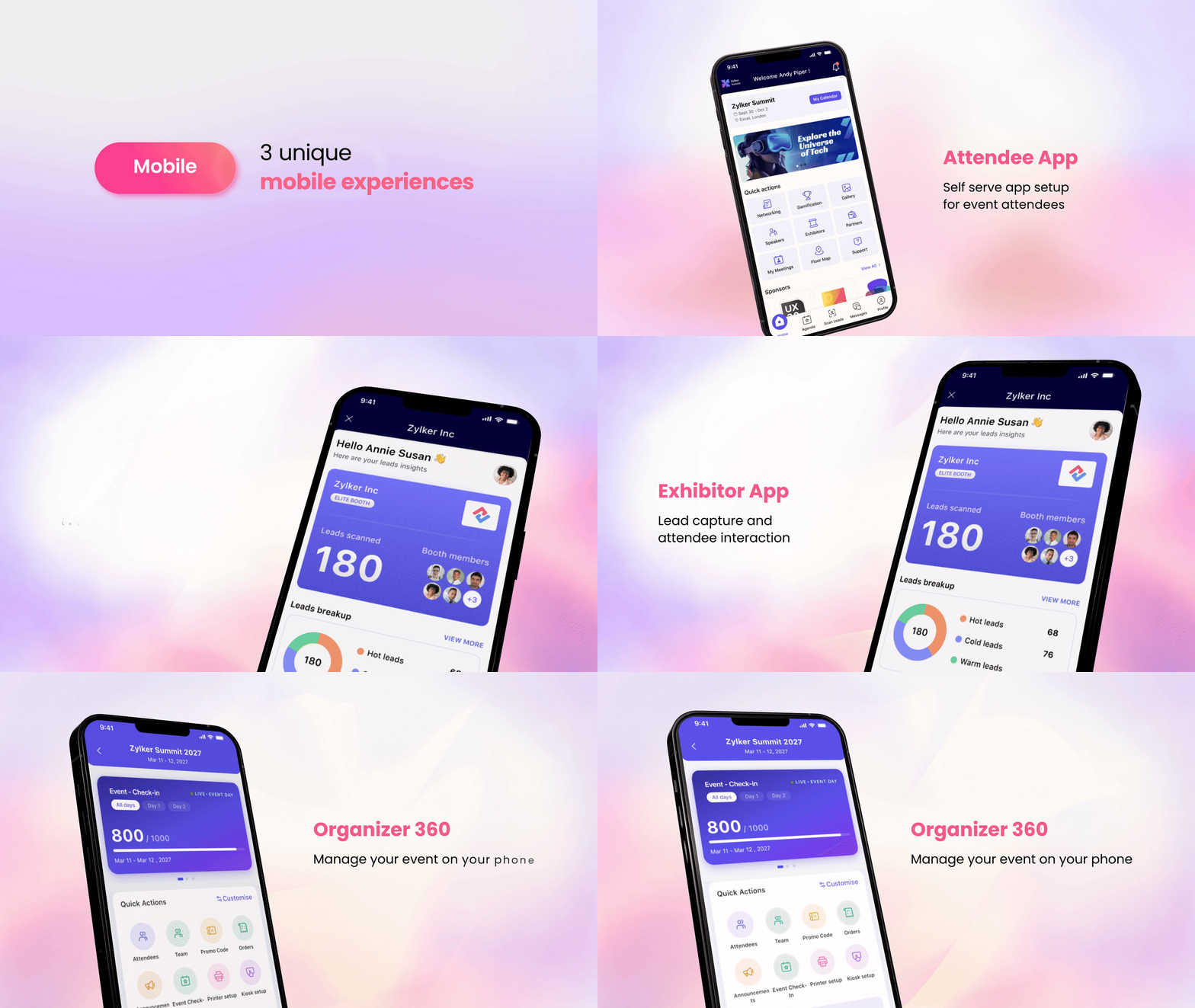
Organizer Experience (Introducing Organizer 360)
Event management on the go.
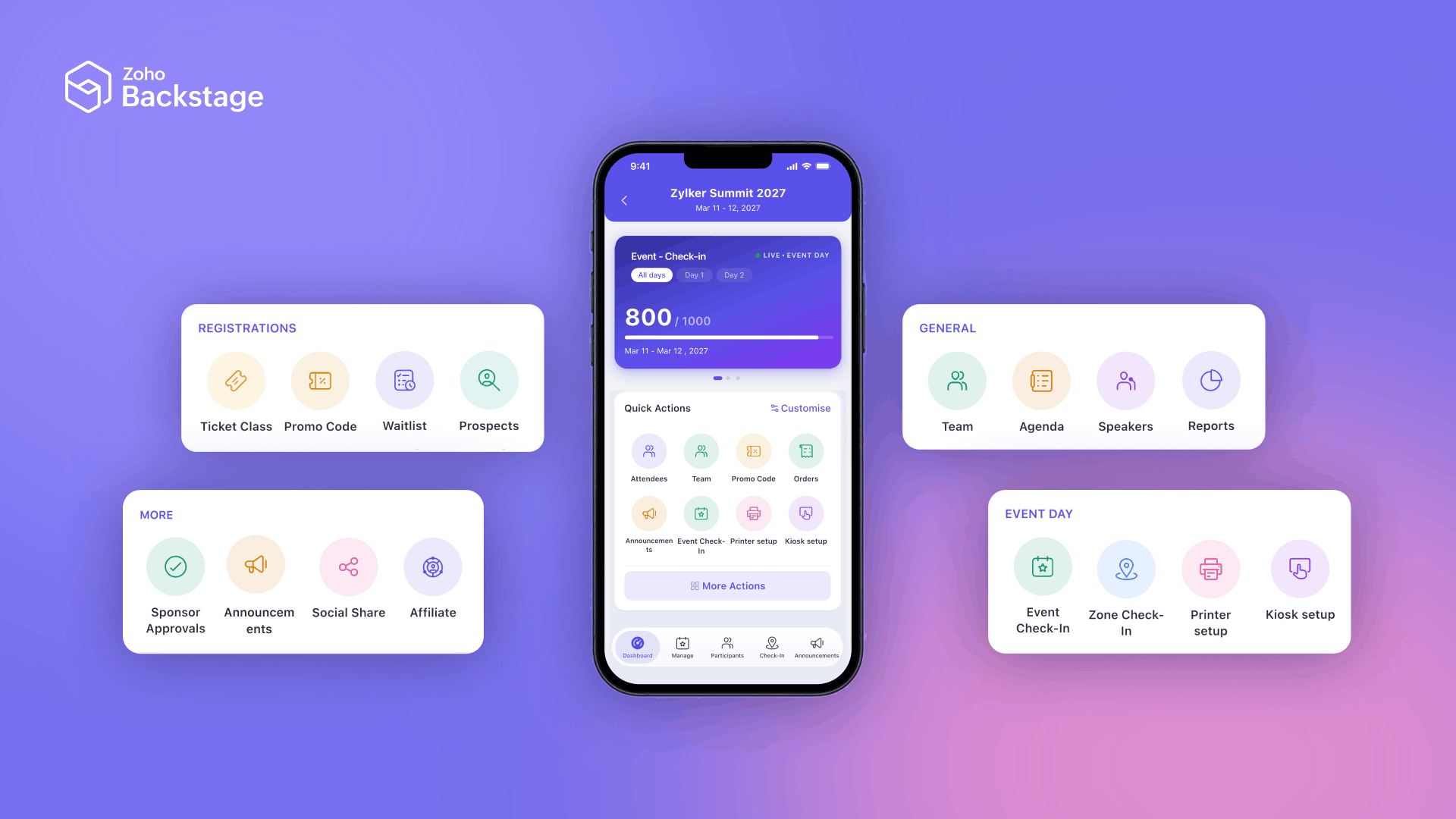
Organizer 360 brings essential event management tasks to your mobile device, reducing reliance on desktops and helping you keep operations moving. You can manage ticket classes, promo and access codes, speakers, offline check-in, and badging directly from your phone.
We're working toward bringing all event-organizing capabilities to mobile, with more modules being added in future updates. Stay tuned as we continue to expand the mobile experience.
The Custom App Builder
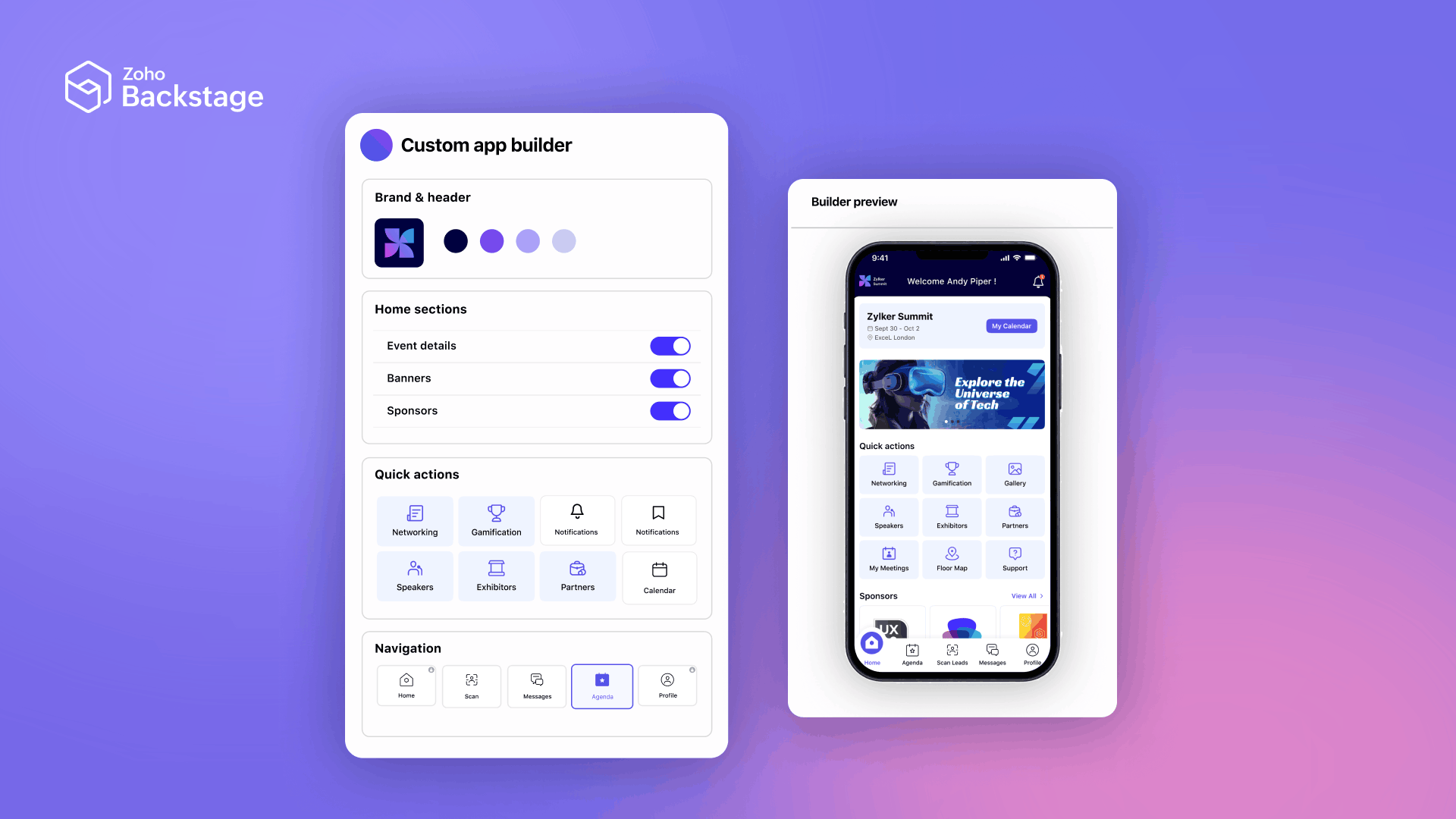
Introducing the ability to build and publish a complete mobile app for your attendees without writing code.
Choose between native and web-view modes, configure themes and branding, and assemble the experience using ready-to-use components such as Agenda, Speakers, Networking, Exhibitors and Sponsors, Floor Map, Messages and Chat, Notifications, Search, Gallery, Bookmarks, Calendar, Leaderboard, and Feedback.
Introducing over-the-air updates
You can now deliver critical app updates without users having to go through the traditional App Store update process. This is especially valuable when critical fixes are needed close to or during an event.
Make the most of every interaction
Attendees can enjoy a faster, more polished mobile experience as they explore sessions and connect with others. Briefcase helps them organize favorite sessions and exhibitors, while Contact Sharing makes exchanging contact details easier and more seamless.
For exhibitors, poor venue connectivity shouldn't mean missed opportunities to capture leads. Offline Lead Scanning lets them continue scanning leads even when a reliable internet connection isn't available.
With Exhibitor View in the attendee app, exhibitors can manage booth information and collateral, manage booth members, scan and export leads, and access lead analytics directly from their mobile devices. This helps them manage their booth and track valuable connections while the event is underway.
The expo experience
An exhibition floor takes shape long before the first booth is built. Organizers balance venue constraints, booth allocations, exhibitor requirements, and attendee navigation. Backstage 4.0 now extends more into the floor design workflow.
The new 3D experience*
Your design team already uses AutoCAD, so there's no need to recreate existing floor plans. With DXF import and export, you can bring existing designs into Zoho Backstage, create or update floors, work with multi-floor layouts, and export your floor plans for use in other tools.
The 3D Floor Planner helps organizers visualize the exhibition space, place booths, and present the layout to exhibitors. Attendees can also use the same floor plan to navigate the exhibition.

Focus on sales
To avoid accidental changes to an approved floor plan, we've introduced Lock/Freeze Mode. This protects the structural layout from being moved, resized, rotated, or deleted. Organizers can continue to manage exhibitor assignments, pricing, and status.
With Booth Pricing, organizers can price booths dynamically based on booth area or set flat pricing for individual booths. This gives organizers granular control over pricing.
Floor plan on your website
The Custom Floor Plan Widget embeds an interactive floor plan on the event website. Visitors can search and filter exhibitors, navigate floors, and explore the exhibition before they arrive using a full-screen, edge-to-edge experience.
Organizers have granular control over design elements such as booth numbers, logos, status indicators, and branding.
With this update, Exhibitor Pro offers interactive booth-level capabilities such as video and marketing collateral hosting. Exhibitors can continue to manage leads, meetings, booth members, inquiries, and analytics.
Together, these updates bring planning, visualization, booth management, and exhibitor management into your expo workflow.
AI in your event experience
Backstage 4.0 brings AI into the product to give quick answers to website visitors, better content and design to organizers, and better analytics to everyone.
Help attendees find answers
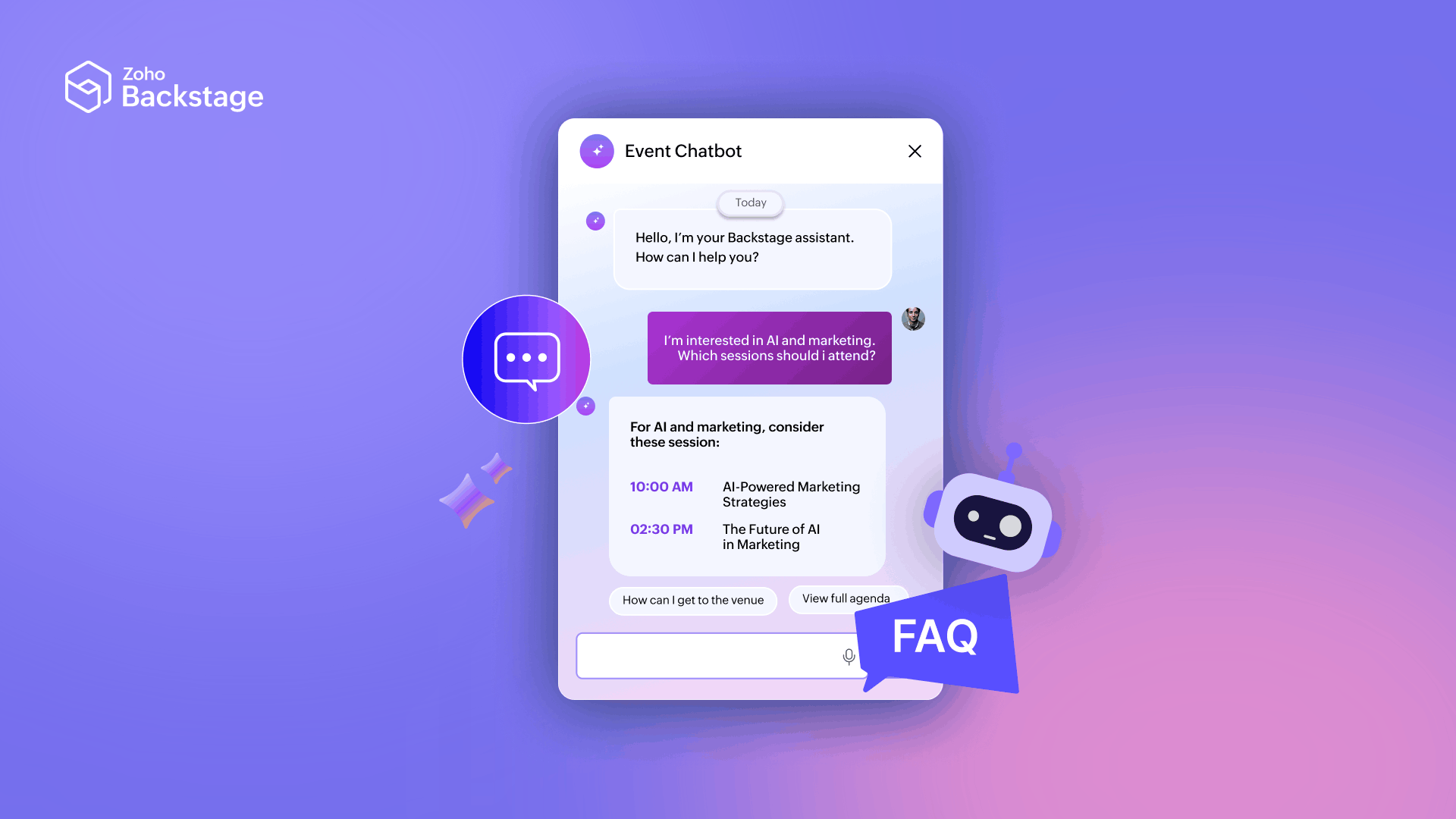
Questions about schedules, sessions, and event details keep event teams occupied with busywork. The AI Event Chatbot gives attendees a conversational way to find information through the event website, reducing repetitive queries for event staff.
Turn references into assets*
Creating badges, certificates, and event content takes time, especially when organizers already have a design reference. With Design Assist*, organizers can use AI to get a head start.

- Badge Assist: Upload or scan a badge image and use AI to recreate it as a starting point for further editing.
- Certificate Assist: Recreate a certificate design from a visual reference, then refine it for the event.
- Content Generator: Generate content and refine existing text to suit the event's needs.
These capabilities help organizers move from an initial idea to usable assets and content while keeping control of the final output.
Move from asking questions to taking action
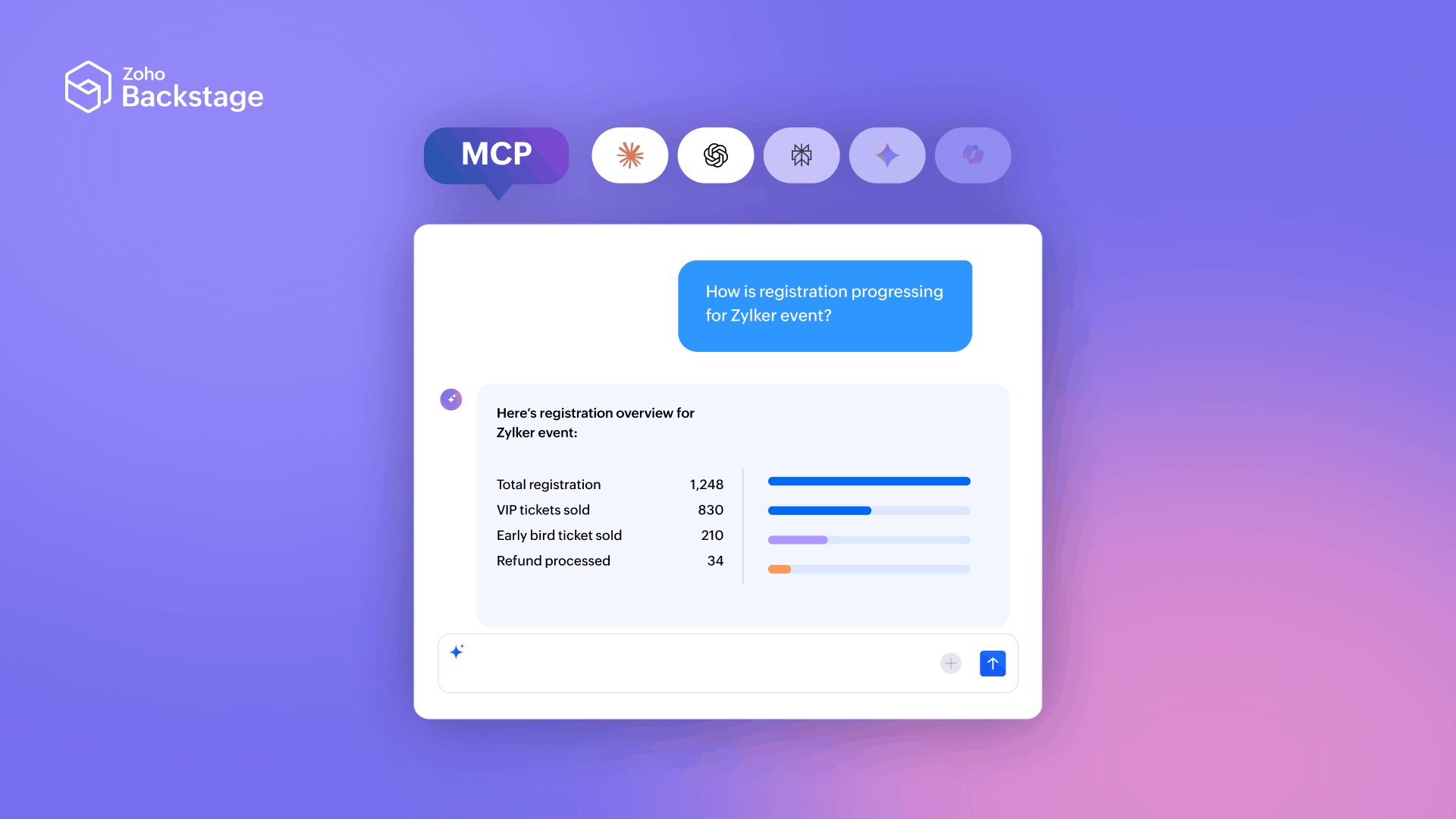
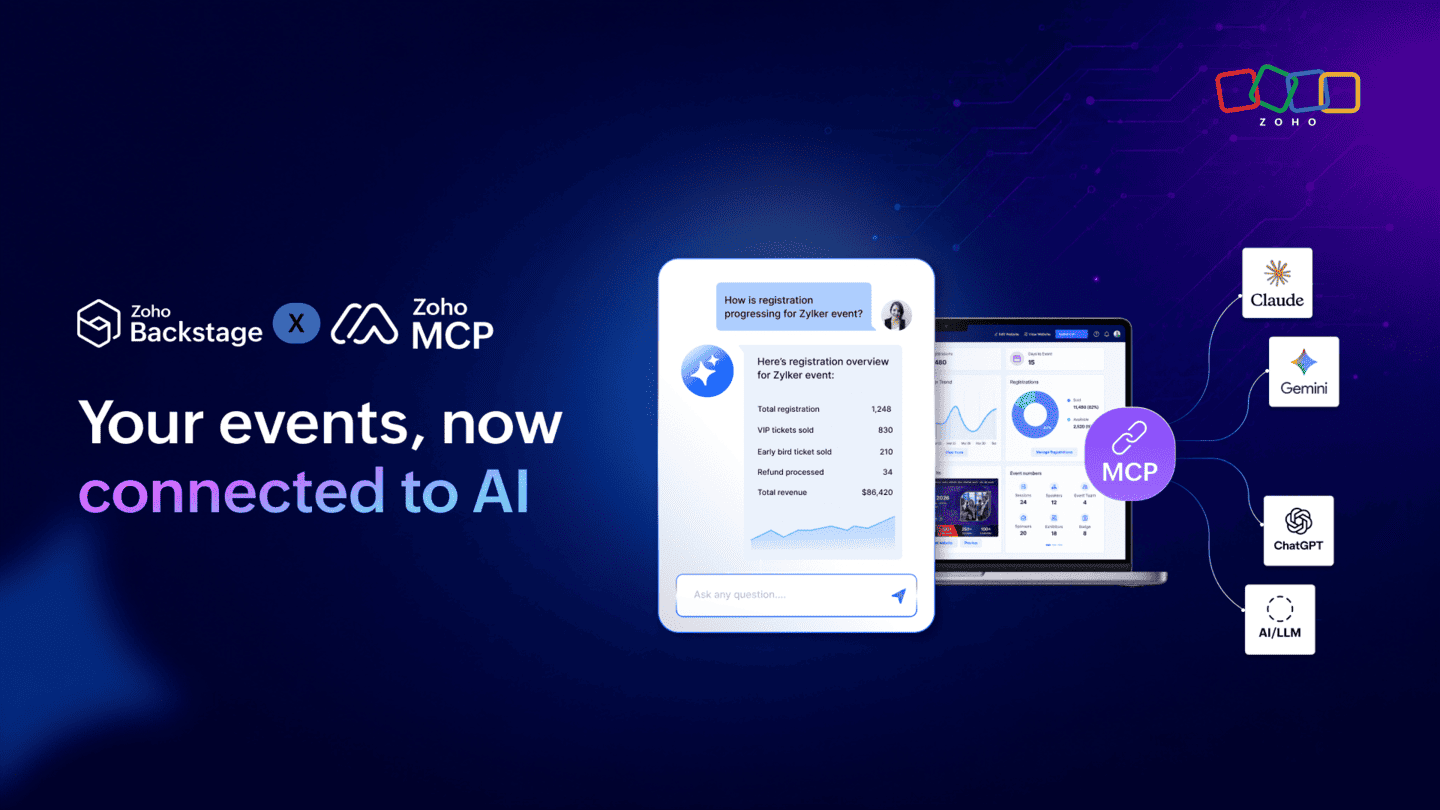
AI can also provide another way to work with event data and workflows. With the Zoho Backstage MCP server, organizers can connect Backstage to supported AI applications such as Claude and ChatGPT, ask questions about event data, and perform supported actions directly through their AI workspace.
They can check registration progress, compare ticket-class signups, create a VIP ticket class, register an attendee, or send an RSVP invite. With 133 read and write operations, MCP helps teams move from exploring event information to taking action without constantly switching tools.
Manage AI across your events
AI Console provides a unified space to manage AI feature usage across a portal. Administrators can enable AI features and set their defaults for new events, while event-level users can manage AI capabilities for individual events.
Backstage also makes AI involvement visible in relevant experiences, including inappropriate-content detection in gallery uploads, Face Search, and connection suggestions based on profile information.
What's coming next for AI in Zoho Backstage*
Backstage 4.0 brings AI into more parts of the event experience, but we're just getting started. AI Agents are the next step, bringing a more action-oriented approach to event management. They'll help organizers explore event data, discover ways to improve registrations, and streamline select event creation and management tasks. Expected to launch this winter.
More updates across Zoho Backstage
Beyond the expo, mobile, and AI improvements, Backstage 4.0 introduces updates across registration, communications, and everyday event operations.
Registration and ticketing
Registration doesn't always go to plan. Ticket classes sell out, purchasers may not have everyone's details ready, and attendees may need to switch ticket classes after registering. Backstage 4.0 adds more flexibility to handle these scenarios.
- Ticket Waitlist: Collect interested attendees when a ticket class sells out and manage entries as availability opens up.
- Companion Tickets: Register guests alongside a primary attendee.
- Assign Attendee Later and Generate Claim Link: Allow purchasers to provide attendee details after completing the purchase.
- Ticket Class Groups: Organize multiple ticket classes.
- Ticket Class Exchange: Handle changes between ticket classes.
Backstage adds PayNow and GrabPay as payment options within Stripe for eligible Stripe accounts, along with South Africa tax support for regional ticketing requirements.
Communications
Sending a message is only part of event communication. Organizers also need to know whether messages reach recipients and ensure communication credits remain available.
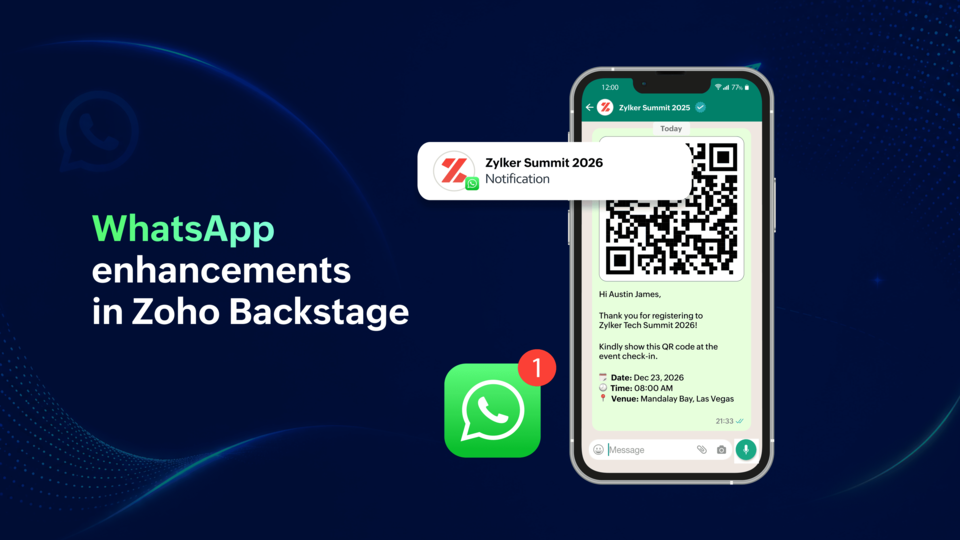
WhatsApp Delivery Report provides visibility into sent, delivered, read, and failed messages, including relevant failure information. This helps organizers understand delivery outcomes and identify issues that need attention.
With WhatsApp Auto-Recharge, organizers can automatically replenish credits when their balance falls below a configured threshold, helping keep event communications running without constant manual monitoring.
Event operations and integrations
Beyond the major updates, Backstage 4.0 improves several workflows organizers rely on to plan, coordinate, and run their events.
Organize contacts around your event
Event teams work with attendees, speakers, sponsors, and exhibitors, each with different communication and operational needs.
Contact Segments let organizers group attendees, speakers, sponsors, and booth members by criteria such as ticket class, check-in status, or participant type. These segments can support targeted communications and other workflows.
CRM Integration 2.0 gives organizers greater control over how event data syncs with Zoho CRM. Choose which fields to sync, define record-matching rules using conditions, and select custom registration fields at the event level. The extension-based integration also supports workflow configuration, lookup field management, and custom rules.
Extend your event setup
The Marketplace* gives organizations more ways to extend Zoho Backstage to fit their needs. Organizers can discover apps built to enhance their event workflows, while developers can build their own applications and plugins to add capabilities or customize existing functionality. Organizations can develop these solutions for their own use or publish them on the Marketplace.
Simplify event-day operations
The Desktop App makes event-day operations easier with direct printer integration and support for batch printing. From printing badges in batches to completing attendee check-ins, it helps event teams streamline on-site workflows and keep things moving efficiently.
Built for better events, today and tomorrow
From designing exhibition floors and managing event operations on the go to bringing AI into everyday workflows, Zoho Backstage 4.0 gives event teams more ways to plan, manage, and deliver better event experiences.
We hope you enjoy this new feature set launching today*. We will continue to build on this momentum. We are working tirelessly to make every module more capable, connected, and effortless to use. AI Agents are another step, bringing new capabilities to event execution and new ways to work with event data. Features and enhancements will continue to hit every month!
Stay tuned, and watch this space for more, every month!
*Some of these features might be in early access. Please reach out to us at support@zohobackstage.com if they are not available on your account at this time.
Some of these powerful features might need tweaking for different use cases (by size and scale). So, we're monitoring any unexpected behaviour, and handling issues via expedited support. Thus the 'early access' tag.
Comments