Zoho Notebook is all set for Apple's iOS 27, iPadOS 27, and macOS 27 Golden Gate

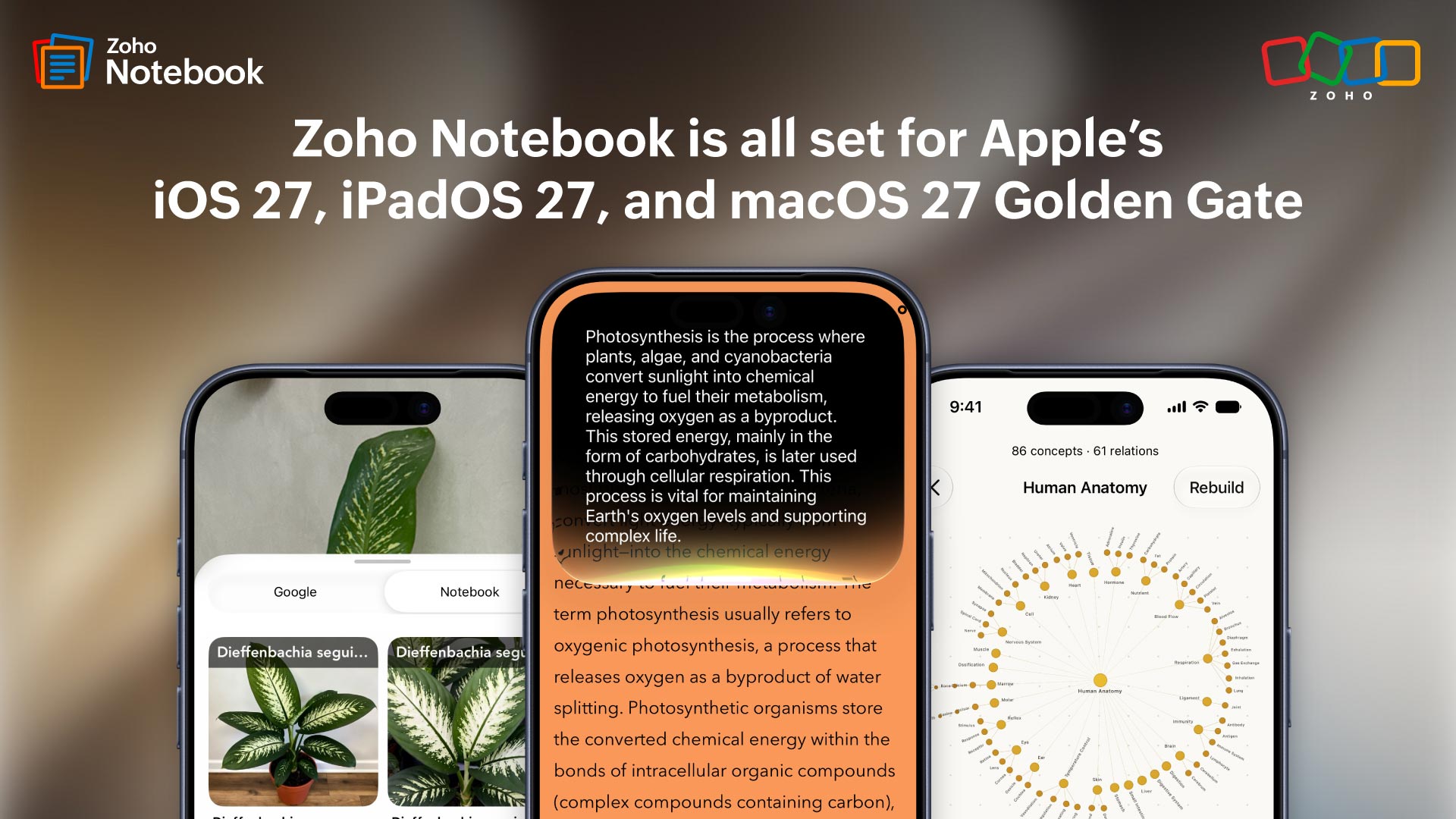
Apple has had a strong year. If you’ve been following the announcements, you already know OS 27 isn’t a cosmetic update. The things Apple shipped this year, from on-screen awareness and Visual Intelligence to deeper Siri integration and on-device Foundation Models, are the kind of capabilities that change how apps actually feel to use rather than just adding a feature to a list.
We spent a lot of time thinking about how to bring all of it into Notebook in ways that actually make sense for how people use the app. Here’s what we landed on.
See how your ideas connect
Apple’s on-device Foundation Models power the Knowledge Graph in Notebook. It maps ideas across your notebooks, finds connections between concepts, and lets you ask questions using your own content as the source. Everything runs on your device. Your notes never leave it. Every answer shows you exactly which concepts it drew from so nothing feels like a black box.
Hands-free note-taking with Siri AI
With deeper Siri integration this year, Notebook now connects with Apple’s Notes schema. You can create or update notecards just by asking Siri, whether Notebook is open or not. For anyone who has had a thought they couldn’t write down fast enough, this is the update that fixes it.
Your screen, now connected to your notes
Apple’s on-screen awareness lets apps understand what’s currently on your display and respond to it. In Notebook, that means while you’re reading something, Notebook can surface a relevant notecard, let you set a reminder, add something to favorites, or open related content without you switching apps or losing your place. It just sits quietly in the background until there’s something useful to do.
From your camera to your notes in seconds
Visual Intelligence is one of the more genuinely impressive things Apple shipped this year. In Notebook, capturing an image now surfaces notecards related to what Visual Intelligence recognizes in the photo. The notes you’ve been building over time become accessible in moments you wouldn’t have thought to look for them.
The rest of what's new
Spotlight Search
Your Zoho Notebook content, including notes, notebooks, and attachments, now shows up directly in iPhone’s Spotlight Search, without opening the app. Just swipe down, search, and jump straight to what you need.
Extra Large Widgets
The Notebook widget now supports Apple’s new Extra Large (4x6) format. Your checklists and notes get a full home screen page to live on, so everything you need is visible at a glance.
Image Playground
Edit and enhance images directly from within your notecards using Apple’s Image Playground. Just tap and edit, and your updated image stays right where your note is.
App Resizability
Whether you’re using iPhone Mirroring on your Mac, working on iPad, or switching between devices, Notebook adapts its layout automatically so it always looks and feels right, regardless of screen size.
Ready to update?
That’s everything we built into Notebook this year. Some of it you'll spot right away. Some of it will just quietly make your day better. Either way, it’s all waiting for you on the other side of an update.
Isn’t that what we all quietly want from our everyday workflow? This is your sign to update Notebook on your Apple device and explore everything new. Already on the latest version? Wonderful, you’re already in for all of these new and updated features! Also, read about the Apple updates making waves across other Zoho products.
Got feedback or thoughts? We’re always just an email away at support@zohonotebook.com. Tell us everything you love or hate about the app; we’re all ears!
Happy note-taking!

Comments