Automate the last-mile work of every Zoho implementation with Zoho RPA

A prospect's process looks like a clean fit... until it doesn't.
There's a legacy ERP no one wants to touch, a vendor portal that only accepts manual logins, and a folder of PDFs that someone reads and retypes every Monday. The deal goes quiet, or it ships with a known gap, or it goes to a Partner who said yes to the parts you couldn't.
Every implementation you deliver has some gap where the workflows can't be automated with APIs alone. Legacy systems, vendor portals, PDF-heavy processes—those are the gaps Zoho RPA closes, and the reason it's worth a serious look as the next thing you add to your practice.
Why the last mile is where Partners lose scope
When you build a Zoho implementation, you're solving a big chunk of the problem. CRM, finance, HR, and operations get connected and automated. But the challenge comes when you have use cases around last-mile data automation that includes working with legacy systems, migrating data between systems without APIs, or dealing with a high-volume of files in multiple data formats.
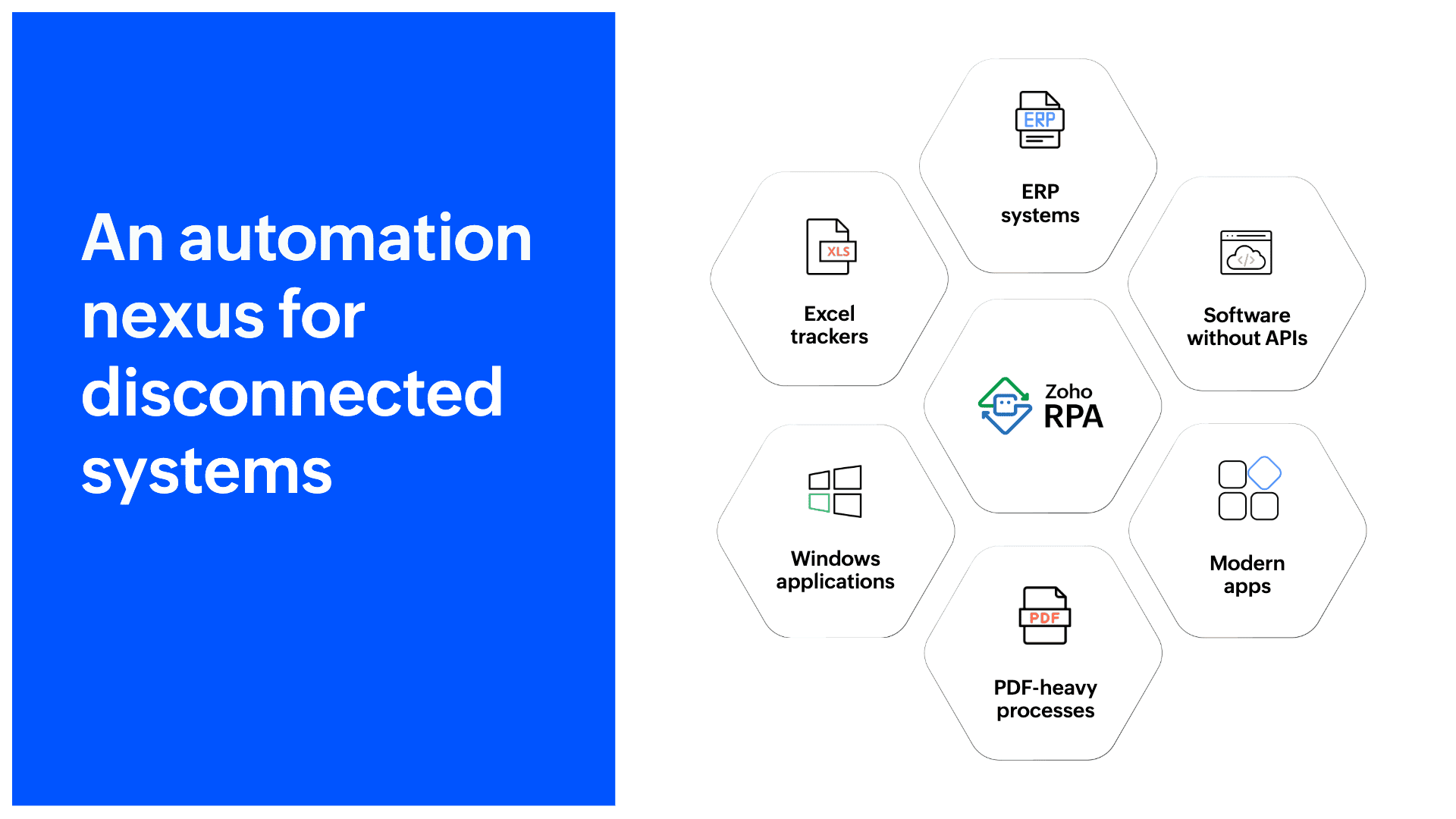
The government portal that only accepts manual input, the vendor catalogue sent as a PDF, the ERP system from 2009 with no API, the supplier portal that requires a login, a filter, and a download, repeated 40 times a week—these aren't edge cases. For most of your clients, they're daily routines. Someone is doing them by hand, right now.
Automation doesn't fail because of technology. It fails because the systems involved were never designed to interact with each other
Zoho RPA exists to handle exactly this. It works at the UI layer, recording and replicating actions the way a person would, across any application, whether or not it has an API. It doesn't replace the systems your clients run; it automates around them.
What this means for your practice
Partners who add Zoho RPA to their delivery toolkit tend to see a few consistent outcomes:
Expanded scope on existing clients
You've already built trust. Zoho RPA lets you go back to the same client and automate the workflows that were previously out of scope: the manual ones that exist alongside the systems you set up.
Won deals where legacy systems are the blocker
When a prospect says "we can't migrate off our old system," Zoho RPA is the answer. You don't need to replace it—you can automate around it.
Deliver more complete automation, not just app rollouts
Most implementations stop at the boundary of what APIs allow. Zoho RPA extends that boundary by giving clients automation that covers end-to-end workflows.
Documents are no longer a manual step
IDP capability and what it changes
A large share of the workflows your clients want to automate involve documents like invoices, contracts, loan applications, purchase orders, and compliance forms. Until now, document-heavy processes required either manual extraction or custom OCR pipelines.
Zoho RPA's intelligent document processing (IDP) changes the handling of these documents fundamentally. It combines AI with document recognition to extract structured data from unstructured inputs regardless of layout, format, or quality.
Extract fields from invoices, even with varied formats.
Process scanned PDFs and handwritten forms.
Validate extracted data against business rules.
Feed structured output directly into downstream apps.
Handle multi-page documents in bulk.
Train on client-specific document templates.
This means workflows that previously required a human to open, read, and type from a document can now run end-to-end. The bot reads the document, extracts the right fields, validates them, and passes the data forward into a CRM, an ERP, a reporting sheet—wherever it needs to go.
For Partners, IDP is the capability that unlocks the most difficult use cases: the ones where clients have been told automation simply isn't possible because their data lives in documents.
Where RPA actually gets used
These are a few examples of industry scenarios of workflows Partners and their clients run into regularly.
Finance
Invoice processing from supplier portals
A bot logs in to portals on a schedule, downloads invoices, extracts data, and creates records in the ERP without any manual effort.
Customer support
Download call recordings
On a fixed schedule, the bot logs in to the telephone system, pulls each agent's time zone from their profile, downloads the day's recordings, and files them into dated folders organized by region.
Sales
Quote generation
When a customer's procurement request lands, the bot pulls current pricing from upstream vendor portals and websites, downloads catalogs where available, extracts prices where not, and assembles a ready-to-send quote.
Marketing operations
Post-event lead follow-up
The bot is triggered when a new file is added to a folder. The bot opens the file and reads each row, checks the CRM for an existing account subscription or active deal, and writes the status back into the sheet.
Where RPA fits and where it doesn't
Part of selling anything well is knowing its honest boundaries. Here's where Zoho RPA is the right answer, and where it isn't:
Good fit
Systems with no API or poor API coverage
Legacy desktop applications
PDF-heavy or document-intensive workflows
High-volume repetitive tasks done by hand
Processes spanning disconnected systems
Web portals requiring login and navigation
Not the right tool
Real-time integrations where APIs exist and work
Workflows requiring deep human judgment
Getting started as a Partner
Zoho RPA has a no-code UI recorder, so the barrier to building your first automation is low, so your team doesn't need to learn a new programming language to demonstrate value to a client.
The pattern is simple:
1. Install the desktop agent
A software agent runs on the client's machine and enables the bot to interact with applications the way a user would.
2. Record the workflow
Walk through the process manually while the recorder captures each step, like clicks, keystrokes, file downloads, and data entry.
3. Configure, schedule, and hand off
Add logic and set a schedule, and the bot runs independently (with monitoring and alerts to flag exceptions).
Add Zoho RPA to your practice
If you're already delivering Zoho implementations, you have the client relationships and the context. Zoho RPA lets you go deeper into their operations and deliver automation that wasn't on the table before.
Adding RPA isn't a pivot—it's an extension. The fastest way to see whether it fits your practice is to pick one of those workarounds and build the automation on it.
If you'd like a walkthrough, or want to talk through where RPA would fit in your current engagements, please reach out to us at support@zohorpa.com.


Comments