Unveiling Zoho Writer Desktop 4.0: New GUI, more document formats, offline Zia, and more

Work on Markdown files, check spelling offline, and customize your editor—all from Writer's desktop app.

Zoho Writer Desktop 4.0 brings the new GUI, editor and document preferences, support for ODT, TXT, and Markdown formats, and offline spell check for documents powered by Zia. Here's a detailed look at what's new.
Highlighted updates in Zoho Writer Desktop 4.0
The new GUI comes to desktop
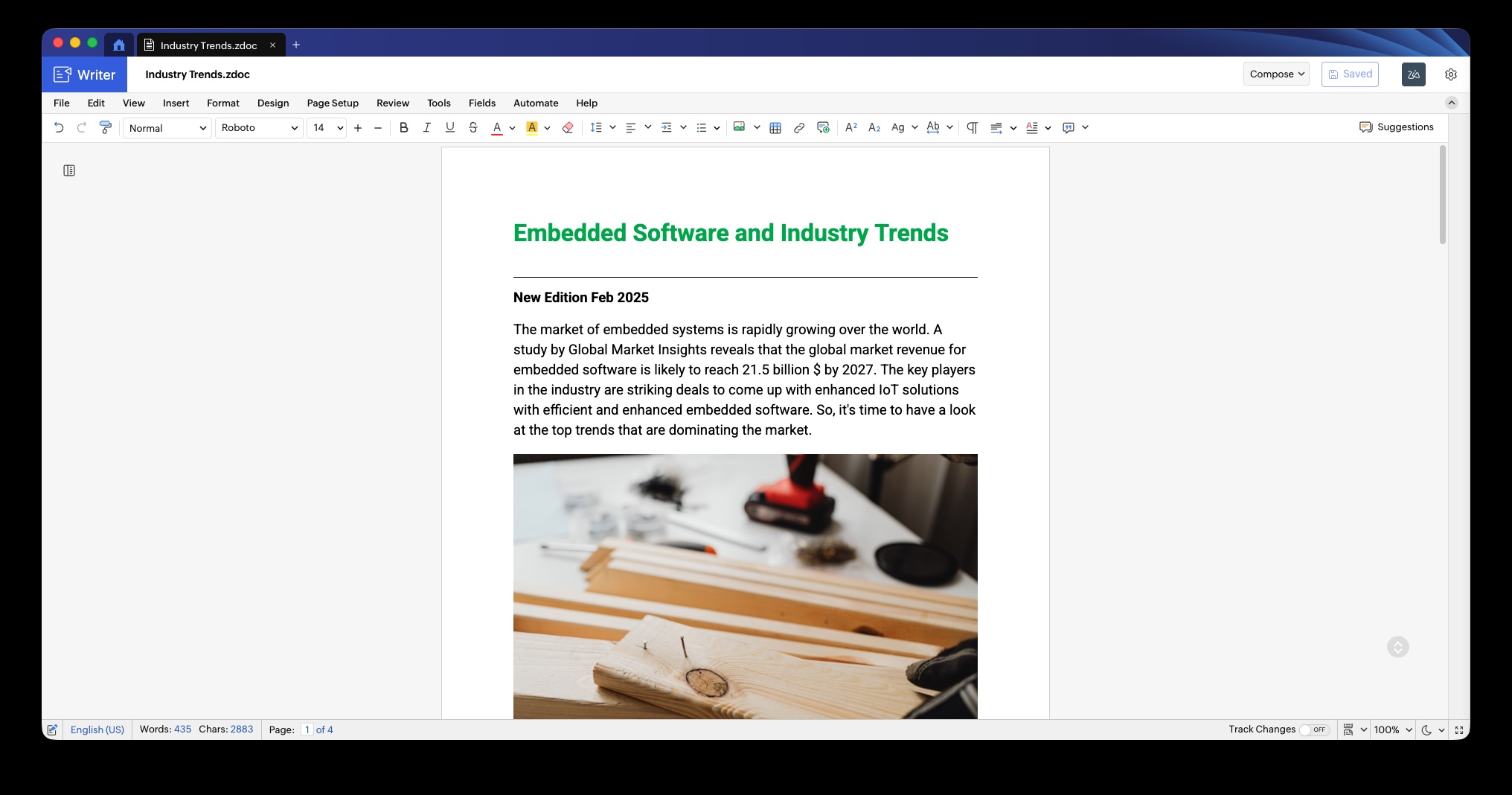
Writer Desktop 4.0 brings the new GUI we launched to Writer's web app earlier this year to the desktop app.
Editor and document preferences
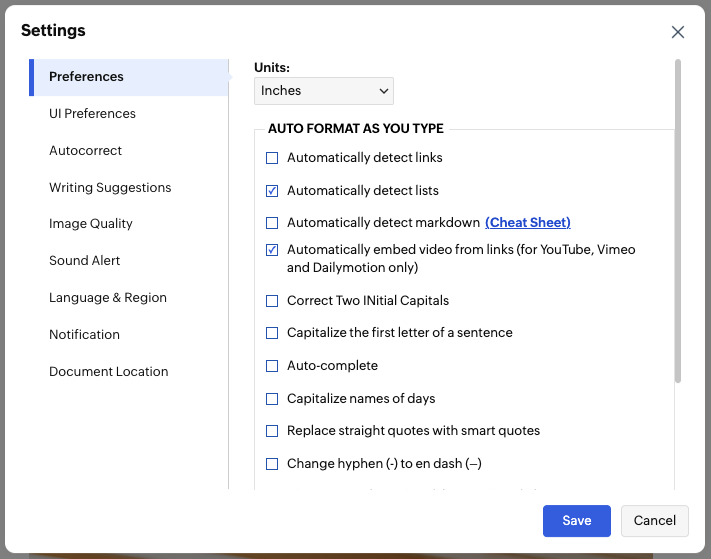
Set your preferred ruler units, configure autocorrect rules, enable dark mode, and more—and have them apply across every document you work on.
Supports for new file formats and large file imports
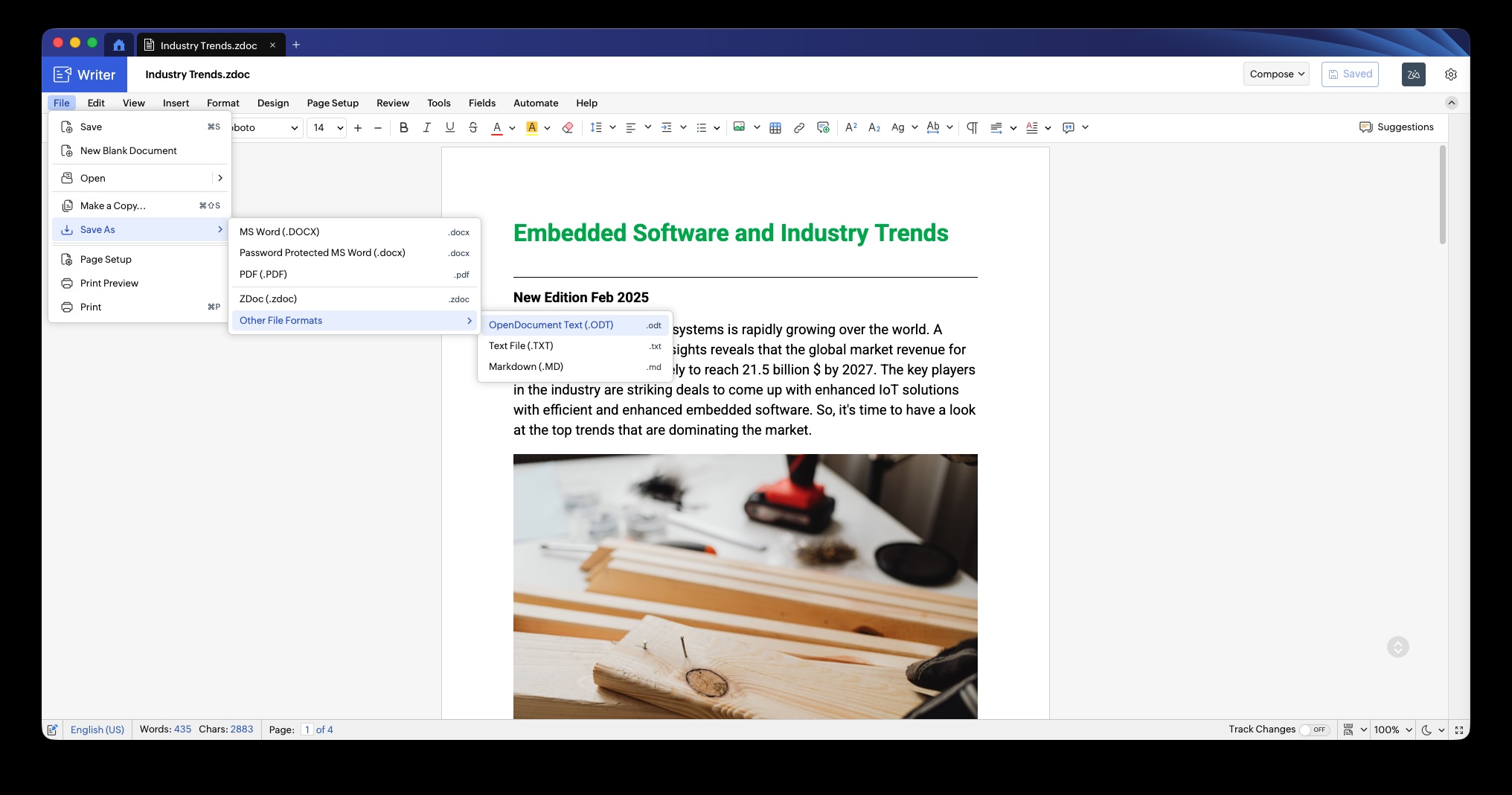
Writer's desktop app now supports ODT, TXT, and Markdown formats in addition to DOCX and ZDOC. Open, edit, and save documents in any of these formats directly from Writer's desktop app. You can also open and edit on DOCX documents up to 100 MB with Writer's desktop app.
Offline spell check
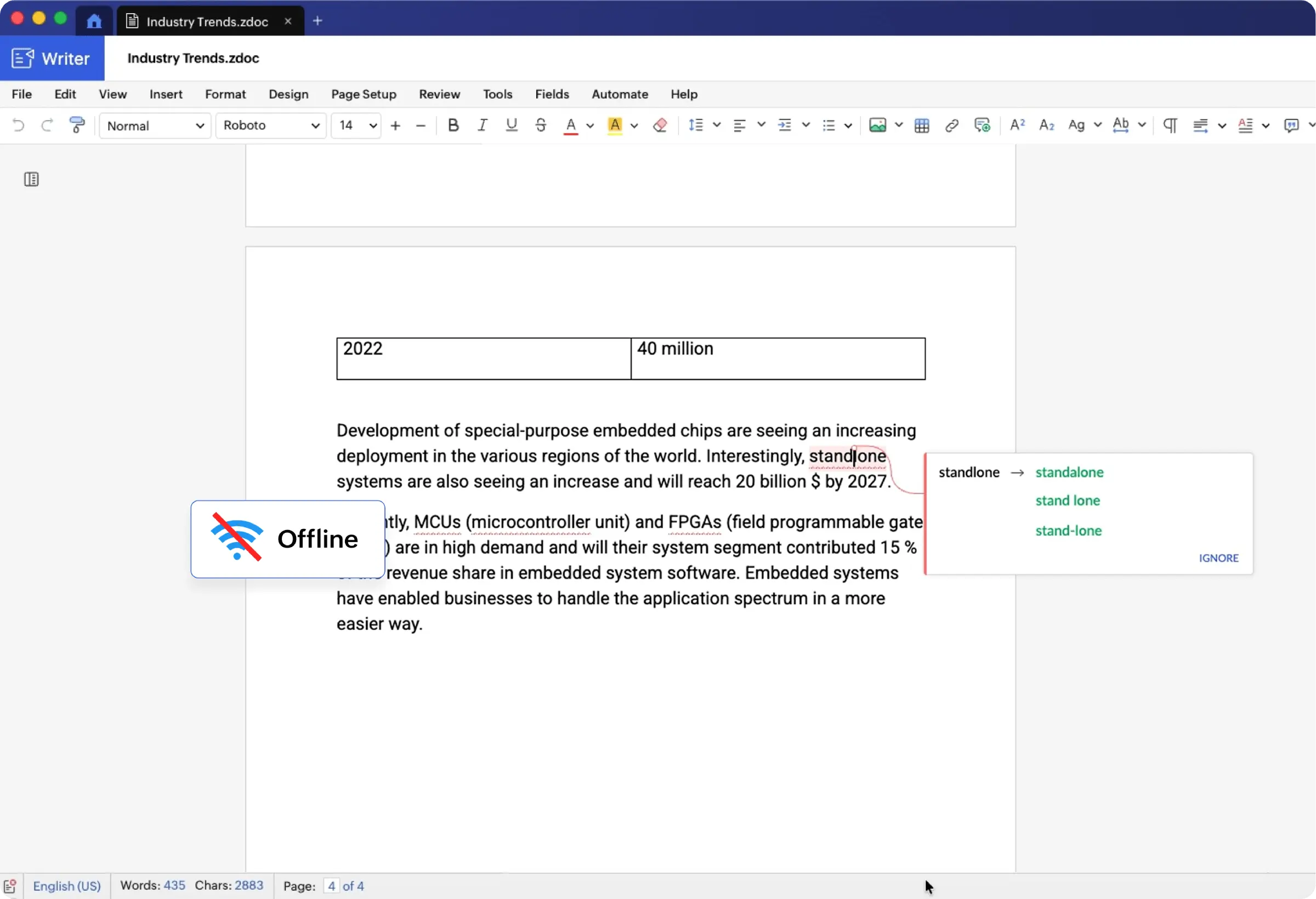
Zia, Zoho Writer's AI-powered assistant, provides instant spelling check on local documents without requiring an internet connection.
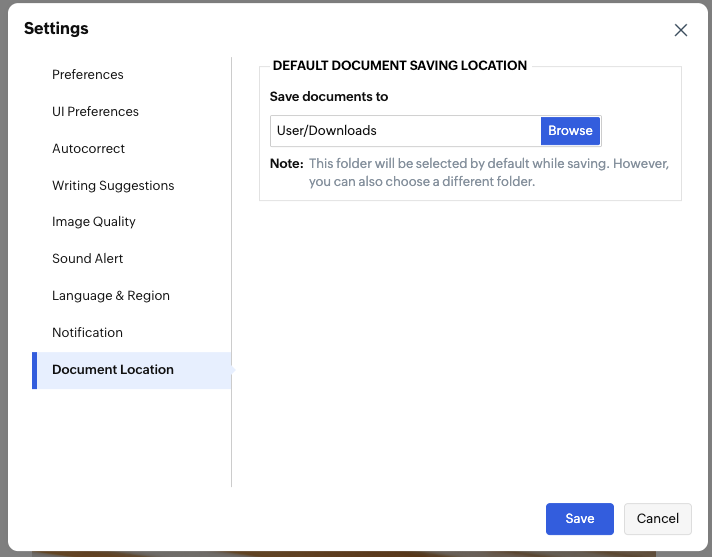
Default save location
Set a default location for saving documents by configuring it once in Settings, and every document you create with Writer's desktop app will be saved there automatically.
Download the latest version of Zoho Writer's desktop app for macOS (M-series), macOS (Intel Chipset), Windows, and Linux and let us know your feedback at support@zohowriter.com or support@eu.zohowriter.com or in the comments.

Comments