New iOS, New Intelligence: Zoho Expense on iOS 27 and iPadOS 27

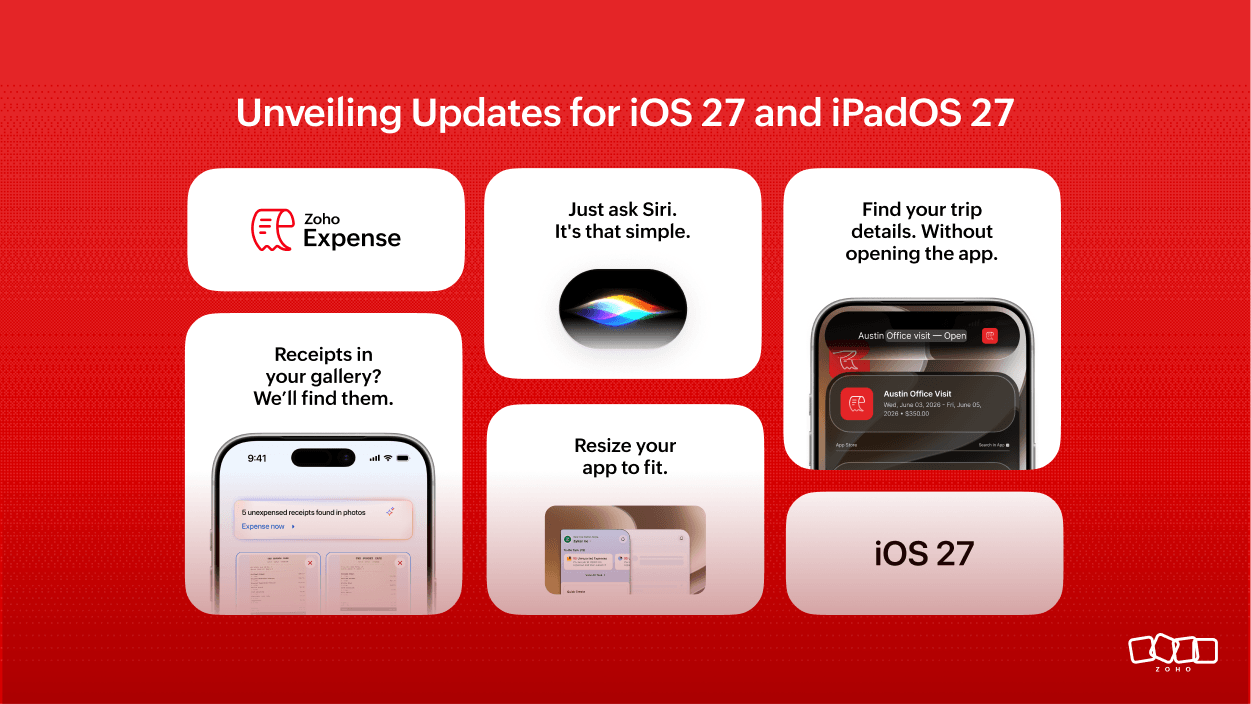
At WWDC 2026, Apple introduced a range of powerful new capabilities across iOS 27 and iPadOS 27, giving users a more responsive and intuitive experience through intelligent features and adaptive layouts.
Here's a quick tour of the new features we've adopted in Zoho Expense to make your experience faster, smoother, and easier to use.
Smarter Receipts, Faster Answers with Apple Intelligence
Managing receipts just got effortless. Using Apple Intelligence, Zoho Expense brings to you:
Enhanced Receipt Matching: Zoho Expense now scans your photo library, once you allow access, and automatically pulls out relevant receipts based on your trip duration, on the report details screen. Finding the right receipt is now faster as well. You can choose to revoke access anytime in Settings.
Complete Booking Information: The Zoho Expense app automatically reads the uploaded booking PDF details on the trip details screen. Any booking information available in the PDF that isn’t already in Zoho Expense is summarized and displayed right on the trip details screen, so you can view all your booking information in one place.
Enhanced Siri Capabilities
On-Screen Awareness: With Apple's on-screen awareness, Siri AI can read a trip's dates, locations, and key details straight from the trip details screen and answer your questions, without you specifying which trip or repeating what's already on screen. You can get a quick trip summary, add the trip to your calendar, and share its details with others. This is supported for the Trips module.
Ask Siri from anywhere: Siri AI can answer trip-related questions without you needing to open the Zoho Expense app. You can ask questions like "When does my next trip start?", "What's the total cost of my previous trip?", or "Show me my upcoming trips," and Siri AI finds the answer using your trip data and responds right away.
Conversational Search: With Siri AI's conversational search, you can ask for specific information about your trips, expenses, advances, and reports, and Siri AI opens the app straight to the relevant results. For example, you can say:
Show me expense reports from the last 3 days.
Show me my recent trip report for Paris.
Instead of opening the app, finding the right section, and setting filters manually, just ask Siri and get straight to the information you need.
Flexible App Resizing for Every Screen
We've made the Zoho Expense app window more adaptable to how you work. The app now resizes freely to fit your screen. Whether you're multitasking with a wider workspace alongside other apps, or prefer a compact window, Zoho Expense adjusts to match the screen size, without cutting off content or disrupting the layout. You can manage your expenses and travel the way that works best for you.
To try these features, make sure your device is on the latest OS and Zoho Expense is updated from the App Store. We hope you're as excited as we are to bring a new generation of intelligent capabilities to Zoho Expense. Please share your feedback in the comments below as it has always been the driving force behind our improvements, helping us create the best experience for you.


Comments