From idea to execution: How Zoho ToDo turns work into action

Every successful project begins exactly the same way: with a spark of an idea.
It could be a major product launch, a high-impact marketing campaign, an office event, a new customer onboarding initiative, or a complete website redesign. At first, that idea feels incredibly exciting. The whiteboard is full, the energy is high, and the possibilities feel completely endless.
As the initial excitement settles, the hard questions start piling up:
- Who’s actually responsible for what?
- What needs to happen first to unblock the rest of the team?
- How do we make sure a critical detail doesn’t quietly fall through the cracks?
- How do we keep cross-functional teams aligned when priorities shift?
Suddenly, the true challenge isn’t coming up with a brilliant concept. The challenge is turning that abstract idea into structured action.
This is exactly where effective task management makes all the difference. The most successful teams are simply the ones that know how to organize chaos. They take a massive goal, break it down into manageable pieces, assign clear ownership, track progress transparently, and drive the project to completion without losing their creative momentum along the way.
Did you know you can do all of the above without ever leaving your inbox? Zoho Mail features a built-in task management platform—Zoho ToDo—that allows you to manage, delegate, and track your tasks right alongside your emails.
Let’s follow the journey of how a team smoothly transitions a single project from start to finish with Zoho ToDo.
Step 1: Capture the idea before it disappears
Imagine your team is preparing to launch a new customer onboarding program. The goal is simple: Create a better, more meaningful experience for every new user who joins.
But as every project manager knows, ideas have a dangerous tendency to vanish if they aren’t captured the moment they surface.
Think about how it usually happens. Someone mentions a brilliant idea during a meeting. Someone else brings it up in a chat thread. A few action items get scribbled down in a notebook or on a stray sticky note. Days later, everyone remembers discussing the project, but nobody can agree on the specific details or the next steps.
The first step toward execution is creating a clear, central source of truth.
Instead of relying on memory, fragmented conversations, or scattered notes, you create a dedicated task in Zoho ToDo that everyone can reference.
By anchoring the initiative in a formal task, you’ve moved past the possibility phase and provided your team with the structure they need to actually deliver.
Step 2: Shared work needs shared ownership
Many tasks fail for a surprisingly simple, mechanical reason: They get assigned to the wrong number of people.
Consider our customer onboarding project. Creating a better experience for a new user isn’t a solo gig; it’s a cross-functional one.
- Marketing teams need to refresh the initial welcome emails.
- Product teams have to refine the in-app walkthroughs.
- Support teams must update the help documentation.
Yet, traditional task management systems usually force project managers into a frustrating, false choice: Assign the master task to a single individual, or create a dozen duplicate tasks for everyone involved.
Neither of these options actually works in the real world.
Assigning the entire project to one person instantly creates an operational bottleneck. That individual becomes an accidental gatekeeper, forced to chase everyone else down for updates. On the flip side, creating multiple duplicate tasks fragments the project, leading to siloed updates, lost context, and ultimate confusion.
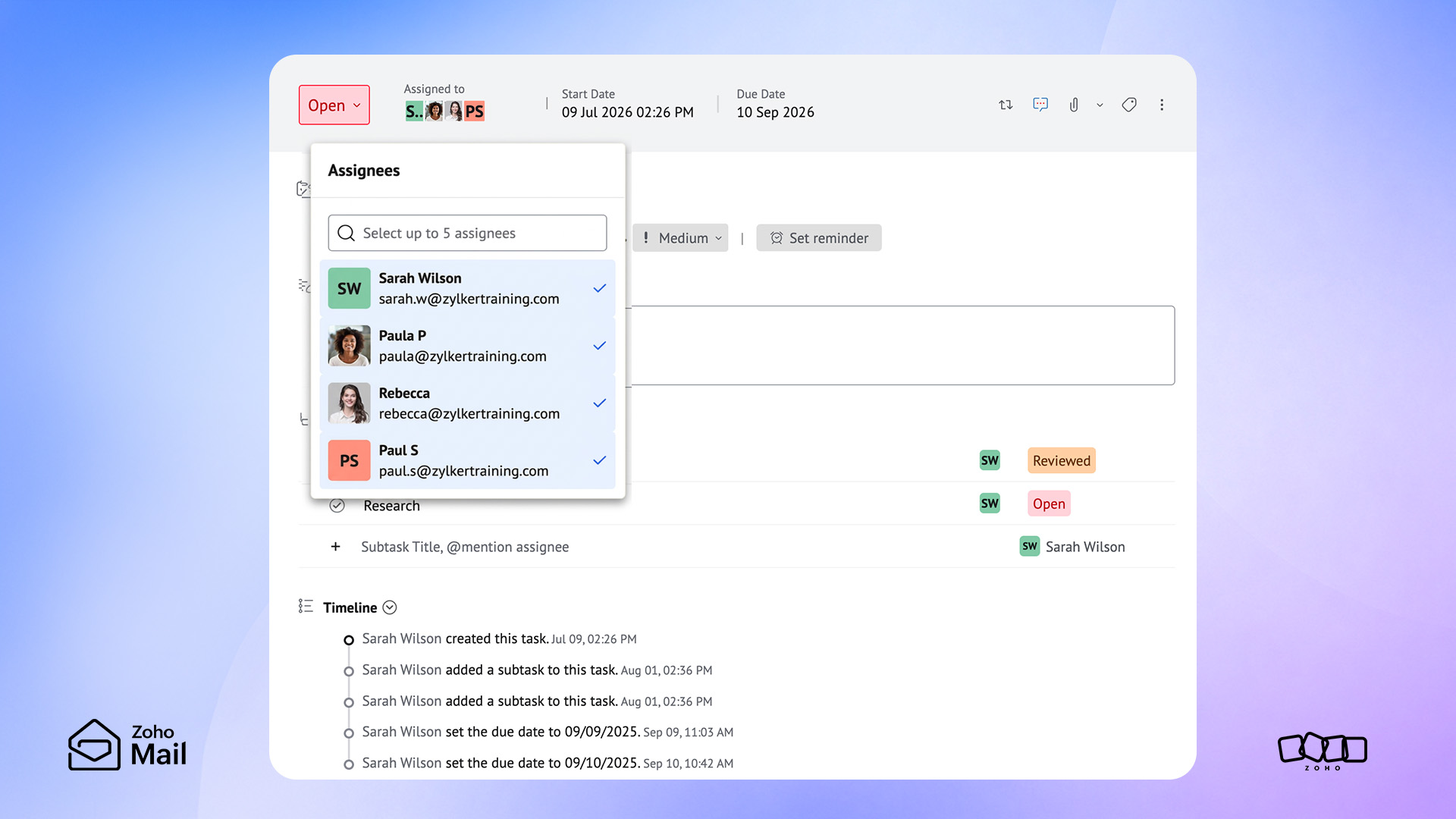
By utilizing Multiple Assignees in Zoho ToDo, a single task can be co-owned by everyone responsible for its ultimate success. Instead of accountability being fractured across identical, disconnected tickets, your team collaborates around one shared objective.
Everyone sees the same task card. Everyone stays perfectly aligned.
Step 3: Break big goals down into manageable work
Even when you have a brilliant team and clear ownership in place, complex tasks can still stall before they even start. The reason is simple: They feel overwhelming.
“Improve customer onboarding” sounds incredibly important. It also sounds absolutely enormous. When a task objective is too broad, it triggers a form of workplace paralysis. Team members look at the master task, get struck by the sheer scale of it, and struggle to figure out where day-one work actually begins.
When you take that massive onboarding initiative and dissect it into a chronological checklist, the perspective changes entirely. Suddenly, the task looks like this:
- Review the current onboarding data and friction points.
- Gather direct feedback from recent customers.
- Draft and update the automated welcome emails.
- Build out the new support and help documentation.
- Design the updated in-app walkthrough guides.
- Run a test of the new workflow with a small control group.
- Launch the program to the public.
Instantly, the primary task feels less intimidating. Progress transitions from a vague feeling into a measurable metric. Execution becomes clear because everyone knows exactly which domino needs to fall next.
However, manually sitting down to reverse-engineer and map out every single phase of a multifaceted takes valuable time—time that project managers rarely have to spare.
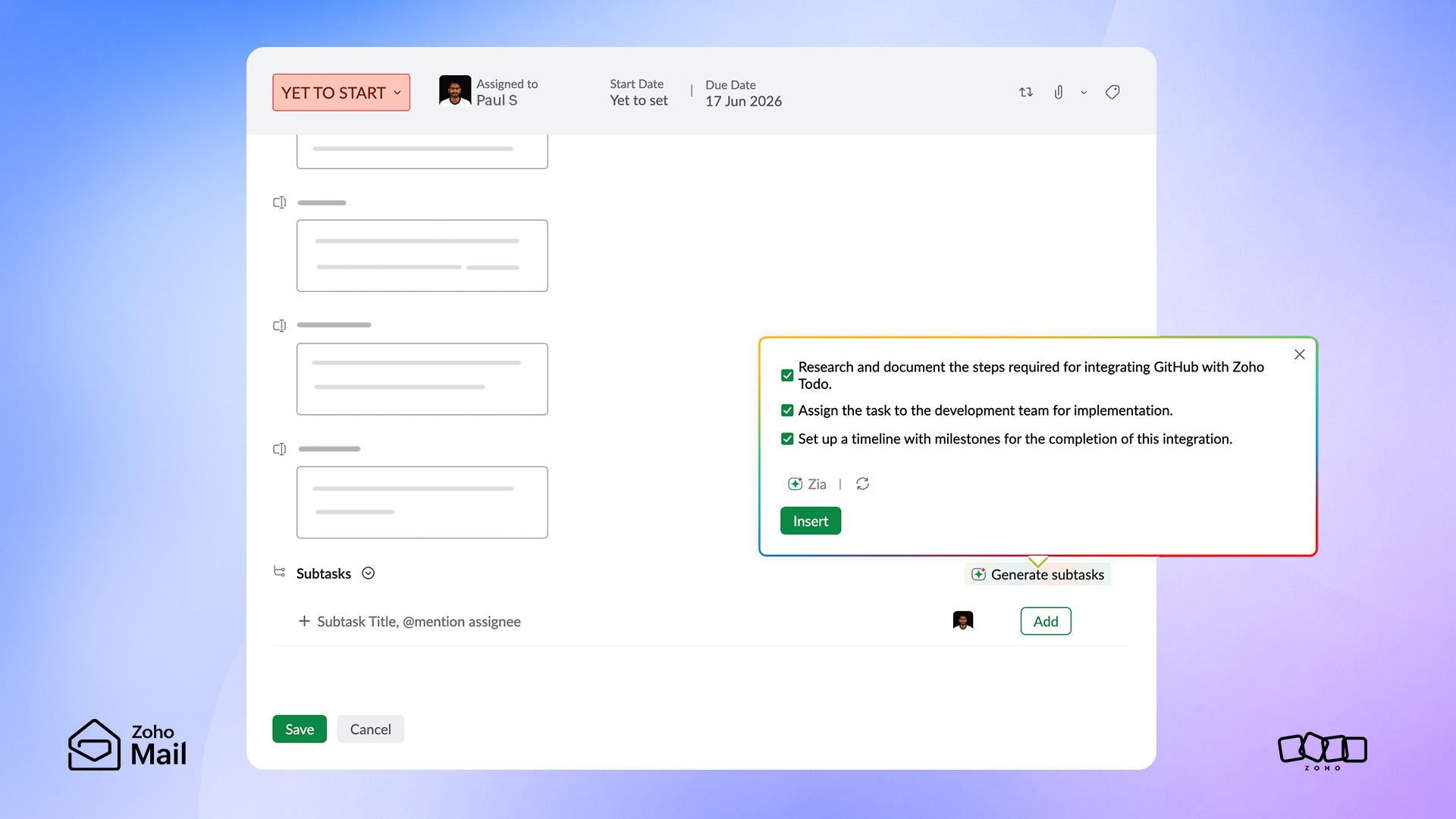
That’s exactly why the Generate Subtasks feature is highly beneficial for modern planning. Instead of staring at a blank screen and wondering what action items you may be forgetting, you can instantly populate a structured, hyper-relevant list of subtasks tailored specifically to the goal you’re trying to achieve.
What used to require 15 minutes of manual typing now happens in a matter of seconds.
Step 4: Productivity shouldn’t come at the cost of control
Artificial intelligence is undeniably helping teams move faster and plan smarter than ever before. But for many organizations—especially those navigating highly regulated industries—pure speed isn’t the only metric that matters.
Flexibility, security, data compliance, and corporate governance are equally critical pillars of a modern operational strategy.
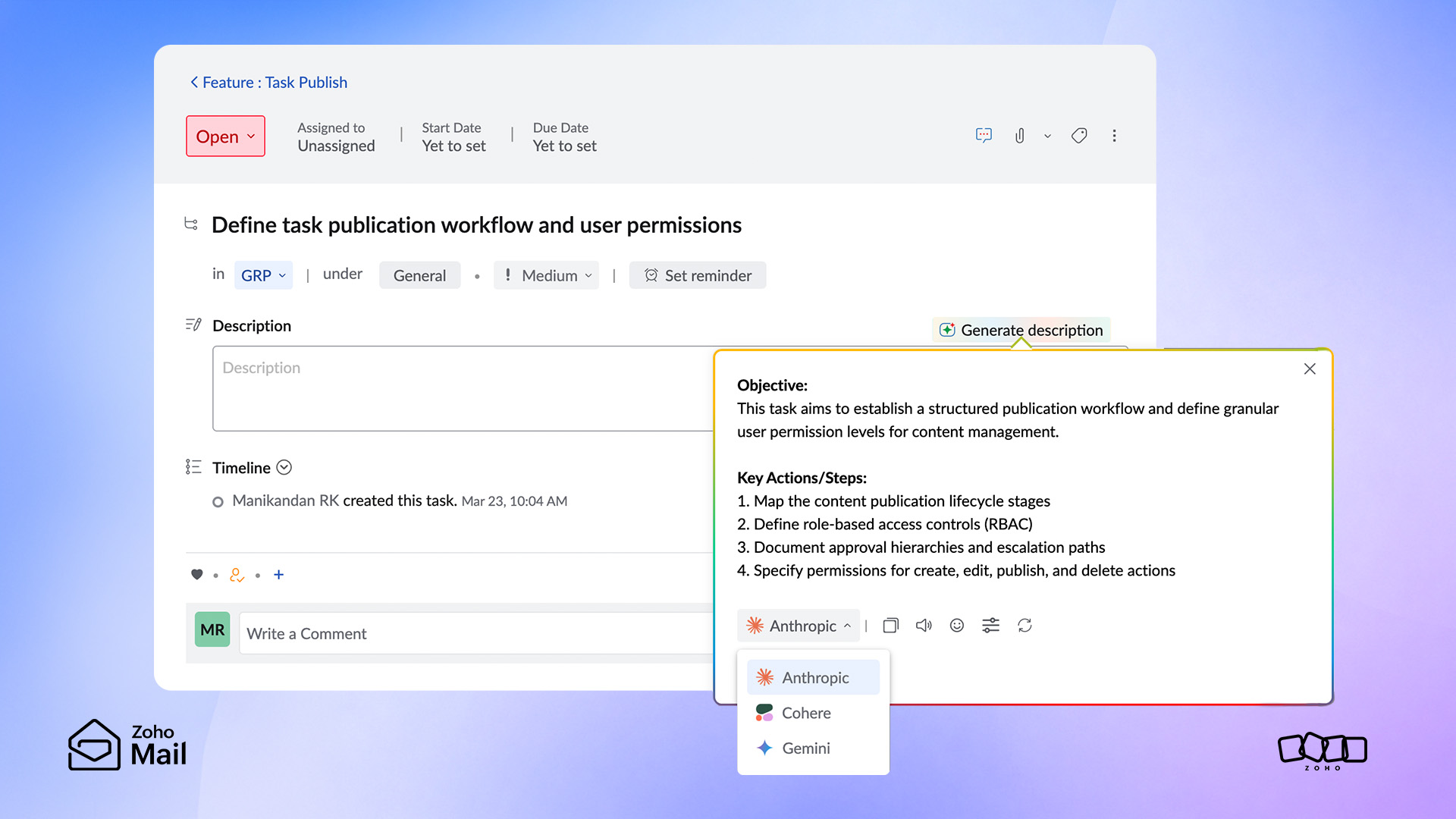
That’s exactly why the Bring Your Own Key (BYOK) capability for the Generate Subtasks feature is such a critical milestone.
BYOK introduces an unprecedented layer of flexibility and customization to your workflow. Instead of being locked into a rigid, one-size-fits-all AI framework, your team has the freedom to choose and integrate your organization’s own preferred AI credentials.
Also, by integrating your organization’s own secure AI credentials, the system automatically adheres to your specific internal data policies, security firewalls, and compliance mandates.
With BYOK, you don’t have to choose between moving fast and staying secure; you can do both seamlessly.
Step 5: Make work visible to the people who need it
A surprisingly common reason why major initiatives stall halfway through comes down to a lack of visibility.
Think about how this plays out in the real world: The strategy is solid. The master task is created. The individuals responsible are actively working on it. But to the rest of the organization? The project is a total black box.
Returning to our customer onboarding initiative, think about how many cross-functional teams actually benefit from knowing how progress is unfolding. Marketing, Product, Support, and Sales all have a vested interest in the timeline, but they shouldn’t have to chase down the project manager to get an update.
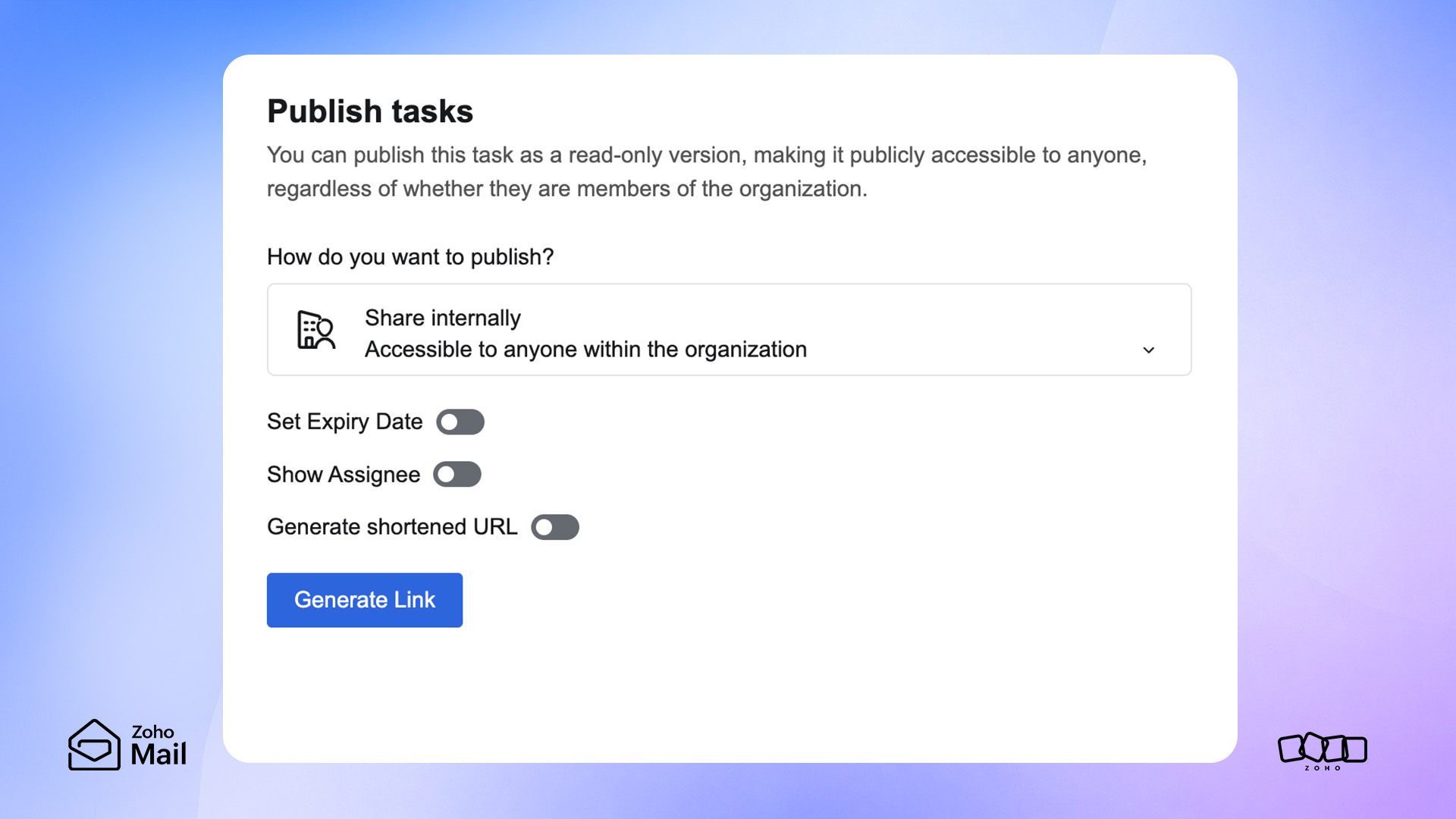
This is precisely where the Publish Task feature completely changes the dynamic.
Instead of confining a task to a siloed group of assignees, teams can securely open up the visibility of critical initiatives to a broader audience across the organization. Whether you’re managing a massive company-wide shift, an upcoming product launch, or a critical project milestone, publishing the task ensures that contextual updates naturally flow to the people who need them most.
Ultimately, visibility reduces workplace uncertainty. And when you eliminate uncertainty, team collaboration becomes infinitely smoother, faster, and more unified.
Step 6: Keep momentum alive
In the modern workplace, projects rarely fall apart because of a lack of initial planning. They fail because over time, momentum naturally begins to fade. Deadlines are quietly missed, daily priorities unexpectedly shift, and critical project updates end up buried beneath a mountain of newer, shinier work.
This is why truly effective task management can’t just be a one-time setup at the launch of a project; it has to be an ongoing, daily practice.
Built-in capabilities like due dates, clear priority tags, and automated reminders in Zoho ToDo act as the guardrails that keep everyone focused on what matters most.
When you bring these elements together, the task stops being a static item on a checklist. It evolves into a workspace where planning, execution, and collaboration happen simultaneously.
Wrapping up: From idea to results
Projects naturally evolve. Corporate priorities suddenly shift. Unexpected roadblocks emerge just when you think you’ve hit your stride. This fluid complexity is simply the reality of modern work. However, when teams have the right task management framework in place, they don’t get derailed by these twists and turns; they navigate them seamlessly without losing an ounce of momentum.
With Zoho ToDo, you move away from chaotic, scattered tracking and lean into a unified workflow:
- A single, isolated task matures into a transparent, shared objective.
- An overwhelming, broad goal is dissected into a structured, manageable plan.
- Siloed uncertainty is entirely replaced by cross-functional visibility.
- Daily progress becomes a clear, measurable metric.
When these pieces align, the operational friction melts away, and work naturally moves forward.

Comments