AI Meeting Notes: Turn meetings into notes with Zoho Notebook

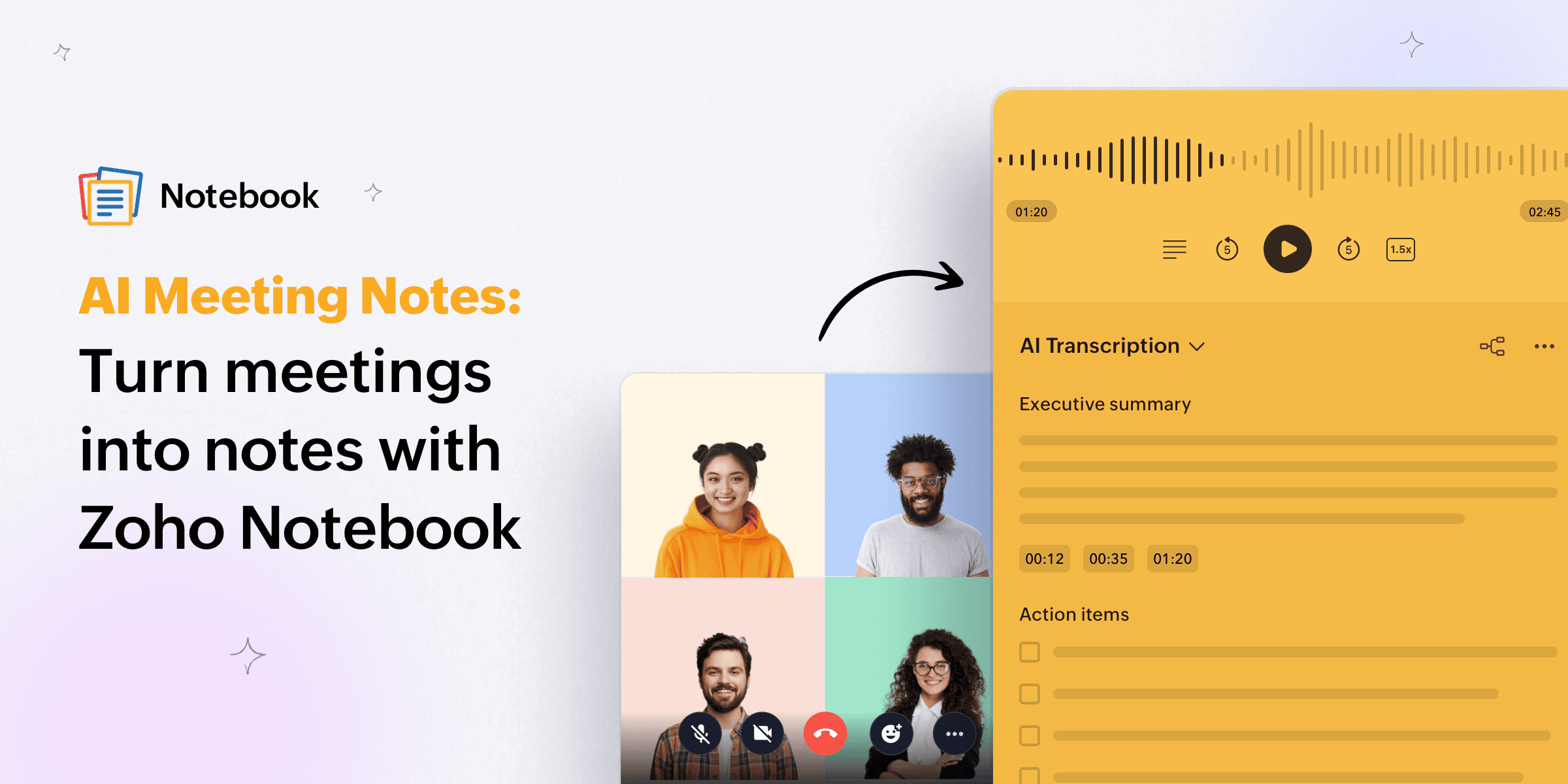
You know that moment right after a meeting ends when you're staring at a half-filled note, trying to piece together what was actually decided, who's doing what, and what the deadline was?
Yeah. We've all been there.
For teams, working professionals, and students who sit through back-to-back meetings, keeping accurate notes isn't just a nice-to-have; it's the difference between a productive week and a chaotic one. But manually typing everything while also trying to be present in a conversation? Nearly impossible.
That's exactly the problem Zoho Notebook's AI Meeting Notes was built to solve.
What are AI meeting notes? Why an AI meeting note taker is essential today
AI meeting notes are automatically generated records of your meetings, created in real time using artificial intelligence. Instead of you frantically typing while your manager talks, the AI listens, transcribes, identifies key decisions, and organizes everything into structured, readable notes.
The appeal is clear: You stay focused on the conversation, and everything is captured automatically.
And the demand is real. In the modern workplace, people attend an average of 11 to 15 meetings per week. Enterprise teams, especially those operating across time zones, often attend even more. Without a reliable system to capture what happened, critical details get lost. Action items slip through, follow-ups get missed, and decisions made in one meeting are questioned again in the next.
AI meeting notes fix this. And Zoho Notebook does it in a way that's clean, integrated, and privacy-first.
How does Zoho Notebook's AI Meeting Notes actually work?
Zoho Notebook isn't just a note-taking app—it's a full productivity platform, and AI Meeting Notes is one of its most powerful features.
Here's what happens when you use it.
1. Real-time transcription (no bots required)
One of the biggest drawbacks of AI meeting tools is the bot that joins your call and lingers in the participant list. It can feel intrusive, raise concerns for clients, and in some cases, even get blocked by certain platforms.
Zoho Notebook's AI Transcription on macOS works differently. It records your meeting directly from your device without needing a bot to join the call. You open Notebook, start your meeting, and it quietly captures the conversation in the background.
For Windows and other platforms, you can also record or upload audio and video for transcription after the meeting, giving you flexibility no matter how you work.
2. Accurate, timestamped transcripts with speaker labels
Once your meeting is done, Notebook AI converts the spoken content into clean, editable text. Transcripts come with:
Timestamps: You can jump to any part of the conversation instantly, instead of sifting through a 60-minute recording.
Speaker identification: Every word is tied to the right person.
Searchable text: Find any topic, name, or decision from any past meeting using just a keyword.
Think of it as turning your meeting into a fully searchable archive. Did someone mention the Q3 budget in passing three weeks ago? You'll find it in seconds.
3. Custom templates, built for your workflow
Every team has its own way of running meetings, and a generic template rarely captures what actually matters to you. With custom templates in Notebook, you can build your own note structure from scratch — add the sections you need, arrange them the way you want, and save it for reuse. Whether it's a weekly standup, a sales call, or a project review, set it up once and it's there every time you need it, exactly the way you left it.
4. AI-generated summaries
Transcripts are useful. But what most people really want is a clean, concise summary of what happened, without having to read through 4,000 words of raw conversation.
Notebook AI does exactly that. It automatically generates a summary of your meeting that captures the key discussion points, decisions made, and action items; all without you lifting a finger. You get well-structured, automated meeting notes in seconds.
5. Instant mind maps from your meeting
This is where we think Zoho Notebook genuinely stands out from most AI meeting tools.
Once your meeting is transcribed, you can convert it into a visual mind map with one click. AI Mind Maps in Notebook help you see the connections between topics, plan next steps at a glance, and make complex conversations easy to digest, which is especially useful for project kick-offs, brainstorming sessions, or any meeting where a lot of ground gets covered.
6. Everything lives in one place
Here's what separates Zoho Notebook from stand-alone transcription tools: Your transcript doesn't live in a separate app.
It lives inside your notes, alongside your highlights, follow-ups, ideas, and context. You don't have to copy-paste between apps or hunt for the recording in a different dashboard.
Who benefits most from Zoho Notebook's AI Meeting Notes?
Remote and hybrid teams
When your team is spread across cities (or countries), not everyone can make every meeting. Using AI meeting notes means anyone who missed a call can catch up in minutes without getting lost in message threads or asking someone to catch them up.
Team Spaces (shared workspaces) in Notebook for Business let teams organize notes by project or department, so everyone has access to the same source of notes.
Sales professionals
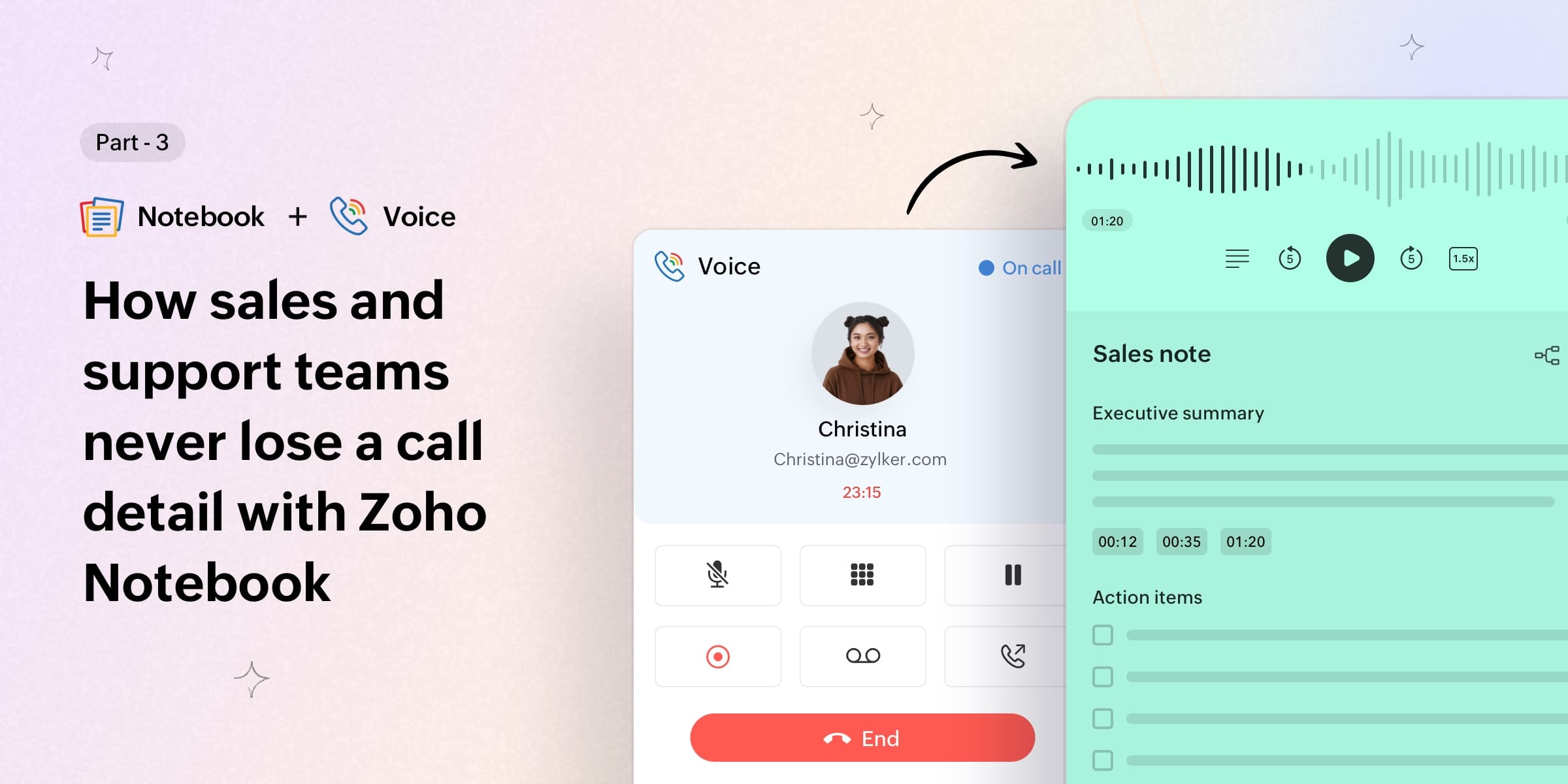
For professionals who move from one meeting to the next all day, AI meeting notes are less of a convenience and more of a necessity. Zoho Notebook integrates directly with Zoho CRM, so notes, summaries, and mind maps from Zoho Voice calls automatically attach to the right CRM record for sales and support teams.
Imagine finishing a client call via Zoho Voice and having the key points already in the CRM before you've even closed your laptop. That's what this integration makes possible.
Students
Zoho Notebook's AI Meeting Notes isn't just for the corporate world. Students who attend lectures, seminars, or hold study group calls can record and transcribe sessions, then turn them into structured study notes.
And here's the best part: Notebook AI is completely free for students with a verified educational email.
Anyone who attends back-to-back meetings
Whether you're a freelancer or an online educator, it still works for you. If your calendar is packed and you’re always catching up, Notebook’s AI Meeting Notes keep things under control. Record, transcribe, summarize, and get back to what matters.
Zoho Notebook vs. other AI meeting note tools
There are a lot of dedicated tools in the marketplace, but when the meeting ends, your notes live in their dashboard. You have to export them, copy them somewhere, or integrate them into another app to use them.
Zoho Notebook is different because it's a complete productivity workspace, not just a transcription service:
Feature | Zoho Notebook | Other Tools |
AI transcription | ✅ | ✅ |
| Custom templates | ✅ | ✅ |
Auto-generated summaries | ✅ | ✅ |
AI mind maps from meetings | ✅ | ❌ |
Notes live inside your workspace | ✅ | ❌ |
CRM integration | ✅ (Zoho CRM) | Limited |
Bot-free recording (macOS) | ✅ | Some |
Privacy-first | ✅ | Some |
Free for students | ✅ | ❌ |
Works across all platforms | ✅ | ❌ |
Is my data safe in Zoho Notebook?
Let’s be honest—when AI helps with your meetings, privacy matters. Zoho Notebook uses both Zoho's own LLM and third-party AI to assist with tasks like transcriptions and content suggestions, but only with your consent.
Zoho Notebook is built with a privacy-first model. Your data is handled securely, and you remain in full control. You can delete any recording or transcription whenever you want. This transparency and control ensure that your sensitive information stays protected, which is especially important for teams in healthcare, legal, or finance.
How to use AI Meeting Notes in Zoho Notebook
Open Zoho Notebook and head to Settings → Notebook AI to start your free trial or subscribe.
Once it’s enabled, create a new note and use the Audio/Record option to record your meeting, or upload a recording you already have.
Save the note, and your recording will be transcribed automatically in seconds.
Open the note to see the transcription. You can switch between Raw Transcript (exact words spoken) and AI Transcript (a polished, well-structured set of meeting notes).
You can now quickly go through your meeting notes anytime without replaying the entire conversation.
If you're already using Zoho Meeting, your notes can be associated directly with each meeting session, so your notes and your meetings are always connected.
Wrapping up
AI meeting notes are no longer optional. They've become a practical tool that thousands of professionals and students use every single day to stay on top of their work.
Zoho Notebook brings this capability into a workspace you'll actually use every day, without the need for a bot or a separate tool to manage your transcriptions. It's note-taking, transcription, summarization, and collaboration—all in one place.
Explore Zoho Notebook's AI Meeting Notes
Have questions about Notebook's AI features? Drop them in the comments or reach out to support@zohonotebook.com. We'd love to connect with you.
Happy note-taking!
Comments
6 Replies to AI Meeting Notes: Turn meetings into notes with Zoho Notebook
I am retired. Can I use Zoho Notebook to record doctor’s appointments and how much does it cost?
Hi Bonnie, absolutely! Zoho Notebook is a great way to keep track of your doctor's appointments, medical notes, and anything else you need to stay organized. The best part is our free plan is available forever, so you can get started without spending a thing. Simply download the app, create an account, and you are all set. You can check out our website (https://www.zoho.com/notebook/) to learn more and download Notebook for the device of your choice. We hope it makes things a little easier for you! Have any questions? Write to us at support@zohonotebook.com.
Does it support Arabic conversations? In other words, does it transcripe Arabic voice?
Hey Hasan! Arabic is on our roadmap, and we're working on bringing it to you. Stay tuned for updates!
What languages it uses
Hey Mamo! We currently support English, Spanish, French, German, Italian, Dutch, Russian, and Hindi. More languages are on the way, so stay tuned for updates!