Indian businesses, take note: Zoho Sign expands e-Stamping support across India

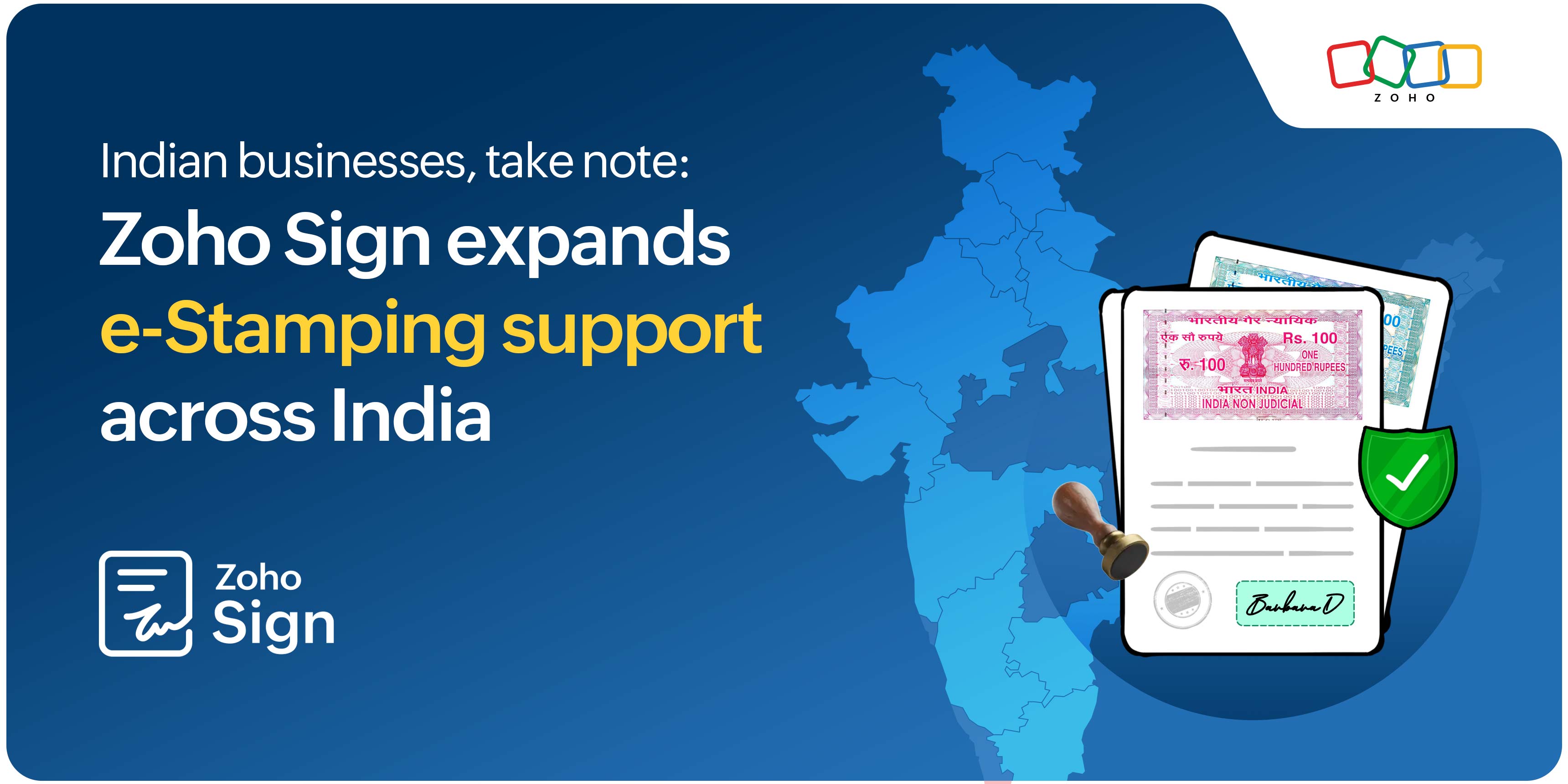
In India, businesses must pay stamp duty on certain agreements and documents to make them legally valid and admissible in court, and as a measure of title security. However, buying physical stamp paper or getting them franked at a vendor or service centre is often tedious and time-consuming.
e-Stamping offers an easier way to handle this. It is a digital process that allows Indian residents and businesses to pay non-judicial stamp duty to the government online and append a digitally rendered e-Stamp challan or scanned copy of the physical stamp paper or e-Stamp certificate to electronic documents.
This is a simple, legally valid, and convenient way to get documents stamped, and it's now widely used for business agreements across India.
How e-Stamps are issued in India
In July 2013, the Indian government introduced an electronic stamping system, making it possible for businesses and individuals to pay stamp duty online. The Stock Holding Corporation of India Limited (SHCIL) issues all the requested eStamps. Only the SHCIL is authorized to maintain records of both issued eStamps and applications for new eStamps. To make the process more accessible, SHCIL has authorised collection centres (ACCs) across India that issue e-Stamp certificates to applicants.
How e-Stamping works in Zoho Sign
Zoho Sign helps Indian businesses manage e-Stamping and digital signatures through a secure, end-to-end agreement workflow. It is built for legally compliant agreement execution, in line with India's Information Technology Act, 2000.
We already offer Aadhaar eSign, which allows users to sign business documents using their Aadhaar credentials. Now, businesses can also pay stamp duty and collect signatures on documents completely online in a single workflow.
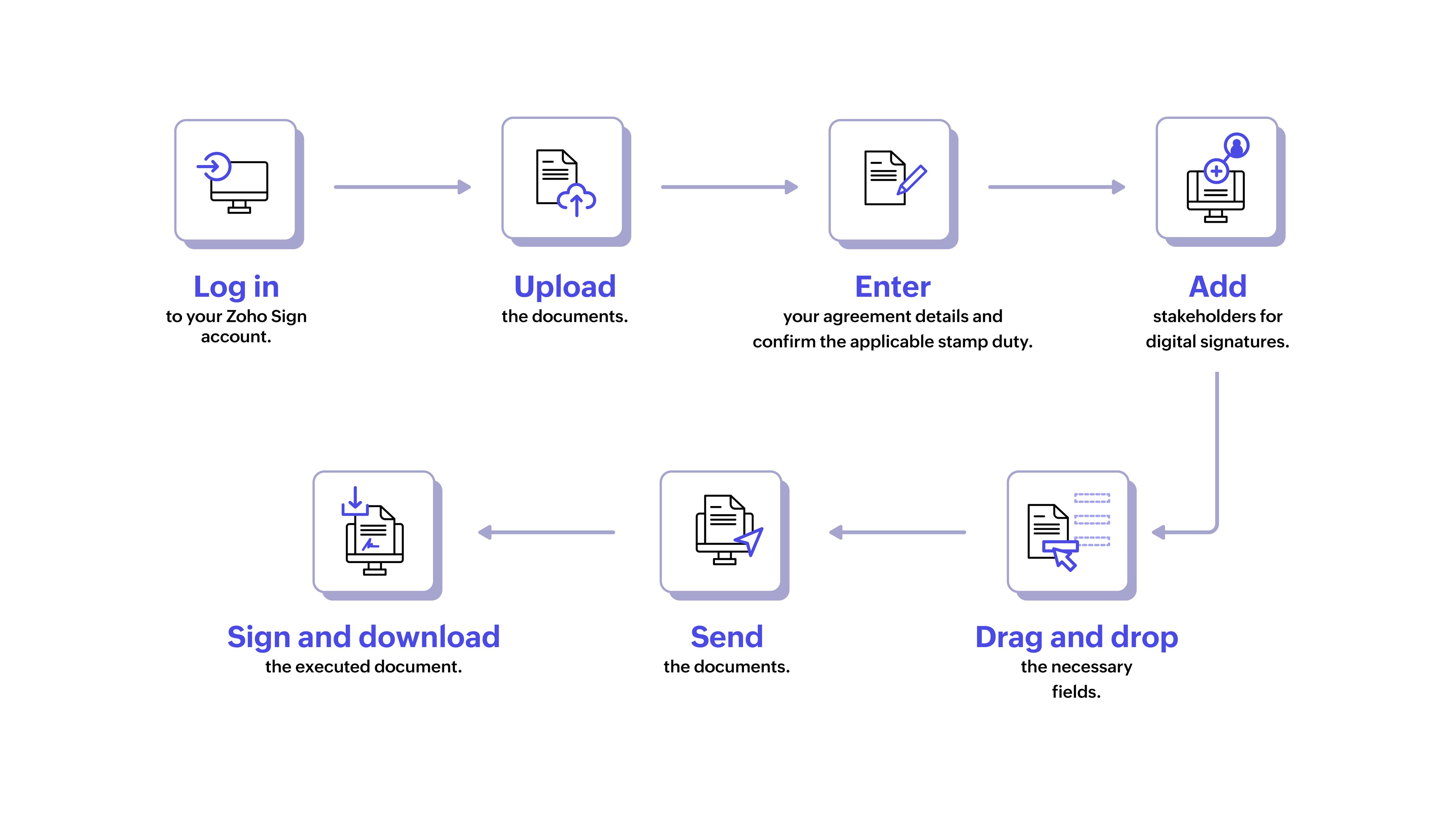
Here's a visual overview of the process
From the horse's mouth
"Zoho Sign's user interface is very intuitive. With simple training, anyone can adopt it within a short span of time. Document turnaround time and travel hassles are no longer a challenge. Zoho Sign's features, such as the integration with Aadhaar, e-stamping facility, and sequential signing, are also impressive benefits, apart from its affordability."
— Sriram Narayanan
A.V.P of IT, Paragon Footwear
Choose the e-Stamping vendor in Zoho Sign that works best for you
Zoho Sign supports e-Stamping through Melento (Formerly SignDesk) and eDrafter. Use the table below to compare both the vendors and choose the one that best fits your requirements.
Aspect | Melento (Formerly SignDesk) | eDrafter |
Processing fee | ₹48 per transaction will be added in addition to the stamp duty amount.* | ₹24 per transaction will be added in addition to the stamp duty amount.* |
Processing time | Usually instant. For Maharashtra, processing may take up to 6 hours. | Processed within 1–4 business hours across supported states. |
What is affixed to the contract? | An e-Stamp challan (acknowledgement receipt) is affixed to the contract before it is sent for signature. | A scanned copy of the physical e-Stamp certificate is attached to the document before it is sent for signature. |
Physical stamp paper delivery | A physical copy is couriered once every three months. | A physical copy is couriered once every three months. |
Supported states and territories | Delhi, Gujarat, Karnataka, Maharashtra, Rajasthan, Tamil Nadu | Andaman & Nicobar Islands, Andhra Pradesh, Chandigarh, Delhi, Gujarat, Haryana, Himachal Pradesh, Jammu & Kashmir, Jharkhand, Karnataka, Ladakh, Meghalaya, Puducherry, Punjab, Rajasthan, Tamil Nadu, Uttar Pradesh, Uttarakhand |
*Volume-based discounts available
Documents that require or benefit from e-Stamping
Vendor agreements
Service agreements
Rental or lease agreements
Loan agreements
Financial contracts and disclosures
Indemnity bonds
Powers of attorney
Affidavits and other monetary agreements
Mortgage collaterals
Property purchase agreements
Note: This is not an exhaustive list. Stamp duty requirements can vary across states and transaction types. If you're unsure whether a document requires stamping, kindly check with a legal professional.
Why Indian businesses prefer e-Stamping over traditional stamping
Aspect | Traditional stamping | e-Stamping with Zoho Sign |
How it works | Uses physical seals, stamps, or ink on paper documents | Uses digital signatures, or unique identification codes to validate documents |
Background | Has been used for many years in business and government processes | A modern alternative that supports digital-first business processes |
Effort required | Requires printing, stamping, and handling paper documents | Lets users append stamps electronically without manual paperwork |
Access | Requires a trip to an authorised vendor or service centre and is limited by their location and operating hours | Accessible from anywhere with an internet connection, at any time |
Ease of use | May require travel, shipping, or in-person processing | Processed instantly or within one to four business hours for most states. |
Security | Physical stamp papers have a high chance of being forged, or reused without authorisation | Digital records and unique identifiers prevent fraud and reduce the risk of misuse |
Legal acceptance | Recognised under the Indian Stamp Act, 1899 and state stamp laws | Equally valid under the same laws, and further supported by the Information Technology Act, 2000 |
Cost | May involve spending on paper, printing, storage, and courier services | Reduces many costs linked to paper-based processes |
Resources to help you get started
If you'd like to learn more about e-Stamping in Zoho Sign, the resources below can help:
Help document | Conceptual overview | Walkthrough video
Ready to try it out? Sign up for a free 14-day trial at zoho.com/sign.
If you have any questions or feedback, just write to us at support@zohosign.com, or leave a comment below!

Comments