Zoho Sign takes a bite of Apple's latest: iOS 27, iPadOS 27, and macOS Golden Gate

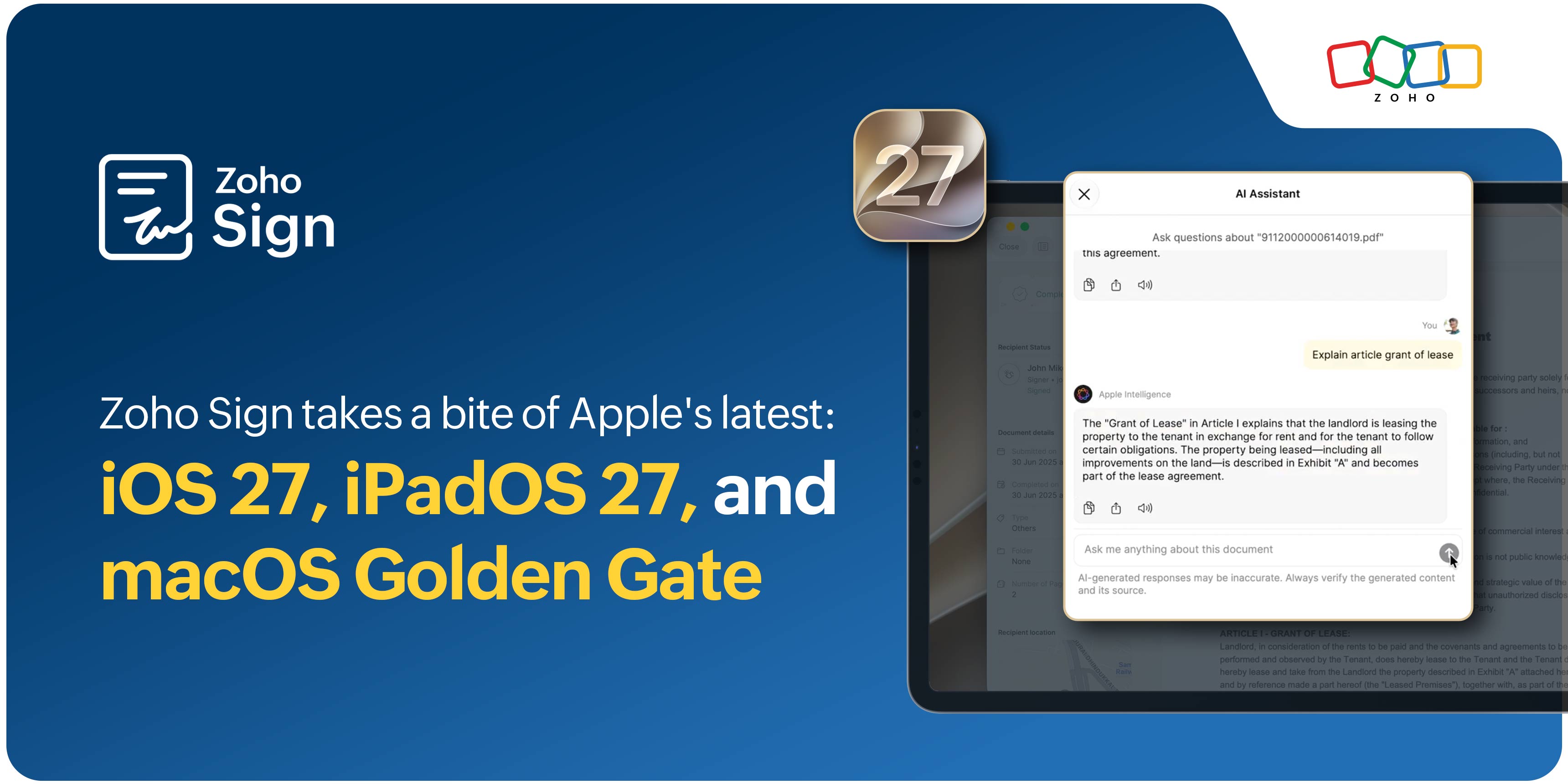
It's September, and you know the drill. Apple just handed us a fresh batch of releases, and there's plenty to look forward to.
Apple's 37th Worldwide Developers Conference took place in June at Apple Park, in Cupertino under a bright early summer sky, where they unveiled iOS 27, iPadOS 27, and macOS Golden Gate.
With the rejuvenation of Siri AI, a more closely woven Apple ecosystem, and the broader, system-wide suite of Apple Intelligence features, dare we say 2026 is Apple's most significant year yet?
With so much changing across the Apple experience, what does it mean for the way you sign and manage agreements? You best believe Zoho Sign is coming along for the ride! Here's what to expect as these updates make their way into the devices you use every day.
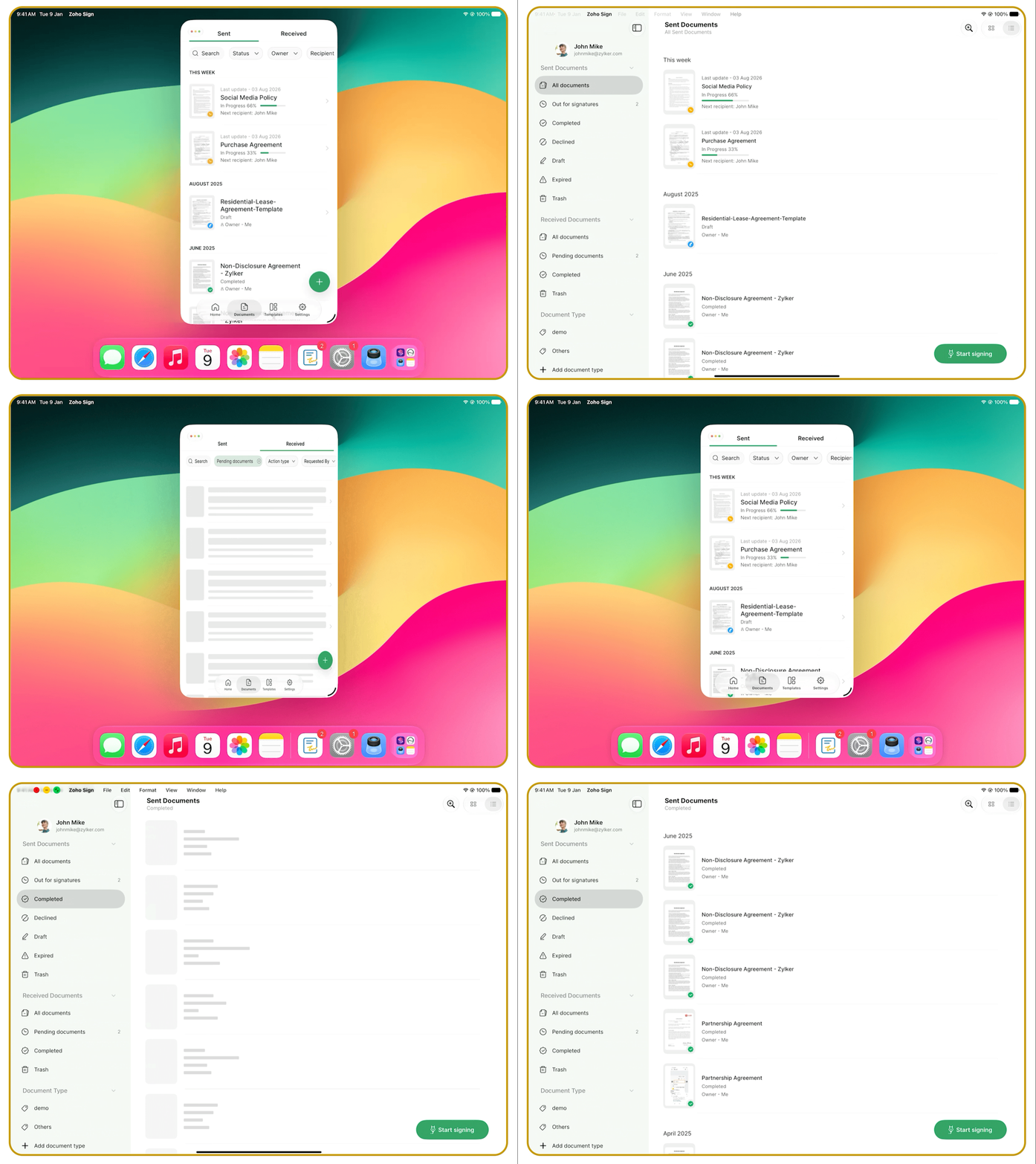
1. With app resizability, Zoho Sign rolls with however you size it.
Reviewing an agreement with your inbox open on the side? You don't have to fiddle with things anymore. Resize Zoho Sign to fit your screen, and it automatically adjusts its layout to make the most of the available space. So whatever screen size or multitasking setup you're working in, it adapts right along with you.
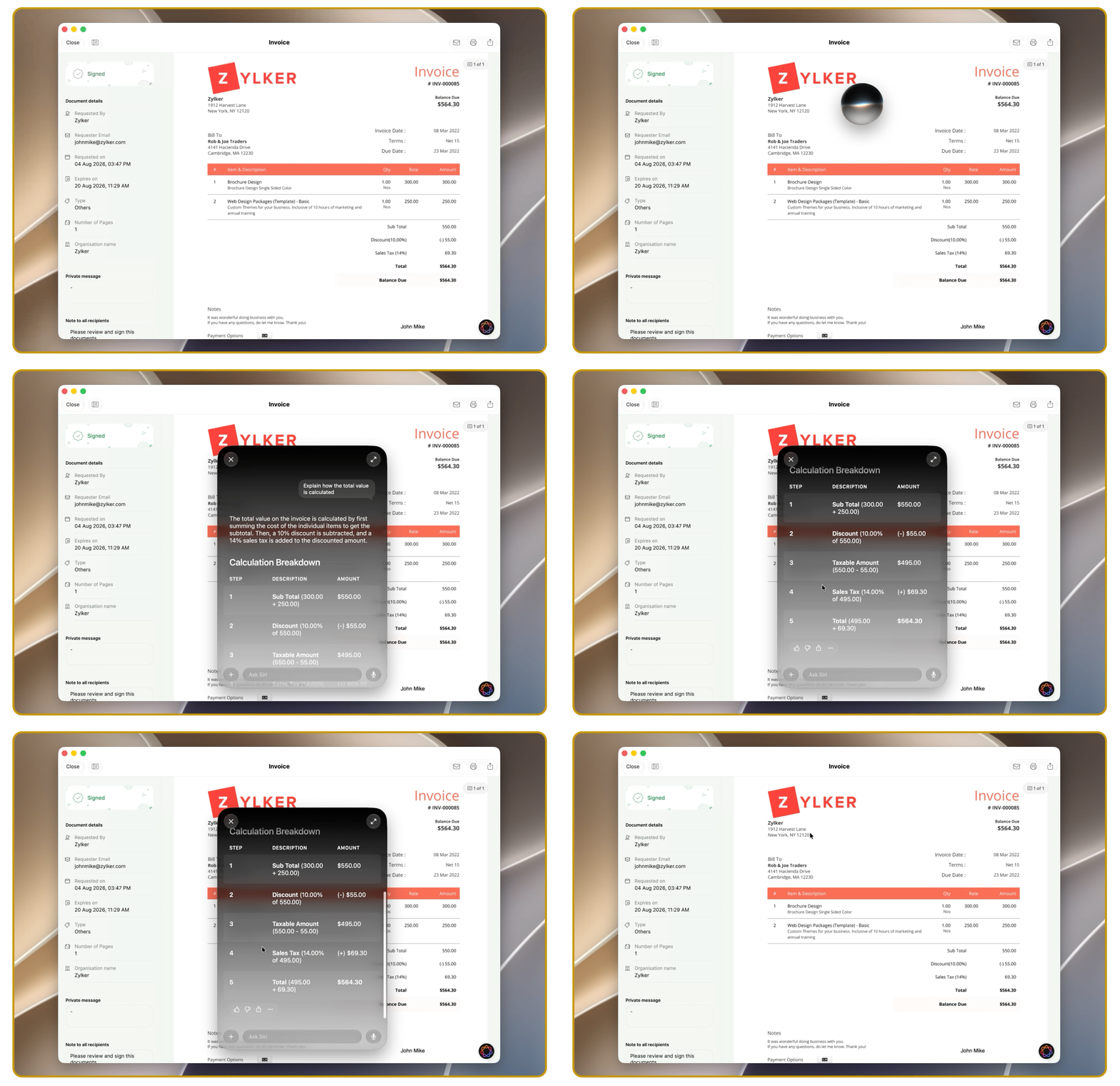
2. On-device awareness brings the answers, right where you need them.
You're halfway through an agreement when a legal term brings you to a halt. Normally, that means leaving the document, opening another app, searching for an explanation, and then finding your way back to the clause you were reading. With on-device awareness, you can get answers about what you're reading, look up unfamiliar terms, explore related topics, or get more context without switching apps. The information appears right where you need it, so there's no detour.
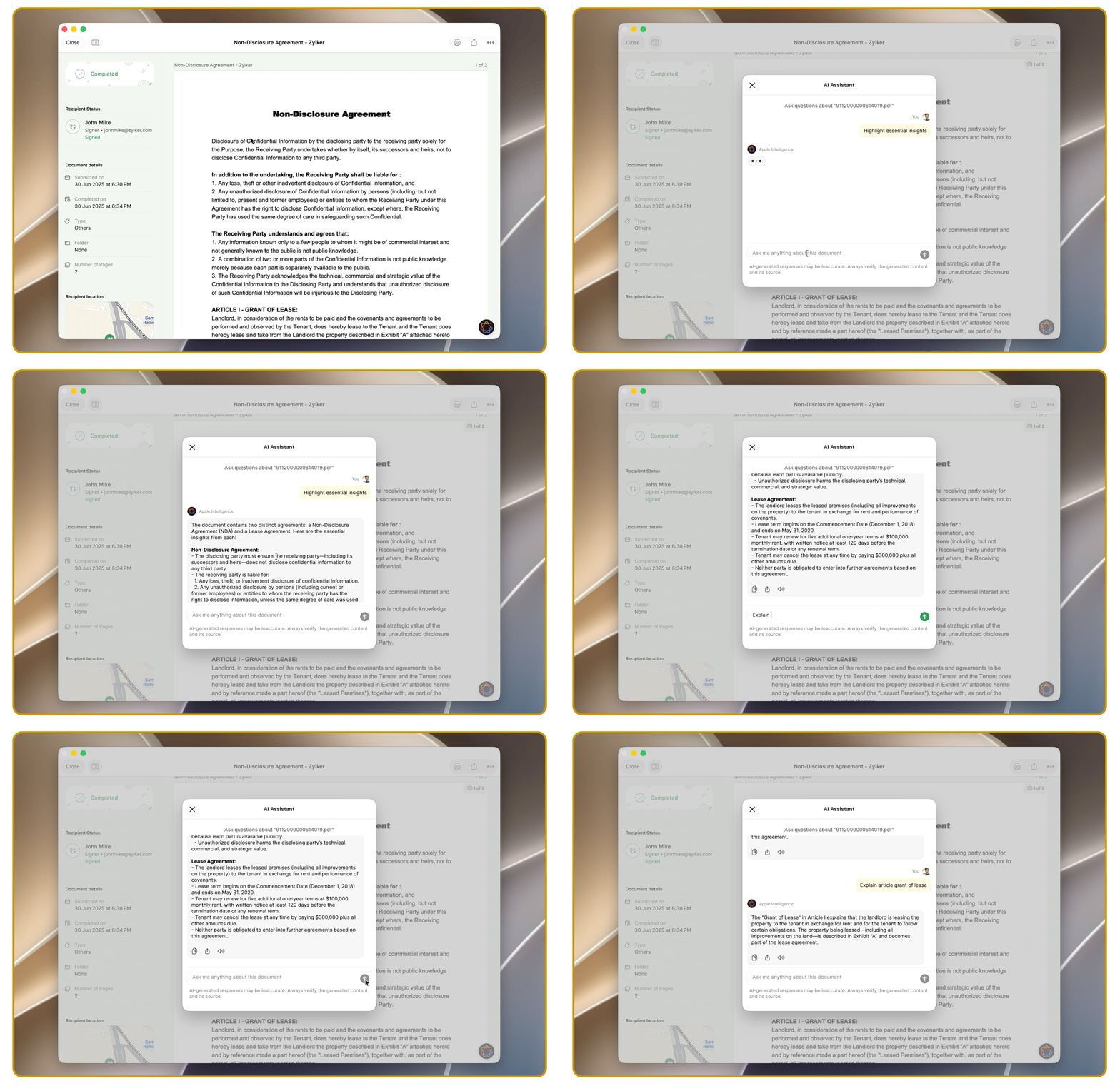
3. Get the long and short of it with the Apple Foundation Models.
Got a 20-page agreement to review before you sign? Instead of working through every line to find the important bits, Apple Foundation Models can assist in getting you a quick summary, surface details like renewal terms, cancellation clauses, and key obligations, and answer questions as you read. It's a simpler way to get your bearings before you sign, without having to read it multiple times.
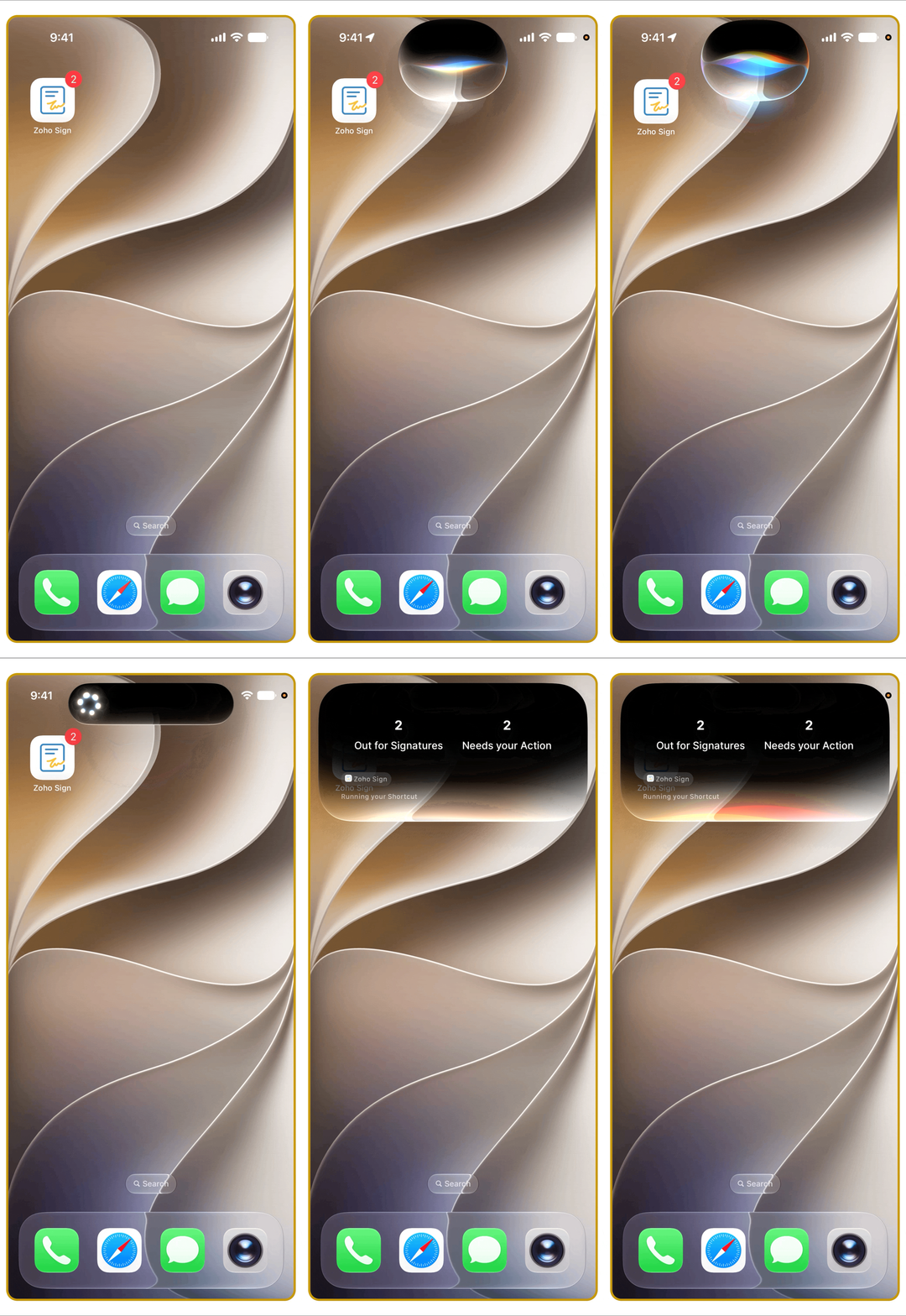
4. Siri AI with App Intents lets you find and manage agreements. All you have to do is ask!
You're about to walk into a meeting, and the one agreement you need has vanished. Or you're waiting on a signature and want a quick update without going down the rabbit hole of opening apps and rummaging through tabs. With Siri AI and App Intents, you can simply say what you need in a natural voice command: open an agreement, check its signing status, or bring up documents waiting on your action. It's great for those moments when your hands are busy or you're already working elsewhere on your device.
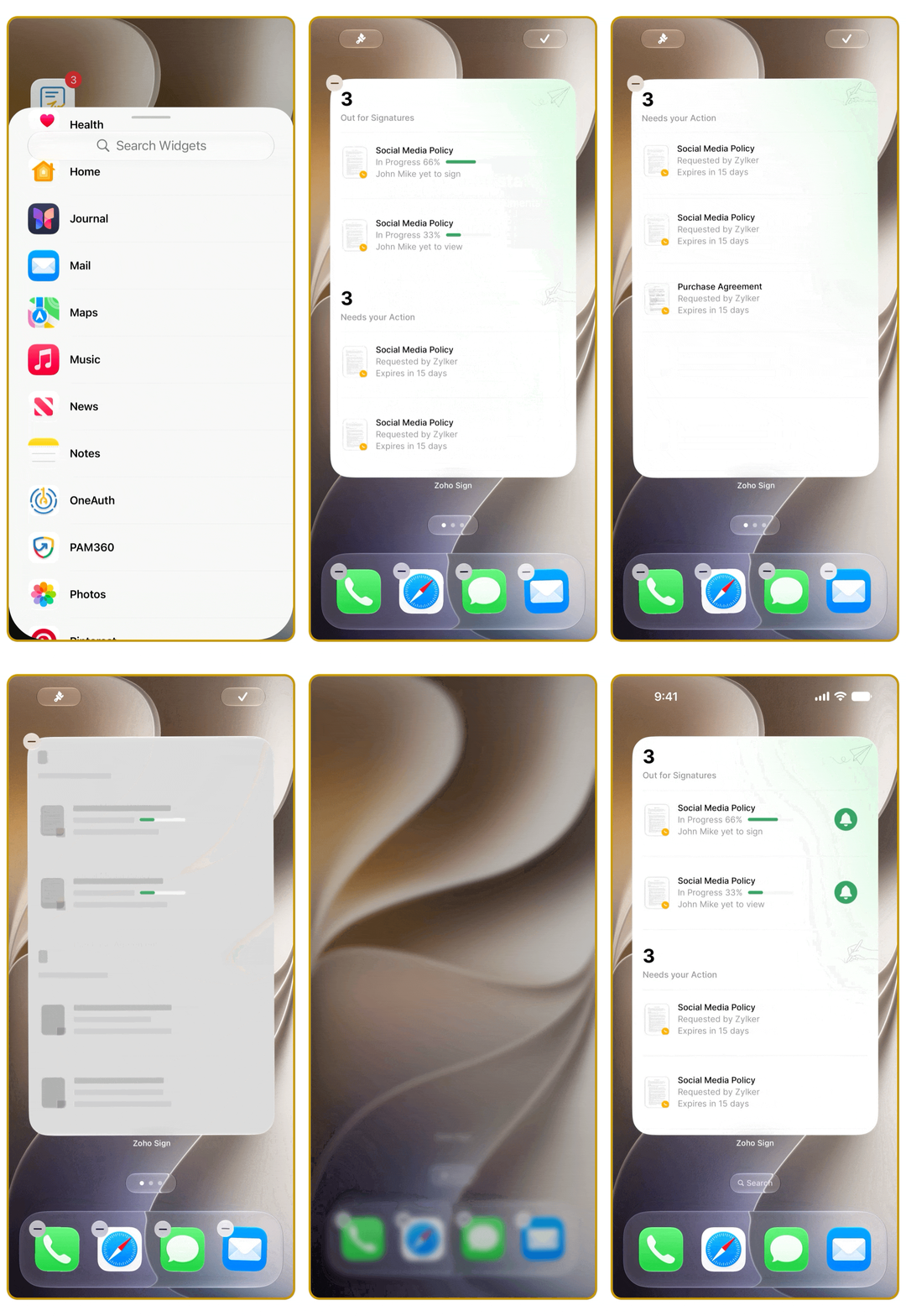
5. The all-new portrait widget puts your to-do list on the Home Screen.
You don't always need to open Zoho Sign just to see what's waiting. Maybe there's a document you still need to sign, or an agreement you sent out that's been held up with the other party. The all-new portrait widget gives you a quick view of your recent activity, so you can see what needs signing, check where sent documents stand, and keep an eye on agreements with more context without opening the app.
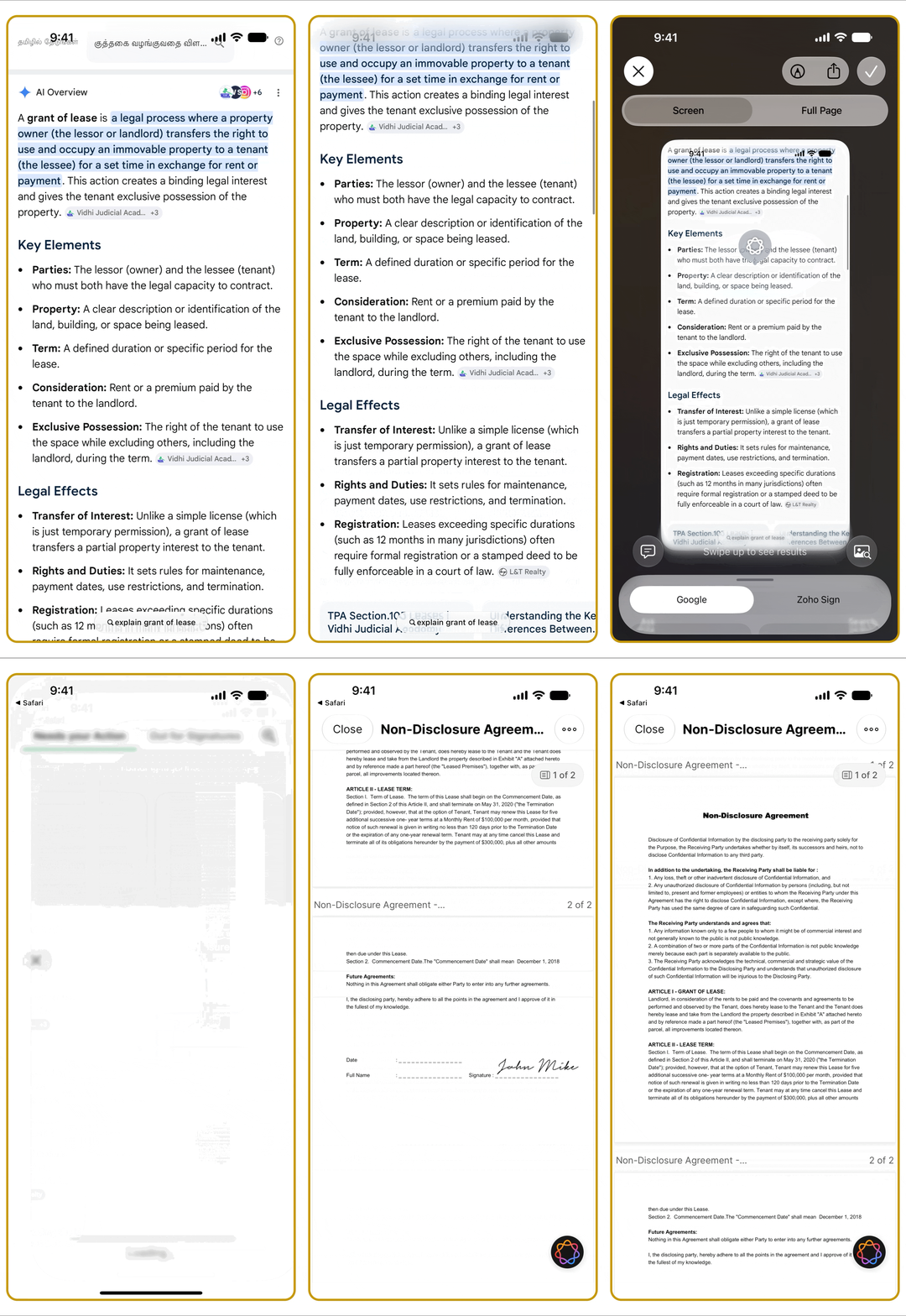
6. Visual Intelligence turns "I saw it" into "I've got it."
Not every document you need to sign starts out in Zoho Sign. You might spot one in an email, come across it on a webpage, or even find it in the world around you. Visual Intelligence helps you spot those documents and the details associated with them, then bring them straight into Zoho Sign. From there, you can review the document, sign it, or take the next step.
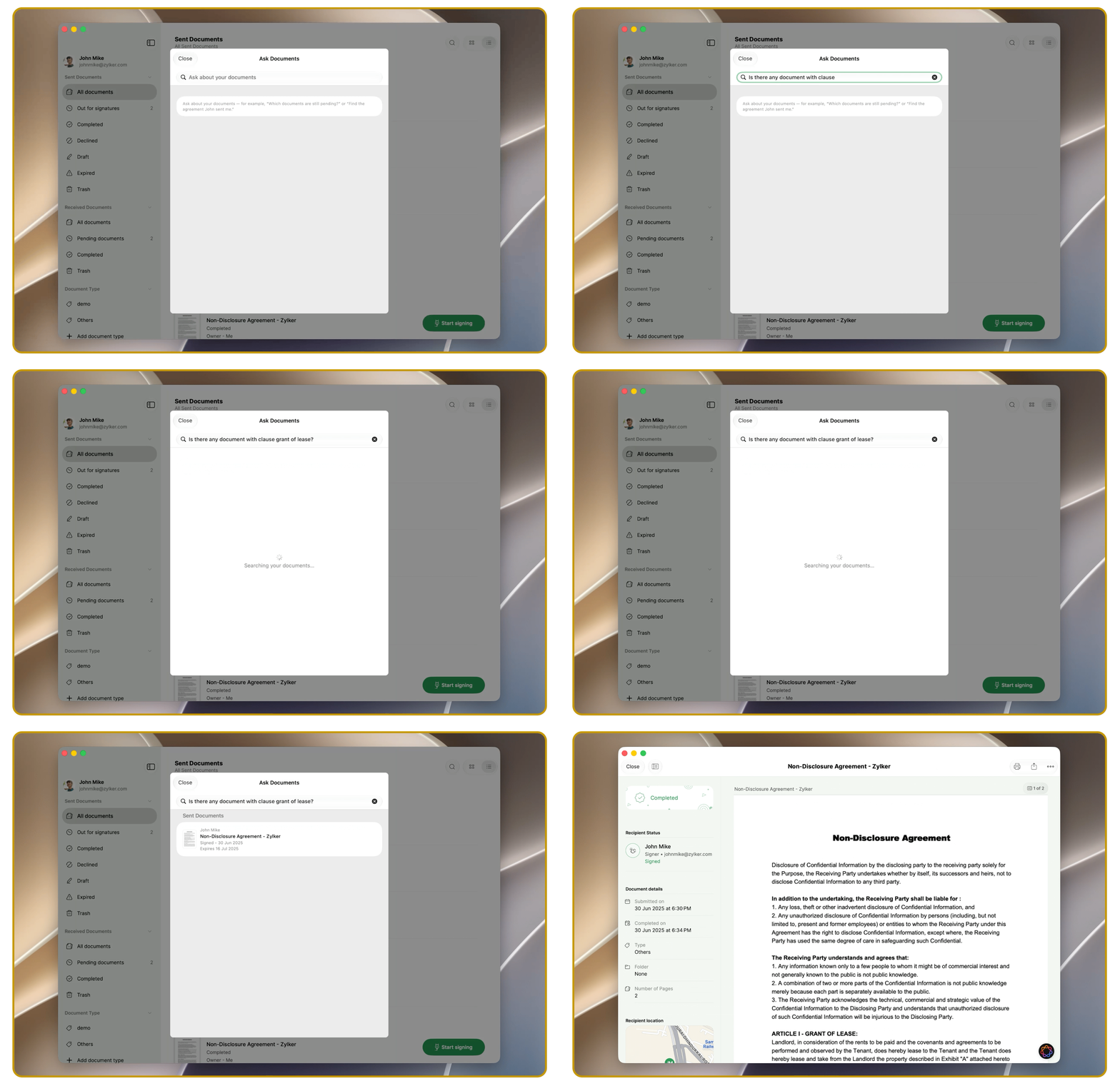
7. Apple's Core ML + Spotlight help the right agreement find its way to you.
You remember the agreement. You know it's somewhere on your device. Finding it, though, is often an exercise in patience—scrolling through folders, opening files, and wondering why the one document you need is always the hardest to find. Apple's Core ML uses on-device intelligence to bring forward what you need, while Spotlight makes documents and related actions easier to find. This way, you can get to the agreement faster and get on with your work.
Update to iOS 27, iPadOS 27, and macOS Golden Gate today. Download the latest Zoho Sign app now.
Give the new experience a try and see what feels different. Found a favorite? Something we could do better? Tell us in the comments below, or write to us at support@zohosign.com or support@eu.zohosign.com, if you're in the EU.
Comments