Zoho Translate on OS 27: All of Apple’s latest from 2026, inside your translation app

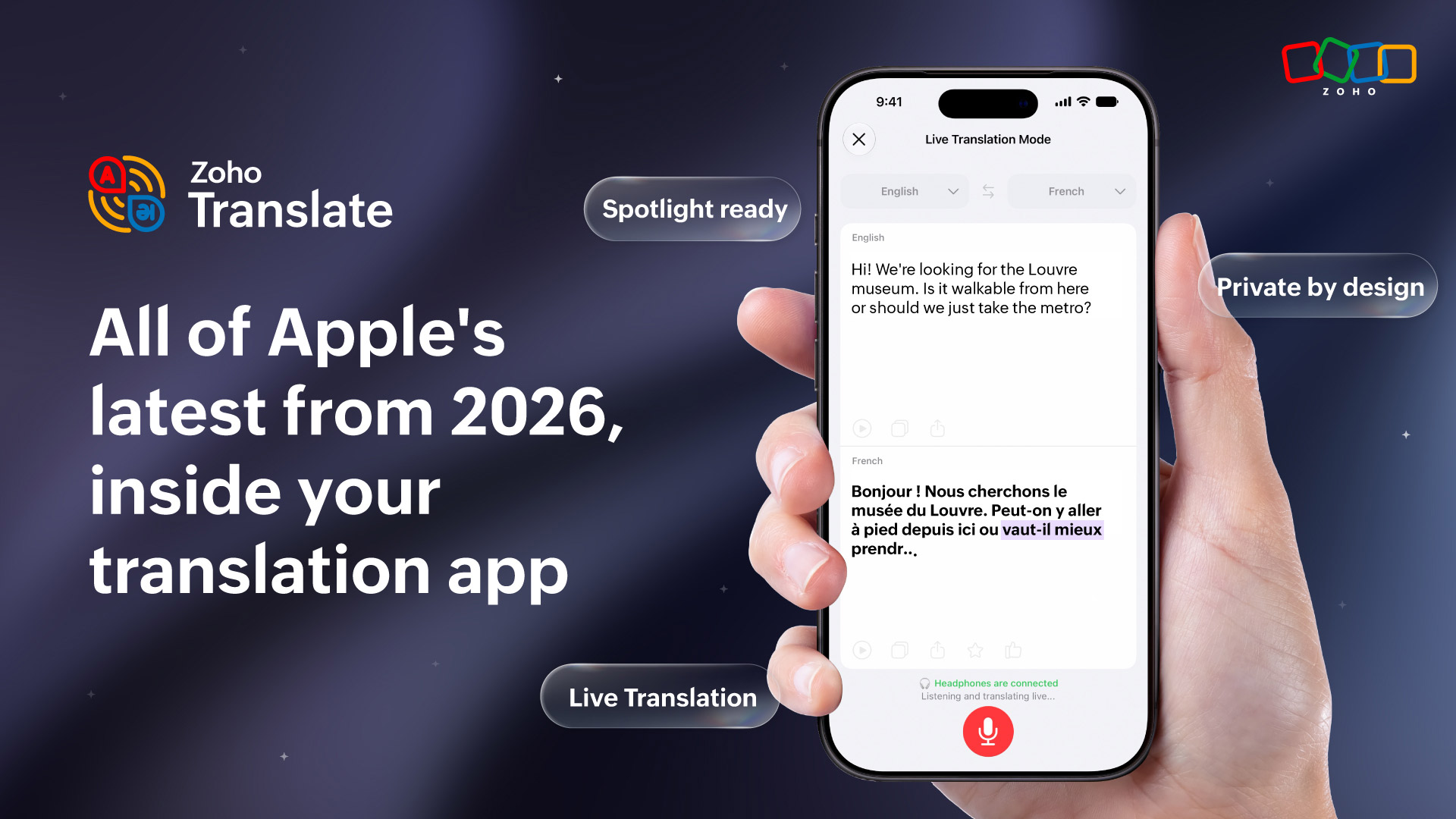
If you haven’t tried Zoho Translate yet, here’s your sign to start. Zoho Translate is a translation app that does a lot more than just convert words from one language to another. It handles conversations, documents, audio, camera translation, and more, securely, all in one place. And with the latest Apple updates, it just got a whole lot more capable.
Apple had a strong year, and Zoho Translate made sure to bring every bit of it along. Whether you travel, work across languages, or just find yourself staring at a webpage wondering what it says, this update has something for you. Here’s everything new for iOS 27, iPadOS 27, and macOS 27 Golden Gate.
Translations that actually understand what you mean
This is the one that changes everything. Apple’s on-device Foundation Models now power the translation intelligence inside Zoho Translate. That means, translations are no longer just word-for-word conversions. Zoho Translate now understands context and intent, so what comes out on the other side actually makes sense the way the original did. You can even see why a particular translation was suggested, review the tone and quality, and get deeper insights into the content you’re translating. All on your device. All private.
For anyone who has ever gotten a translation that was technically correct but completely missed the point, this is the update you’ve been waiting for.
Live translation that actually keeps up with the conversation
Real-time translation is one of those things that sounds great in theory but has always had a slight delay that made it feel a little awkward in practice. Not anymore. Live Translation in Zoho Translate now follows spoken conversations with minimal delay, making it genuinely useful for meetings, travel, customer interactions, and everyday conversations across language barriers. The translation flows with the conversation rather than chasing it. Once you use it in a real situation, the difference is immediately obvious.
Ask Siri to translate anything
Siri integration this year means your translation workflows are now just a voice command away. Ask Siri to show you a translation you used last week. Ask it to start a bilingual conversation. It handles all of it through simple natural language requests without you having to open the app and navigate anywhere. For anyone who translates on the go, having Siri handle the heavy lifting is a genuinely useful addition.
Find any translation you’ve ever made from Spotlight
Core Spotlight integration lets your translation history, saved phrases, translated documents, and multilingual conversations be searchable directly from system-wide Spotlight search. Type a phrase, a word, or even a language name and the right result comes up without you opening Zoho Translate at all. For frequent travelers or anyone who saves useful phrases for specific situations, this one is going to save a lot of time.
Your most used translations, right on your home screen
The new Portrait widget puts your most frequently used translations and travel phrases on your home screen so you can access them without opening anything. If you’re someone who reaches for the same phrases regularly, whether for work, travel, or everyday conversations, having them one glance away is exactly the kind of small thing that makes a big difference in practice.
A fresh new look that feels right at home on iOS 27
Zoho Translate got a full Liquid Glass redesign this year across iPhone, iPad, and Mac. Translation, conversation, audio, and all of the key controls are adapted to Apple’s latest design language while keeping the translated content exactly where it should be, front and center. It looks and feels like it belongs on your Apple device, forever.
Ready to break some language barriers?
Update Zoho Translate and your Apple devices to the latest versions, and try it for yourself. Whether you’re travelling, working across languages, or just curious, everything you need is right there waiting.
Apple’s cutting-edge technology meets Zoho Translate’s secure translations. Sounds like a perfect match, right? Also, read about the Apple updates making waves across other Zoho products.
Got feedback or thoughts? We’re always just an email away at support@zohotranslate.com. Tell us everything you love or hate about the app; we’re all ears!
Until next time, keep breaking those language barriers!

Comments