Bring external collaborators into the right Cliq conversations with the revamped guest user feature


Work doesn't always happen inside your organization. When you're communicating with clients or checking in with partners, it should be just as seamless as collaborating within your own team. The updated guest users feature in Zoho Cliq brings your external collaborators into your everyday conversations, without creating a separate workspace for every interaction.
What has changed?
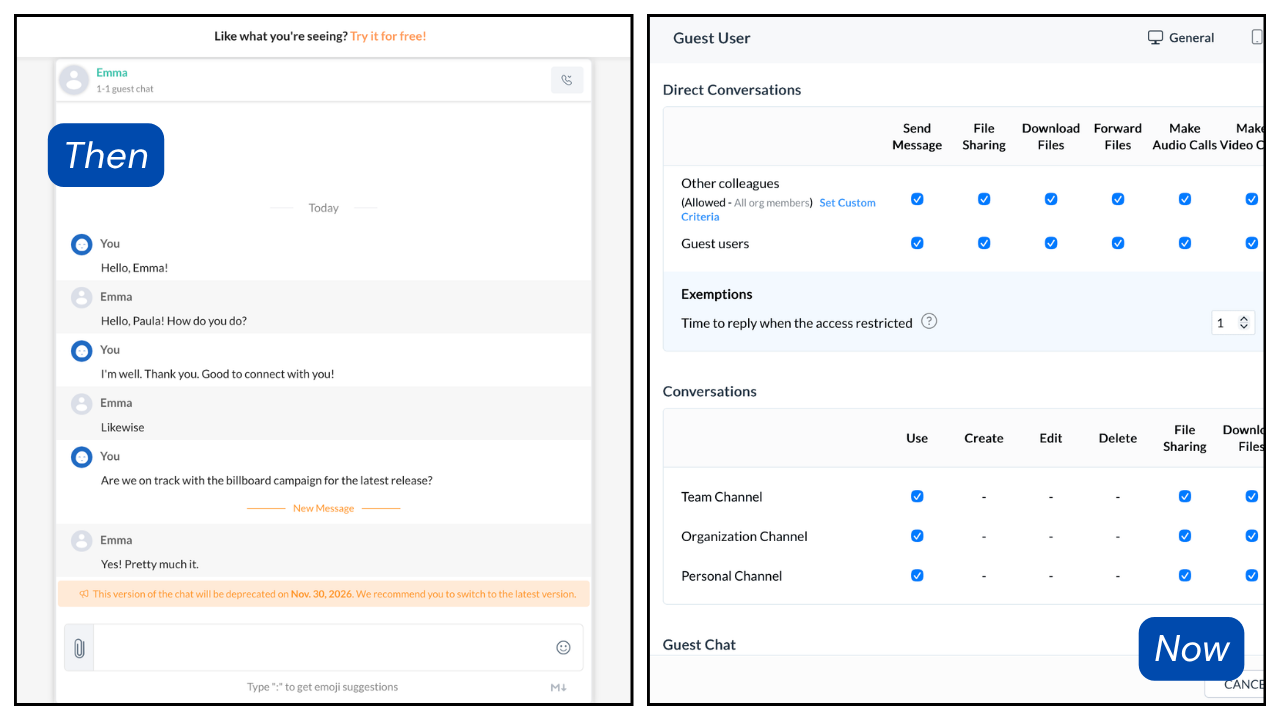
Previously, guest users in Cliq could participate in one-on-one conversations or group guest chats, but these interactions remained separate from the organization’s existing groups and channels. As every chat had a unique link, keeping track of updates could be difficult. Now, Cliq lets you onboard guest users to the organization and add them directly to existing channels, so conversations take place where the work is already happening.
When to add guest users
Add guest users whenever you need to loop external stakeholders into your organization's daily conversations. For example:
Collaborating with partners and vendors: Partners and vendors are external users who are essential stakeholders for business activities.
Coordinating with agencies on projects: The marketing team can create a channel for an upcoming campaign, onboard ad agency representatives as guest users, and add them to the channel to keep the discussion going.
Onboarding freelancers and contractors: Freelance and contractor employees have restricted access to company tools, as they are not part of the regular payroll. Guest users in Cliq can help keep the communication flowing.
Holding cross-organization discussions: Work together on common projects with a secure, central tool by onboarding external contacts as guest users to an already existing channel.
Why add guest users?
An exclusive workspace keeps communication organized, but it's not always necessary. Sometimes, the best solution is to keep the conversation centralized. Here's when guest users work better than a separate external collaboration tool:
Less context-switching
When you bring collaborators to your existing channels, you don't have to use a dedicated app or separate space just to communicate.
Built for short-term needs
Guest users work well for quick conversations and fast decisions.
Better control for admins
Admins can monitor and manage guest interactions by limiting access as needed. This gives them full control over how information is exchanged.
Guest users vs. Networks in Zoho Cliq
Zoho Cliq also offers Networks, a dedicated external collaboration platform. Wondering which collaboration feature you need? The following table will help you make the best decision.
Guest users | Networks |
Conversing with just one or a few external contacts | For building an exclusive external collaboration community |
Collaboration around one specific campaign or topic | Collaboration with a large community on several topics |
Short-term external collaboration need | Long-term external collaboration space |
Both Networks and the guest user feature simplify external collaboration. If you're collaborating with a small group of clients, vendors, or partners, try adding them as guest users for easy, centralized conversations.
To learn more about how to onboard guest users and manage them, read our help documentation.


Comments